
WWZMDiB CH341A EEPROM BIOS Programmer
4.1Editor score
Supports 24 and 25 series
Includes SOIC8 test clip
No welding required for use
This guide compares the top ten BIOS flash tools including programmers and recovery drives to help you restore firmware or fix boot issues reliably today.
Choosing the right BIOS flash tool can save your hardware from bricking and restore critical firmware updates. Whether you need a programmer chip or a bootable drive, compatibility matters most.
We evaluated ten products based on reliability, ease of use, and compatibility with common motherboard chips. Our list covers hardware programmers for direct chip flashing and system recovery utilities for boot issues.
Each pick shows key features and user ratings to help you decide quickly. Prices and availability change often, so check the latest details before you make your final purchase.
4.1Editor score
4.4Editor score

4.3Editor score
The following table summarizes the key specifications and capabilities of each product so you can compare them side by side quickly.





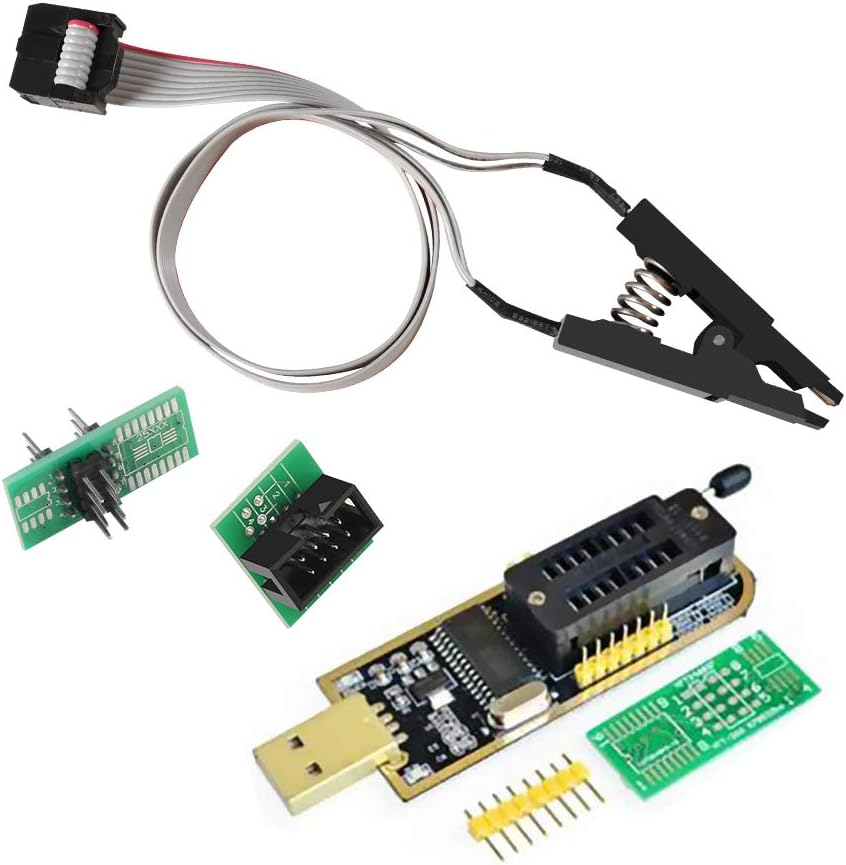
The WWZMDiB CH341A programmer is a popular entry-level tool for flashing BIOS chips. It earns a 4.1 rating from users who value its ease of use and wide chip compatibility.
We may earn a commission when you buy through this link, at no additional cost to you.
It allows you to backup and erase memory without soldering, thanks to the included SOIC8 clip. This makes it safe for delicate boards and quick for repairs.
Be sure to confirm chip voltage before connecting as the tool supports 3.3v and 5V switching. Using the wrong voltage can damage your hardware permanently.
This tool is ideal for hobbyists and repair technicians needing a reliable way to restore firmware quickly and affordably.
The included test clip lets you clamp directly onto the chip pins for safe in-circuit programming.
Manual voltage switching gives you control to match your target memory chip safely.
We may earn a commission when you buy through this link, at no additional cost to you.
The ACEIRMC kit builds on the CH341A platform with added versatility through dual clips. Its 4.4 rating reflects high user satisfaction with its value and function.
We may earn a commission when you buy through this link, at no additional cost to you.
It supports common EEPROM series like 24CXX and 25CXX and can work with 93CXX for broader utility. The extra clip helps if you need a spare.
Note that some ESMT or SST chips may only be readable depending on the programmer version. Also check peripheral circuits that can block in-circuit access.
This is a smart choice for users wanting more flexibility than basic kits while keeping costs low.
Having two clips ensures you can swap if one fails or keep a spare ready.
Coverage of 24 25 and 93 series makes it versatile for various devices.
We may earn a commission when you buy through this link, at no additional cost to you.
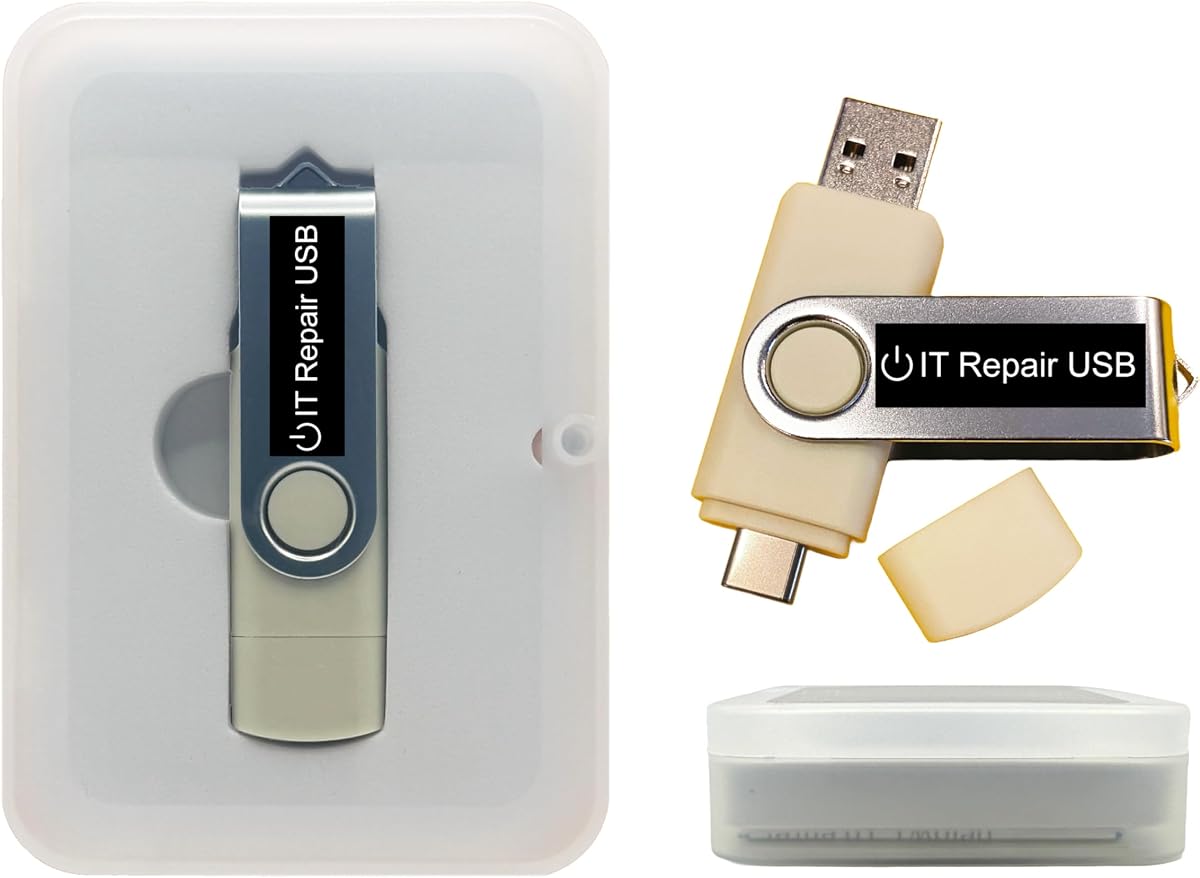
This bootable USB is designed for IT pros and power users who need to recover access to locked systems. It scores 3.6 due to its specialized purpose and legacy compatibility.
We may earn a commission when you buy through this link, at no additional cost to you.
It supports both Windows and Linux accounts and works with Legacy BIOS and UEFI modes. The drive operates without internet and guides you step by step.
While it focuses on account access, it does not repair hardware or OS corruption. Ensure your PC can boot from USB before purchasing.
For admins managing multiple devices, it offers a quick and secure way to restore access without losing files.
Works with Legacy BIOS and UEFI so it fits older and newer systems equally.
No internet required means your data stays local and secure during the recovery.
We may earn a commission when you buy through this link, at no additional cost to you.
This drive simplifies Windows 11 setup by removing TPM requirements that block many machines. It rates 4.0 for helping users install or repair their OS smoothly.
We may earn a commission when you buy through this link, at no additional cost to you.
It supports both UEFI and Legacy boot modes so it works with a wide range of PCs. The installer handles setup and recovery scenarios without complex steps.
Note it does not include a Windows product key and cannot fix failed hardware. Ensure your system can boot before relying on this tool.
Best for users who need a straightforward path to get Windows 11 running without hardware restrictions.
Removes the TPM check so older PCs can run Windows 11 without hardware changes.
Supports UEFI and Legacy to fit both modern and older motherboards well.
We may earn a commission when you buy through this link, at no additional cost to you.
This kit adds a 1.8V adapter for use with sensitive chips like those in phones. It earns a 4.4 rating for delivering fast performance and wide compatibility.
We may earn a commission when you buy through this link, at no additional cost to you.
It runs two to three times faster than older ATMEGA8 programmers and supports common SOP8 and DIP8 formats. The adapter expands its use to low voltage memory.
Verify the chip voltage and circuit before clipping in place. Peripheral circuits may block access on some boards.
Ideal for users working on laptops routers and phones that use low voltage SPI flash chips.
The 1.8V adapter makes it safe to flash sensitive memory in phones and modern boards.
Erase rates reach up to 2-3 Mbit per minute which speeds up repair workflows.
We may earn a commission when you buy through this link, at no additional cost to you.
The EZP2023 is a premium programmer known for speed and automation. It rates 4.3 for its ability to read chips in seconds and handle diverse series.
We may earn a commission when you buy through this link, at no additional cost to you.
It auto selects supply voltage and identifies most 25 series chips to simplify setup. The full set includes 15 adapters for broad socket compatibility.
Manual selection may be required for some 24 93 and 95 series chips. The cost is higher but performance justifies it.
Best for professionals who need reliability and speed across many device types daily.
The tool detects chip supply voltage to reduce user error and prevent damage.
Fifteen adapters cover many socket styles so you rarely need extra parts.
We may earn a commission when you buy through this link, at no additional cost to you.
This recovery toolkit aims to provide an all-in-one solution for startup issues and diagnostics. It rates 3.5 for its broad scope and customizable interface.
We may earn a commission when you buy through this link, at no additional cost to you.
It works in Legacy and UEFI modes and lets you run a live OS without modifying the hard drive. You can also add custom ISOs to expand its utility.
While it includes tools for malware removal and file recovery results vary by hardware issue. Verify boot compatibility before relying on it.
Suitable for technicians needing a versatile drive to handle multiple Windows repair tasks offline.
You can run the toolkit directly from USB without touching the existing system.
Add or replace ISOs to tailor the drive to your specific workflow needs.
We may earn a commission when you buy through this link, at no additional cost to you.
This clip targets 16 pin flash chips used in routers and desktops. It rates 4.3 for its stable connection and durable gold plated contacts.
We may earn a commission when you buy through this link, at no additional cost to you.
It supports both 150 and 300MIL body sizes and includes a DIP16 adapter. This versatility makes it useful for varied hardware setups.
Like other clips, peripheral circuits can block in-circuit access on some boards. In such cases removal may be required for success.
Choose this if you frequently handle 16 pin chips and need reliable clamp performance.
Thick gold plating ensures long life and stable electrical contact over many uses.
Accommodates both wide and narrow body chips to reduce the need for multiple clips.
We may earn a commission when you buy through this link, at no additional cost to you.
This recovery USB is built to work with Secure Boot enabled so you skip BIOS tweaks. It does not have a rating yet but promises official Windows delivery.
We may earn a commission when you buy through this link, at no additional cost to you.
It installs the latest official Windows directly from Microsoft sources and fits UEFI systems from 2013 onward. Support is US based with live chat.
Legacy BIOS is not supported so verify your boot mode before purchase. It also lacks a product key so use your existing license.
Ideal for users who need a modern recovery drive for Secure Boot enabled PCs.
Works with Secure Boot enabled so you avoid changing security settings in BIOS.
Downloads genuine Windows from Microsoft to avoid outdated or pirated ISOs.
We may earn a commission when you buy through this link, at no additional cost to you.
This bootable USB provides a security toolkit with over 600 tools for ethical hacking. It rates 4.1 for its breadth of utilities and platform flexibility.
We may earn a commission when you buy through this link, at no additional cost to you.
It runs on Intel and ARM systems and supports both Legacy and UEFI modes. You can also run it live or install it permanently for performance.
This tool is not for flashing chips but for testing networks and systems. It fits pros focused on security and forensics.
Best for researchers needing a portable high-performance environment for vulnerability assessments.
Includes a wide range of penetration testing utilities so you start testing immediately.
Runs on ARM based PCs which expands its reach beyond standard Intel hardware.
We may earn a commission when you buy through this link, at no additional cost to you.
Selecting the right tool depends on your device, chip type, and skill level. Consider these factors before purchasing.
Ensure the tool supports your chip series like 24 25 or 93. Mismatched chips may be read only or unsupported.
Verify chip series before buying to avoid incompatibility.
Check that the programmer supports your target voltage such as 3.3v or 5V. Some chips need 1.8V for safe operation.
Match voltage settings to prevent hardware damage.
Look for clips that allow programming without removing chips. This saves time and reduces risk of damage.
Choose in-circuit tools for frequent repairs.
Higher end tools offer faster read write speeds and auto detection. This improves workflow efficiency for pros.
Prioritize speed if you handle many devices.
For bootable drives, ensure support for Legacy BIOS or UEFI. Some drives only support UEFI or Secure Boot.
Check your motherboard mode before selecting a drive.
Intuitive software reduces setup time and errors. Look for guides that support offline operation.
Select tools with clear interfaces and offline modes.
Full sets with multiple adapters save extra costs. They help fit diverse chip packages like SOP8 or DIP16.
Prefer kits with included adapters.
Reliable support helps if you face issues during flashing. Check response times and warranty terms for peace of mind.
Choose vendors with responsive support.
Always verify chip voltage before connecting the programmer. Use the correct adapter to prevent permanent damage.
Install the required software on your PC and launch the tool before connecting the device. Follow on-screen prompts carefully.
Store clips and programmers in a dry place to avoid corrosion. Handle pins gently to maintain electrical contact.
A BIOS flash tool is hardware or software used to update or restore firmware on motherboards or devices. It can backup erase or write new data to memory chips.
Not every chip needs a programmer. Many devices use standard 24 or 25 series chips supported by common tools like CH341A or EZP2023.
Yes, some tools support in-circuit programming using test clips. However, peripheral circuits may block access on certain boards.
Most common chips use 3.3v or 5V. Always check your chip datasheet before selecting voltage to avoid damage.
No, bootable USBs install or repair the OS. Programmers directly flash memory chips on the motherboard or board.
It is safe if you follow voltage and compatibility rules. Improper flashing can brick hardware so proceed with caution.
Peripheral circuits may block in-circuit reads. Remove the chip for standalone programming if direct access fails.
Yes most programmers require PC software to operate. Ensure your system is compatible and download the required drivers.
The WWZMDiB CH341A and ACEIRMC kits offer great value for hobbyists while the EZP2023 delivers premium speed.
Prioritize voltage support and chip compatibility to prevent errors. Match your tools to your most common repair needs.
Prices and availability can change so review current listings before you buy.