
EERSY 65W Laptop Charger
4.8Editor score
Eight point eight foot cord
Supports multiple connector sizes
Wide input voltage range
This guide compares the top ten ASUS Vivobook and Zenbook power cord options to help you find the safest replacement charger for your device.
Finding the right power cord for your ASUS laptop is essential for reliable performance and device safety. A quality charger ensures stable voltage and protects your hardware from electrical surges during daily use.
We evaluated ten highly rated replacements based on compatibility, build quality, and safety certifications. Our analysis focuses on models that fit Vivobook and Zenbook series without compromising charging speed or reliability.
Each pick highlights specific strengths like connector variety, warranty terms, and port flexibility. Keep in mind that availability and pricing may vary over time so always verify details before purchasing.
4.8Editor score

4.4Editor score
4.8Editor score
The following table presents a side by side view of all ten selected chargers including their key specifications and compatibility details for quick reference.


The Powseed charger delivers reliable power for many ASUS laptops with its solid build and versatile tip set. It has earned high marks for its ability to replace original adapters across multiple Vivobook and Zenbook models.
We may earn a commission when you buy through this link, at no additional cost to you.
Its standout feature is the inclusion of four DC barrel tips that cover most legacy round port requirements. This flexibility reduces the need to guess which size matches your device. The long power cord provides convenience in larger workspaces.
While it lacks USB-C charging capabilities modern users may prefer. the robust protection circuits guard against shorts and overvoltage. The warranty terms also offer peace of mind for daily travelers.
Buy this if you have a non USB-C Vivobook or Zenbook needing a dependable backup or primary charger. Its balance of safety flexibility and value makes it a top choice for most standard users.
Supports dozens of Vivobook Zenbook and ExpertBook series models with round ports ensuring a single charger works across multiple devices.
Built-in protections prevent electrical damage while the two year warranty ensures long term reliability and customer support coverage.
We may earn a commission when you buy through this link, at no additional cost to you.
This ninety watt USB-C charger is engineered for high performance ASUS models that require more power for fast charging and sustained performance. It delivers the extra headroom needed by OLED and Pro series laptops.
We may earn a commission when you buy through this link, at no additional cost to you.
Its ability to support multiple voltage steps means it can negotiate power with various devices efficiently. The USB-C port also makes it compatible with other modern laptops and tablets providing great versatility for travelers.
The trade-off is the higher cost compared to standard barrel chargers and the lack of legacy connector tips. However for users with newer hardware this performance difference justifies the investment.
Choose this if your Zenbook or Vivobook uses USB-C charging and demands high wattage for fast charging. It is the premium choice for modern ASUS devices needing reliable high speed power delivery.
Designed to meet ninety watt requirements ensuring your high end laptop charges fully even during heavy workloads or extended use.
USB-C connectivity allows one charger to serve multiple modern devices reducing the number of adapters you need to carry daily.
We may earn a commission when you buy through this link, at no additional cost to you.
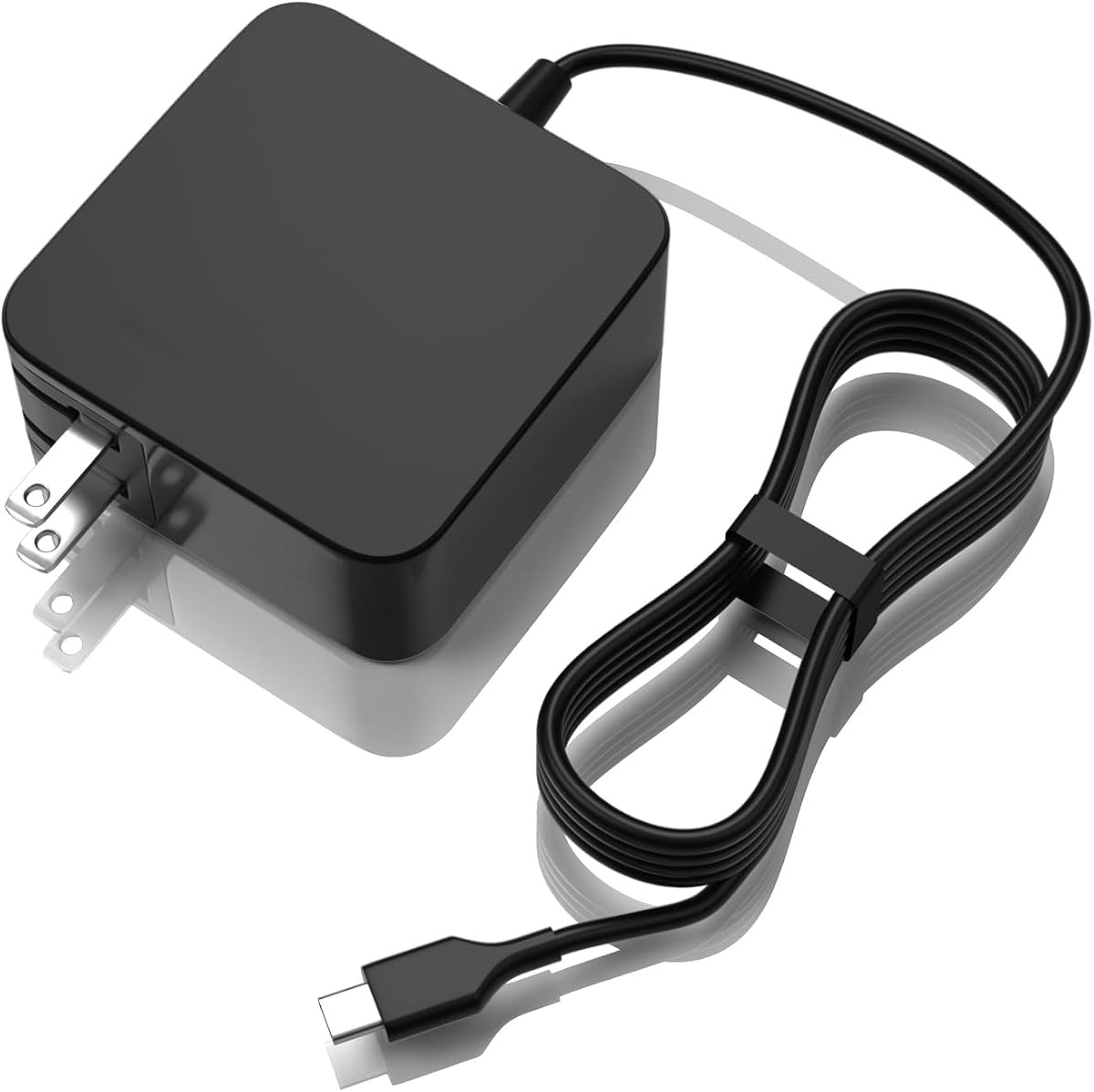
The EERSY charger offers incredible value for users needing a simple reliable replacement for older Vivobook and Zenbook models. Its long cord and wide voltage range make it practical for home office setups.
We may earn a commission when you buy through this link, at no additional cost to you.
It supports a wide array of socket sizes through multiple plug options. The cord length is notably longer than most competitors providing flexibility when outlets are far from your desk or workstation.
While it lacks premium materials or advanced safety features found in higher priced models it consistently delivers stable power. The high rating score suggests reliability across thousands of user experiences.
Buy this if you need an affordable and functional charger for daily tasks. It is ideal for users who prioritize cost and cord length over advanced features or compact portability.
An eight point eight foot cable allows you to charge from across a room without needing an extension or extra outlet nearby.
Accepts voltage from one hundred to two hundred forty volts making it suitable for travel to most international regions safely.
We may earn a commission when you buy through this link, at no additional cost to you.
Dexpt charger features an LED indicator that helps users confirm charging status at a glance which is helpful in low light environments. It targets Vivobook Zenbook and Chromebook devices with round ports.
We may earn a commission when you buy through this link, at no additional cost to you.
The connector set supports multiple amperage needs allowing the same unit to replace thirty three forty five and sixty five watt adapters. The seven and a half foot cord adds practical reach for desks.
The LED feature is useful though some users might find it distracting in dark rooms. The power remains consistent and stable for most standard non-gaming laptops used daily for work.
Choose this if you want clear visual feedback on charging status alongside solid compatibility. It is a practical pick for users who value convenience and reliable performance.
The LED light confirms power connection so you never have to guess if your laptop is actively charging.
Switchable connectors cover various wattage needs ensuring one charger works across different ASUS laptop generations.
We may earn a commission when you buy through this link, at no additional cost to you.
Superer offers a versatile solution with four round connectors included to cover most legacy ASUS laptop port types. It focuses on stability and durability for users needing a long-term replacement.
We may earn a commission when you buy through this link, at no additional cost to you.
The warranty extends to two years which is longer than many standard options. This reflects confidence in the product reliability and provides users with extended protection against defects.
Its compact size makes it easy to store in a backpack though it lacks USB-C compatibility. The connectors are well built to prevent loosening during regular charging cycles.
Buy this if you need multiple connector sizes without buying separate units. It is ideal for families or offices with different Vivobook models requiring different tip sizes.
A two year warranty ensures you have coverage for potential defects or issues during normal daily use.
Four distinct connector sizes mean fewer chances of compatibility errors when replacing an old charger.
We may earn a commission when you buy through this link, at no additional cost to you.
Nicpower targets specific Vivobook Flip and Go series with a streamlined design that focuses on core compatibility. It suits users who know their device requires a single round connector.
We may earn a commission when you buy through this link, at no additional cost to you.
The build prioritizes stability with consistent voltage output for sensitive ASUS components. The list of supported models is clear reducing the risk of purchasing the wrong type.
Lacking multiple tips might be a limitation for owners of multiple laptops. However for single device owners it offers straightforward performance without unnecessary extras.
Choose this if you own a standard Vivobook Flip or Go with a round port. It is a simple reliable choice for daily charging without extra features.
Focused compatibility with Flip and Go series ensures reliable charging for those specific form factors.
Delivers consistent voltage to prevent performance drops during intensive tasks like video editing or browsing.
We may earn a commission when you buy through this link, at no additional cost to you.
This forty five watt charger is built for lightweight Vivobook and Chromebook models that do not need high power. It features a forty millimeter tip tailored for devices requiring less voltage.
We may earn a commission when you buy through this link, at no additional cost to you.
Its backward compatibility means it can handle devices needing even less power without causing damage. The lightweight design makes it easy to carry for students or travelers.
It is not suitable for performance laptops that require sixty five or ninety watts. However for standard models it provides efficient reliable power at a low cost.
Buy this if your device specifies forty five watts or less. It is perfect for basic work and browsing tasks on portable ASUS devices.
Lower wattage reduces energy consumption which is ideal for devices that do not need high speed charging.
Light and small enough to fit in any pocket or bag without adding bulk to your daily carry.
We may earn a commission when you buy through this link, at no additional cost to you.
Dexpt provides three tip sizes to accommodate most round port ASUS laptops and Chromebooks. It emphasizes user convenience by ensuring most devices find a matching tip easily.
We may earn a commission when you buy through this link, at no additional cost to you.
The charger is tested for safety and compatibility with school or office Chromebooks that use barrel ports. The instructions guide users on testing all tips for a proper fit.
While it lacks USB-C which is common in newer Chromebooks it serves older models well. The brand is known for reliability in replacement charger markets.
Choose this if you need to power multiple Chromebook or Vivobook models. It is a practical choice for environments with mixed ASUS hardware.
Three included sizes mean less chance of mismatch when replacing an original charger for different devices.
Internal safety circuits prevent surges that could harm sensitive school or office Chromebook components.
We may earn a commission when you buy through this link, at no additional cost to you.
This ninety watt USB-C charger offers fast charging capabilities tailored for Vivobook models that support higher wattage. It ensures your device charges quickly even during heavy use sessions.
We may earn a commission when you buy through this link, at no additional cost to you.
Safety certifications like FCC and CE guarantee reliable performance without risking hardware damage. The USB-C design aligns with modern standards for portability.
It is less versatile for older models using barrel tips. However for newer hardware it provides the speed needed for power users.
Buy this if your Vivobook uses USB-C and supports ninety watts. It delivers the performance required for work laptops needing quick turnaround times.
Supports fast charging so you can resume work quickly after brief power breaks.
Certifications ensure the charger meets international safety standards for voltage and electrical safety.
We may earn a commission when you buy through this link, at no additional cost to you.
LAP POW offers a portable USB-C charger ideal for travel and daily commuting. The foldable plug reduces snagging in bags while the included tie keeps the cable neat.
We may earn a commission when you buy through this link, at no additional cost to you.
It supports multiple wattages ensuring compatibility with Zenbook and Chromebook models requiring sixty five watts or less. The voltage range covers worldwide use for travelers.
The shorter cord may limit desk usage but adds to its compact nature. Safety certifications ensure reliable performance during regular use.
Choose this if you prioritize portability and sleek design. It is perfect for travelers who need a dependable charger on the go.
Foldable prongs save space in backpacks and prevent damage during transit.
Included tie helps store the cord neatly preventing tangles and wear over time.
We may earn a commission when you buy through this link, at no additional cost to you.
Selecting the right charger involves checking wattage compatibility connector type and safety features to ensure reliable power for your laptop.
Always match the charger wattage to your laptop requirement for example sixty five watts for standard models or ninety watts for OLED variants. Using a lower wattage charger may result in slow charging or failure to power under load.
Verify your device label for the exact wattage needed and choose a charger that meets or slightly exceeds this value for stability.
Determine if your laptop uses USB-C or a barrel connector. Most newer Vivobook Zenbook series use USB-C while older models rely on round barrel tips.
Ensure the charger includes the correct tip size if using a barrel connector and check compatibility lists before purchasing.
Look for chargers with FCC CE or RoHS certifications which confirm electrical safety and quality standards. These reduce the risk of shorts or overheating during use.
Avoid uncertified brands to protect your laptop and personal safety from potential electrical hazards.
Consider the power cord length based on your workspace. Longer cords around eight feet provide more flexibility while shorter cords offer portability for travel.
If you need extra reach use a certified extension cable rather than a cheap one that may reduce safety.
Check the manufacturer warranty period as higher quality chargers often include one to two years of coverage. This ensures support if the device fails prematurely.
Prioritize brands with reliable support for easier replacements if issues arise.
Inspect the charger housing and plug design for durability. A sturdy build prevents internal damage from bending or dropping.
Choose models with reinforced strain relief near the connector to extend the cable lifespan.
Ensure the charger supports a wide input voltage range like one hundred to two hundred forty volts for international travel.
This compatibility allows you to use the charger abroad without needing additional voltage converters.
Read recent customer reviews to understand real world performance. Look for feedback on reliability and compatibility with specific laptop models.
Consistent positive feedback indicates a trustworthy product that meets user expectations.
Plug the AC adapter into a power outlet first then connect the cable to your laptop to ensure stable voltage during startup.
Avoid bending or twisting the cable near the connectors to prevent internal wire damage and connection failures over time.
Store the charger with the cable loosely coiled to maintain its shape and prevent stress on the internal components.
Yes as long as the voltage matches your device's requirement higher wattage chargers deliver power as needed without harming the laptop. However ensure the connector tip matches exactly to avoid physical damage.
USB-C is a modern reversible connector used in newer laptops for faster charging while barrel connectors are traditional round tips found on older models. Using the wrong type will not fit or provide power.
Check your old charger label or measure the barrel diameter in millimeters. If unsure compare the plug shape with images provided by the seller to confirm the exact fit.
Third-party chargers with FCC or CE certifications are generally safe and reliable. Always choose well reviewed brands with clear compatibility lists to protect your hardware from electrical issues.
Some warmth is normal during charging due to internal resistance. However excessive heat may indicate poor quality or overloading. If it feels too hot unplug it immediately for safety.
Most chargers listed are specific to ASUS but universal ones with multiple tips may work with other brands if the voltage and connector match. Always check the compatibility before use.
Check the outlet and cable connections first to ensure they are secure. If the problem persists contact the seller to claim warranty coverage if applicable.
Yes USB-C chargers with PD protocol support fast charging for compatible Vivobook and Zenbook models. Ensure the charger matches your device wattage for optimal performance.
The Powseed and EERSY options stand out for value and versatility while the 90W USB-C charger serves modern high performance users best.
Prioritize safety certifications and connector compatibility when making your decision to protect your device from potential electrical issues.
Prices and availability change so verify the current details on the product page before purchasing to ensure the best fit.