
ProElife Ergonomics Grip
4.5Editor score
Affordable high-quality silicone
Anti-slip internal grooves
Adjustable sleeve position
This guide compares the top Apple Pencil Grips for comfort and control, reviewing ten models to help you choose the best accessory for your iPad.
Finding the right grip for your stylus can transform your writing and drawing experience. A good grip reduces fatigue, improves control, and protects your device from slips and drops during long creative sessions.
We analyzed ten popular models based on comfort, durability, and compatibility with various Apple Pencil generations. Our evaluation focuses on ergonomic design, material quality, and how well each option maintains full functionality.
Each pick highlights specific strengths and ideal use cases for different users. Prices and availability change frequently, so please verify details on the product pages before making your final purchase decision today.
4.5Editor score

4.3Editor score

4.6Editor score
The following table provides a side-by-side comparison of all ten selected Apple Pencil Grips. Review key specifications and features to determine which model best suits your specific needs and budget.


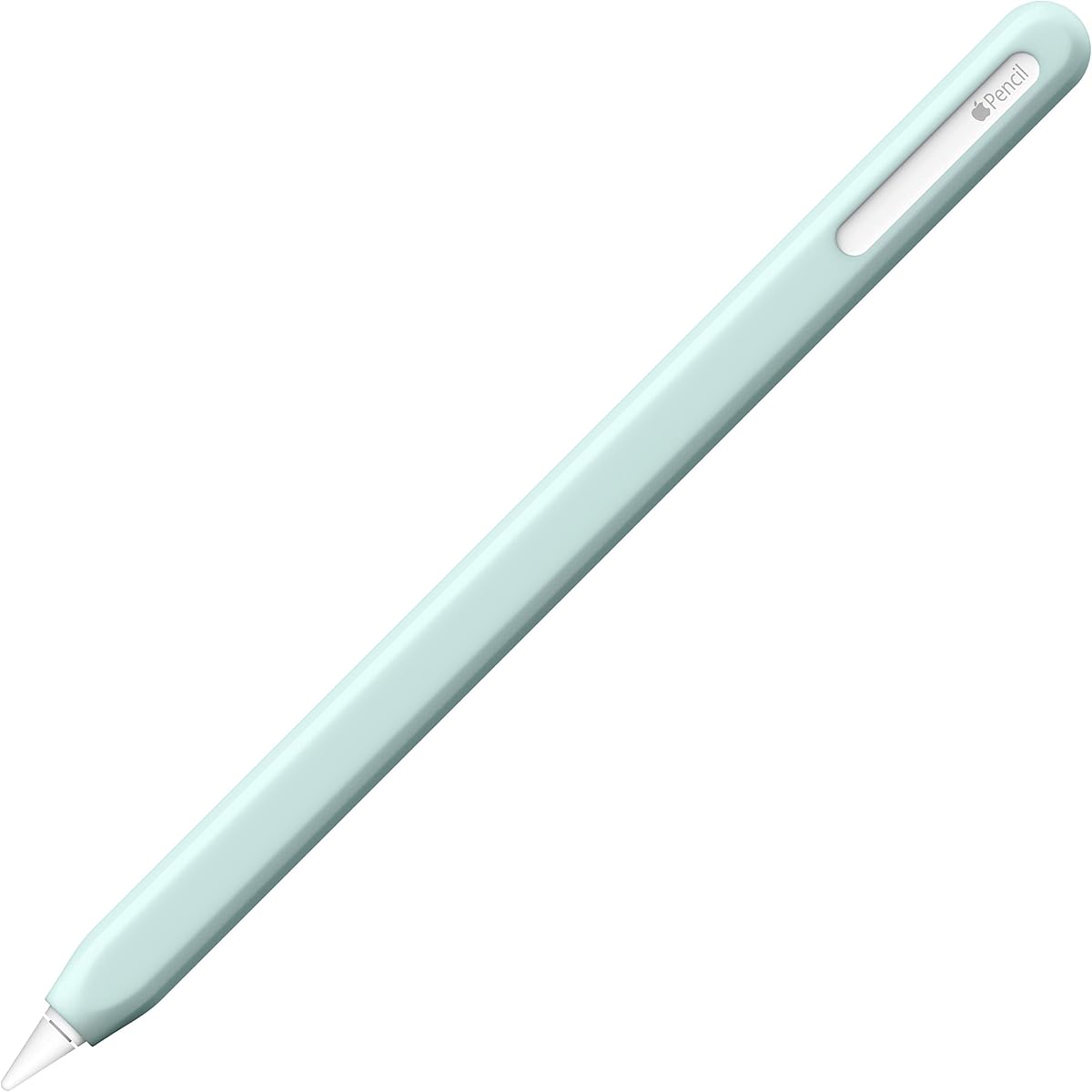


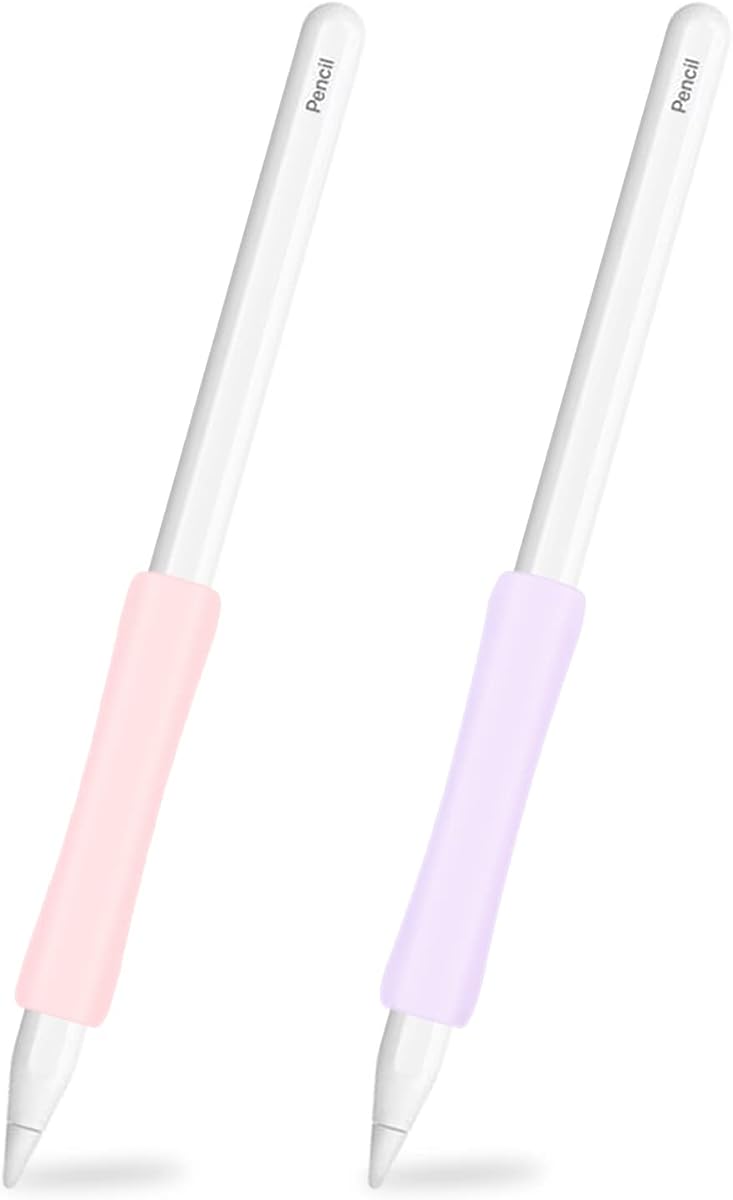
The Paperlike Pencil Grips stand out as a top choice for users seeking comfort and control. With a rating of 4.3 stars, this product is designed to reduce fatigue during long sessions while keeping your pencil responsive.
We may earn a commission when you buy through this link, at no additional cost to you.
Its ergonomic shape is inspired by natural pen shapes, ensuring a comfortable hold. The ultra-thin silicone zones allow full functionality including magnetic charging and double-tap gestures without interference.
While the design is excellent, the price point is higher than generic alternatives. Additionally, while two colors are included, users wanting more variety might find the selection limited.
We recommend this for professionals or students who write daily. The balance of comfort, durability, and functionality makes it a strong investment for serious iPad users.
The shape is crafted to match natural hand curves, reducing strain over time.
Angled sidewalls ensure the pencil fits securely even when an iPad case is attached.
We may earn a commission when you buy through this link, at no additional cost to you.
The ProElife Ergonomics Grip Holder offers excellent value for budget-conscious buyers. Boasting a 4.5 rating, it focuses on relieving hand pain through a unique ergonomic shape that aligns with hand curvature.
We may earn a commission when you buy through this link, at no additional cost to you.
Made from high-quality silicone, it provides a strong grip thanks to internal anti-slip grooves. The sleeve is designed to be easily adjustable, allowing you to find the perfect position for writing.
The main trade-off is the simplistic design and potentially lower durability compared to more expensive options. It may wear faster with heavy daily use than premium silicone alternatives.
This is ideal for students or casual users who want relief without a big investment. Its practical design makes it a functional choice for everyday tasks.
The bottom of the sleeve is larger to better match the curve of your hand.
Internal grooves ensure the pencil stays firmly in place without slipping during use.
We may earn a commission when you buy through this link, at no additional cost to you.
This Grip is designed to offer superior comfort for Apple Pencil Pro and Gen 2 users. With a 4.4 rating, it features a unique split-back design that allows easy access to charging without removing the grip.
We may earn a commission when you buy through this link, at no additional cost to you.
The design wraps around the edges of the iPad for a more secure fit than traditional sleeves. It maintains access to all Gen 2 features while providing significant comfort improvements.
Users should note that international versions may have different terms or labeling. Additionally, specific cases might affect fit, so checking compatibility is wise.
We recommend this for tech-savvy users who value design and functionality. It is perfect for those who frequently charge their pencils wirelessly or via cable.
The split allows you to charge your Gen 2 pencil without removing the grip entirely.
Edges wrap around the tablet to ensure the grip stays in place during use.
We may earn a commission when you buy through this link, at no additional cost to you.
The UPPERCASE NimbleGrip is highly rated for its premium material quality. With a 4.6 score, it offers a soft yet supportive feel that nestles comfortably in your hand for extended periods.
We may earn a commission when you buy through this link, at no additional cost to you.
It features a dust-free coating to reduce lint attraction and an interior ribbed design to keep it secure. The dual-sided exterior offers both round and hexagonal options for your preference.
Removing it for wireless charging requires specific handling by the top edge. Some features like double-tapping may require you to leave part of the tip exposed.
This is ideal for users who prioritize comfort and material feel. It is a great choice for artists who need consistent comfort throughout long sessions.
The silicone is treated to reduce lint attraction, keeping it cleaner.
Choose between a round or hexagonal texture based on your grip preference.
We may earn a commission when you buy through this link, at no additional cost to you.
This three-pack offers excellent value for users wanting multiple options. With a 4.4 rating, the silicone sleeves are soft and comfortable, featuring a threaded design to prevent slipping.
We may earn a commission when you buy through this link, at no additional cost to you.
The 0.35mm thickness is thin enough to maintain magnetic compatibility for charging. It protects your pencil from scratches while providing a secure grip.
The design is basic compared to branded options, but functionality is solid. Ensure there is no obstruction at the charging spot if using wireless charging.
Perfect for families or students sharing devices. The variety of colors allows for easy identification and personalization.
The threaded design prevents slipping even when your hands get sweaty.
At 0.35mm thick, it does not interfere with wireless charging capabilities.
We may earn a commission when you buy through this link, at no additional cost to you.
elago is known for its design-first approach. This grip is designed in-house to ensure a perfect fit and high-quality construction. With a 4.5 rating, it boosts grip and reduces fatigue over continued use.
We may earn a commission when you buy through this link, at no additional cost to you.
The ergonomic shape sits comfortably in the hand. It uses premium silicone that prevents scratches on surfaces while protecting the pencil itself.
It may cost more than generic options due to the design focus. Colors are limited, but the minimalist look appeals to many.
Ideal for design-conscious users who want something stylish yet functional. It makes a great gift for pencil users looking for quality.
Every aspect is created in-house to ensure perfect fit and quality.
The silicone prevents scratches on the desk or iPad surface where the pencil rests.
We may earn a commission when you buy through this link, at no additional cost to you.
The NimbleSleeve offers complete coverage with a stylish faceted look. With a 4.3 rating, it protects against dust and drops while offering comfortable grip control.
We may earn a commission when you buy through this link, at no additional cost to you.
The faceted design resists rolling when you set the pencil down, which is a practical feature. It maintains magnetic charging and double-tap features for 2nd Gen Pencils.
Note that third-party iPad cases may need a specific cutout for wireless charging. It is designed for Pro and 2nd Gen models primarily.
Great for users wanting full protection and style. The non-rolling feature is a nice bonus for desk users.
The faceted edges keep the pencil from rolling off your desk.
Full sleeve design protects against drops, dust, and dirt effectively.
We may earn a commission when you buy through this link, at no additional cost to you.
This grip features a unique square and circle design for versatile holding options. With a 4.2 rating, it provides anti-sweat and non-slip protection to prevent your pencil from falling.
We may earn a commission when you buy through this link, at no additional cost to you.
The ultra-thin cross-section supports wireless charging and the double-tap function without removal. It is compatible with Pro, 2nd Gen, and USB-C models.
Ensure the cross-section aligns correctly with the charging port for best results. It may not fit compact pen slots.
Ideal for users wanting unique grip options. The included storage box is a helpful addition for portability.
Square and circle in one design offer different comfortable ways to hold.
Cross-section is thin enough to allow charging without removing the grip.
We may earn a commission when you buy through this link, at no additional cost to you.
This 2-pack provides two grips for the price of one. With a 4.4 rating, the ergonomic design features a concave middle that aligns well with hand curvature.
We may earn a commission when you buy through this link, at no additional cost to you.
The material is soft and stretchy, ensuring a firm hold without slipping. Installation is easy, and the sleeve can be moved to different positions.
It is designed mainly for 2nd Gen and Pro models; note it is not for 1st Gen. The design is simple but functional for relief.
Perfect for backups or sharing. The concave shape offers relief similar to premium options at a lower price.
The middle is concave to better fit the natural curve of the hand.
You can move the sleeve to find the most suitable position easily.
We may earn a commission when you buy through this link, at no additional cost to you.
This model focuses on ergonomic relief with a concave middle design. With a 4.3 rating, it is designed for Pro, USB-C, and 2nd Gen models specifically.
We may earn a commission when you buy through this link, at no additional cost to you.
The ultra-thin sleeve does not interfere with magnetic charging. It protects against dust, dirt, and accidental falls while maintaining a firm grip.
Ensure it fits your specific model as it is not compatible with 1st Gen. The two-pack offers good value for replacements.
Best for users prioritizing ergonomics on a budget. It offers similar benefits to higher-end grips at a competitive price point.
The concave shape aligns with hand curvature to relieve hand pain.
Soft silicone protects from dust and falls without adding bulk.
We may earn a commission when you buy through this link, at no additional cost to you.
Selecting the right grip depends on your usage patterns and the specific model of Apple Pencil you own. Here are the key factors to consider.
Ensure the grip fits your specific Apple Pencil generation. Many grips are designed for 2nd Gen or Pro models, which differ slightly from the 1st Gen.
Check product descriptions to confirm support for USB-C or specific iPad models.
Look for grips with ergonomic shapes that match the curve of your hand. Concave or tapered designs can significantly reduce strain during long sessions.
Choose a shape that feels natural to you to maximize comfort.
Silicone is the most common material due to its soft feel and durability. High-quality silicone prevents dirt attraction and offers a non-slip grip.
Consider premium coatings if you want easier cleaning and less maintenance.
Some grips may block magnetic charging or double-tap gestures if they are too thick. Ultra-thin designs preserve full functionality.
Check if the grip allows for wireless charging without removal.
Thicker grips offer more cushioning but may make the pencil bulky. Thin grips provide subtle relief without adding weight.
Balance thickness with your preference for a lightweight feel.
Prices range from budget-friendly multi-packs to premium single options. Multi-packs often offer better value if you want backups or colors.
Weigh the cost against the durability and features provided.
Grips come in various colors and shapes to match your style. Some offer unique faceted designs for better rolling prevention.
Choose a look that complements your setup.
Install the grip by sliding it onto the pencil until it sits comfortably. Ensure it is positioned where your fingers naturally rest for best support.
Clean the silicone periodically with mild soap and water to remove dust and sweat. Allow it to dry completely before reattaching.
Remove the grip for charging if it blocks the charging port. Store it safely when not in use to prevent stretching or damage.
Most grips are designed to be thin enough to not interfere with wireless charging. However, always check the product description to confirm compatibility with your specific Pencil model.
Not all grips fit the 1st Generation. Look for products explicitly stating compatibility with the 1st Gen, as the shape differs from newer models.
Use mild soap and water to gently clean the grip. Rinse thoroughly and let it air dry completely to avoid residue buildup.
Yes, grips provide added cushioning and friction that reduces hand strain and prevents slipping during long creative sessions.
Grips for USB-C models may be slightly different in shape or thickness. Ensure the product supports your specific generation for best fit.
Thin grips typically do not affect double-tap. If the grip covers the sensor area, you may need to adjust its position for it to work.
We reviewed ten top Apple Pencil Grips offering comfort and protection for various models. Whether you need budget relief or premium design, there is an option for everyone.
Prioritize ergonomic fit and material quality to ensure long-lasting comfort. Your choice depends on your specific Pencil model and usage needs.
Prices and availability may change. Always check current offers on the product pages before purchasing to secure the best deal available.