
AOC 24" Gaming Monitor FHD 200Hz IPS NVIDIA G-SYNC Compatible 0.3ms 24G42HE
4.6Editor score
200Hz refresh rate for smooth gameplay
1ms MPRT response time
116% sRGB color gamut
Finding the right display can transform your computing experience significantly. AOC has established itself as a leading brand known for delivering high-performance screens across various price points. Whether you are a competitive gamer seeking speed or a professional needing clarity, there is a model designed for you.
We have carefully evaluated the latest offerings from this manufacturer to bring you a curated list of the most impressive options available. Our analysis focuses on critical specifications such as refresh rates, panel types, and connectivity options. This ensures that every recommendation meets the demanding standards of modern users.
Each selection below highlights specific strengths tailored to different use cases and budgets. You will find detailed breakdowns of what makes each monitor stand out in its category. Please note that pricing and availability can fluctuate frequently, so always check the latest listings before making your final purchase decision.
4.6Editor score

4.6Editor score
4.4Editor score
As an Amazon Associate we earn from qualifying purchases.
This side-by-side comparison highlights the key specifications and features of all ten selected models. We have organized the data to help you quickly identify differences in resolution, refresh rate, and panel type across the lineup.


This model stands out as a top performer in the gaming sector. With a 260Hz overclocked refresh rate, it delivers incredibly smooth motion that competitive players will appreciate. The QHD resolution ensures sharp visuals without demanding excessive GPU power.
We may earn a commission when you buy through this link, at no additional cost to you.
The IPS panel provides wide viewing angles and vibrant colors that remain consistent even at the edges. Adaptive-Sync support helps eliminate screen tearing, ensuring a fluid experience regardless of the frame rate. The 0.3ms response time further minimizes motion blur during fast-paced action.
While it lacks some advanced ergonomic features like height adjustment, the tilt range is sufficient for most setups. The three-sided frameless design enhances immersion and makes it ideal for multi-monitor configurations. These minor trade-offs are acceptable given the performance metrics offered.
Gamers looking for a high-speed display without compromising on color quality should consider this option. It strikes a perfect balance between competitive specs and visual fidelity. We recommend it highly for anyone serious about improving their gaming setup.
The combination of a high refresh rate and low response time ensures that every action is rendered smoothly. This is critical for titles where split-second reactions determine the outcome of a match.
The 1000:1 contrast ratio and 300-nit brightness deliver vibrant visuals that pop. You can enjoy rich blacks and detailed images that make single-player games look stunning.
We may earn a commission when you buy through this link, at no additional cost to you.
This monitor offers exceptional value for those seeking high refresh rates without breaking the bank. The 200Hz refresh rate ensures fluid motion which is rare at this price tier. It is an excellent choice for budget-conscious gamers who do not want to compromise on speed.
We may earn a commission when you buy through this link, at no additional cost to you.
The 116% sRGB color gamut allows for vivid and true-to-life images. HDR Ready support adds another layer of visual depth to compatible content. The frameless design makes it a great candidate for users planning to expand to a multi-monitor setup later.
While the Full HD resolution is less sharp than Quad HD, it is still very clear on a 24-inch panel. The input lag is minimized for console gaming, making it versatile for different platforms. This balance of features makes it a strong contender for entry-level setups.
If you are building your first gaming station or upgrading from an older screen, this model is highly recommended. It provides the essential tools needed for smooth and enjoyable gameplay. We believe it is the best value option in this lineup.
Achieving a 200Hz refresh rate at this price point is a significant achievement. It allows for smooth gameplay in competitive titles like shooters and racing games.
The low input lag mode is particularly beneficial for console users. It ensures that your controller inputs are reflected on screen instantly, giving you a competitive edge.
We may earn a commission when you buy through this link, at no additional cost to you.
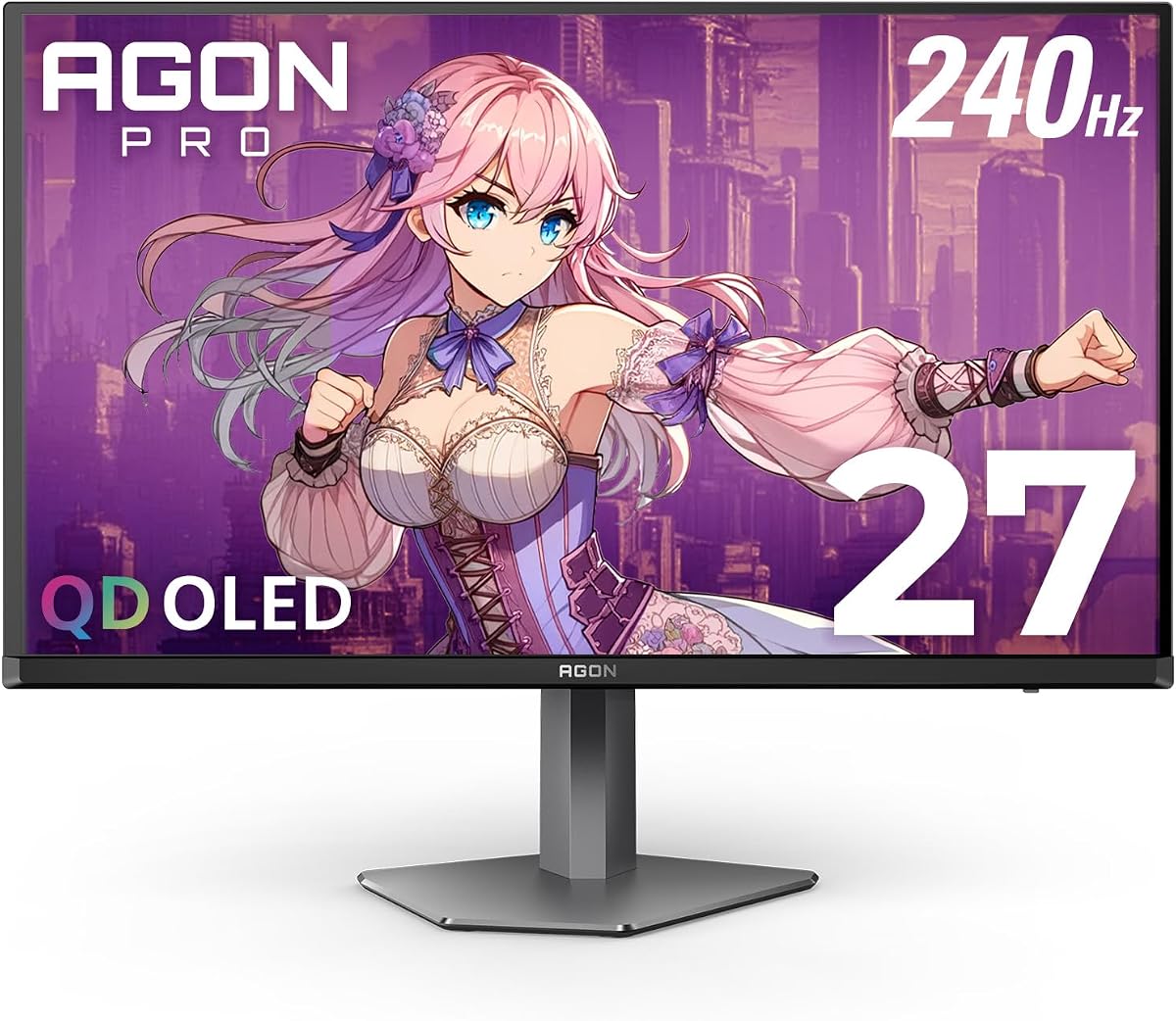
This monitor represents the pinnacle of display technology available from the brand. The QD OLED panel offers genuine blacks and over a billion colors for an immersive experience. It is designed for enthusiasts who demand the absolute best visual fidelity available today.
We may earn a commission when you buy through this link, at no additional cost to you.
With a 240Hz refresh rate and 0.03ms GTG response time, motion is rendered with unprecedented clarity. HDR10 support enhances the dynamic range, making bright scenes pop and dark scenes retain detail. The gaming lighting adds a unique aesthetic touch to your setup.
The premium price tag reflects the advanced technology inside. While burn-in is a concern with OLED panels, modern features help mitigate this risk. For users who prioritize visual quality above all else, this monitor is worth the investment.
We recommend this for professionals and hardcore gamers who want a top-tier display. It combines speed with stunning visuals in a way few other monitors can. If budget is not a constraint, this is the ultimate choice.
The self-luminous nature of OLED means each pixel emits its own light. This results in perfect blacks and exceptional contrast that LCD panels cannot match.
The 0.03ms response time ensures that fast-moving objects appear without blur. This is crucial for competitive gaming where every millisecond counts.
We may earn a commission when you buy through this link, at no additional cost to you.
This monitor is tailored for professionals who prioritize sharpness and color accuracy over raw speed. The 4K UHD resolution provides incredible detail for text and media consumption. It is an excellent tool for office work, content creation, and general multimedia use.
We may earn a commission when you buy through this link, at no additional cost to you.
The IPS panel ensures that colors remain accurate across the screen. Built-in speakers add convenience by reducing cable clutter on your desk. The frameless design looks modern and professional in any workspace environment.
While it is not optimized for high-speed gaming, it handles general tasks effortlessly. The lack of gaming-specific features like adaptive sync is understandable given its target audience. It focuses on delivering a clean and sharp visual experience for productivity.
If you spend your day editing documents or designing graphics, this display is a solid choice. The clarity of the 4K resolution makes it easy on the eyes for long hours. We recommend it for users focused on work rather than play.
The high resolution allows for more windows to be open side by side. This increases efficiency when working on complex projects that require multitasking.
HDR support enhances movies and videos watched on this screen. The high pixel density makes images look crisp and detailed.
We may earn a commission when you buy through this link, at no additional cost to you.
This monitor brings high refresh rates to a larger 27-inch form factor at a reasonable price. The 260Hz overclocked refresh rate ensures smooth motion that rivals more expensive options. It is a smart choice for those who want a large screen without sacrificing speed.
We may earn a commission when you buy through this link, at no additional cost to you.
Adaptive-Sync technology keeps visuals synchronized with your GPU to reduce tearing. The flicker-free technology helps reduce eye strain during extended gaming sessions. Eco mode keeps power usage efficient which is great for long-term energy savings.
The Full HD resolution on a 27-inch screen means text might appear slightly less sharp than on a QHD panel. However, for gaming, the high refresh rate compensates for this. The VESA mount support allows for flexible positioning on walls or arms.
We suggest this model for gamers who prioritize performance and screen size over pixel density. It offers a compelling mix of features that suit most casual and competitive players. It is an excellent addition to a budget-friendly gaming station.
Finding a 27-inch monitor with such a high refresh rate is rare. This allows for an immersive experience while maintaining competitive edge.
Flicker-free technology ensures comfort during long sessions. This is an important feature for anyone who plays or works for hours at a time.
We may earn a commission when you buy through this link, at no additional cost to you.
The curved design of this monitor creates a sense of immersion that flat screens cannot match. A 32-inch QHD resolution offers plenty of space for multitasking or gaming. The VA panel delivers deep blacks and high contrast which enhances the visual experience.
We may earn a commission when you buy through this link, at no additional cost to you.
With a 180Hz refresh rate, the motion is smooth enough for competitive play. The 120% sRGB coverage ensures that colors are rich and vibrant. Connectivity is robust with multiple HDMI and DisplayPort options for various devices.
VA panels can sometimes show slight ghosting in dark scenes, but this model minimizes that issue. The advanced replacement warranty provides peace of mind regarding quality. The 1500R curvature is well-suited for a desktop setup.
This monitor is perfect for users who want a large and immersive display for entertainment. It handles both single-player story games and intense shooters well. We recommend it for those who value screen size and immersion above all.
The high contrast ratio makes dark scenes look truly black. This improves the overall perception of quality in media and games.
The 32-inch size provides ample space for multiple applications. This is ideal for users who need to keep many windows open.
We may earn a commission when you buy through this link, at no additional cost to you.
Designed with console gaming in mind, this monitor delivers high frame rates for smooth gameplay. The 240Hz refresh rate is ideal for competitive shooters and racing games. The curved screen adds to the immersion when playing on a couch or desk.
We may earn a commission when you buy through this link, at no additional cost to you.
AMD FreeSync Premium ensures that visuals are fluid and tear-free across supported hardware. The low latency mode is crucial for reducing delay between controller and screen. The frameless design makes it look sleek and modern in any room.
The Full HD resolution is a trade-off for the high refresh rate at this size. However for console gamers often prioritize motion clarity over pixel density. The VGA and multiple HDMI ports offer flexible connection options for older and newer devices.
We recommend this for console players who want a large screen and fast performance. It is a robust choice for those who want to maximize their gaming experience. The performance justifies the specs for most modern games.
This monitor is tuned to support 120Hz frame rates on consoles. This means you get the best possible experience from your hardware.
High refresh rates eliminate stuttering in fast-paced scenes. This ensures that your gameplay looks fluid and responsive.
We may earn a commission when you buy through this link, at no additional cost to you.
This is another premium offering that emphasizes visual fidelity and speed. The QD OLED technology provides a perfect blend of color and speed. It is suited for high-end PCs that can drive high frame rates and HDR content.
We may earn a commission when you buy through this link, at no additional cost to you.
With 240Hz and 0.03ms response time, the screen is incredibly responsive. HDR10 support brings out details in shadows and highlights. The color gamut covers a wide range of standard color spaces ensuring accurate representation.
The main drawback is the higher cost compared to traditional LCD models. However, for those seeking the best quality, the investment is worthwhile. It is perfect for creators and gamers who want top-tier visuals.
We suggest this for users with powerful systems looking for a flagship display. It combines high refresh rates with stunning color performance. It is one of the best options available for visual enthusiasts.
The OLED panel ensures that colors are vibrant and accurate. This is essential for both gaming and creative work.
The high refresh rate keeps motion smooth. You will not see any blurring during fast action sequences.
We may earn a commission when you buy through this link, at no additional cost to you.
This model brings together cutting-edge OLED technology with convenient features. The 240Hz refresh rate and 0.03ms response time ensure top performance. The USB hub is a practical addition for connecting peripherals directly to the display.
We may earn a commission when you buy through this link, at no additional cost to you.
Height adjustability adds to the ergonomics of the setup. HDR400 certification ensures that you can enjoy HDR content properly. The support for both FreeSync and G-Sync makes it versatile for different GPU types.
It is a comprehensive package for high-end users. While the price is high, the inclusion of the USB hub and ergonomic stand adds value. This makes it stand out among other OLED monitors.
We recommend this for those who want a complete premium solution. It offers speed and quality along with connectivity conveniences. It is a strong choice for a dedicated gaming and work setup.
Having a USB hub built into the monitor simplifies cable management. You can connect keyboards and mice without cluttering your desk.
The stand allows for height adjustment. This helps in setting the monitor to a comfortable viewing level.
We may earn a commission when you buy through this link, at no additional cost to you.
This compact monitor offers a great balance of size and performance for smaller spaces. The 100Hz refresh rate is higher than typical office monitors. It is a smart choice for those who need a secondary screen or have limited desk space.
We may earn a commission when you buy through this link, at no additional cost to you.
FreeSync support ensures smooth visuals during gaming. The blue light filter helps reduce eye strain. The frameless design allows for a clean look on your desk. The VESA mount option provides flexibility in positioning.
Being a renewed model means it is a budget-friendly option. It still offers solid performance for casual gaming and general use. The 1ms response time is quick enough for most games. It is a practical solution for tight budgets.
We suggest this for students or those needing a small, efficient screen. It delivers good value for the price. It is a reliable choice for casual users who want decent specs.
The small size makes it perfect for laptops or small desks. It saves space without sacrificing too much performance.
As a renewed unit, it offers a low price. You get quality performance without paying for a new package.
We may earn a commission when you buy through this link, at no additional cost to you.
Selecting the right monitor involves understanding key specifications and how they align with your needs. This guide breaks down the essential factors to consider before making a purchase.
Resolution determines the level of detail on your screen. Higher resolutions like 4K offer more clarity for text and creative work. Gaming often benefits from QHD as it balances sharpness and performance.
Choose a resolution that matches your GPU capabilities and viewing distance.
The refresh rate indicates how many times the screen updates per second. Higher rates like 144Hz or 240Hz make motion smoother. This is crucial for competitive gaming where quick reactions are needed.
Opt for higher refresh rates if you play fast-paced games.
IPS panels offer wide viewing angles and good color accuracy. VA panels provide better contrast but can be slower. OLED panels deliver perfect blacks and fast response times.
Select a panel type based on your priority between speed and color quality.
Response time measures how quickly a pixel can change color. Lower values like 1ms or less reduce ghosting and motion blur. This is vital for gaming to ensure sharp visuals.
Look for low response times to avoid trailing artifacts in motion.
Adaptive Sync technologies like FreeSync and G-Sync reduce screen tearing. They synchronize the monitor's refresh rate with the GPU. This results in smoother gameplay without stuttering.
Ensure your GPU supports the same sync technology as your monitor.
Check for the necessary ports like HDMI and DisplayPort. Newer standards like HDMI 2.1 support higher refresh rates. USB hubs can also be useful for connecting peripherals.
Verify your system matches the monitor's input requirements.
An ergonomic stand allows you to adjust height and tilt. This reduces strain on your neck and eyes. VESA mount compatibility lets you use third-party arms.
Prioritize adjustable stands for long-term comfort and health.
Larger screens offer more immersion but require more desk space. Curved monitors can provide a more natural field of view. Consider how the screen size fits your workspace.
Choose a size that fits your room and viewing habits.
Proper calibration can enhance the image quality of your monitor. Adjust the brightness and contrast settings based on your lighting conditions. Use the built-in menus to select the best color presets for your tasks.
Keep the screen clean using a soft microfiber cloth. Avoid using harsh chemicals that could damage the panel. Turn off the monitor before wiping to prevent static damage.
Ensure adequate ventilation around the unit to prevent overheating. Place it in a stable position to avoid accidental knocks. These steps will help maintain the longevity and performance of your display.
Refresh rate refers to how many times the screen updates per second while response time measures how fast a pixel can change. Refresh rate affects smoothness while response time affects motion blur. Both are important for a smooth gaming experience.
Most monitors work with any standard graphics card. However high to unlock high refresh rates like 240Hz you need a powerful GPU. Check your GPU specs to ensure it can drive the desired resolution and speed.
Yes many of these models offer accurate colors and high resolution suitable for work. Look for models with IPS panels for better viewing angles. They are great for design and editing tasks.
G-SYNC Compatible means the monitor can sync with NVIDIA graphics cards to reduce tearing. It is a feature that smooths out the visual experience. You need an NVIDIA card to take full advantage of this.
Use a dry microfiber cloth to wipe the screen gently. Do not use paper towels or rough fabrics. Avoid spraying liquids directly onto the screen to prevent damage.
OLED monitors offer superior contrast and response times but come at a higher price. They are ideal for those who want the best image quality. Consider your budget and usage needs before deciding.
We have explored ten outstanding monitors from AOC that cater to a wide range of users. From budget-friendly 24-inch options to premium OLED displays there is something for everyone. Each pick has been selected to meet specific needs in performance and value.
When making your choice consider what matters most to you. Is it speed for gaming or color accuracy for work? Prioritize the features that will impact your daily use the most to find the right fit.
Always verify current prices and availability before purchasing. Deals can change quickly so checking the latest offers is essential. We hope this guide helps you find the perfect display for your setup.