
NIMO 15.6'' AI Ready Laptop
4.9Editor score
Metal top cover durability
2-year warranty included
Fingerprint reader security
Finding a reliable all metal laptop ensures durability and premium aesthetics. These devices offer superior heat dissipation and a sturdy build compared to plastic alternatives. They are ideal for professionals seeking longevity and style in their daily computing tools.
We evaluated ten top models based on performance, display quality, and build materials. Each entry features verified specifications and real-world usability data. Our analysis highlights key strengths and trade-offs to guide your purchase decision effectively.
Every pick showcases unique attributes like touchscreens or AI capabilities. Prices fluctuate frequently so always check current listings before buying. This list helps you identify the best value and performance for your specific workflow requirements.
4.9Editor score

4.4Editor score

5.0Editor score
As an Amazon Associate we earn from qualifying purchases.
This side-by-side comparison highlights key specs across all ten selected all metal laptop models. Review performance, storage, display type, and unique features to find the perfect match for your workflow.


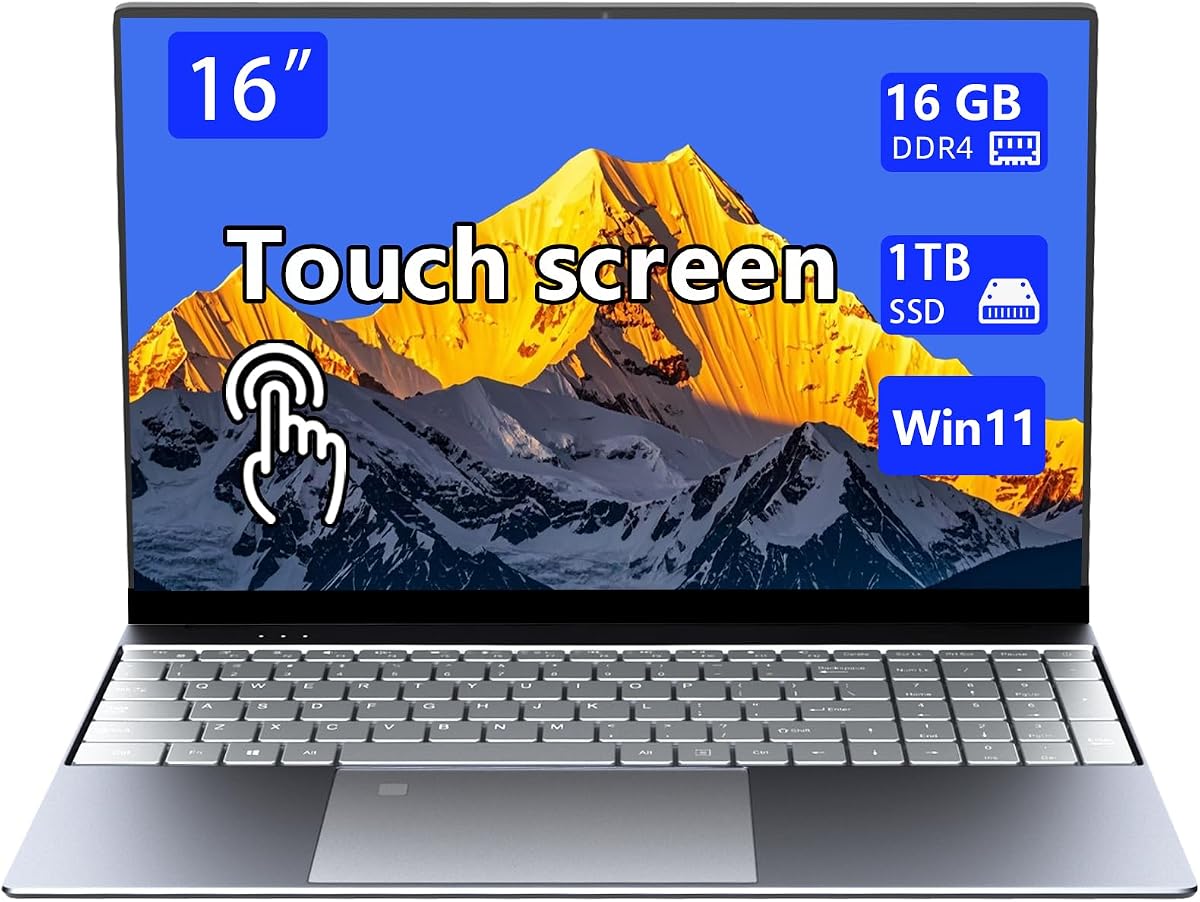


This 16-inch all metal laptop stands out for its large touchscreen and robust build. It offers significant RAM and storage for multitasking. The metal chassis ensures durability and efficient cooling during use.
We may earn a commission when you buy through this link, at no additional cost to you.
The N95 quad-core processor handles basic office tasks well. Users benefit from 32GB DDR4 RAM allowing smooth switching between applications. The fingerprint reader adds a layer of security and convenience for daily logins.
While powerful for general use, it may struggle with heavy video editing. The metal body adds weight making it less ideal for frequent travel. Overall it balances performance and build quality effectively for office work.
Ideal for users needing a durable touch-enabled workstation. The large storage and RAM support extensive file handling. This laptop is recommended for home offices or stationary workspaces.
The all-metal body provides exceptional strength and heat dissipation compared to plastic alternatives. This design enhances overall device longevity and performance stability.
A ten-point super touchscreen enables intuitive interaction similar to mobile devices. This feature significantly increases efficiency in design and accounting tasks.
We may earn a commission when you buy through this link, at no additional cost to you.
The Dell Latitude Rugged 5430 is built for demanding environments with a sturdy metal exterior. It combines high-end specs like an i7 processor with enterprise-grade reliability. Users get a 2-year warranty for peace of mind.
We may earn a commission when you buy through this link, at no additional cost to you.
Its 32GB RAM supports heavy multitasking while the 1TB SSD ensures fast data access. The touchscreen display offers sharp visuals for detailed work. Windows 11 Pro adds essential security and management features for organizations.
This model is heavier than standard ultrabooks due to its rugged build. It is less portable for daily commuting but perfect for field work. Performance remains consistent under high load thanks to efficient cooling.
Best suited for professionals needing reliability and performance on the go. The combination of durability and specs makes it a top choice for industrial or enterprise use. It delivers robust productivity without compromise.
Built to withstand harsh conditions, this laptop offers consistent performance in varied environments. The rugged design ensures longevity beyond typical consumer models.
Windows 11 Pro includes Active Directory and BitLocker encryption. These tools protect sensitive data effectively for business applications.
We may earn a commission when you buy through this link, at no additional cost to you.
The HP OmniBook 3 features a Snapdragon processor designed for AI tasks and exceptional battery life. Its 2K OLED display delivers rich colors for media consumption. This laptop is perfect for on-the-go productivity and creative work.
We may earn a commission when you buy through this link, at no additional cost to you.
With 16GB LPDDR5x RAM multitasking remains smooth even during video calls. Fast charging capability restores half battery in about 45 minutes. Wi-Fi 6E ensures stable connectivity in crowded areas.
Some users may find the storage smaller than other all metal laptops. ARM architecture might not support all traditional x86 apps yet. However its efficiency and speed make it a strong contender for most users.
Choose this for a lightweight AI-ready all metal laptop. Its standout battery life and display quality provide great value. It is ideal for students and mobile professionals.
The Copilot+ PC experience offers intelligent tools to streamline daily tasks. Access advanced AI features with a single button press.
OLED technology ensures deep blacks and vivid colors for immersive viewing. This display quality enhances media and design work.
We may earn a commission when you buy through this link, at no additional cost to you.
The NIMO 15.6'' all metal laptop offers essential features at an accessible price point. Its metal top cover provides extra durability against daily bumps. A 2-year warranty ensures long-term reliability for students.
We may earn a commission when you buy through this link, at no additional cost to you.
The Intel N150 processor handles school tasks efficiently with silent operation. Users get 8GB RAM and 256GB SSD for smooth multitasking. A backlit keyboard aids typing in dimly lit dorm rooms.
Storage expansion is possible via M.2 slot though base capacity is modest. It is not ideal for resource-intensive games. However for writing and research it provides excellent stability and speed.
Best for students seeking an affordable all metal laptop. Its security features like fingerprint reader add value. This model prioritizes essentials and dependability for daily study.
The N150 processor ensures quiet operation even during long study sessions. Fans are rarely needed which reduces distraction in libraries.
Dual USB-C and USB-A ports mean no dongles are required. This full-stack I/O suite simplifies connections for presentations.
We may earn a commission when you buy through this link, at no additional cost to you.
This all metal laptop provides a large 16-inch display ideal for detailed work. It features 16GB RAM and 1TB SSD for comfortable multitasking and file storage. The metal body supports efficient heat dissipation during use.
We may earn a commission when you buy through this link, at no additional cost to you.
The N95 quad-core processor manages standard office work well. Users benefit from a backlit keyboard and fingerprint recognition for convenience. The screen offers high color gamut for accurate image reproduction.
Performance may lag if running multiple demanding programs simultaneously. Some users report variability in quality. However for budget-conscious buyers needing a big screen it remains a solid option.
Recommended for users wanting a spacious all metal laptop. Its storage and display size suit home office needs. This model balances cost with essential productivity tools.
The 16-inch FHD screen provides more vertical space for coding and writing. The 16:10 aspect ratio enhances productivity workflows.
Metal construction allows better heat dissipation than plastic. This improves stability and longevity under sustained workloads.
We may earn a commission when you buy through this link, at no additional cost to you.
The HP Everyday Slim is an all metal laptop designed for mobility and simplicity. It weighs only 3.24 lbs making it easy to carry daily. Wi-Fi 6 and Bluetooth 5.4 ensure fast connectivity.
We may earn a commission when you buy through this link, at no additional cost to you.
Users get essential ports including USB-C and HDMI without dongles. The battery supports up to 12 hours of video playback. Office 365 adds value for students and home users.
Local storage is limited but cloud integration offsets this. Webcam performance is standard for video calls. Its portability makes it ideal for commuters and travelers.
Best for users prioritizing mobility and daily tasks. The lightweight build and connectivity features streamline work. This model is perfect for light productivity.
Wi-Fi 6 offers faster speeds and better reliability than older standards. This ensures smooth streaming and file transfers on the go.
Up to 12 hours of video playback keeps you productive without constant charging. HP Fast Charge helps when outlets are scarce.
We may earn a commission when you buy through this link, at no additional cost to you.
This 16-inch all metal laptop features a Core i7 processor for efficient multitasking. The IPS display offers sharp details with a narrow bezel. A metal body provides a sturdy and fashionable style.
We may earn a commission when you buy through this link, at no additional cost to you.
16GB DDR4 RAM supports smooth switching between browser tabs and apps. The 512GB SSD ensures fast system startup and file loading. Fingerprint recognition and backlit keyboard enhance daily usability.
The processor is from a previous generation but still capable. Some connectivity like Bluetooth 4.2 may lag behind newer standards. Performance remains solid for business and home tasks.
Recommended for users needing reliable performance and display. Its metal design and security features add value. This laptop is great for professional workflows.
The IPS display delivers sharp details and wide viewing angles. A tempered glass panel adds durability and scratch resistance.
An all-metal enclosure gives a high-quality touch and look. It is both thin and light for business trips.
We may earn a commission when you buy through this link, at no additional cost to you.
The Dell 16-inch Touchscreen laptop uses a powerful Ryzen processor and DDR5 RAM. It handles video editing and heavy multitasking effectively. The touchscreen offers intuitive control for creative tasks.
We may earn a commission when you buy through this link, at no additional cost to you.
With 16GB DDR5 RAM performance remains fast under load. The 16:10 display adds vertical space for productivity. USB-C supports external monitors and fast charging for flexibility.
Storage is modest but ample for system files. The weight makes it less portable than slim ultrabooks. However its performance makes it ideal for professionals.
Best for power users needing speed and screen real estate. Its specs support complex workflows without compromises. This model is perfect for content creators.
The 16:10 aspect ratio offers 11% more vertical space. This is perfect for productivity and content creation.
USB-C supports DisplayPort and Power Delivery for versatile setups. Wi-Fi 6 ensures stable and fast internet connections.
We may earn a commission when you buy through this link, at no additional cost to you.
This 15.6-inch all metal laptop offers 16GB RAM and fast SSD storage. Its metal shell provides durability against daily wear and tear. The lightweight design makes it easy to carry around.
We may earn a commission when you buy through this link, at no additional cost to you.
The N95 processor handles standard business applications well. Users benefit from USB 3.2 ports for quick data transfer. The IPS display ensures sharp viewing for documents and web.
It may struggle with heavy rendering or gaming. The camera quality is adequate for calls but not studio use. However it suits general business needs effectively.
Ideal for students and professionals seeking portability. The metal build and RAM provide good value. This laptop is perfect for daily administrative tasks.
Multiple USB 3.2 and Type-C ports enable easy connections. This empowers you to connect seamlessly with various devices.
Weighing just 3.7 pounds it slips easily into backpacks. This makes it ideal for working on the go.
We may earn a commission when you buy through this link, at no additional cost to you.
The FIREBAT Gaming Laptop combines an all-metal body with top-tier specs for performance. It features a Ryzen 7 processor and 32GB DDR5 RAM for smooth operation. The display offers vibrant colors with high resolution.
We may earn a commission when you buy through this link, at no additional cost to you.
Users get 1TB PCIe 4.0 SSD for lightning-fast data access. The backlit keyboard and precision touchpad enhance the typing experience. An 80Wh battery ensures extended use without charging.
It is heavier than ultrabooks but ideal for stationary or gaming use. The price reflects its high-end components. Lifetime support adds value for long-term users.
Best for professionals and gamers needing power and style. Its metal construction and specs make it a premium choice. This model handles intensive tasks with ease.
Boasting 8 cores and 16 threads it delivers desktop-class power. The Zen 4 architecture ensures enhanced speed and efficiency.
Features a 2.5K display with a 120Hz refresh rate. This ensures a smooth and comfortable visual experience.
We may earn a commission when you buy through this link, at no additional cost to you.
Choosing an all metal laptop involves balancing build quality, performance, and budget. Consider these key factors to find the right fit.
An all metal body provides superior heat dissipation and durability compared to plastic. Look for aluminum alloys like magnesium for lightweight and sturdy options.
Check reviews for any structural issues and ensure the chassis feels solid.
Select a processor based on your workload. Intel Core i7 or AMD Ryzen 7 handles heavy tasks while N-series chips suit basic use.
Higher thread counts and clock speeds ensure smoother multitasking and efficiency.
Aim for at least 16GB of RAM for modern productivity and future-proofing. Storage should be SSD-based for fast boot times and data access.
Consider expandability if you anticipate growing storage needs.
Look for Full HD resolution or higher for sharp visuals. IPS panels provide better color accuracy and viewing angles.
If you value color work, prioritize OLED or high-gamut options.
All metal laptops vary in battery efficiency. Aim for models offering 8+ hours for travel or all-day use without outlets.
Check wattage and battery capacity to understand real-world endurance.
Ensure the laptop has essential ports like USB-C, HDMI, and SD card readers. Avoid dongle anxiety by checking connectivity needs.
Wi-Fi 6E is a plus for modern network environments.
Metal builds can be heavier than plastic. Consider if you carry the laptop daily or keep it at a desk.
Aim for under 4 lbs for easier commuting and travel.
Keep the laptop clean by wiping the metal surface with a soft, dry cloth to avoid scratches. Use compressed air to clear dust from vents and maintain cooling efficiency.
Avoid exposing the device to extreme temperatures as metal conducts heat. Store it in a cool, dry place to prevent condensation or internal damage.
Use a protective sleeve when transporting to avoid dents or scratches on the chassis. Regular software updates help optimize battery life and performance.
An all metal laptop offers better heat dissipation, durability, and a premium feel. It resists scratches and impacts more effectively than plastic models. Additionally metal helps maintain performance stability during heavy workloads.
Some all metal laptops are heavier due to the density of materials like aluminum. However many manufacturers design slim profiles that balance weight with structural integrity. Check the weight specs before buying.
Yes all metal bodies typically conduct heat better than plastic allowing fans to work efficiently. This prevents throttling and keeps internal temperatures stable. Proper ventilation is still important for best results.
Use a microfiber cloth slightly dampened with water to wipe the surface gently. Avoid harsh chemicals that might damage the coating or finish. For vents use compressed air to remove dust buildup.
Yes for those needing durability and style it is a worthwhile investment. The longevity and performance stability justify the higher cost. Consider your needs before deciding on the premium price.
With proper care an all metal laptop can last 5 to 7 years. Regular updates and cleaning help maintain performance. Avoid drops or water exposure to extend its useful life.
These ten picks highlight the best all metal laptops for various needs and budgets. Each offers unique strengths from rugged durability to high-performance specs.
Prioritize your requirements like battery life, RAM, and display size before deciding. The right choice enhances productivity and lasts longer with proper care.
Always verify current prices and availability as they change frequently. Investing in a quality all metal laptop ensures a smooth computing experience.