
HP 24 Touchscreen All-in-One Desktop Computer
4.3Editor score
Intel Processor N100
16GB DDR4 RAM
1TB PCIe SSD
This guide compares the top all in one desktop pc with touchscreen models for performance, display quality, and productivity features to help you choose wisely.
An all in one desktop pc with touchscreen combines powerful computing with interactive displays. These devices streamline workspaces by merging the monitor and computer into one sleek unit. They offer intuitive touch controls for browsing, creative work, and presentations.
We evaluated ten leading models based on processor speed, memory capacity, and display clarity. Our analysis focused on real-world performance for home offices and professional environments. Each option delivers unique strengths tailored to different user needs and budgets.
Every selection highlights key features like AI capabilities, port variety, and ergonomic design. Prices and availability fluctuate often so check current listings before purchasing. This overview ensures you find the perfect device for your specific workflow demands.
4.3Editor score

4.7Editor score

5.0Editor score
This table provides a side-by-side view of the top models reviewed. Compare core specifications like processor type, memory, and storage to find the right fit for your needs.


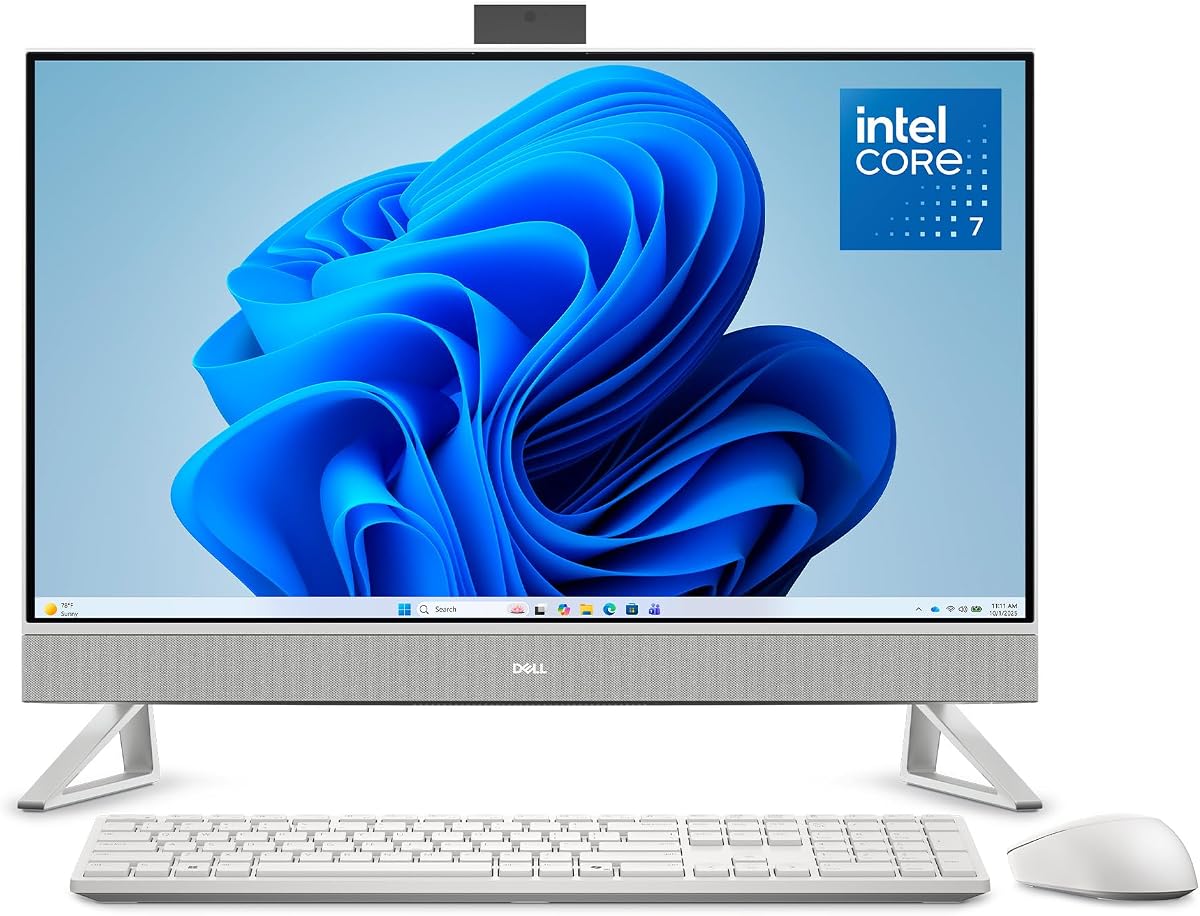


This HP model leads our list with powerful AI integration and a vivid touchscreen. It rates highly for its balance of speed and display quality in a clean design.
We may earn a commission when you buy through this link, at no additional cost to you.
The AMD Ryzen AI 7 processor handles multitasking effortlessly. Dedicated AI acceleration boosts workflow efficiency for modern tasks and applications.
While expensive, the included pen and accessories add significant value. The premium build justifies the cost for professional use cases.
Ideal for business professionals needing robust computing. It simplifies setup and enhances daily productivity with smart features.
The Copilot+ PC experience drives intelligent assistance and automation for seamless daily work.
The 27-inch FHD touchscreen offers intuitive control and wide viewing angles for comfortable use.
We may earn a commission when you buy through this link, at no additional cost to you.
The ASUS VM670 delivers top-tier performance with 32GB of DDR5 memory. It scores a perfect rating for handling heavy workloads and creative tasks.
We may earn a commission when you buy through this link, at no additional cost to you.
The AMD Ryzen AI 7 processor provides significant speed boosts. The NPU enhances AI tasks without slowing down the system.
Its extensive ports support external displays and legacy devices easily. This flexibility makes it a versatile hub for various setups.
Best for power users and creatives. It offers premium hardware that scales with demanding applications effortlessly.
High-speed DDR5 memory ensures smooth operation across multiple apps and browser tabs simultaneously.
HDMI inputs and outputs allow this unit to act as a monitor or connect multiple screens.
We may earn a commission when you buy through this link, at no additional cost to you.
This HP 24-inch model is the top budget pick. It balances basic performance with interactive features for students and casual users.
We may earn a commission when you buy through this link, at no additional cost to you.
The Intel N100 processor handles everyday tasks smoothly. Sufficient RAM allows for multiple apps without lag during standard use.
Build quality is decent for the price point. Wireless peripherals keep the desk neat and organized immediately.
Perfect for home use and light business tasks. It provides essential features without the premium price tag.
Designed for school and work with efficient operation for daily needs.
Compact footprint and wireless accessories reduce clutter for a tidy environment.
We may earn a commission when you buy through this link, at no additional cost to you.
Another ASUS contender with high-end specs for advanced users. Its 32GB RAM and AI chip support demanding workflows effectively.
We may earn a commission when you buy through this link, at no additional cost to you.
The IPS panel delivers vibrant colors and wide viewing angles. Anti-glare coating protects eyes during long working sessions.
Copilot key simplifies AI access for productivity boosts. This feature enhances the overall user experience significantly.
Recommended for heavy multitaskers. It combines power and display quality for a premium experience.
Radeon graphics and high memory support content creation and smooth media playback.
ExpertMeet technology improves voice clarity during video conferences and calls.
We may earn a commission when you buy through this link, at no additional cost to you.
This Dell model focuses on future-proof connectivity with Wi-Fi 7. It supports pen input for precise navigation and creative work.
We may earn a commission when you buy through this link, at no additional cost to you.
The Ultra 7 processor delivers responsive performance for business tasks. Copilot capabilities streamline daily operations and content creation.
Its compact design fits easily into modern offices. The sleek finish complements professional environments well.
Great for tech-forward businesses. It ensures connectivity and performance for years to come.
Wi-Fi 7 ensures fastest wireless speeds and stable connections for remote work.
Advanced IR camera supports fast and secure facial recognition login methods.
We may earn a commission when you buy through this link, at no additional cost to you.
A solid Dell option with strong Core 7 performance. It offers excellent eye care features and privacy controls.
We may earn a commission when you buy through this link, at no additional cost to you.
The 10-core chip handles multitasking well. ComfortView Plus reduces eye strain during extended use.
Privacy features include a physical shutter for the camera. This ensures safety when the camera is not needed.
Best for professionals needing privacy. It balances performance with health-conscious design elements.
ComfortView Plus technology minimizes harmful blue light for better long-term eye health.
Easy-to-access ports allow convenient connection to peripherals and drives.
We may earn a commission when you buy through this link, at no additional cost to you.
This Dell model offers a large 27-inch screen for comfortable viewing. It is well-suited for spreadsheets and presentations.
We may earn a commission when you buy through this link, at no additional cost to you.
With 32GB RAM, it manages heavy applications efficiently. The stand design keeps the keyboard out of the way.
Onsite service ensures quick support if issues arise. This peace of mind is valuable for businesses.
Recommended for teams needing big screens. It provides ample workspace and reliable support.
IPS display with high contrast delivers vivid true-to-life colors for all tasks.
Innovative stand allows keyboard storage underneath to keep the area tidy.
We may earn a commission when you buy through this link, at no additional cost to you.
A reliable home option with vivid visuals and good audio. It suits media consumption and general work tasks well.
We may earn a commission when you buy through this link, at no additional cost to you.
The IPS display offers accurate colors for media. ComfortView Plus ensures eye comfort over time.
Dolby Atmos speakers enhance video calls and movies. This adds a nice touch to entertainment.
Perfect for home offices and learning. It provides a balanced experience for daily routines.
Dual Bluetooth speakers with Dolby Atmos provide clear and immersive sound.
Built-in Migrate tool simplifies moving old data to the new PC easily.
We may earn a commission when you buy through this link, at no additional cost to you.
This HP model delivers solid mid-range performance. Its LPDDR5 memory ensures efficient operation within the chassis.
We may earn a commission when you buy through this link, at no additional cost to you.
The 27-inch touchscreen provides a spacious working area. Noise reduction keeps audio clear during calls.
Windows 11 Pro adds business features like security tools. It fits well in office environments.
Suitable for professional home offices. It offers good performance with essential productivity features.
Three-sided micro-edge design maximizes screen real estate for focused viewing.
IR tilt privacy camera supports facial recognition for secure and fast access.
We may earn a commission when you buy through this link, at no additional cost to you.
This msi unit supports dual external monitors for expanded workspace. It is designed with business productivity in mind.
We may earn a commission when you buy through this link, at no additional cost to you.
Intel Core 7 ensures fast processing for apps. The included wireless peripherals simplify the setup process.
Dual monitor support boosts multitasking efficiency significantly. Ideal for users needing multiple views.
Good for specialized business tasks. It offers flexibility for complex workflows.
Dual external monitor support allows users to extend their desktop significantly.
Pre-installed Windows 11 provides enterprise-grade features for secure business use.
We may earn a commission when you buy through this link, at no additional cost to you.
Selecting the right touchscreen all in one requires evaluating performance, display quality, and connectivity needs to match your workflow.
The processor is the engine of your PC. Look for latest Gen Core or Ryzen models with AI cores for future-proofing.
Aim for at least 16GB RAM for smooth multitasking. SSD storage ensures fast boot times and file access.
Check screen size and resolution. IPS panels with anti-glare coatings protect eyes during long sessions.
Ensure the touch layer is responsive. Multi-touch support helps with gestures and navigation.
Verify USB, HDMI, and Ethernet ports. HDMI-in can turn your unit into a secondary monitor.
Look for IR cameras for secure login. Good microphones and speakers enhance video call clarity.
Windows 11 Pro offers better security. Check warranty terms and on-site support options.
Adjustable stands help find the right angle. Compact designs save desk space effectively.
Clean the screen regularly with a microfiber cloth to prevent smudges. Avoid harsh chemicals that damage the anti-glare coating.
Keep vents clear to prevent overheating. Use the device in a room with moderate temperature for optimal performance.
Update software regularly to ensure security patches and feature improvements are installed promptly.
Yes, it enhances productivity by allowing intuitive interaction with files and apps. It simplifies tasks like signing documents and navigating complex data easily.
Many models support HDMI-out or USB-C for external displays. Check specs carefully to ensure you get multiple screen support for multitasking.
Typically 5 to 7 years with proper care. Regular updates and physical maintenance extend longevity significantly for home or office use.
High-end models with color-accurate screens work well for design. Look for higher RAM and dedicated graphics for heavy rendering tasks.
Use a screen protector designed for touchscreens. Avoid pressing too hard with pens and clean only with approved cloths.
Most include wireless keyboards and mice. This bundle provides a complete solution right out of the box for immediate setup.
Our top picks cover various needs from budget home use to premium business workflows. Each device offers unique strengths like AI power and superior displays.
Prioritize processor speed and memory capacity to ensure your system remains fast over time. A large, vibrant screen improves daily comfort significantly.
Prices change frequently so verify current deals before purchasing. Choosing the right model ensures smooth and efficient computing for years.