
Acer Aspire 16 AI Copilot+ PC
4.2Editor score
Snapdragon X Processor with 45 Tops NPU
16 inch 120Hz WUXGA Display
Wi-Fi 7 and USB4 Ports
AI laptops with NPU processors are transforming how we work by handling intelligent tasks locally. These devices offer dedicated neural processing units that accelerate generative AI, real-time translation, and advanced photo editing without relying heavily on the cloud.
We compared ten top models from leading brands like Acer, HP, ASUS, and Dell based on their NPU performance, battery life, display quality, and portability. Each selection represents a strong balance of power and efficiency for different user needs.
Each pick showcases key specs and real-world benefits to help you decide quickly. Prices and availability change frequently so verify the latest deals on the product pages before making your final purchase decision today.
4.2Editor score

5.0Editor score

5.0Editor score
As an Amazon Associate we earn from qualifying purchases.
The following table provides a side-by-side comparison of the ten best AI laptops with NPU processors available in November 2026. It highlights essential specifications to help you find the perfect device for your workflow.



The ASUS Vivobook S16 stands out as the top choice for AI laptops with NPU processors in November 2026. With a perfect 5.0 rating this device delivers smooth intelligent performance powered by the AMD Ryzen AI 9 465 processor and Windows 11 Home.
We may earn a commission when you buy through this link, at no additional cost to you.
Its standout quality is the Copilot+ PC integration offering up to 50 NPU TOPS for fast on-device AI tasks. This keeps your writing organizing searching and creative work feeling effortless throughout your day.
Trade-offs include a higher price compared to entry-level models and Wi-Fi 6 instead of Wi-Fi 7. These are acceptable given the OLED display and powerful specs that justify the investment.
Creative professionals and power users should buy this for its calm confident edge wherever your day takes you. It balances style and substance seamlessly.
Enjoy stunning visuals on the 16 16:10 WUXGA OLED display delivering deep contrast vivid detail and smooth immersive viewing with narrow borders.
Enjoy up to 23 hours of uninterrupted use with the 70Wh battery and fast charge that gives you 60% in 49 minutes.
We may earn a commission when you buy through this link, at no additional cost to you.
The Acer Aspire 16 AI delivers next-level performance at a budget-friendly price. It is powered by the Snapdragon X premium integrated GPU with up to 1.7 TFLOPs and NPU with 45 TOPs for optimized processing.
We may earn a commission when you buy through this link, at no additional cost to you.
Its key strengths include a 16 120Hz WUXGA ultra-high-resolution display acting as a panoramic playground for entertainment and AI experiences. The AcerSense AI solutions streamline settings optimize video presence and elevate communication intuitively.
Trade-offs involve 512GB storage and up to 27 hours battery life on video playback. These are acceptable given the powerful Snapdragon X engine and 100% recyclable materials.
Students and budget-conscious professionals should buy this for practical convenience and versatile design. It features a 180 lie-flat hinge and dual USB4 ports.
The Acer Aspire 16 AI harnesses the industry-leading Qualcomm AI Engine with an integrated Qualcomm Hexagon NPU delivering transformative experiences for creativity.
The 1440p QHD webcam with Acer PurifiedView 2.0 puts your best face forward with automatic framing and advanced background blur.
We may earn a commission when you buy through this link, at no additional cost to you.
The ASUS Zenbook A16 AI takes premium performance to the next level with up to 80 NPU TOPS. It offers effortless performance for multitasking creative work and everyday demands wherever your day takes you.
We may earn a commission when you buy through this link, at no additional cost to you.
Its key strength is the cinematic home-theater experience with the 16 3K 120Hz OLED touchscreen delivering up to 1100 nits peak brightness. Six super-linear speakers provide clear immersive sound on the go.
Trade-offs are a high price point and 2.87 lbs weight. These are acceptable for the fastest AI processing and rapid data access paired with up to 4TB SSD storage.
Enterprise users and creatives should buy this for fast memory and smooth multitasking. It balances portability freeing you from less time plugged in.
Enjoy cinematic visuals with the 16 inch ASUS Lumina 3K 120Hz OLED touchscreen delivering ultra-vivid detail and peak brightness.
With 48GB of high speed LPDDR5X-9600 MHz RAM apps stay smooth and responsive letting you switch tasks without slowdowns.
We may earn a commission when you buy through this link, at no additional cost to you.
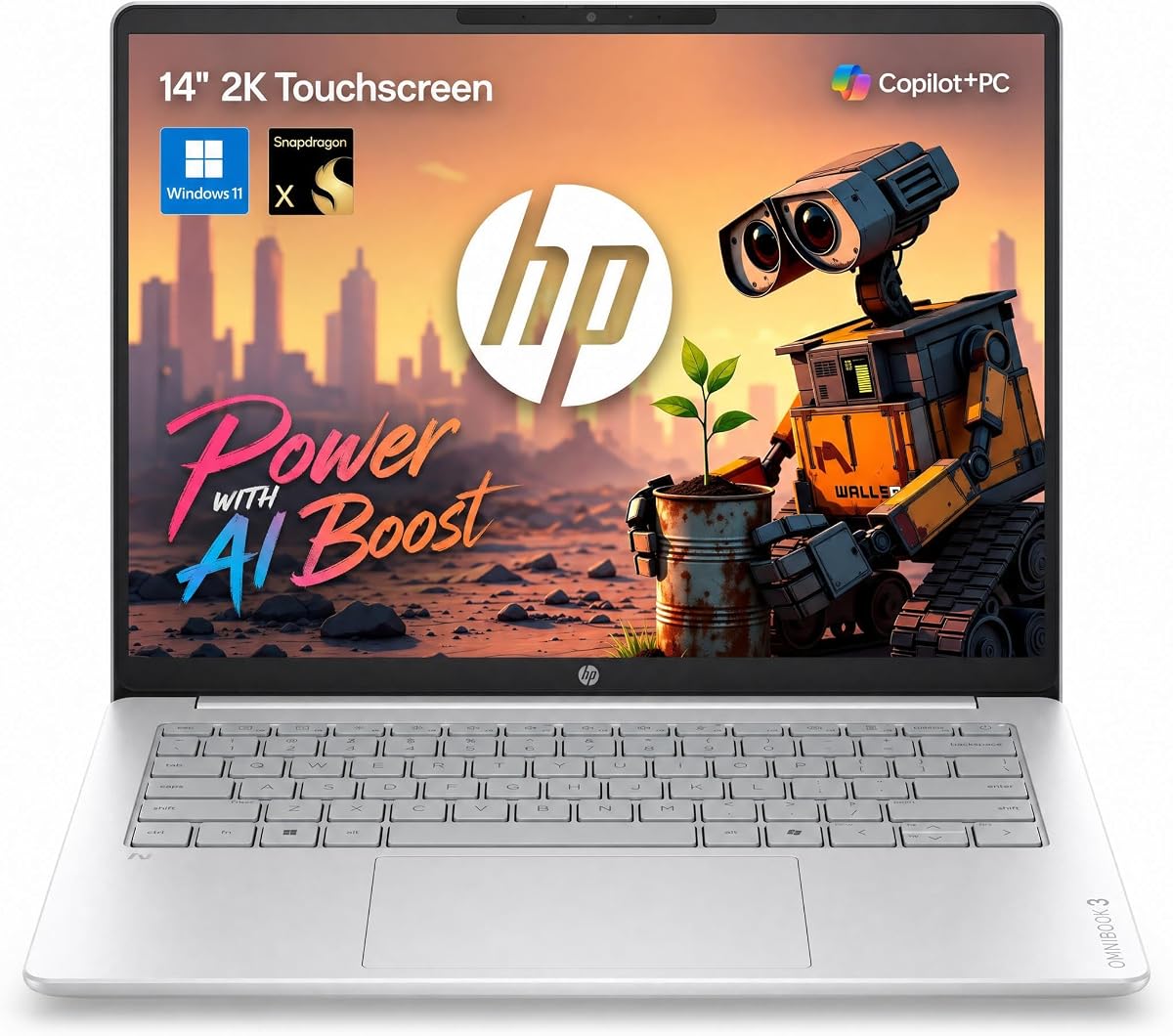
The HP OmniBook 3 14 2K Touch Laptop processes complex AI workloads locally with the Snapdragon X 8-Core processor and a dedicated 45 TOPS NPU. It is a Copilot+ PC for lightning-fast responsiveness.
We may earn a commission when you buy through this link, at no additional cost to you.
Its key strengths include the 14-inch 2K IPS touchscreen featuring a 16:10 aspect ratio maximizing vertical workspace. The ultra-lightweight design weighs only 3.13 lbs for effortless portability and 88% screen-to-body ratio.
Trade-offs are 16GB onboard memory and a lower screen to body ratio compared to premium models. These are acceptable given the 30 hour battery life and fast charge from 0% to 50% in 45 minutes.
Travelers and students should buy this for seamless multitasking and rapid boot times. It includes 1080p FHD IR camera and Wi-Fi 6E.
Powered by Snapdragon X 8-Core processor and 45 TOPS NPU processes complex AI workloads locally without cloud lag.
The 60Wh battery delivers up to 30 hours of local video playback and recharges rapidly from 0% to 50% in 45 minutes.
We may earn a commission when you buy through this link, at no additional cost to you.
The Acer Aspire 14 AI brings new AI experiences in productivity creativity and security through a combination of CPU GPU and NPU. It is equipped with an Intel Core Ultra 7 processor Series 2.
We may earn a commission when you buy through this link, at no additional cost to you.
Its key strengths include up to 22 hours battery life and smooth multitasking performance. The Copilot+ PC experiences vary by device and market and may require updates rolling out through 2025.
Trade-offs are the 14 inch display and preview features like Recall. These are acceptable given the all-day battery life and lightweight aluminum chassis with 180 lie-flat hinge.
Everyday users should buy this for intelligent AI solutions at your fingertips. Just press the AcerSense key on the backlit keyboard for instant access.
Discover the power of Recall improved Windows search and Click to Do on Copilot plus PCs while ensuring data remains private.
Streamline settings optimize video presence and elevate communication with intuitive AI that is easy to use and enhances productivity.
We may earn a commission when you buy through this link, at no additional cost to you.
The HP Omnibook 16 is a premier ryzen ai laptop built on the latest 4nm Zen 5 architecture with up to 5.0GHz. It features a 50 TOPS NPU for seamless AI workloads.
We may earn a commission when you buy through this link, at no additional cost to you.
Its key strengths include the latest 32GB DDR5 RAM and massive 2TB Gen4 SSD space for 4K videos and AI datasets. The 16 inch laptop touchscreen ensures fluid visuals and advanced hardware support.
Trade-offs are Wi-Fi 6 and 300 nits brightness. These are acceptable given the enterprise-grade security and full-size backlit keyboard with numeric keypad for efficient data work.
Power users should buy this for elite performance and pro-level port suite. It features two USB Type-C HDMI 2.1 and two USB Type-A ports.
Built on 4nm Zen 5 architecture with 8-Core 16-Thread processor delivering exceptional speed for heavy multitasking.
Experience ultimate power with massive 2TB Gen4 SSD storage and latest generation memory for highest performance.
We may earn a commission when you buy through this link, at no additional cost to you.
The NIMO 17.3 Copilot+ AI Laptop is the ultimate high-performance workspace designed for forward-thinking creators developers and professionals. It is powered by the groundbreaking AMD Ryzen AI 9 HX 370 processor.
We may earn a commission when you buy through this link, at no additional cost to you.
Its key strengths include powerful integrated Radeon 890M graphics built on RDNA 3.5 architecture for AAA gaming and 4K video editing. The 17.3 inch Full HD EDP widescreen display maximizes productivity.
Trade-offs are initial 16GB DDR5 RAM and 4.6 lbs weight. These are acceptable given the dual expandable high-speed memory and storage slots for future upgrades.
Gamers and heavy users should buy this for full-featured rich interface and USB4.0 high-speed transmission. It supports external graphics dock and multi-screen split display.
Experience console-grade visuals on a thin-and-light profile with RDNA 3.5 architecture delivering exceptional frame rates.
Built with dual DDR5 SO-DIMM slots supporting max 64GB 5600MHz memory plus dual M.2 PCIe 4.0 SSD slots.
We may earn a commission when you buy through this link, at no additional cost to you.
The NIMO 16 AI Laptop delivers desktop-grade multi-threaded computing power for heavy compiler tasks virtualization and complex engineering simulation. It features the flagship AMD Ryzen AI Max+ 395 processor.
We may earn a commission when you buy through this link, at no additional cost to you.
Its key strengths include revolutionary 128GB high-speed unified memory eliminating traditional GPU VRAM bottlenecks for massive local LLMs. The 2.5K 165Hz high-refresh display delivers crisp visuals.
Trade-offs are high price and 230W power adapter. These are acceptable given the one-key turbo cooling and 99Wh flight-ready battery with 230W power adapter.
AI developers and creators should buy this for native OCuLink and ultra-rich I/O ports. It allows you to run 8K video timelines seamlessly without cloud monthly fees.
Packed with 128GB LPDDR5X 8000MHz high-bandwidth unified memory enabling AI developers to run massive local LLMs.
Equipped with native lossless Oculink port for high-speed desktop eGPU expansion alongside full-function USB4 and HDMI 2.1.
We may earn a commission when you buy through this link, at no additional cost to you.
The Dell 16 Plus offers professional productivity in a new modern design. It is a 16-in AI capable PC with an built-in AI chip featuring the Intel Core Ultra 9 288V vPro.
We may earn a commission when you buy through this link, at no additional cost to you.
Its key strengths include Wi-Fi 7 and Intel Arc 140V GPU ideal for AI-accelerated digital content creation. The 16.0-inch FHD+ Touch Display provides a roomier and more detailed screen.
Trade-offs are Windows 11 Home and lack of privacy shutter. These are acceptable given the modular design for enhanced durability and Ice Blue power button with Fingerprint Reader.
IT departments should buy this for multilayer security and remote manageability. It features Thunderbolt 4 port with DisplayPort 2.1 and Power Delivery.
Reach unstoppable productivity with Intel Core Ultra 9 vPro processor and a sleek modular design for enhanced durability.
Stay connected with Wi-Fi 7 Gig+ and Thunderbolt 4 port with DisplayPort 2.1 and Power Delivery for external displays.
We may earn a commission when you buy through this link, at no additional cost to you.
The HP 16 inch Touchscreen AI Laptop features next level computing with the Intel Ultra 7 Core 255U processor featuring a dedicated Intel AI Boost NPU. It ensures lightning fast boot times and ample space.
We may earn a commission when you buy through this link, at no additional cost to you.
Its key strengths include future proof connectivity with Wi-Fi 7 and Bluetooth 6.0. The 16 inch diagonal 2K resolution IPS touchscreen offers a golden 16:10 aspect ratio for more vertical viewing space.
Trade-offs are a 41Wh battery and 3 cell configuration. These are acceptable given the HP Fast Charge technology that powers from 0 to 50 percent in approximately 45 minutes.
Mobile professionals should buy this for elite video conferencing and maximum mobile efficiency. It includes physical camera shutter and dedicated microphone mute key.
Experience next level computing with Intel Ultra 7 Core 255U processor featuring dedicated Intel AI Boost NPU for smart multitasking.
HP Fast Charge technology powers your device from 0 to 50 percent in approximately 45 minutes when powered off.
We may earn a commission when you buy through this link, at no additional cost to you.
Choosing the best AI laptop with NPU requires attention to key factors like performance, battery life, and portability.
The neural processing unit (NPU) performance measured in TOPS determines how efficiently the laptop handles AI workloads locally. Higher TOPS like 50 to 80 allow complex tasks like generative AI to run smoothly without cloud dependency.
Look for devices with at least 45 TOPS for reliable AI features like recall and studio effects.
Different processors like Snapdragon X or Intel Core Ultra series provide varying balance of CPU GPU and NPU workloads. The architecture impacts overall responsiveness and efficiency for your daily tasks.
Choose a processor from Intel AMD or Qualcomm based on your preferred ecosystem and performance needs.
Generative AI and multitasking require significant memory and storage capacity. High-speed LPDDR5x RAM and large NVMe SSDs ensure rapid data access and seamless operation.
Aim for at least 16GB RAM and 512GB storage to support demanding creative workflows effectively.
A high-resolution display with accurate colors is crucial for visual tasks and immersive AI experiences. OLED and IPS panels provide sharp detail and wide viewing angles.
Prioritize displays with at least 1920×1200 resolution and 100% color gamut coverage.
Portability depends on a battery that sustains use throughout the day. AI features can be power intensive so efficient chipsets help maximize runtime.
Look for laptops promising 20 hours or more of local video playback.
Modern work requires versatile connectivity options. USB-C Thunderbolt Wi-Fi 7 and HDMI ports allow you to connect external monitors and accessories easily.
Ensure the device has sufficient ports to avoid needing hubs for your peripherals.
A lightweight chassis with durable materials ensures the laptop withstands daily transport without adding bulk. This is vital for mobile users.
Consider weight under 3.5 lbs for maximum ease of carrying.
Windows 11 Pro or Home with Copilot+ integration unlocks specific AI tools. Advanced security and management features are also important for professional use.
Verify the OS version matches your enterprise or personal requirements.
To maximize NPU performance ensure your device runs the latest Windows updates. This unlocks features like Recall and enhanced studio effects.
Keep the laptop on a hard flat surface during intensive AI tasks to allow proper airflow and prevent overheating.
Use fast charging sparingly for long-term battery health and plug in when the charge drops below 20 percent regularly.
A NPU stands for Neural Processing Unit. It is a specialized processor designed to handle artificial intelligence tasks locally on the device. This speeds up AI features like background blur voice transcription and generative AI without needing cloud servers.
Copilot+ PC experiences vary by device and market. Some features like Recall and Click to Do are rolling out gradually through 2025 and may not be available in all regions immediately.
Most NPU features are integrated directly into Windows 11 through Copilot+ or manufacturer-specific tools like AcerSense. You do not need to install additional software for standard AI enhancements.
NPUs are highly efficient at running AI tasks compared to the main CPU or GPU. Offloading these tasks to the NPU consumes less power allowing the battery to last longer during normal use.
While NPUs focus on productivity AI some platforms like Snapdragon X support gaming optimization. However gaming still relies primarily on the integrated GPU and dedicated graphics cards.
Yes AI laptops with NPU and powerful GPUs accelerate rendering and filters in video editing apps. This leads to faster export times and smoother editing workflows for creators.
The ASUS Vivobook S16 Acer Aspire 16 AI and ASUS Zenbook A16 are the top three picks for AI laptops with NPU in November 2026 offering the best balance of features.
Prioritize NPU TOPS and battery life when buying ensure smooth on-device performance and all-day productivity wherever you work.
Verify current deals and specs on the product pages since prices and availability change frequently for the latest technology.