
SinLoon RJ45 Ethernet Adapter Cable – 90 Degree Upward Male to Female Switch Adapter for CAT 5/CAT 6 LAN Socket Connector (Upward)
4.6Editor score
Gold plated contacts included
Backwards compatible network speeds
Compact upward angle design
Compare the top 90 Degree Ethernet Adapter models for 2026 including Cat6 and Cat6A options with rotatable connectors to optimize your network cable management.
Choosing the right 90 Degree Ethernet Adapter can transform how you manage cables in tight spaces. These adapters protect ports and reduce strain while maintaining high-speed connectivity for gaming or streaming.
We evaluated ten top-rated models based on build quality, rotation flexibility, and signal integrity. Our analysis covers various price points and designs to help you find the perfect fit for your setup.
Each pick highlights key features like 360-degree rotation or gold-plated contacts to ensure reliability. Keep in mind that prices fluctuate daily, so check current listings before making your final purchase decision.
4.6Editor score
4.6Editor score
4.4Editor score
This side-by-side comparison highlights the unique strengths of each adapter we reviewed. From rotatable connectors to fixed angles, find the model that matches your specific network needs and space constraints.


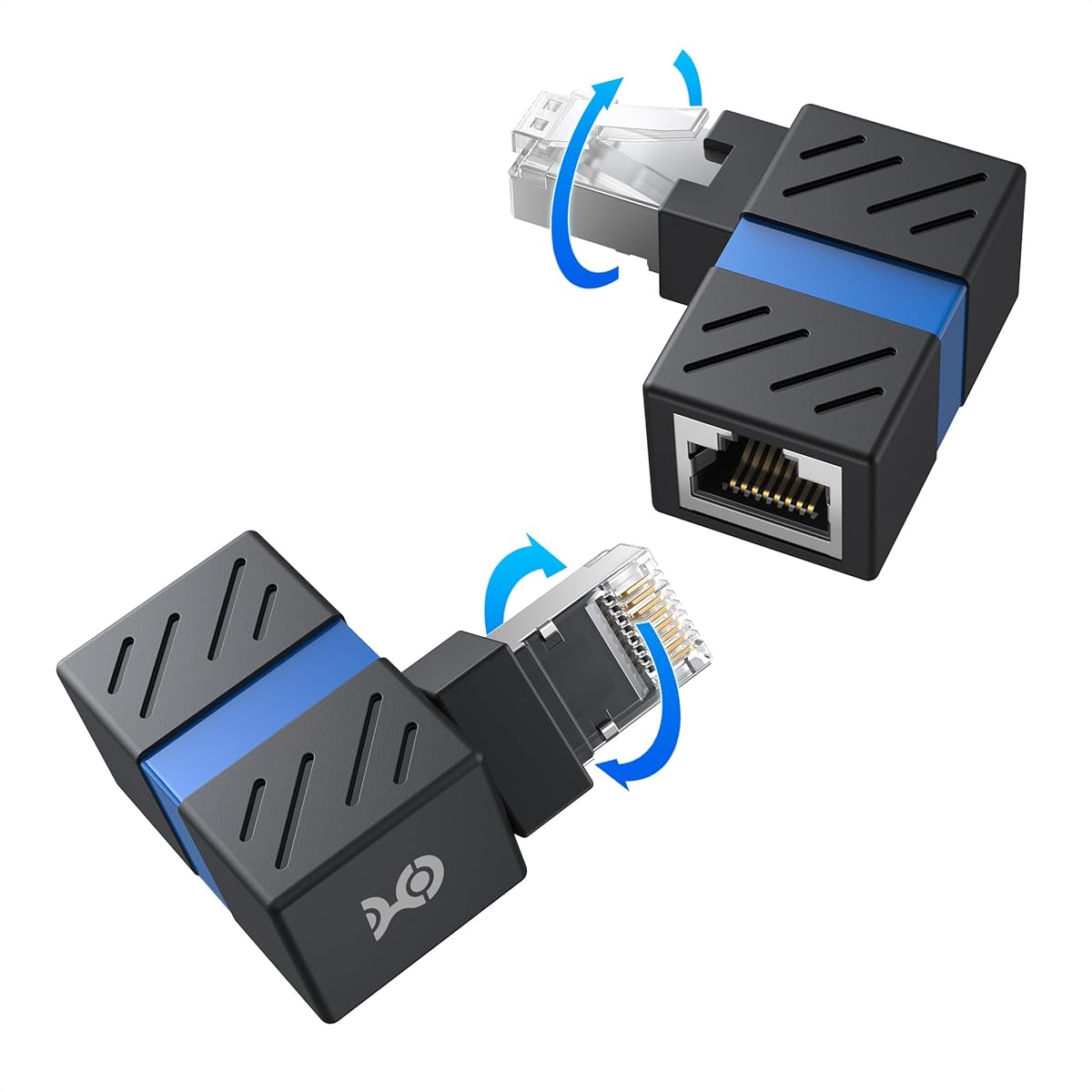
The Cable Matters 2-Pack 10Gbps 360° Rotatable Cat 6A Ethernet Adapter stands out for its unique rotating mechanism. It has a strong rating from users who need flexibility in tight spaces behind routers or TVs.
We may earn a commission when you buy through this link, at no additional cost to you.
Its 360-degree rotation allows you to route cables exactly where needed without bending them sharply. The Cat 6A support ensures that even high-speed networks run smoothly without signal loss or interference.
While highly rated, the size might be slightly bulky for extremely confined server racks. However, the durability and performance benefits usually outweigh this minor drawback for most home or office setups.
This adapter is ideal for users who want to future-proof their network connections. If you need a reliable solution for high-speed data transfer, this model offers excellent value and flexibility.
The 360-degree rotation lets you adjust the cable direction effortlessly to fit behind any furniture.
Cat 6A compatibility ensures you get the most out of your gigabit or 10Gbps network hardware.
We may earn a commission when you buy through this link, at no additional cost to you.
The CERRXIAN adapter offers a reliable fixed upward angle solution for those who prefer simplicity. With a solid 4.4 rating, it is a favorite for users needing to protect their network ports from wear.
We may earn a commission when you buy through this link, at no additional cost to you.
Gold-plated connectors ensure efficient signal transfer and high-speed connectivity. Its compact design helps route cables neatly behind furniture without the strain of sharp bends.
Because it is fixed, you cannot adjust the direction once installed. However, this stability is perfect for setups where the port orientation does not change frequently.
Choose this if you need a durable extender for PCs or routers. It effectively prevents constant plugging and unplugging while maintaining a secure connection for your devices.
This adapter acts as a buffer so your device's Ethernet port does not wear out from frequent use.
Gold plating ensures stable data transfer with reduced risk of interference or connection drops.
We may earn a commission when you buy through this link, at no additional cost to you.
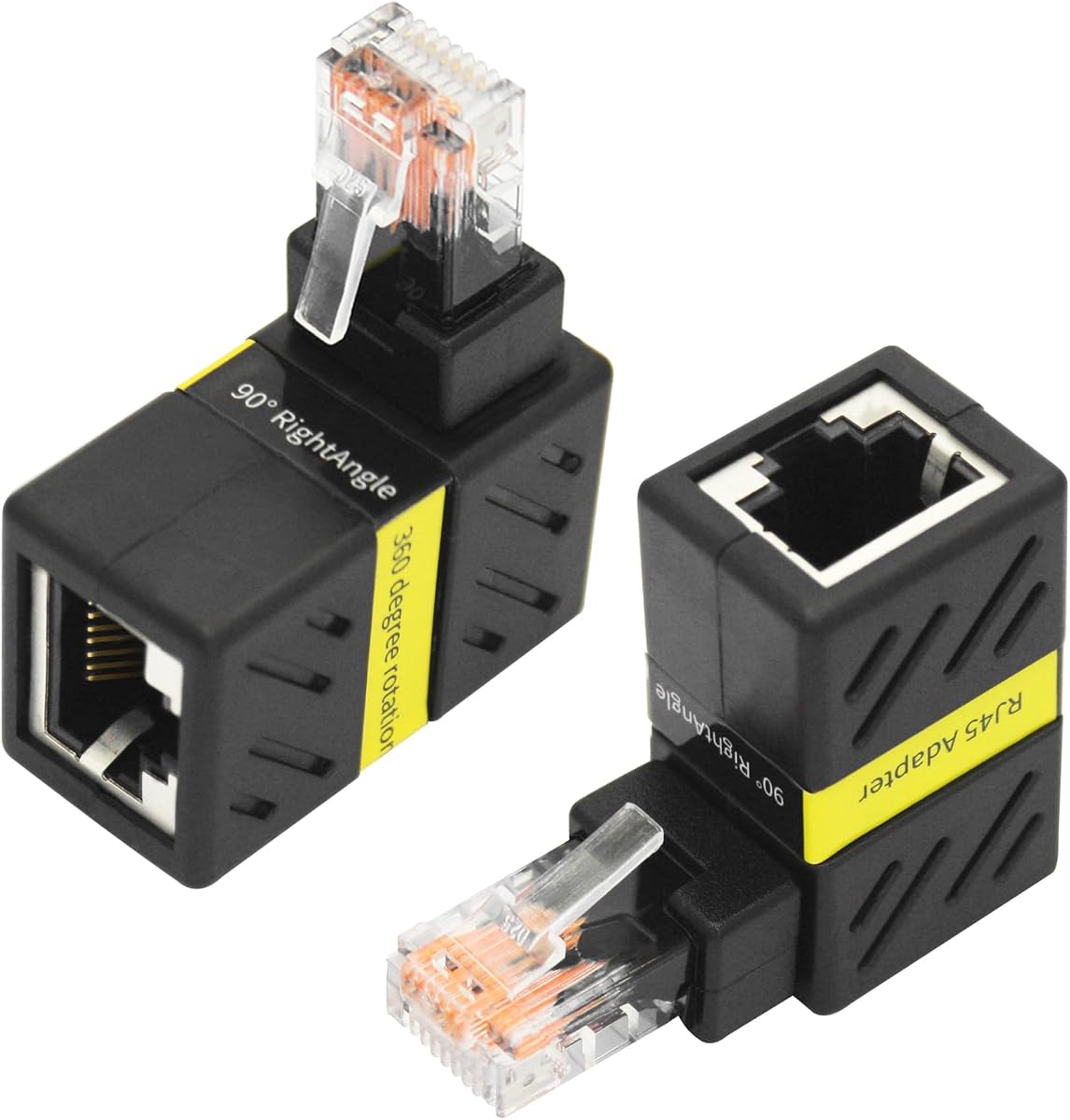
SinLoon provides an excellent budget-friendly option with a strong 4.6 rating. This adapter is perfect for users who want to upgrade their setup without spending much on cable management.
We may earn a commission when you buy through this link, at no additional cost to you.
It features FTP gold-plated contacts for reliable signal transfer. The 30cm length is ideal for short reach needs without creating excess slack that could clutter your desk.
The main limitation is its fixed upward direction. While it works great for standard setups, it might not fit unusual angles where a rotatable model would be more useful.
This is a great pick for students or budget-conscious buyers. It effectively extends connections for media players and routers while keeping costs low.
Despite the low price, the gold-plated contacts ensure you do not sacrifice signal integrity.
The 30cm length is just right for reaching behind a TV or router without adding bulk.
We may earn a commission when you buy through this link, at no additional cost to you.
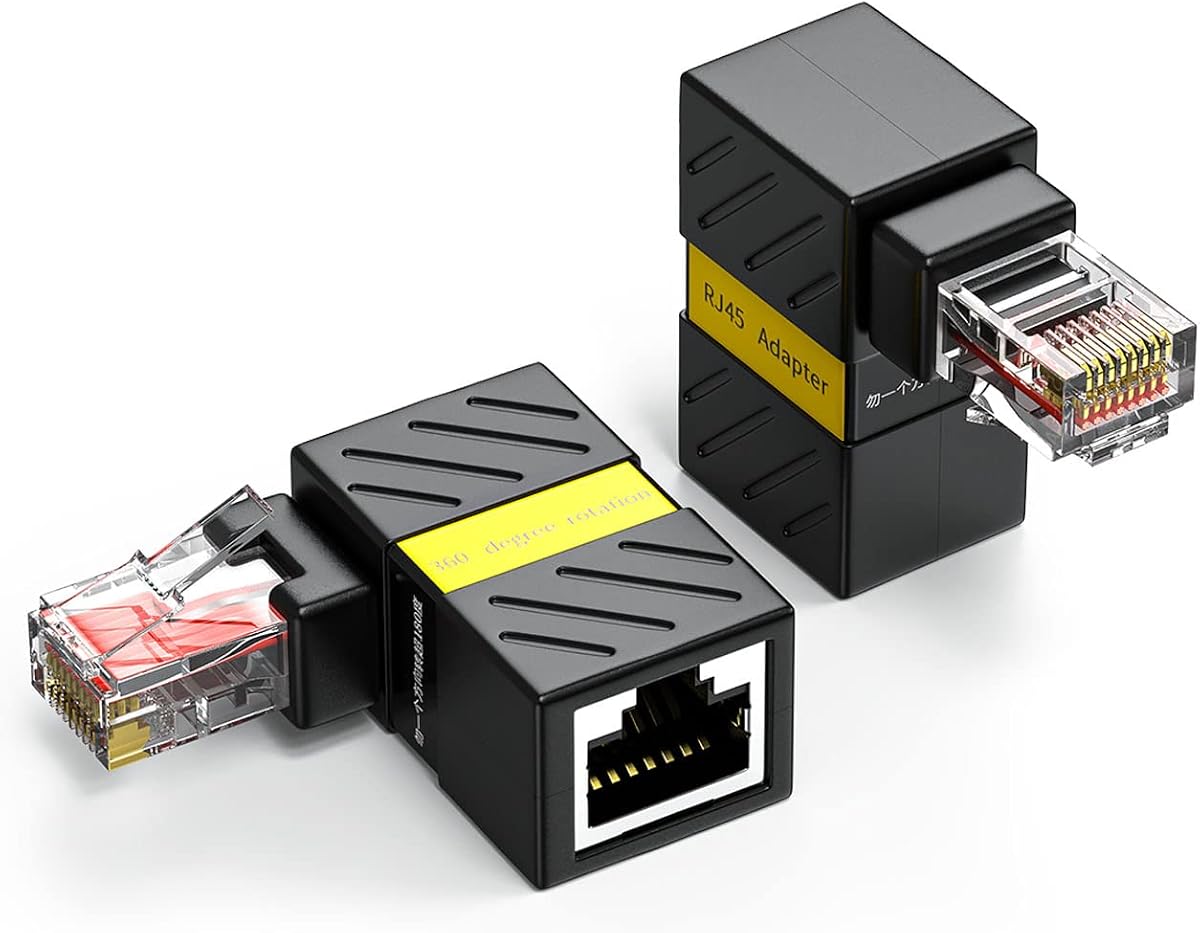
This 2-pack offers a premium rotatable solution with a solid 4.4 rating. The durable ABS housing ensures it withstands regular use while keeping cables organized and strain-free.
We may earn a commission when you buy through this link, at no additional cost to you.
The 360-degree adjustment lets you route cables upward, downward, left, or right as needed. This flexibility is invaluable for complex setups behind entertainment centers or desks.
Some users find the housing bulky compared to metal adapters. However, the plastic construction is light and does not add unnecessary weight to your network cables.
Ideal for smart TVs and routers, this adapter helps manage cables cleanly. It is a great choice for those who need multiple units for different devices.
Route cables in any direction to avoid sharp bends and keep your workspace tidy and safe.
Use the male-to-female design to reduce direct wear on your device's RJ45 port.
We may earn a commission when you buy through this link, at no additional cost to you.
The CableCreation CAT6 Ethernet Cable is a shielded option with an impressive 4.8 rating. It includes robust FTP shielding to protect your network from electromagnetic interference.
We may earn a commission when you buy through this link, at no additional cost to you.
Its upward angled design helps reach tight spaces behind furniture. The shielded design ensures stable data transmission even in high-interference environments like near power lines.
Unlike rigid adapters, the flexible cable allows for easier routing. Some users prefer this flexibility over a solid adapter for very tight spots.
This is a top pick for gamers who need zero latency. The warranty and support add extra peace of mind for your investment.
The FTP shielding ensures your signal stays clean even if cables run near electrical appliances.
The flexible nature of this patch cable makes it easy to hide behind desks or walls.
We may earn a commission when you buy through this link, at no additional cost to you.
This 2-pack offers a compact 4-inch solution ideal for very tight spaces. With a 4.7 rating, it is praised for maintaining full internet speeds without signal degradation.
We may earn a commission when you buy through this link, at no additional cost to you.
The short design is perfect for plugging into ports that are blocked or recessed. It acts as a protective extension to reduce stress on the main device port.
Its fixed angle limits flexibility but ensures stability. It is best used where the direction does not need to change frequently.
Choose this for routers with tight clearance issues. It keeps connections secure while preventing physical damage to sensitive Ethernet ports.
The 4-inch design fits into spaces where longer cables would be impractical or too bulky.
Acts as a port saver by reducing the wear from frequent plugging and unplugging of main cables.
We may earn a commission when you buy through this link, at no additional cost to you.
With a perfect 5.0 rating, this 20-inch extension is a top choice for reach. The downward design helps organize cables neatly behind wall-mounted TVs or desks.
We may earn a commission when you buy through this link, at no additional cost to you.
Its length ensures you can reach far back without stress. It supports gigabit speeds for stable gaming and HD streaming without interruptions.
The clip orientation keeps cables tidy. While the fixed downward angle limits some flexibility, it works perfectly for standard network cabinet setups.
Use this for devices that are far from the router. It provides a secure connection while keeping the setup clean and organized.
The downward clip orientation allows cables to hang neatly without tangling or blocking other ports.
Supports up to 250MHz bandwidth for reliable high-speed data transfer in home offices.
We may earn a commission when you buy through this link, at no additional cost to you.
CableGeeker stands out for its robust build quality with a 4.5 rating. It is engineered for daily use, having passed over 30,000 insertion tests for long-term reliability.
We may earn a commission when you buy through this link, at no additional cost to you.
The 360-degree rotation and Cat6A support make it ideal for high-performance needs. It handles 10Gbps bandwidth efficiently for streaming and cloud computing applications.
Some users note it is slightly larger. However, this design reinforces the connection joint to prevent breaks over time.
This is an excellent pick for busy offices. The durability ensures it lasts through frequent cable changes without failing.
Having passed 30,000 tests, this adapter is built to withstand the rigors of daily connections.
Cat6A support ensures your network is ready for 10Gbps speeds when your hardware is upgraded.
We may earn a commission when you buy through this link, at no additional cost to you.
This SinLoon model offers a downward angle variant with a 4.5 rating. It provides the same reliable connectivity as the upward version but routes cables differently.
We may earn a commission when you buy through this link, at no additional cost to you.
FTP gold-plated contacts ensure a stable connection. The 30cm length is perfect for short reaches without adding clutter to your network setup.
It is ideal for ports that face upwards. This prevents cable strain by directing the cord downwards towards the floor.
Choose this for specific cabinet layouts. It helps keep cables organized and hidden while maintaining a secure link.
The downward design helps direct cables to the floor, keeping them out of sight and safe.
Gold-plated contacts maintain a steady connection with minimal risk of interference or data loss.
We may earn a commission when you buy through this link, at no additional cost to you.
This 180-degree rotatable adapter has a perfect 5.0 rating for versatility. It combines a 90-degree base with rotation capability to fit narrow gaps easily.
We may earn a commission when you buy through this link, at no additional cost to you.
Its durable ABS shell ensures longevity. The 1000Mbps support is perfect for most home networks needing reliable gigabit speeds.
The rotation allows you to choose the angle. However, it requires manual adjustment which some might find less convenient than a fixed angle.
It is a great all-rounder for general use. Choose this if you need multiple angles for different devices without buying specialized adapters.
Rotate up to 180 degrees to find the exact angle that fits your narrow gap or corner.
High-quality ABS plastic ensures the adapter is durable and resists damage during daily use.
We may earn a commission when you buy through this link, at no additional cost to you.
Selecting the right adapter involves considering speed, design, and durability. This guide breaks down the key factors to help you make an informed choice for your network setup.
Ensure the adapter matches your network speed requirements. Cat 6A models support up to 10Gbps, while Cat 6 supports up to 1Gbps. Choosing the right standard prevents bottlenecks.
Always check the adapter's speed rating against your router's capabilities to avoid underutilization.
Rotatable models allow you to adjust the cable direction for better routing. Fixed angles are simpler but less adaptable to tight spaces. Decide based on your physical setup needs.
Rotatable adapters offer more versatility for changing layouts or complex environments.
Look for durable materials like metal or high-quality ABS plastic. Gold-plated connectors resist oxidation and ensure better signal transfer over time. A sturdy build prevents breakage.
Higher build quality often correlates with longer lifespan and reliable performance.
Some adapters include short extension cables while others are pure connectors. Choose the length that fits your distance needs without creating excess slack. Upward or downward designs matter for routing.
Select a length that bridges the gap between your device and wall port comfortably.
Check that the adapter works with your existing cable type. Most are backward compatible with Cat 5e and Cat 6. Ensure the connector fits snugly to prevent signal loss.
Compatibility ensures you do not need to replace your current cables.
Adapters protect device ports from physical stress and wear. They act as a buffer so you can disconnect cables from the adapter instead of the device. This saves your hardware.
Prioritize adapters that reduce the strain on your expensive network hardware.
Prices vary based on features like rotation or shielding. Higher-end models often include better materials and warranties. Determine your budget and prioritize features that offer the most value.
A slightly higher cost can be worth it for long-term durability.
Plug-and-play adapters require no software installation. Ensure the design fits your device without blocking other ports. A clean installation helps maintain cable organization.
Simple installation saves time and ensures a tidy workspace.
Start by connecting one end of the adapter to your device's Ethernet port. Make sure it clicks into place for a secure connection. Avoid forcing it if it feels too tight.
Next, attach your network cable to the other end of the adapter. Route the cable according to the adapter's angle to prevent sharp bends. This protects both the cable and the port.
Finally, periodically check that the adapter remains firmly in place. Dust can accumulate over time so gently clean the area around the port. This ensures consistent performance.
Generally, a high-quality adapter will not slow down your internet if it matches your network standards. Look for models that support Cat 6 or Cat 6A to ensure gigabit speeds. Low-quality adapters might cause signal loss.
Yes, most 90 Degree Ethernet adapters are backward compatible with Cat 5e cables. They maintain the speed limits of your cable type. If you use Cat 5e expect speeds up to 1Gbps regardless of the adapter.
Choose a rotatable adapter if your setup requires flexible cable routing behind furniture. Fixed adapters are simpler and often more compact for standard ports. Consider your space constraints before deciding.
Some adapters include short extension cables while others are direct connectors. Check the product details for length specifications. This helps you plan if you need to bridge a small gap.
Yes, these adapters work with any device that has an RJ45 Ethernet port including consoles. They help route cables neatly behind TVs. Ensure the adapter supports gigabit speeds for optimal performance.
Gold-plated connectors resist corrosion and oxidation better than standard metals. This ensures a stable connection over time. They are especially useful in environments with high humidity or interference.
This depends on how many devices require Ethernet connections. Buying a 2-pack can be cost-effective if you have multiple devices. Consider future expansion when deciding on quantity.
Rotatable adapters are more flexible for tight spaces. Fixed angle adapters might stick out more depending on the box depth. Measure your space before purchasing to ensure a good fit.
We reviewed ten top models including the Cable Matters and SinLoon adapters. Each offers unique features like rotation or shielding to suit different needs.
Prioritize speed support and build quality when making your choice. A reliable adapter protects your hardware and keeps your network running smoothly.
Remember to check current listings for the best deals. Prices may change so verify availability before purchasing your new adapter.