
Toshiba HDWL120XZSTA L200 2TB Laptop PC Internal Hard Drive
4.6Editor score
Optimized for laptop power usage
Includes built in shock sensors
Two point five inch drive height
Choosing the right internal storage is crucial for your computer performance and data safety. A 5400 Rpm HDD Hard Drive offers a balance of capacity and efficiency for everyday computing needs without excessive power consumption.
We have evaluated ten leading models based on their build quality, cache sizes, form factors, and intended use cases. Each drive is assessed for reliability and performance in desktop or laptop environments to ensure you get the best value.
Our detailed reviews highlight the strengths and weaknesses of every option so you can make an informed decision quickly. Keep in mind that stock levels and availability change frequently so check current listings before purchasing your drive.
4.6Editor score

4.7Editor score

4.5Editor score
As an Amazon Associate we earn from qualifying purchases.
The following table provides a side by side view of all ten selected drives including their key specifications and unique features for easy comparison.


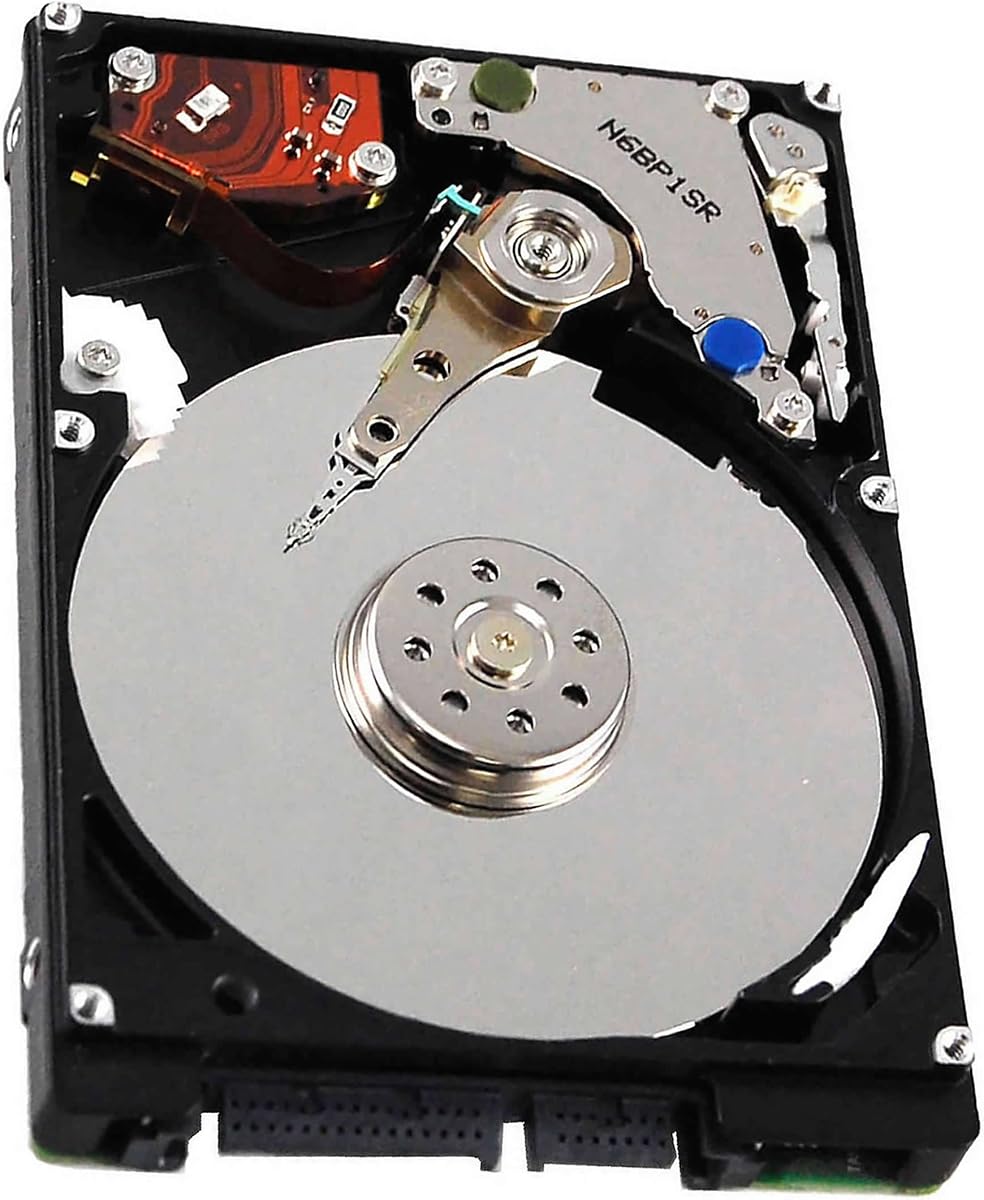


This model stands out as a top choice for general consumers needing reliable storage. It features a two terabyte capacity in a compact form factor suitable for various setups.
We may earn a commission when you buy through this link, at no additional cost to you.
The BarraCuda line is known for its proven reliability backed by decades of innovation. It handles everyday tasks like music and video editing with ease.
While it is not designed for extreme enterprise workloads it offers a solid performance for most desktop and laptop users. The cache helps smooth out data flow during multitasking.
Anyone looking for a straightforward upgrade or replacement drive will find this unit meets their needs effectively without unnecessary complexity.
Its robust design ensures that your data remains safe during normal usage conditions without frequent errors.
The caching technology optimizes how data is accessed improving loading times for applications and files.
We may earn a commission when you buy through this link, at no additional cost to you.
This drive is ideal for users who need significant storage space for media and archives. It offers six terabytes which is substantial for most personal use cases.
We may earn a commission when you buy through this link, at no additional cost to you.
The larger cache helps manage large file transfers efficiently. It is built to handle the demands of a desktop environment where space is less of a constraint.
However the physical size means it requires a standard desktop case. It may not fit in smaller mini PC builds without specific adapters.
It is a great choice for home servers or media centers where capacity is the primary concern over portability.
Holding six terabytes allows you to store thousands of high resolution videos and photos comfortably.
Designed specifically for desktop PCs it provides reliable performance for long term data storage.
We may earn a commission when you buy through this link, at no additional cost to you.
This drive combines a large five terabyte capacity with a compact two point five inch form factor. It is excellent for users needing space without the bulk of larger drives.
We may earn a commission when you buy through this link, at no additional cost to you.
It works well in both desktop and laptop scenarios. The smaller size makes it easier to fit into tight spaces or portable enclosures.
Thermal management is decent but can vary based on airflow. It is important to ensure adequate ventilation when using it in a laptop.
If you need a high capacity drive that is flexible in installation this model delivers strong performance for the size.
The small form factor allows it to be installed in a wide variety of devices.
It offers five terabytes of storage which is rare for such a compact drive.
We may earn a commission when you buy through this link, at no additional cost to you.
This drive is specifically designed for laptops and portable gaming systems. It focuses on low power consumption to extend battery life during use.
We may earn a commission when you buy through this link, at no additional cost to you.
The built in shock sensors provide extra protection for mobile environments. This is crucial for users who travel frequently or use their device on the go.
It offers a cost effective solution for expanding laptop storage without sacrificing reliability. The cache helps maintain decent performance for everyday tasks.
Anyone needing a reliable upgrade for their laptop will appreciate the balance of cost and durability in this model.
The low power profile helps your device run longer on a single charge.
Integrated sensors protect your data from accidental drops while you are out and about.
We may earn a commission when you buy through this link, at no additional cost to you.
This variant is optimized for on the go computing needs. It offers two terabytes of space in a form factor that fits most laptops.
We may earn a commission when you buy through this link, at no additional cost to you.
The specialized caching technology ensures that data flow remains smooth even when running multiple applications. It helps reduce lag during intensive tasks.
The two year warranty provides added peace of mind for users who rely on their storage daily. This support is valuable for long term reliability.
It is a solid choice for students and professionals who need consistent performance in a portable package.
Advanced caching helps your system handle multiple programs running simultaneously without slowdowns.
Backed by a strong warranty this drive is a dependable investment for your data.
We may earn a commission when you buy through this link, at no additional cost to you.
This renewed option offers a cost effective way to get Western Digital quality storage. It comes with zero power on hours ensuring it is ready for fresh use.
We may earn a commission when you buy through this link, at no additional cost to you.
The two hundred fifty six megabyte cache supports efficient data handling for standard desktop tasks. It is a good choice for budget conscious builders.
Being renewed means it is factory tested but warranties may vary. It is important to check the seller terms before purchase.
For users looking to save money while maintaining performance this drive is a strong contender.
Zero power on hours mean the drive has not been used before refurbishment.
You get the reliability of WD Blue at a more accessible price point.
We may earn a commission when you buy through this link, at no additional cost to you.
This drive is excellent for upgrading older notebook PCs. It provides a robust solution for industrial or legacy applications needing reliable storage.
We may earn a commission when you buy through this link, at no additional cost to you.
The high shock tolerance makes it durable for environments where movement is common. Native command queuing helps optimize performance for sequential operations.
The capacity is lower than modern standards which limits its use for large media files. It is best suited for system drives in older hardware.
It is a specific solution for those maintaining older systems requiring stable and shock resistant storage.
With high shock tolerance this drive can withstand tough operating environments.
It fits older laptop chassis and offers reliable performance for legacy software.
We may earn a commission when you buy through this link, at no additional cost to you.
This drive is purpose built for network attached storage environments. It handles multiple users and constant operation better than standard desktop drives.
We may earn a commission when you buy through this link, at no additional cost to you.
The included rescue services provide extra data protection which is crucial for shared storage. Health management tools help you monitor drive status efficiently.
The CMR technology ensures stability during write operations. It is worth the extra cost for professional or critical home storage needs.
Anyone setting up a home server or business NAS will find this drive offers essential reliability and tools.
Designed for continuous use it minimizes wear and tear in shared environments.
Rescue services give you peace of mind in case of unexpected drive failure.
We may earn a commission when you buy through this link, at no additional cost to you.
This model provides a standard desktop solution with four terabytes of space. It is suitable for users needing significant storage without the premium of enterprise drives.
We may earn a commission when you buy through this link, at no additional cost to you.
The included DiscWizard software makes migrating data from old drives easy. Frustration free packaging ensures an easy unboxing and setup experience.
While transfer speeds are standard for this class they are sufficient for most media and file storage needs. It integrates seamlessly into any PC build.
It is a practical choice for gamers and general users who want a reliable main drive.
The included software simplifies moving your files to the new drive.
It delivers expected speeds for daily computing tasks without unnecessary complexity.
We may earn a commission when you buy through this link, at no additional cost to you.
This drive is another strong option for network attached storage. It uses CMR technology which is preferred for RAID setups due to stable performance.
We may earn a commission when you buy through this link, at no additional cost to you.
It is designed for continuous operation which is essential for systems that run twenty four seven. NASware tuning ensures compatibility with most enclosures.
The support is industry leading making it easy to resolve any issues. It is a solid alternative to other NAS specific drives.
For users building a personal cloud or server this drive offers reliability and performance.
CMR technology prevents performance issues common in RAID environments.
It is built to run continuously without overheating or degrading quickly.
We may earn a commission when you buy through this link, at no additional cost to you.
Selecting the right hard drive depends on your specific storage needs and device compatibility. This guide covers the key factors you should evaluate before making a purchase.
Capacity is the amount of data a drive can hold. For standard applications and media a two to four terabyte drive is usually sufficient.
Choose a capacity that meets your current needs while allowing room for future growth.
Form factor refers to the physical size of the drive. Two point five inch drives are compact and work well in laptops.
Three point five inch drives offer larger capacities and fit standard desktop cases.
Cache acts as a temporary buffer for data moving between the drive and your system. Larger cache helps smooth performance during heavy multitasking.
Look for drives with at least sixty four megabytes of cache for better efficiency.
Laptops benefit from drives designed with low power profiles. These drives extend battery life by consuming less energy during operation.
Check the specifications for power consumption ratings if using the drive in a portable device.
Drives used in mobile environments need protection against drops and vibration. Shock sensors and robust designs add to durability.
Prioritize models with specific protection features if you frequently move your device.
Some drives are optimized for specific uses like Network Attached Storage or gaming. NAS drives have better reliability for continuous operation.
Ensure the drive matches your intended workload to avoid premature wear.
Most modern drives use SATA interfaces which are compatible with most PCs. Check your motherboard or laptop for available ports.
Verify that the drive interface matches your system requirements before buying.
A strong warranty provides protection against defects. Two to three year warranties are common for consumer drives.
Look for brands with a history of good customer service and support policies.
When installing your drive ensure the computer is powered off and unplugged. Secure the drive properly in the drive bay to prevent vibrations that could affect performance.
After installation initialize the drive in your operating system disk management utility. This allows the system to recognize and use the new storage space effectively.
Regularly backup important data to an external source to prevent loss. Keep the drive in a cool environment to extend its lifespan and avoid overheating.
A 5400 RPM drive offers a balance between performance and power consumption. It is ideal for storage where speed is not the primary priority but reliability is key.
While they work for storing games they may load titles slower than faster drives. They are better for storing installed games and media files.
Yes you can use a laptop drive in a desktop with an adapter. However a desktop drive is more cost effective for larger capacities.
Most drives are plug and play and do not require special drivers. Your operating system will automatically detect and configure them.
Typically a hard drive can last five years or more with proper care. Avoiding shocks and heat helps extend its usable lifespan.
CMR drives record data in parallel tracks which is faster and more stable. SMR drives record data in overlapping tracks to increase capacity.
Yes but for RAID use choose NAS optimized drives for best reliability. Standard drives can work in simple RAID setups but may be less durable.
Some packaging includes screws but not all. Check the box contents before installation to ensure you have the necessary hardware.
We reviewed ten top models offering a range of capacities and form factors. The Seagate BarraCuda stands out for general use while the IronWolf excels for NAS.
Prioritize capacity and durability based on your specific needs. If you need portability look for smaller drives with high shock resistance.
Remember to check current stock and offers as availability changes. Always verify compatibility with your system before finalizing your purchase.