
Acer Nitro 27in QHD
4.5Editor score
180Hz refresh rate
AMD FreeSync support
0.5ms response time
Finding the right display for your gaming setup is crucial for immersion and competitive edge. A 27 inch WQHD 1440p gaming monitor offers the perfect balance of sharpness and performance without needing a top-tier graphics card. These screens deliver crisp visuals that make games look stunning while maintaining high refresh rates for smooth motion.
We evaluated ten leading models based on panel quality, refresh rates, response times, and connectivity options. Our analysis focuses on real-world gaming performance, color accuracy, and ergonomic features that matter during long sessions. We compared specs from trusted brands to ensure you get the most reliable hardware for your budget.
Each pick below highlights key strengths and potential trade-offs to help you decide quickly. Remember that stock levels and specific promotions fluctuate often so check current availability before buying. Our goal is to provide a clear path to the best screen for your specific gaming needs and desk space.
4.5Editor score

4.6Editor score

4.6Editor score
As an Amazon Associate we earn from qualifying purchases.
This side-by-side comparison breaks down the key specifications and features of every model on our list to help you see the differences at a glance.


The Acer Nitro KG271U stands out as a top choice for budget-conscious gamers seeking high performance. With a 4.5 rating from users, it delivers a smooth 180Hz refresh rate that keeps competitive titles fluid. Its IPS panel ensures vibrant colors and wide viewing angles that enhance immersion during long sessions.
We may earn a commission when you buy through this link, at no additional cost to you.
This monitor excels in motion handling with a rapid 0.5ms response time that minimizes ghosting in fast scenes. The AMD FreeSync technology synchronizes frames to eliminate tearing without needing expensive GPU features. Color accuracy is also strong with 95% DCI-P3 coverage useful for both gaming and content creation tasks.
While the stand offers tilt adjustment it lacks height or pivot flexibility out of the box. You may need a VESA mount to get the ergonomic positioning you want for daily use. These trade-offs are acceptable given the aggressive pricing that undercuts many competitors with similar specs.
We recommend this monitor for gamers who prioritize smooth visuals and color fidelity over advanced ergonomics. It is a solid foundation for a mid-range PC build where every dollar counts towards performance. Check current deals to secure this value-packed display before stock runs low.
The 180Hz refresh rate paired with AMD FreeSync ensures fluid gameplay even in fast-paced shooters.
Support for 95% DCI-P3 delivers rich tones that make games and photos look more vivid.
We may earn a commission when you buy through this link, at no additional cost to you.
The ASUS TUF Gaming VG27AQ3A earns our Editor's Choice badge for its balanced mix of performance and features. It supports both G-Sync compatible and FreeSync Premium to ensure tear-free gaming across different graphics cards. The inclusion of ELMB Sync allows motion blur reduction while maintaining variable refresh rates for smooth visuals.
We may earn a commission when you buy through this link, at no additional cost to you.
Color performance is exceptional with 130% sRGB coverage that makes games pop with accuracy. Users appreciate the built-in speakers for casual audio though external headphones are better for immersion. The package even includes a complimentary Adobe Creative Cloud subscription adding value for creative hobbyists using the same screen.
You might find the price slightly higher than basic models but the advanced sync tech justifies the cost. The stand is sturdy though height adjustment could be more robust for diverse desk setups. These minor cons do not overshadow the excellent gaming experience provided by the panel itself.
This monitor is ideal for competitive players who need precise motion handling and broad compatibility. It serves as a versatile centerpiece for both gaming and creative workloads without compromise. We highly recommend it for those seeking a reliable high-refresh display with trusted brand backing.
ELMB Sync combines motion blur reduction with variable refresh rate to eliminate ghosting and tearing simultaneously.
Free Adobe Creative Cloud access adds extra value for users who edit photos or design alongside gaming.
We may earn a commission when you buy through this link, at no additional cost to you.
The Acer Nitro XV271U offers a compelling package with a full ergonomic stand right out of the box. It reaches 180Hz over DisplayPort to deliver fluid motion that suits competitive shooters and sports titles. The 0.5ms response time ensures sharp transitions even during rapid movements in action-packed games.
We may earn a commission when you buy through this link, at no additional cost to you.
Unlike some budget models this one includes height swivel and pivot adjustments for better viewing angles. AMD FreeSync Premium certification guarantees low framerate compensation and stable performance across titles. The 95% DCI-P3 coverage also supports accurate color reproduction for photo editing and media consumption tasks.
Keep in mind that HDMI connections cap at 144Hz so use DisplayPort for maximum performance. The OSD menu could be more intuitive but once set up the monitor performs consistently well. These limitations are minor compared to the flexible ergonomics and high refresh capabilities it offers.
We suggest this model for gamers who want both performance and comfort without buying a separate mount. It is a strong contender for those upgrading from older 1080p setups to 1440p clarity. Check availability to secure this feature-rich monitor while deals remain active.
The Ergostand allows tilt height and pivot adjustments to fit your posture perfectly.
Advanced FreeSync Premium support ensures smooth gameplay even at lower frame rates.
We may earn a commission when you buy through this link, at no additional cost to you.
The Samsung Odyssey G5 uses a curved panel to wrap your vision and enhance immersion during play. With a 4.7 rating from users it shows strong satisfaction with its speed and visual depth. The 180Hz refresh rate and 1ms response time deliver crisp motion that keeps competitive gameplay sharp.
We may earn a commission when you buy through this link, at no additional cost to you.
HDR10 support brightens highlights and deepens shadows for more dynamic contrast in supported games. A unique Black Equalizer lets you adjust dark areas to spot enemies hiding in shadows. The ergonomic stand allows tilt and height adjustments to fit your desk setup comfortably.
You might miss USB ports for peripherals since this model focuses purely on video and audio. Color accuracy is adequate for gaming but not ideal for color critical creative work without calibration. These constraints are typical for this tier and do not detract from the gaming experience.
This monitor is great for immersive single-player titles where screen curve and HDR add to the atmosphere. It is a solid choice for gamers prioritizing visual immersion over professional color grading. Look for current pricing to get the best value on this popular model.
The curved screen wraps your field of view to create a more immersive gaming environment.
Black Equalizer improves visibility in dark corners so you can spot enemies easily.
We may earn a commission when you buy through this link, at no additional cost to you.
The SANSUI 27 Inch WQHD offers high refresh rates at an aggressive price point for budget builds. Adaptive sync technology allows up to 200Hz over DP to ensure fluid motion in supported games. The 1ms response time keeps input lag low for responsive controls during competitive sessions.
We may earn a commission when you buy through this link, at no additional cost to you.
Color coverage reaches 120% sRGB so visuals appear rich and vibrant across games and media. Multiple HDMI and DP ports provide flexibility for connecting consoles and laptops simultaneously. The warranty and support promise adds peace of mind for early buyers of this emerging brand.
Built-in audio is absent so you will need external speakers or headphones for sound. The stand tilt is limited so consider a wall mount if you need height adjustment. These compromises are acceptable when prioritizing screen performance over extra features.
This monitor is a smart pick for gamers who want high Hz without paying a premium. It is especially useful for those building their first 1440p system with tight cash flow. Check current stock to grab this value option before supplies run low.
Supports up to 200Hz adaptive sync for ultra-smooth motion in compatible titles.
120% sRGB coverage ensures vivid and accurate colors for games and movies.
We may earn a commission when you buy through this link, at no additional cost to you.
The SANSUI Gaming Monitor offers a full ergonomic stand with pivot and swivel options for versatile use. It runs at 200Hz over DP to deliver smooth motion that competitive players value highly. The 95% DCI-P3 coverage supports wide color gamuts for vibrant visuals and creative tasks.
We may earn a commission when you buy through this link, at no additional cost to you.
Low Motion Blur technology helps reduce ghosting during fast action to keep images crisp. A headphone jack and DP connections support flexible setups for multi-device users. The warranty and technical support offer assurance for those trying a newer manufacturer brand.
The OSD menu is basic and could be more intuitive for adjusting picture settings quickly. Some users may prefer established brands but the performance metrics match better-known models. This makes it a strong alternative if you value ergonomics and speed over legacy reputation.
Consider this model if you want tilt pivot and swivel adjustments without an extra arm purchase. It is ideal for multitaskers who need flexible positioning alongside gaming performance. Verify current availability to ensure you get the latest batch of this monitor.
Full tilt pivot and swivel adjust the screen to your preferred viewing angle easily.
MPRT technology reduces blur to keep fast-moving objects sharp during gameplay.
We may earn a commission when you buy through this link, at no additional cost to you.
The KOORUI G2721P features an ultra-thin body that blends into minimalist desk setups. It delivers a 200Hz refresh rate for fluid motion in fast-paced games and applications. Color accuracy is strong with 95% DCI-P3 coverage for vibrant and consistent visuals across content.
We may earn a commission when you buy through this link, at no additional cost to you.
HDR400 support enhances contrast in games to make scenes look more dynamic and detailed. VESA mounting compatibility allows flexible positioning if the stand lacks advanced adjustments. The 3-year warranty adds confidence for buyers exploring this brand for first time.
You might find the stand tilt limited so a full mount may be needed for height control. The lack of a USB hub simplifies ports but removes quick charging for peripherals. These trade-offs are common at this price point and do not impact core performance.
We recommend this for gamers wanting high Hz with a sleek look on a budget. It fits well in modern builds where appearance matters alongside speed. Check stock levels to secure this slim monitor while supplies last.
Ultra-thin body design ensures the monitor fits seamlessly into clean and modern setups.
HDR400 support deepens dark areas and brightens highlights for vivid gaming scenes.
We may earn a commission when you buy through this link, at no additional cost to you.
The Acer Nitro EDA270U brings curved immersion to the 1440p segment with a 1500R design. It runs at 180Hz to keep motion fluid in competitive titles and racing games. AMD FreeSync Premium ensures stable gameplay without tearing even in graphically demanding scenarios.
We may earn a commission when you buy through this link, at no additional cost to you.
Zero-frame bezels create an almost borderless look when using multiple displays side by side. Two built-in speakers provide basic sound output though external audio is preferred for detail. The stand offers tilt adjustment but lacks height or pivot controls for ergonomic flexibility.
You should note HDR readiness is limited so expect moderate brightness boost for supported content. VESA mounting is an option if you need more positioning options than the stand offers. These constraints are minor given the curved experience and refresh speed on offer.
This monitor suits fans of racing or flight sims where curvature adds to immersion. It is a practical choice for those who want curved visuals without breaking the bank. Check current offers to grab this model while inventory remains stable.
The 1500R curve wraps around your field of view for deeper immersion.
Zero-frame design maximizes screen space and looks seamless on multi-monitor walls.
We may earn a commission when you buy through this link, at no additional cost to you.
The ASUS TUF VG27AQL1A delivers premium performance with a 170Hz overclock rate for ultra-smooth motion. It combines ELMB Sync with G-Sync compatible support to reduce ghosting while keeping frame rates steady. The 130% sRGB gamut ensures rich colors that pop in games and creative projects.
We may earn a commission when you buy through this link, at no additional cost to you.
HDR400 certification adds dynamic range to visuals for more dramatic lighting in titles. Users get a free Adobe Creative Cloud subscription which is a generous bonus for creators. The IPS panel offers wide viewing angles that maintain color accuracy across different positions.
The price sits higher than entry-level options but the advanced sync tech justifies the cost. Ergonomics are functional though not as flexible as stands on specialized professional displays. These trade-offs are minimal when considering the overall speed and feature set provided.
We recommend this for enthusiasts who want top-tier motion handling and color fidelity together. It is a future-proof choice for next-gen hardware and demanding workflows. Check availability to secure this high-end display while stock remains active.
ELMB Sync reduces blur while keeping variable refresh rates active for smooth visuals.
130% sRGB ensures accurate and vibrant colors for games and professional media work.
We may earn a commission when you buy through this link, at no additional cost to you.
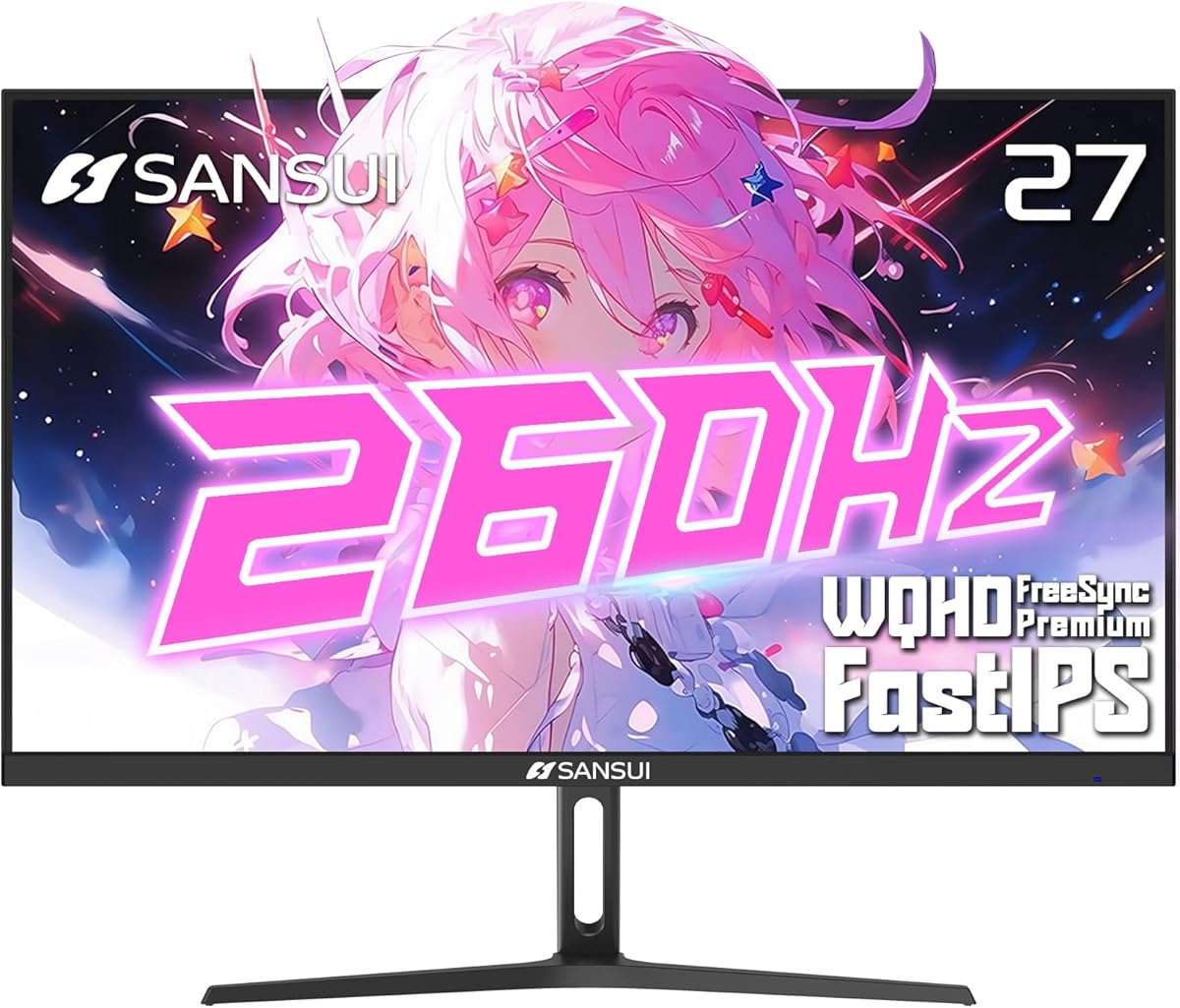
The SANSUI 27 Inch 260Hz pushes refresh limits to 260Hz for ultra-fast competitive play. It includes FreeSync Premium to ensure smooth gameplay at varied frame rates in demanding titles. Color coverage reaches 98% DCI-P3 for rich visuals that look accurate in both games and media.
We may earn a commission when you buy through this link, at no additional cost to you.
MPRT technology reduces motion blur to keep targets sharp during rapid movements in shooters. Low blue light and anti-flicker features help reduce eye strain during extended sessions at night. The stand offers tilt adjustments though you may want a VESA mount for full height control.
Check that your cable supports high refresh rates as the box warns about connection limits. Some users may find the OSD basic but the core performance remains consistent. These limitations are small considering the speed and color fidelity on offer here.
This monitor is perfect for esports players who need every millisecond advantage in their view. It serves as a strong upgrade for those moving from 144Hz or 165Hz displays. Verify current pricing to lock in this high-performance option while deals are active.
Supports up to 260Hz refresh rate for incredibly smooth motion in competitive shooters.
Low blue light and anti-flicker protect your eyes during long nightly gaming sessions.
We may earn a commission when you buy through this link, at no additional cost to you.
Selecting the right 27 inch WQHD 1440p gaming monitor requires weighing several key factors to match your setup and budget.
Refresh rate defines how many frames the screen shows per second with higher values delivering smoother motion. For competitive gaming aim for 144Hz or above to reduce blur and input delay. Models in this list range from 144Hz to 260Hz to suit different performance needs.
Look for refresh rates of 180Hz or higher if you play fast shooters and want fluid visuals.
Response time measures how quickly pixels change colors which affects ghosting during movement. A low 1ms time ensures sharp transitions and clear images in high action scenes. Most monitors in our review offer 1ms or less for competitive play.
Prioritize 1ms or faster response times to avoid visible trails in fast-paced games.
IPS panels provide accurate colors and wide viewing angles ideal for gaming and media use. VA panels offer deeper contrast but IPS is generally preferred for color accuracy here. Fast IPS technology improves response speeds while maintaining good image quality.
Choose Fast IPS for a balance of color accuracy and quick pixel response.
Adaptive sync like FreeSync or G-Sync eliminates screen tearing by matching refresh rates to GPU output. This feature ensures smooth visuals without stuttering in demanding titles. Check compatibility with your graphics card to enable these benefits.
Look for FreeSync Premium or G-Sync compatible tags for seamless frame synchronization.
Color gamut defines the range of colors the monitor can show for vivid images. Wide DCI-P3 coverage ensures games and content appear rich and lifelike. Aim for 95% or higher DCI-P3 for accurate and vibrant visuals.
Seek 95% DCI-P3 or 130% sRGB for strong color fidelity in creative tasks.
Connectivity determines how you link devices to the monitor and affects performance limits. HDMI 2.0 supports up to 144Hz while DisplayPort 1.2 can reach 180Hz or more. Ensure you have the right cables to achieve maximum refresh rates.
Use DisplayPort for high refresh rates and HDMI for console connectivity.
Ergonomics cover stand adjustments like height tilt and pivot to reduce strain during use. Adjustable stands help position the screen at eye level for comfort over long periods. If the stand is limited consider a VESA mount for flexible placement.
Check for height and pivot adjustments to maintain good posture while gaming.
Price varies based on features with higher rates and color ranges costing more. Warranty terms offer protection and support in case of defects or issues. Look for at least a three year warranty for peace of mind.
Compare warranty terms and support options to ensure long-term value.
To get the most out of your monitor use the correct cable to enable high refresh rates. Check that DisplayPort or HDMI supports the speed you need for smooth gameplay. Adjust brightness and contrast settings to reduce eye strain during long sessions.
Clean the screen regularly with a microfiber cloth to avoid scratches and maintain clarity. Dust the vents and stand to keep cooling efficient and prevent overheating issues. Avoid harsh chemicals that can damage coatings on the glass surface.
Update drivers and monitor firmware as needed to fix bugs and improve performance. Set up profiles for different apps to switch quickly between gaming and work modes. Calibrate color periodically to keep images consistent over time.
Yes they provide sharp visuals and ample detail for competitive play. This size balances pixel density and performance without needing top tier hardware. You get immersive frames with manageable GPU demands for a balanced setup.
144Hz is a solid baseline for smooth motion in most titles. For fast shooters 180Hz or higher reduces motion blur further. Look for monitors supporting adaptive sync to match frame rates.
Yes DisplayPort 1.2 or better is required for 180Hz and above. HDMI 2.0 caps at 144Hz on many screens so use DP for speed. Check your cable specs to avoid refresh rate limits.
FreeSync is an AMD technology while G-Sync is NVIDIA branded and proprietary. Most monitors support both via AdaptiveSync for broad compatibility. Check your graphics card to ensure proper support is enabled.
Enable low blue light and anti-flicker settings to reduce fatigue. Keep brightness consistent with your room lighting to avoid glare. Take breaks and adjust stand height to maintain good posture.
Yes models with wide color gamuts support accurate editing. Many have 95% DCI-P3 which is useful for photos. Calibration software helps maintain color consistency for professional work.
Most brands offer a three year warranty covering defects and panels. Some include additional support for technical issues or replacements. Check the seller for specific terms before purchasing.
Yes most support VESA mounting for flexible placement options. Check the exact pattern like 100x100mm before buying mounts. This allows desk space recovery and better viewing angles.
We reviewed ten top models offering a range of speeds features and prices to suit various needs. Whether you want budget value or premium performance there is a fit for every setup. Focus on refresh rate response time and color accuracy for the best experience.
Prioritize adaptive sync and ergonomic stands to keep your play sessions smooth and comfortable. High color gamuts matter if you do creative work alongside gaming. These features ensure your monitor grows with your needs over time.
Remember to check current pricing and availability as deals change frequently. Use the links above to verify specs and find the best offer for you. Select wisely and enjoy immersive visuals for years to come.