
Anker Prime Charging Station
4.6Editor score
250W total output power
Real-time LCD display
Smart control dial
Compare the top 250w GaN fast chargers for laptops phones and tablets. This guide reviews power output port count safety features and value to help you choose
Finding the right high wattage charger can be difficult when you have multiple devices. A good charger should support fast charging for laptops and smartphones without overheating or using too much space on your desk.
We compared ten leading models based on their total power output number of ports and safety certifications. Each product was evaluated for its ability to handle modern high demand devices like MacBook Pros and gaming laptops efficiently.
Each pick shows the key strengths and weaknesses of the model. Please note that prices and availability change frequently so check the current listing before making your final decision on which unit to purchase.
4.6Editor score

4.7Editor score

4.3Editor score
This side-by-side comparison highlights the key specifications of each top rated model so you can quickly identify which charger fits your specific power needs and desk setup best.




The Anker Prime Charging Station stands out as a top tier solution for power users needing massive charging capacity. With a 250W total output and a smart LCD display it offers precise control over energy distribution across six ports.
We may earn a commission when you buy through this link, at no additional cost to you.
Its standout feature is the ability to deliver 140W to a single laptop via the first USB-C port which charges a 16-inch MacBook Pro to 50% in just 25 minutes. The smart control dial lets you adjust power output instantly without unplugging devices.
Trade-offs include its size and weight which make it unsuitable for travel. Additionally full IoT capabilities require registration with the Anker app which might be an extra step for some users.
Buy this if you need a reliable desktop hub for multiple high power devices. It is ideal for home offices where space is not a constraint and performance is the priority.
The 2.26 inch LCD display provides real-time updates on charging status and speed for each connected device.
The control dial allows immediate adjustments to energy output ensuring each device charges at its optimal speed.
We may earn a commission when you buy through this link, at no additional cost to you.
The MEKIOJEO Aluminum Alloy charger offers exceptional value with a massive 260W total output and seven ports for all your devices. Its sturdy aluminum shell provides durability and prevents slipping on desktops even when fully loaded.
We may earn a commission when you buy through this link, at no additional cost to you.
It features two 65W ports capable of charging two laptops simultaneously which is rare at this price point. The intelligent GaN chip ensures safe charging with trickle mode activation when batteries are full.
Lack of a digital display means you cannot see real-time power distribution. However the solid build quality and multiple safety systems make up for this for basic users.
Choose this model if you want high power and build quality without paying premium prices. It suits users who need robust charging without complex smart features.
The anti-slip aviation aluminum alloy shell ensures the unit stands firm even with multiple devices plugged in.
Seven multi- protection systems including temperature and over-current protection keep your devices safe during use.
We may earn a commission when you buy through this link, at no additional cost to you.
The UGREEN Nexode 200W strikes a perfect balance between power and portability making it the top choice for travelers who still need high performance. Its 140W single port output can charge a MacBook Pro 16 M4 to 56% in 30 minutes.
We may earn a commission when you buy through this link, at no additional cost to you.
Designed to support two laptops simultaneously it eliminates the need for multiple chargers during workdays. The foldable prongs and compact size make it easy to pack in any bag without taking up much space.
While it has fewer ports than desktop stations its efficiency and reliability are unmatched. The 4.7 rating reflects strong user satisfaction regarding its durability and charging speed.
This is the ideal pick for professionals who travel frequently but still need to charge high performance laptops. It offers premium performance in a portable form factor.
Delivers up to 140W through a single USB-C port enabling rapid charging for demanding laptops and devices.
Foldable design ensures easy storage and transport making it the reliable travel companion for any trip.
We may earn a commission when you buy through this link, at no additional cost to you.
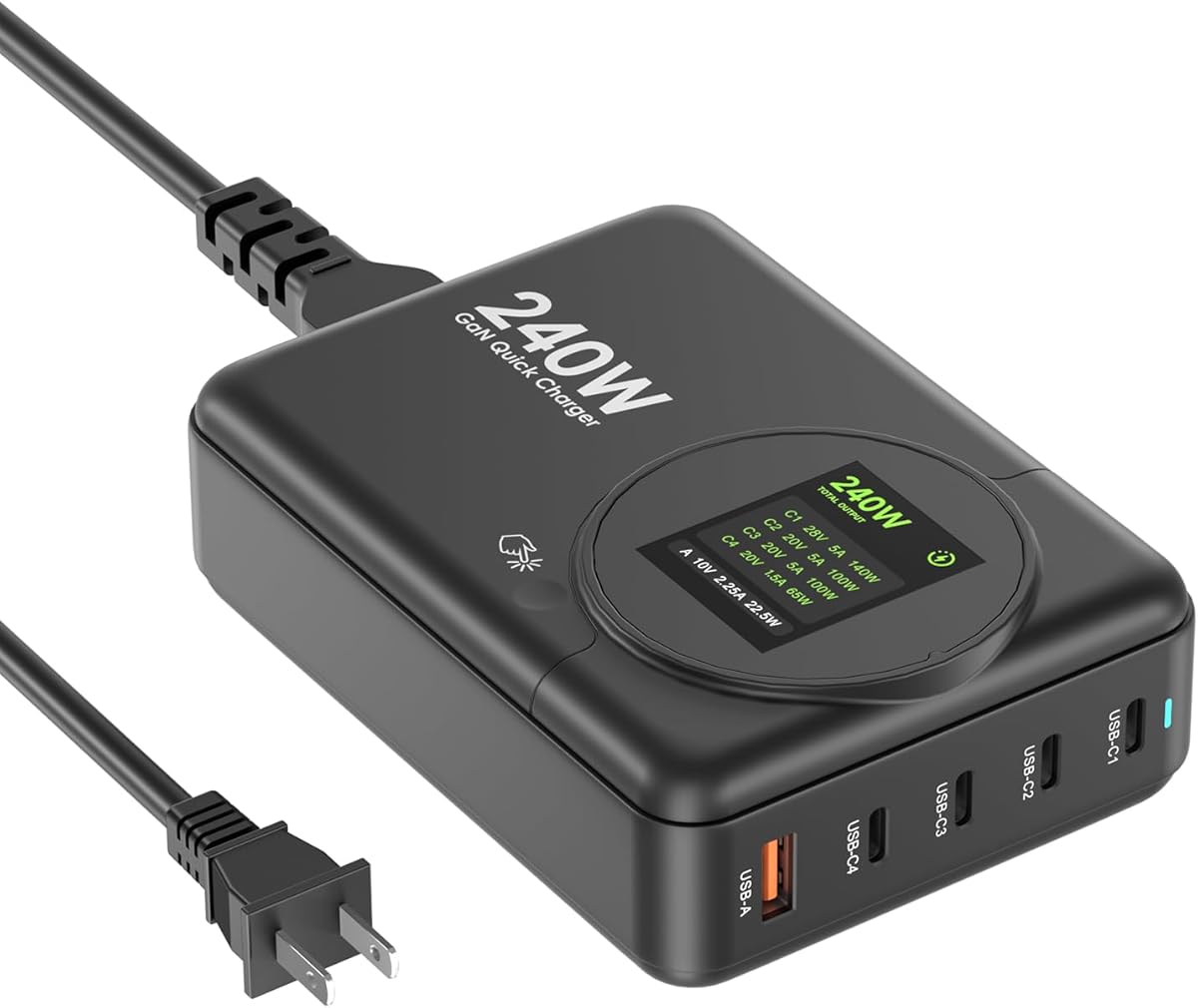
This 240W GaN Charger offers robust performance with a main USB-C1 port delivering up to 140W for fast charging power hungry laptops. The LED display helps monitor output status to ensure safe operation at all times.
We may earn a commission when you buy through this link, at no additional cost to you.
It features four USB-C ports and one USB-A port allowing simultaneous charging of up to four devices. Intelligent power distribution ensures optimal speeds depending on port combinations used like C1+C2 for max output.
While it supports universal voltage for travel the build is less premium than others in this list. Users should note that maximum output requires specific port combinations which can be confusing initially.
Select this charger if you want a solid desktop hub with 140W capability without paying top dollar. It balances power and cost effectively for daily use.
The primary USB-C port supports PD 3.1 allowing ultra-fast charging for MacBook Pro and high performance laptops.
LED digital display monitors real-time output status helping to ensure battery safety and avoid overcharging.
We may earn a commission when you buy through this link, at no additional cost to you.
The ASOMETECH 240W Charging Station offers a user-friendly LCD display that shows real-time power for each port. This visual feedback helps users manage their devices more effectively during busy work sessions.
We may earn a commission when you buy through this link, at no additional cost to you.
With six ports and support for 140W PD 3.1 on the main ports it can charge two laptops simultaneously at full speed. The touch screen button allows easy control without affecting sleep modes.
However the overall rating is lower suggesting some inconsistency in build or performance. It remains a good option for those who prioritize visual monitoring over brand reputation or premium materials.
Buy this if you want an affordable charger with a clear display for tracking power usage. It works well for home office setups needing basic monitoring features.
The LCD display shows real-time power for each port and total output helping manage energy consumption efficiently.
Supports PD3.1 PD3.0 PPS and QC4 protocols ensuring compatibility with most modern smartphones and laptops.
We may earn a commission when you buy through this link, at no additional cost to you.
This 240W GaN Charger features a high-quality TFT screen that clearly displays current output status for each connected device. The high 4.5 rating indicates strong user satisfaction with its performance and visual interface.
We may earn a commission when you buy through this link, at no additional cost to you.
With four USB-C and two USB-A ports it handles multiple devices simultaneously without issues. The intelligent distribution ensures optimal charging speeds across all connected gadgets including laptops and phones.
The main limitation is its design which is optimized for desktop use rather than travel. However for a fixed setup it offers excellent value and visibility for power management.
Choose this if you want a reliable charging station with a clear TFT screen. It is perfect for home offices where visibility and port count are important.
The TFT screen displays current output status in real time ensuring safe charging for device batteries.
Works with MacBook iPhone Samsung and other devices supporting PD 3.1 PPS and QC3.0 protocols.
We may earn a commission when you buy through this link, at no additional cost to you.
The 240W GaN Charger 4-Port is designed specifically for travelers who need high power in a small package. Its compact build fits easily into bags while still delivering up to 140W on the primary USB-C1 port.
We may earn a commission when you buy through this link, at no additional cost to you.
It features three USB-C and one USB-A port allowing you to charge up to four devices at once. The intelligent distribution ensures that your laptop and other gadgets receive the right amount of power efficiently.
While it lacks the extra ports of desktop models it is perfect for users who prioritize portability. The universal voltage input makes it reliable for international travel without needing converters.
Select this charger if you need a powerful travel companion for laptops and tablets. It offers great balance between power and size for on the go users.
Space-saving build and universal voltage input make it ideal for home office and international travel.
Intelligently distributes 240W combined output to support laptops phones and earbuds simultaneously.
We may earn a commission when you buy through this link, at no additional cost to you.
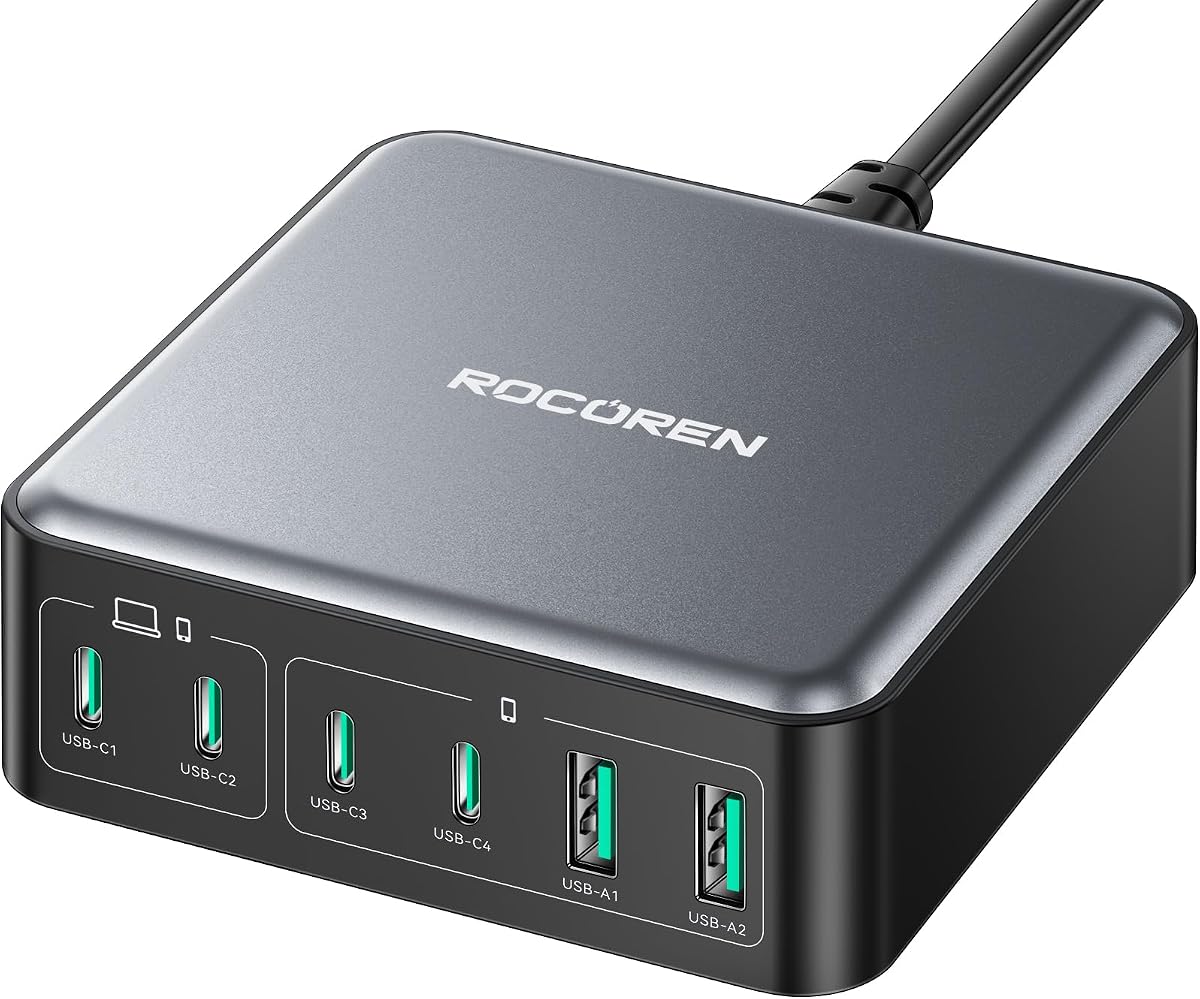
The Rocoren 270W GaN Charger delivers the highest total power in this guide with 270W output to handle demanding workstations. Its unique 3.34 cube design saves space while providing desktop-grade power in a compact size.
We may earn a commission when you buy through this link, at no additional cost to you.
Featuring six ports including four USB-C PD ports it can charge two laptops at once. The auto-detection IC ensures smart power allocation while triple-safe protection keeps your devices secure.
Though it lacks a display screen its high wattage and robust safety certifications make it strong. The design ensures cool operation during extended use which is vital for high load scenarios.
Choose this if you need maximum power for multiple high-end devices. It is best suited for heavy users who prioritize output capacity over visual features.
Delivers 270W total power allowing simultaneous charging of up to six devices including two laptops.
Upgraded GaN II technology ensures cool operation during extended use preventing overheating issues.
We may earn a commission when you buy through this link, at no additional cost to you.
This SlimQ charger is designed specifically for gaming laptops needing high wattage via a DC port. It combines a 240W DC output with two additional USB-C ports for simultaneous charging of multiple devices.
We may earn a commission when you buy through this link, at no additional cost to you.
The 240W DC port supports major gaming brands making it versatile for heavy users. Its slim and light design ensures it is easy to carry compared to traditional bulky gaming adapters.
However the DC adapter is not included so buyers must select the correct one for their laptop model. This adds a step but allows customization based on specific laptop needs.
Select this if you own a gaming laptop and want to consolidate charging. It is best for professionals who need DC power plus USB options in one unit.
Compatible with most gaming laptops featuring DC ports under 240W for high performance charging.
Charges up to three devices simultaneously eliminating the need for multiple chargers and cables.
We may earn a commission when you buy through this link, at no additional cost to you.
This 260W USB C Charger offers independent output ports meaning all devices charge simultaneously without power sharing slowing them down. It features a dedicated 100W port for laptops and five additional ports for other gadgets.
We may earn a commission when you buy through this link, at no additional cost to you.
The independent output design ensures that using multiple ports does not significantly reduce individual speeds. This is rare in budget models and makes it efficient for households or offices.
The total output is lower than advertised when all ports are used but the main 100W port remains strong. Its compact size saves space making it a versatile choice for desks.
Buy this if you need independent charging performance at a budget price. It is suitable for users who want multiple devices charged fast without power loss.
Six independent output ports ensure all devices charge simultaneously at full speed without power sharing.
Powered by GaN III technology for higher efficiency and better heat dissipation during use.
We may earn a commission when you buy through this link, at no additional cost to you.
Choosing the right charger requires understanding key factors like total power port configuration and safety features. This guide explains what to look for to ensure you get a reliable unit for your devices.
Total power output determines how many devices you can charge simultaneously at full speed. For laptops you need at least 100W on a single port but for multiple devices aim for 200W or higher total capacity.
Always check the total wattage to ensure it meets your needs when charging multiple devices at once.
The number and type of ports should match your devices. Look for a mix of USB-C and USB-A ports to accommodate both laptops and older gadgets like headphones or power banks.
Ensure the port layout allows for enough space for cables without them interfering with each other.
Power Delivery 3.1 support is essential for fast charging modern laptops and phones. It allows higher wattages up to 240W ensuring your devices charge quickly without delays.
Check that the charger explicitly supports PD 3.1 to get the fastest charging speeds possible.
Build quality affects durability and safety. Aluminum or sturdy plastic shells protect against damage while compact designs make travel easier without sacrificing power.
Choose a size that fits your workspace and whether you plan to move it frequently or leave it on a desk.
Safety features like temperature control surge protection and overcharge prevention protect your devices from damage. Look for units with multiple protection systems to ensure safe charging at all times.
Prioritize chargers with recognized safety certifications like UL or CE for peace of mind.
Digital displays or smart controls add convenience by showing real-time power usage. These features help you monitor charging status and adjust output without unplugging devices.
Decide if you need visual feedback or smart capabilities when comparing models.
Reputable brands often offer better warranties and customer support. Established manufacturers usually have more rigorous testing ensuring consistent performance and reliability over time.
Consider choosing well-known brands for long-term reliability and support if budget allows.
Prices vary based on features and brand. A balance of cost and performance is key ensuring you do not overpay for features you do not need.
Compare features against the price to find the best value for your specific requirements.
Start by connecting the charger to a power outlet and plugging in your devices. Ensure the cables are firmly seated to prevent loose connections that may reduce charging speed or cause heat buildup.
Avoid covering the charger with cloths or placing it under objects. This allows air to flow freely around it reducing heat buildup and extending the unit's lifespan during extended use.
Regularly inspect the cable and ports for any signs of wear or damage. If you notice fraying or loose connections stop using the charger immediately to prevent potential safety hazards.
Yes many models support dual laptop charging by splitting the total power between USB-C ports. Check the specs to ensure the combined output meets both laptops' needs when used together.
GaN chargers use Gallium Nitride which is more efficient and generates less heat than silicon. This allows for smaller sizes and higher power output in a compact form factor.
Yes you need a cable rated for PD 3.1 and at least 5A current to support 240W charging. Using standard cables may limit power to 100W or less depending on the cable.
Yes they are safe because they use smart power delivery that adjusts output based on device needs. Small devices will only draw as much power as they require automatically.
Displays show real-time power usage and status which helps manage devices and ensure safe charging. They provide immediate feedback on how much power each port is delivering.
High quality GaN chargers can last several years with proper care. Using them within recommended limits and avoiding heat buildup helps maintain their performance and safety over time.
The top picks include the Anker Prime for premium features UGREEN Nexode for compact power and MEKIOJEO for budget friendly high wattage. Each model offers distinct advantages depending on your specific needs and setup.
Prioritize power output and port configuration based on your devices. If you need travel friendly options focus on compact models while desktop users should look for port variety and display features.
Prices and availability change frequently so always check current listings before buying. This ensures you get the best value and the latest features for your setup.