
Thermaltake Pure 20 Series
4.5Editor score
High airflow design
Long life sleeve bearing
Easy installation frame
Finding the right cooling solution is crucial for any PC build. 200mm case fans offer excellent airflow and quiet operation for spacious cases. They help maintain optimal temperatures while keeping noise levels low during intense gaming sessions.
We compared ten top rated models based on airflow performance noise levels bearing type and lighting options. Each product was evaluated for its compatibility build ease of installation and overall value. This list covers a wide range of budgets and aesthetic preferences for builders.
Each pick shows key features pros and cons to help you decide. Prices and availability change frequently so check the current listings before purchasing. We aim to provide honest insights based on technical specifications and user feedback from the market.
4.5Editor score
4.8Editor score

4.6Editor score
As an Amazon Associate we earn from qualifying purchases.
This side by side comparison highlights the key specifications and unique features of each fan. You can easily see differences in airflow noise ratings and special capabilities to find the perfect match for your system needs.


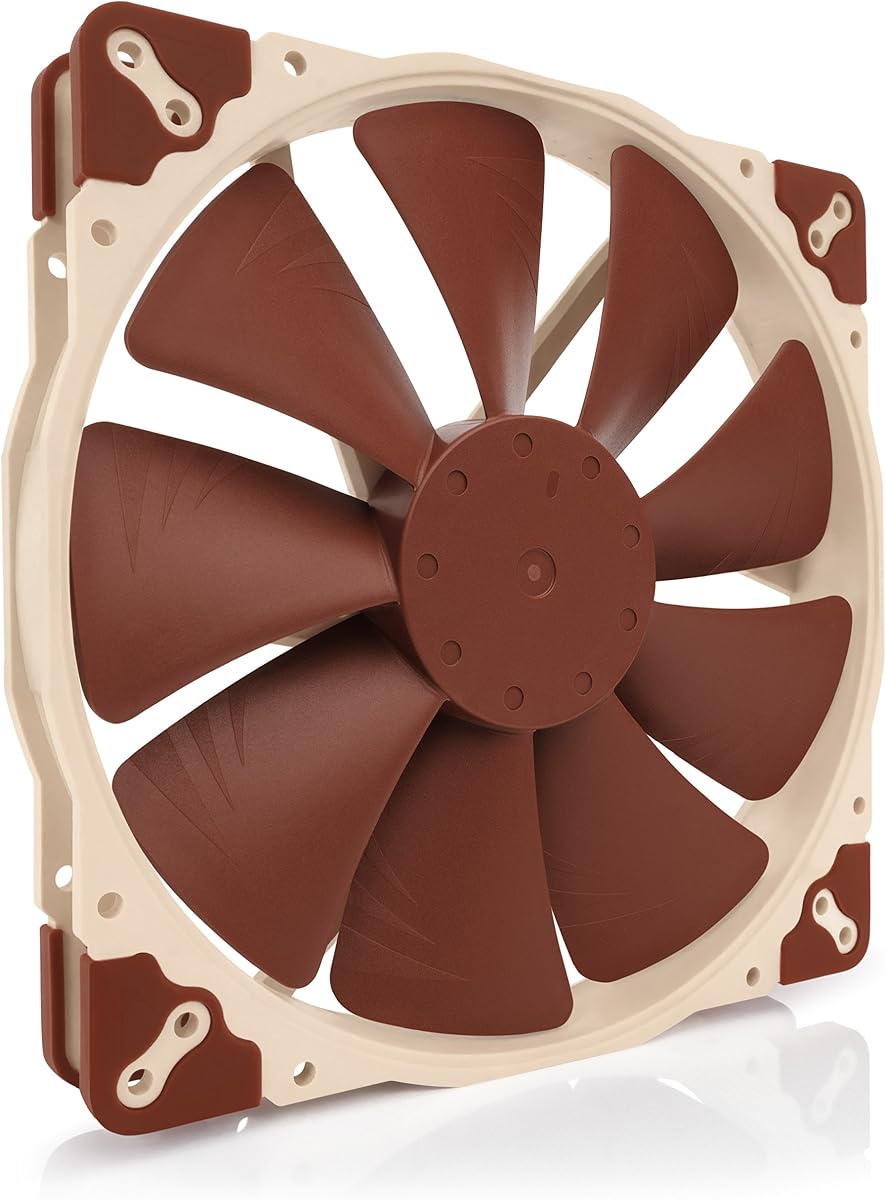
This fan is a top choice for quiet builds with a high rating. It features advanced acoustic optimization for superior cooling without noise. Users appreciate its reliability and smooth performance over long periods.
We may earn a commission when you buy through this link, at no additional cost to you.
The Flow Acceleration Channels improve airflow efficiency significantly. The frame design reduces resonance and vibration effectively. It includes anti vibration mounts and a low noise adaptor for flexibility.
While expensive the performance justifies the cost for critical systems. The brown color may not suit all aesthetic themes. But the cooling quality remains unmatched in this category.
Buy this if you need reliable silent cooling for a premium PC. It fits many case sizes with three sets of mounting holes. This fan delivers consistent airflow without distracting noise levels.
The frame design minimizes turbulence and noise generation effectively.
With over 150000 hours MTTF this fan lasts for years.
We may earn a commission when you buy through this link, at no additional cost to you.
This fan offers great value for budget conscious builders seeking airflow. It focuses on high air pressure with a thick design. The balance of silence and efficiency makes it a solid pick.
We may earn a commission when you buy through this link, at no additional cost to you.
The shaved frame allows easier installation especially with Thermaltake chassis. Long life sleeve bearing extends the lifespan reasonably well. Noise levels are kept low despite the strong performance.
It may not match premium models in absolute silence but is close. The LED version adds aesthetic flexibility without much cost. This is a practical choice for standard cases.
Choose this for reliable cooling without breaking the bank. It provides a perfect balance for most gaming setups. The installation process is straightforward for most users.
Fan blades focus air to reduce noise while moving volume.
Shaved frame enables more installation options for chassis.
We may earn a commission when you buy through this link, at no additional cost to you.
This edition brings a sleek black look to the award winning fan. It maintains all the quiet performance of the original model. The swappable pads allow for color customization easily.
We may earn a commission when you buy through this link, at no additional cost to you.
The all black design fits modern builds better than brown. You get four pads of each color for personalization. RPM control ensures automatic adjustment via motherboard headers.
It shares the same internals as the standard version but looks better. The price is higher but worth it for themed builds. Noise levels remain impressively low during operation.
Select this for high end black PC builds needing silence. The customization adds fun without compromising cooling quality. It remains a top tier choice for enthusiasts.
Swappable pads in multiple colors allow perfect build matching.
Automatic speed control via 4 pin PWM headers saves energy.
We may earn a commission when you buy through this link, at no additional cost to you.
This fan completes a CT fan lineup build with matching aesthetics. It pushes high airflow with nine optimized blades. The daisy chain connectors simplify cable management significantly.
We may earn a commission when you buy through this link, at no additional cost to you.
Hydraulic bearings ensure silent and reliable operation over time. Speeds range from 500 to 900 RPM for flexibility. Static pressure is also improved for intake or exhaust roles.
Noise is present but acceptable for the airflow provided. It works well when paired with other Thermaltake fans. The single pack is easy to add to a system.
Pick this if you have a CT case or want matching looks. The airflow is strong for cooling demanding components. It offers great value for linked fan setups.
4 Pin PWM connectors allow quick fan linking without extra headers.
Nine blades push up to 131.6 CFM effectively.
We may earn a commission when you buy through this link, at no additional cost to you.
This fan delivers stunning visuals with frosted blade design. The aRGB lighting enhances dispersion for a vibrant effect. It balances airflow and efficiency for cooler operation.
We may earn a commission when you buy through this link, at no additional cost to you.
Dynamic PWM allows speed adjustment to balance noise. The hybrid frame minimizes resonance for quieter performance. Sealing mechanism prevents dust and oil leakage long term.
You need an RGB controller to fully utilize the lighting. The blade design is both functional and visually appealing. It fits well in modern cases needing style.
Choose this for builds prioritizing looks with solid cooling. The lighting effects are customizable and bright. It remains quiet while providing necessary airflow.
Enhances lighting dispersion for a vibrant luminous effect.
Flexible anti resonance mounting minimizes noise effectively.
We may earn a commission when you buy through this link, at no additional cost to you.
This model uses a 3 pin connector for easier older setups. It offers two speed settings via the Low Noise Adaptor. Performance remains excellent with minimal noise generation.
We may earn a commission when you buy through this link, at no additional cost to you.
The frame uses advanced acoustic optimization like other models. Anti vibration mounts reduce sound transmission to the case. It includes a 3 to 4 pin adaptor for versatility.
Manual speed tuning is a trade off for simplicity. The connector limits motherboard control but remains functional. It is great for static environments without PWM headers.
Select this if you prefer manual speed adjustments. It fits standard headers with the provided adaptor. The quality and silence remain consistent with Noctua standards.
Fine tune speeds for max airflow or near silent use.
Three sets of mounting holes fit many cases.
We may earn a commission when you buy through this link, at no additional cost to you.
This fan runs on 5V devices like power banks or USB. It includes a USB power adaptor cable for flexibility. The internals match the quiet A series design perfectly.
We may earn a commission when you buy through this link, at no additional cost to you.
Polarity protection ensures safe operation on USB hosts. The OmniJoin adaptor connects to proprietary headers easily. Speed control via PWM works well on 5V lines.
It is ideal for portable or USB powered projects. The price reflects the specialized connector and features. Noise remains low despite the compact power source.
Use this for custom USB setups needing cooling. It fits unique cases where standard 12V won't work. Reliability and performance are maintained throughout.
Run fan on devices with USB host ports easily.
Connects to proprietary fan headers without issues.
We may earn a commission when you buy through this link, at no additional cost to you.
This fan is certified compatible with major RGB platforms. It uses Jet Engine blades for balanced pressure and airflow. The smart sensor stops the motor if jammed.
We may earn a commission when you buy through this link, at no additional cost to you.
Silent cooling technology mixes noise reduction with rubber pads. It supports Asus Aura and MSI RGB software well. The design focuses on intake performance for cases.
You must have an RGB controller to use lighting. The airflow is solid for the price point. It offers good protection against foreign object jams.
Choose this for RGB builds needing multiple sync options. The price makes it accessible for many users. It delivers reliable cooling with visual flair.
Compatible with Asus Aura and MSI RGB software.
Stops motor automatically if jammed by objects.
We may earn a commission when you buy through this link, at no additional cost to you.
This fan offers 34 LEDS for vibrant lighting effects. It provides 95CFM volume with a 9 blade design. Hydraulic bearings ensure silent operation over long use.
We may earn a commission when you buy through this link, at no additional cost to you.
The fan syncs with 5V 3pin ARGB headers. Speeds range from 400 to 1000 RPM for control. It fits standard mounts with included cables for tool free install.
Being a newer brand may raise reliability questions. But the specs match larger names well. The lighting is bright and diffuses softly.
Pick this for cost effective ARGB lighting solutions. It balances airflow and visuals well. The installation process is straightforward for upgrades.
34 LEDs create a bright uniform glow effect.
Oil sealed cover reduces friction and extends life.
We may earn a commission when you buy through this link, at no additional cost to you.
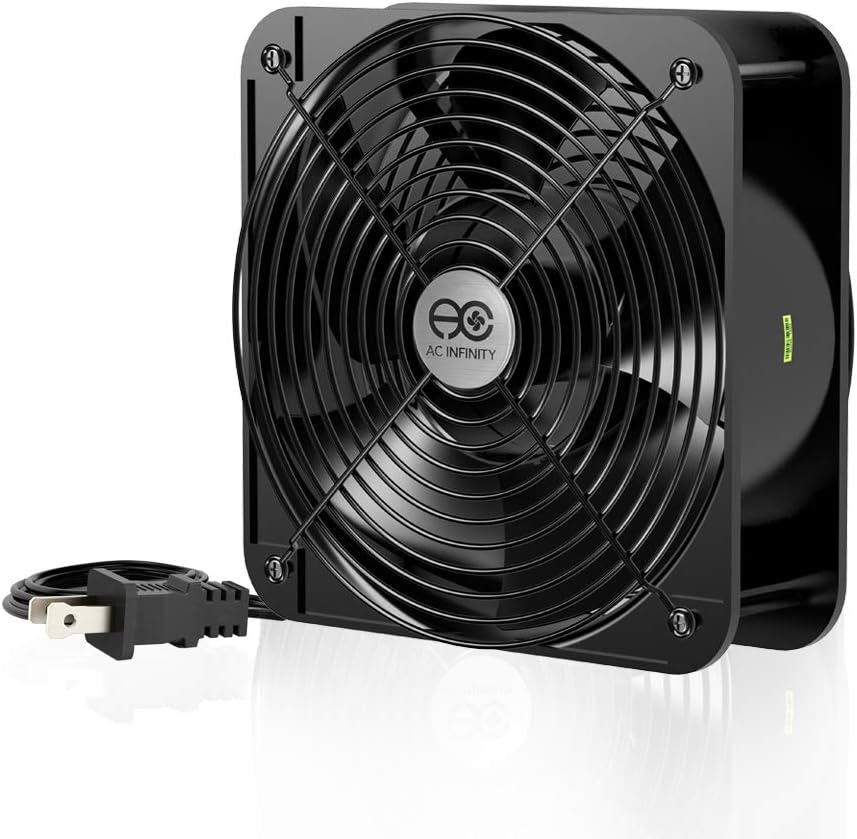
This fan is designed for 120V AC projects or industrial use. It delivers massive 425 CFM airflow at high speeds. The aluminum body is heavy duty and durable.
We may earn a commission when you buy through this link, at no additional cost to you.
Dual ball bearings provide a 67000 hour lifespan. It can stand upright or lay flat for positioning. The speed is fixed at 3200 RPM for max cooling.
Noise is 65 dBA which is loud for computers. It is best for server racks or specialized cooling. The size is thicker at 60mm requiring space.
Use this only for high airflow AC powered needs. It is not ideal for standard PC cases. The reliability and airflow are exceptional for its type.
Aluminum fan and ball bearings ensure long life.
Maximizes cooling with 425 CFM output.
We may earn a commission when you buy through this link, at no additional cost to you.
Choosing the right fan involves checking airflow noise and mounting options. This guide breaks down the key factors to consider for your PC build.
Airflow is measured in CFM and determines how much air moves through the case. Static pressure is needed for restrictive spaces like radiators or dust filters. High airflow fans work best for intake and exhaust vents.
Look for high CFM ratings for general cooling needs.
Noise is measured in decibels and affects how loud the system is. Quieter fans often have optimized blade designs and better bearings. If you work in a quiet room choose fans under 20 dB.
Check dB ratings to ensure noise matches your tolerance.
Bearing type influences lifespan and maintenance. Sleeve bearings are cheaper but wear faster. Fluid dynamic and ball bearings offer longer life and better stability for continuous use.
Pick fluid dynamic or ball bearings for reliability.
Connectors determine how you control speed and power. 4 pin PWM fans adjust speed automatically via headers. 3 pin fans need manual control or adaptors for speed changes.
Ensure the connector matches your motherboard headers.
RGB fans add style but need controllers. Check if the fan supports your software ecosystem like Asus Aura. ARGB syncs with 5V 3pin headers for customization.
Verify controller compatibility before buying RGB models.
200mm fans are large and need clearance. Check your case specs for available fan mounts. Some models have 200x200mm but vary in thickness like 30mm or 60mm.
Measure case space to avoid fit issues.
Many 200mm fans offer multiple hole sets for flexibility. Standard holes vary from 154mm to 170mm patterns. This helps fit older cases or custom enclosures easily.
Check hole patterns to ensure secure installation.
Established brands often have better quality control. They offer warranties and consistent performance. Budget brands may be cheaper but vary in reliability.
Stick with known brands for consistent performance.
Install the fan in the correct orientation to ensure air flow moves out or in. Use the included screws and anti vibration pads to secure it tightly without rattling.
Regularly clean the fan blades and frame with compressed air. Dust buildup can reduce airflow and increase noise. Aim to clean every six months for best performance.
Connect the fan to the proper header and check if speeds adjust. If using a manual adaptor ensure it matches the voltage. Proper setup extends lifespan and efficiency.
Yes many 200mm fans come with multiple hole sets to fit various cases. Check the mounting hole patterns to match your case. Most standard cases support 170mm or 154mm holes.
PWM stands for Pulse Width Modulation allowing automatic speed control. It uses a 4 pin connector to adjust speed via the motherboard. This helps balance cooling and noise dynamically.
Yes most 200mm case fans have a standard 30mm thickness. Some models like the AC Infinity AXIAL 2060 are thicker at 60mm. Always check dimensions to ensure fit.
Yes most RGB fans require a controller to change colors. Some connect directly to motherboard ARGB headers for software control. Always check what syncs with your system.
Fluid dynamic and ball bearings generally offer longer life than sleeve bearings. They reduce friction and handle heat better over time. Look for high MTTF hours when buying.
200mm fans can move more air at lower speeds than 140mm. This means better cooling with less noise. If your case supports 200mm it is often the better choice.
Yes many fans support daisy chaining via 4 pin connectors. You can also use a Y splitter to join two fans to one header. Check the fan specs for support.
Fans above 25 dB are noticeable in quiet rooms. High performance fans may reach 30 dB under load. Aim for under 20 dB for near silent operation.
We have reviewed ten top 200mm case fans for different needs. The Noctua models lead in quiet performance while others offer RGB or budget value. Each fan serves a specific role in cooling setups.
Prioritize noise and airflow based on your case limits. Ensure mounting patterns match your chassis for secure fit. Check connectors and lighting needs for full compatibility.
Prices and deals change often so verify listings before buying. Use our guide to pick the right fan for your build. Proper cooling ensures longevity and performance for your PC.