
BlueDriver OBD2 Scanner Bluetooth
4.5Editor score
Verified repair reports included
Bluetooth wireless connection
No subscription required ever
This guide compares the top ten Android Obdii Scanner Tool models available today to help you choose the best diagnostic device for your specific vehicle needs.
Modern vehicles rely heavily on complex electronic systems that require precise monitoring and diagnosis. An Android Obdii Scanner Tool bridges the gap between your smartphone and your car engine management system allowing you to access critical data wirelessly.
We evaluated ten leading scanners based on connectivity speed app compatibility data depth and overall reliability. Each entry was reviewed against real world usage scenarios to ensure they meet the demands of both casual users and serious enthusiasts.
Every product listing includes verified specifications and key strengths along with potential limitations. Prices may fluctuate due to market conditions so please check the current offers before making your final purchase decision today.
4.5Editor score

4.5Editor score

4.6Editor score
This table provides a side by side overview of all ten selected scanners showing their core capabilities and connectivity options to help you compare features at a glance.



The BlueDriver OBD2 Scanner stands out as a top tier Android Obdii Scanner Tool with a strong reputation for reliability. Its ability to turn your smartphone into a professional grade scanner without needing a subscription makes it highly attractive for serious car owners.
We may earn a commission when you buy through this link, at no additional cost to you.
This device excels at providing enhanced diagnostics beyond basic codes including access to ABS SRS and TPMS systems on supported models. The verified repair reports matched to your VIN save you from guessing by offering causes and confirmed fixes for every issue detected.
While the upfront cost is higher than basic dongles the lifetime access to features and no recurring fees justify the investment for many users. The wireless connection eliminates cable clutter and the companion app is consistently updated to support new vehicle models.
If you want dependable diagnostics with clear explanations of what your engine light means this is an excellent choice. It is ideal for homeowners who value convenience and detailed insights over the lowest possible price point.
Technician verified reports provide definitions causes and confirmed fixes tailored to your specific vehicle VIN for clear understanding.
View real time sensor data while driving to spot issues early before they escalate into expensive mechanical failures.
We may earn a commission when you buy through this link, at no additional cost to you.
This Next-Gen version builds on the original BlueDriver success with improved hardware and expanded coverage especially for newer models and light duty trucks. It remains a powerful Android Obdii Scanner Tool that delivers professional results without needing a physical handheld device.
We may earn a commission when you buy through this link, at no additional cost to you.
The updated unit offers better communication with 2024 and later models while maintaining the signature verified repair reports and no subscription model. Users can check a used car before buying or monitor family vehicles with confidence thanks to the deep diagnostic capabilities.
Some users report a lower satisfaction score compared to the previous generation which may reflect growing pains with updates or connectivity nuances. However the core promise of reliable wireless diagnostics and expert repair guidance remains intact for those willing to invest.
Choose this if you drive a newer vehicle or a heavy duty truck and want a trusted brand with ongoing support. It suits users who prioritize quality diagnostics and detailed reporting over budget constraints.
Optimized communication for select 2024 and newer models ensures accurate diagnostics across a wider range of modern vehicles.
Built specifically for heavy duty daily drivers and truck use cases to handle real world fleet and personal maintenance needs.
We may earn a commission when you buy through this link, at no additional cost to you.
The Veepeak OBDCheck BLE delivers essential diagnostic capabilities at a very accessible price point making it a top pick for budget savvy users. It connects easily to both iOS and Android devices and works with a wide selection of popular OBD2 apps.
We may earn a commission when you buy through this link, at no additional cost to you.
While it focuses on generic OBDII functions like reading and clearing check engine codes it provides live sensor data and freeze frame info to help you understand what triggered a warning light. Its Bluetooth LE design ensures minimal battery drain during use.
You will need to download a compatible app to unlock its full potential and advanced manufacturer specific features are not available with this base unit. Still the flexibility to choose your preferred interface and the consistent connection quality make it a standout value.
Ideal for drivers who just want to clear codes or monitor engine health without spending heavily on hardware this tool gets the job done. It pairs well with free apps and offers a straightforward way to access your vehicle engine core data.
Works with Car Scanner Torque OBD Fusion and more giving you freedom to pick the interface you prefer.
Bluetooth Low Energy technology keeps your vehicle battery safe while maintaining a stable and responsive connection.
We may earn a commission when you buy through this link, at no additional cost to you.
The OBDLink MX+ is a high performance Android Obdii Scanner Tool designed for enthusiasts and professionals who need speed and accuracy. It supports enhanced OEM functions for many popular brands and integrates smoothly with trusted apps like FORScan and BimmerCode.
We may earn a commission when you buy through this link, at no additional cost to you.
Its robust hardware includes protection against over voltage and battery drain which adds durability for daily use in varied environments. The companion app provides live parameters including ABS SRS and TPMS data that basic readers often miss on supported vehicles.
While the cost is higher than entry level options the reliability and depth of data justify it for those who diagnose often. Firmware updates ensure the device stays current with new vehicle protocols and it works across iPhone Android and Windows systems.
Choose this if you demand professional grade results and plan to use it across multiple platforms or with advanced diagnostic software. It is a solid long term investment for anyone serious about vehicle maintenance and performance tuning.
Supports deeper system access for Ford GM Nissan and other major brands beyond standard generic OBDII codes.
Seamlessly connects with iPhone Android and Windows devices so you can switch between phone and PC easily.
We may earn a commission when you buy through this link, at no additional cost to you.
The ANCEL AD310 is a classic handheld scanner that offers exceptional value for users who prefer a standalone device over phone apps. It supports all OBDII protocols and reads emission related trouble codes quickly making it a great backup or primary tool for basic needs.
We may earn a commission when you buy through this link, at no additional cost to you.
Weighing just twelve ounces it fits easily in a glove box or trunk and draws power directly from the vehicle port so no batteries are needed. The screen is large and clear with well labeled buttons that make operation straightforward even for first time users.
Because it does not connect to a smartphone it lacks live graphing or remote diagnostics but that simplicity reduces complexity and potential connection issues. The build quality is solid and it delivers accurate results for engine and emission systems within seconds.
If you want a no fuss code reader that works without apps or subscriptions this is an ideal choice. It suits casual owners or mechanics who need a reliable spare scanner for quick checks before heading to a repair shop.
Supports KWP2000 J1850 and CAN protocols so it works with most 1996 and newer cars sold in the US.
Lightweight design and short cable make it easy to carry anywhere and store inside your vehicle for emergencies.
We may earn a commission when you buy through this link, at no additional cost to you.
The FOXWELL NT301 combines professional level functions with an intuitive handheld design that appeals to DIYers and independent technicians alike. Its color screen and live data graphing let you visualize sensor trends in real time which helps identify intermittent issues quickly.
We may earn a commission when you buy through this link, at no additional cost to you.
Dedicated I/M readiness keys and a clear red yellow green LED indicator make preparing for smog checks simple and stress free. The built in speaker provides audio feedback so you can hear results without squinting at the screen during busy garage sessions.
Lifetime free updates and a one year assurance plan add value by keeping the device current for new models and offering replacement if needed. While it lacks smartphone connectivity its plug and play operation and sturdy build ensure dependable daily use.
Select this if you prefer seeing graphs and readings directly on a dedicated screen rather than relying on a phone app. It is a great mid range choice for those who need smog readiness tools and live data at a fair price.
One touch readiness hotkeys and clear LED indicators show you exactly when your car is ready for annual testing.
Plot oxygen sensor and fuel trim data on screen to spot anomalies that a simple code might miss.
We may earn a commission when you buy through this link, at no additional cost to you.
The XTOOL A30D stands out among Android Obdii Scanner Tool options by adding bidirectional control so you can command components like fuel pumps or wipers directly. This two way communication speeds up troubleshooting and helps isolate faults without guessing or replacing good parts.
We may earn a commission when you buy through this link, at no additional cost to you.
With nineteen built in reset functions for tasks like oil changes brake pad resets and throttle relearn this device reduces routine shop visits significantly. It connects wirelessly to your phone for a convenient mobile experience and displays up to eight PIDs at once.
Compatibility checks are recommended before purchase since special functions depend on your vehicle model and year. The app is free and updates are included with no recurring fees which keeps long term costs low for owners of multiple vehicles.
If you want more than code reading and need to perform resets or test components wirelessly this tool delivers pro level features. It suits home mechanics and small shop owners who value versatility and detailed system access.
Send commands to your vehicle ECUs to activate parts and see real time responses for faster accurate diagnostics.
Access nineteen maintenance resets including EPB oil SAS and throttle to avoid paying for basic service procedures.
We may earn a commission when you buy through this link, at no additional cost to you.
The V011 Scanner uses the latest Bluetooth 5.4 for a fast stable wireless link to your smartphone which reduces connection errors and delays. Its dedicated app focuses on intuitive data visualization with charts that make engine speed and temperature easy to understand at a glance.
We may earn a commission when you buy through this link, at no additional cost to you.
Designed for both beginners and enthusiasts it covers more than ninety six percent of car brands and offers guides to help you interpret codes. The setup process is straightforward and the app supports many languages for wider accessibility worldwide.
While it does not include advanced reset functions its strength lies in quick reliable checks and clear reporting of emissions and engine status. The price point is competitive for those who want modern Bluetooth speeds without paying for premium features they may not need.
Choose this if you value a clean interface and want a dependable plug and play tool for daily monitoring. It works well for families who need to verify repair fixes or keep an eye on vehicle health over time.
Display coolant temp RPM and speed in clear charts so even new users can spot problems without technical knowledge.
Latest connectivity ensures reliable pairing and quick data streaming to your phone or tablet without lag.
We may earn a commission when you buy through this link, at no additional cost to you.
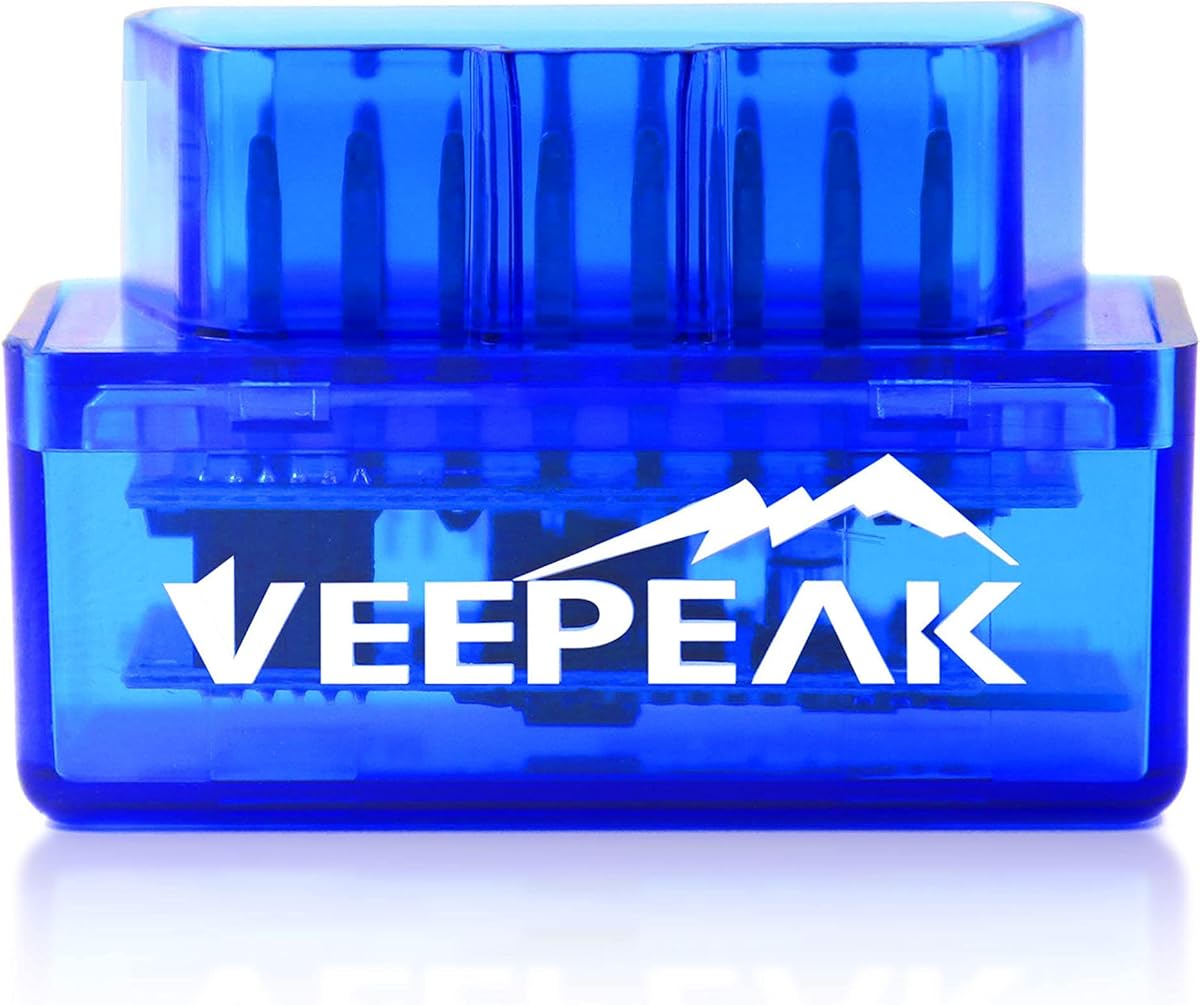
The Veepeak Mini is one of the smallest and most affordable Android Obdii Scanner Tool options available for pure Android users. It plugs into the OBD port and uses classic Bluetooth to connect to apps like Torque making it a great choice for casual users.
We may earn a commission when you buy through this link, at no additional cost to you.
It reads check engine codes displays live RPM and temperature data and checks readiness monitors for emissions. Its tiny profile fits in any cup holder and the low cost makes it easy to keep in your glove box for emergencies.
Because it only supports Android and relies on third party apps it lacks iOS compatibility and advanced manufacturer features. If you have an iPhone you should choose a BLE model instead but for Android only users this offers solid value.
Ideal for those who want a tiny unobtrusive reader at the lowest possible price this device gets the basics done well. It works best for occasional checks and monitoring engine health without needing complex setups or subscriptions.
Compact profile ensures it stays out of the way and fits in any tight OBD port space or glovebox easily.
Uses standard Bluetooth for Android devices which keeps the cost down but limits compatibility with newer iOS phones.
We may earn a commission when you buy through this link, at no additional cost to you.
The Veepeak OBDCheck BLE+ adds classic Bluetooth support alongside Bluetooth LE so it can work with a broader range of Android apps than many peers. It connects to both iOS and Android devices and provides live sensor data plus freeze frame information for effective diagnostics.
We may earn a commission when you buy through this link, at no additional cost to you.
While it focuses on generic OBDII functions users can access vehicle specific data through compatible apps like Car Scanner or Dr Prius. Its design is plug and play and it avoids the high cost of premium systems while offering better range and options than basic dongles.
Keep in mind that advanced diagnostics like ABS or SRS depend on your app and vehicle so results may vary. For the price it offers a balanced mix of compatibility reliability and flexibility that suits both new car owners and hobbyists.
If you want a reliable mid tier scanner that supports multiple connection modes and apps this is a strong pick. It works well for those who want more data than a basic reader provides without investing in high end hardware.
Supports both LE and classic Bluetooth so you can use more apps on Android compared to BLE only adapters.
Pair with apps like Car Scanner to access deeper EV or hybrid data if your make supports it in software.
We may earn a commission when you buy through this link, at no additional cost to you.
Selecting the right Android Obdii Scanner Tool requires understanding your vehicle type budget and the depth of diagnostics you need.
Most scanners use Bluetooth to pair with your phone. Bluetooth Low Energy is common and efficient while classic Bluetooth works with older Android apps. Some devices support both for wider app compatibility but iOS often needs BLE only.
Check your phone and app needs before buying to avoid pairing issues on day one.
Many dongles require a third party app to function and some apps charge subscriptions for advanced features. Look for tools that work with popular free apps like Torque or Car Scanner if you want flexibility without extra costs.
Verify that your preferred app supports your vehicle make and year for full access.
Basic readers only handle generic emission codes while professional grade tools reach ABS SRS TPMS and transmission systems. If you plan to troubleshoot airbags or brakes ensure the device or app supports those specific modules.
Decide early if you need only engine data or full system access to match your skill level.
Most tools work with 1996 and newer gasoline vehicles in the US but diesel and heavy duty trucks may need enhanced support. Some units offer better coverage for Japanese or European models so confirm compatibility for your brand.
Use the manufacturers vehicle chart to confirm support before purchasing for peace of mind.
Reading trouble codes is common but live data lets you monitor sensor values in real time. Graphing features help spot trends like coolant spikes or fuel trim shifts that a static code might miss.
If you want to monitor performance while driving choose a device that supports live streaming and charts.
Higher end tools offer service resets for oil brakes throttle and battery systems without needing a dealership visit. If you perform your own maintenance check that the scanner supports the resets your routine requires.
These functions save time and money but are rarely found in entry level Bluetooth dongles.
Some scanners plug into the OBDII port and draw power from the vehicle while others have internal batteries that need charging. Always unplug wireless devices after use to avoid draining your car battery overnight.
Choose a low power design if you plan to leave it connected for extended periods.
Look for companies that provide firmware updates and customer support. Vehicle protocols evolve so a tool that receives updates will remain useful for newer models.
Check the warranty and update policy before buying to ensure long term value.
Start by locating the OBDII port in your vehicle which is usually under the dashboard near the steering column. Insert the scanner firmly and turn the ignition to on without starting the engine to power the device.
Open the paired app on your Android phone and select the correct connection type such as Bluetooth or WiFi depending on the model. Follow the app prompts to read codes and view live data as needed.
After finishing a session unplug the scanner to prevent battery drain and store it in a dry place away from direct heat. Update your app and firmware when available to keep compatibility with new vehicles.
Many modern scanners work without subscriptions and provide full access with a one time purchase. However some apps that pair with dongles charge for advanced features like repair reports or resets. Check the product details to confirm whether extra fees apply.
Basic OBDII readers usually clear only engine emission codes. To access ABS airbag or TPMS systems you need a scanner with enhanced OEM support or an app that supports those modules. Always check your vehicle make and tool specifications.
Most OBDII tools support vehicles from 1996 onward but deep system access can vary by model year and brand. Enhanced adapters or specific apps may be required for newer vehicles. Consult the compatibility list before buying to ensure full coverage.
Most scanners support Android and many also work with iOS via Bluetooth. Some dongles are Android only so match the device to your phone platform. If you have an iPhone look for a BLE supported model to avoid pairing issues.
Wireless scanners draw power from the vehicle OBDII port and can drain the battery if left plugged in too long. Always unplug the device after diagnostics. Use a low power Bluetooth adapter and avoid extended idle sessions with the device connected.
Popular choices include Car Scanner ELM OBD2 Torque Lite and OBD Fusion. These apps offer live data graphing and code interpretation. The best app depends on your vehicle and feature needs so try a free version before committing to paid plans.
We reviewed ten top tools ranging from budget dongles to premium systems with bidirectional control. BlueDriver leads for reliable professional diagnostics while the ANCEL AD310 offers the best value for basic code checks.
Prioritize connectivity and app support to ensure you can get the data you need without hassle. If you need service resets choose a model like XTOOL A30D that includes built in maintenance functions.
Prices and availability change often so check current listings before buying. With the right Android Obdii Scanner Tool you can monitor vehicle health confidently and save on repair costs over time.