
ASUS Vivobook Go 15
4.3Editor score
AMD Ryzen 3 7320U Processor
8GB RAM 128GB SSD Storage
Military Grade Durability
Finding the right laptop can be difficult with so many options available today. The ASUS Vivobook series offers a wide range of devices suitable for students professionals and casual users alike. Each model brings unique features and performance levels to meet diverse computing requirements efficiently.
We have carefully evaluated ten specific Vivobook configurations based on their processors memory storage and display quality. Our analysis focuses on real-world usability battery life and build quality to ensure you get the most value. This list covers everything from budget friendly options to high-performance machines.
Each product entry includes detailed specifications pros and cons to help you make an informed decision quickly. Remember that pricing and availability can change frequently so verify the latest details before purchasing. We aim to provide transparent and accurate information to support your buying journey today.
4.3Editor score

4.5Editor score

4.5Editor score
As an Amazon Associate we earn from qualifying purchases.
This table provides a side-by-side view of key specifications across all ten selected Vivobook models to simplify your comparison process.

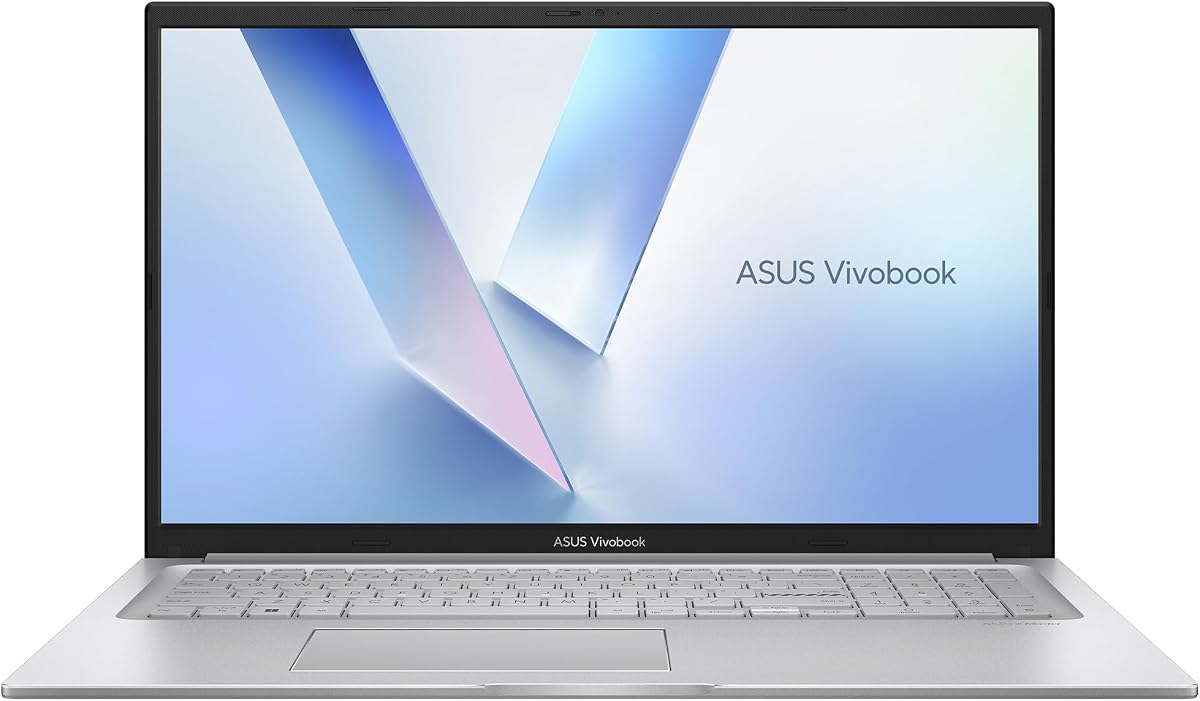





This ASUS Vivobook 15 model stands out with its powerful Intel Core i9 processor and massive 32GB RAM making it ideal for demanding tasks. Users praise its seamless multitasking capabilities and professional-grade security features like the fingerprint reader and webcam shield. It delivers reliable performance for work and creative projects alike.
We may earn a commission when you buy through this link, at no additional cost to you.
The integration of Next Gen AI readiness ensures the laptop stays relevant for future software demands. The physical webcam shield offers tangible privacy protection without relying on software toggles. The backlit keyboard and precision touchpad enhance usability in various lighting conditions effectively.
While the price point is higher than basic models the value provided by the hardware configuration justifies the investment. The PCO bundle ensures upgrades are covered separately though buyers should verify warranty details. It remains a solid choice for professionals needing robust power on the go.
If you require a laptop that handles complex simulations or creative software with ease this model is highly recommended. Its balance of speed storage and security makes it a top contender in the Vivobook lineup today. Verify current availability and bundle specifics before finalizing your purchase.
The 14-core processor handles heavy workloads smoothly ensuring productivity remains high during intensive tasks.
Built-in fingerprint and webcam privacy features protect your data without requiring extra accessories or setup.
We may earn a commission when you buy through this link, at no additional cost to you.
This Vivobook 16 leverages the Qualcomm Snapdragon X chipset to deliver exceptional energy efficiency and AI processing power. The 16-inch WUXGA display provides crisp visuals suitable for media consumption and general productivity tasks. Users appreciate the smooth performance and modern design features included in this model.
We may earn a commission when you buy through this link, at no additional cost to you.
The Hexagon NPU enables advanced AI capabilities such as real-time transcription and image processing without draining the battery. The integrated Adreno GPU ensures smooth graphics performance for everyday use and light creative work. Connectivity options are comprehensive reducing the need for external adapters during daily tasks.
While the Snapdragon platform offers great efficiency some users may need time to adjust to ARM-based architecture nuances. Compatibility with legacy software might require verification before committing to this device for specific workflows. However it represents a forward-looking choice for modern mobile computing needs.
If battery life and AI features are your priority this laptop offers a compelling alternative to traditional x86 systems. The display quality and build design add to its appeal for users on the move frequently. Check software compatibility lists to ensure your essential apps run smoothly on this device.
The Snapdragon X processor is designed to handle AI workloads efficiently extending battery life significantly.
The 1920 by 1200 resolution ensures text and images appear sharp and clear during extended use.
We may earn a commission when you buy through this link, at no additional cost to you.
This Vivobook 16 balances performance and portability with its Intel Core i7 processor and slim form factor. The WUXGA display delivers vibrant colors and sharp text ideal for professional presentations and content consumption. It is a reliable choice for users needing a sturdy yet mobile laptop.
We may earn a commission when you buy through this link, at no additional cost to you.
The 16GB RAM ensures smooth multitasking across multiple browser tabs and applications without slowdowns. Connectivity options like USB-C and HDMI make it easy to connect to external monitors and peripherals efficiently. The lightweight design makes it convenient for daily commutes or travel without strain.
While the 512GB SSD is adequate for many users power users might require external storage for large media libraries. The integrated Iris Xe graphics are sufficient for everyday tasks but not for heavy gaming or rendering workloads. Overall it offers a balanced premium experience for general productivity and work.
Ideal for professionals who need a reliable machine for office tasks and media consumption on the go. The combination of screen size and weight makes it a strong contender in the premium portable segment. Verify your storage needs before purchasing to ensure it fits your workflow requirements.
The lightweight build allows for easy carrying while maintaining strong processing power for daily tasks.
Multiple USB ports and HDMI support enable seamless connection to various external devices and displays.
We may earn a commission when you buy through this link, at no additional cost to you.
The Vivobook 17 offers a spacious 17.3-inch display ideal for users who need more screen real estate for work. Its numeric keypad enhances productivity for data entry tasks making it suitable for business and financial users. The build quality meets military standards ensuring durability for daily use.
We may earn a commission when you buy through this link, at no additional cost to you.
The Intel Core 7 processor delivers reliable performance for general computing tasks and media consumption. Fast charging capabilities mean you can get significant battery life quickly without waiting for a full charge. The lay-flat hinge allows for easy collaboration and sharing of content during meetings.
While the large screen is beneficial the added size and weight make it less convenient for travel or commuting. Users who prioritize portability might find this model too bulky compared to 14 or 15-inch options. However for stationary workstations or home office use it excels in comfort.
This model is best suited for users who need a desktop replacement experience with the flexibility of a laptop. The large display and numeric keys are major advantages for specific professional workflows. Consider your primary usage location before deciding on this larger form factor.
The included numeric keypad streamlines data entry tasks improving efficiency for business and accounting work.
Military-grade certification ensures the chassis can withstand bumps and daily wear and tear effectively.
We may earn a commission when you buy through this link, at no additional cost to you.
The Vivobook Go 15 provides excellent value with its AMD Ryzen 5 processor and adequate storage for everyday users. The fast charging feature ensures you can quickly top up battery during short breaks without long downtime. It is a practical choice for students or home users needing reliable computing power.
We may earn a commission when you buy through this link, at no additional cost to you.
The AMD Ryzen 5 7520U offers solid performance for web browsing document editing and media streaming efficiently. Wi-Fi 6E connectivity ensures stable internet speeds even in crowded networks or environments with many devices. The ErgoSense keyboard reduces typing strain making it comfortable for longer sessions.
While 8GB RAM is sufficient for basic tasks heavy multitasking might cause slowdowns compared to higher RAM models. The build quality is durable but uses materials that feel more budget-friendly compared to premium lines. This is acceptable given the price point and intended usage scenarios for most buyers.
If you need a cost-effective laptop for general daily use this model delivers essential features without unnecessary costs. The fast charging and stable connectivity add significant convenience for mobile users on a budget. Verify your multitasking needs to ensure the RAM capacity meets your workflow requirements.
Fast charge technology recharges the battery to significant levels quickly minimizing downtime during your day.
Wi-Fi 6E support ensures consistent internet speeds and low latency for online tasks and streaming.
We may earn a commission when you buy through this link, at no additional cost to you.
This entry-level Vivobook Go 15 is designed for users seeking an affordable option for basic tasks and light browsing. The AMD Ryzen 3 processor and DDR5 memory provide adequate speed for Windows 11 operations efficiently. It is a practical choice for students or those needing a secondary laptop for specific needs.
We may earn a commission when you buy through this link, at no additional cost to you.
The slim design and lightweight chassis make it easy to carry around for school or work environments. The included webcam shield offers essential privacy protection without needing to install extra software or tools. Military-grade durability ensures the device can withstand minor bumps and daily handling effectively.
The 128GB storage capacity is the main limitation so users may need to rely on cloud services or external drives for files. Performance is suitable for web apps and document processing but not for resource-intensive applications or creative work. This trade-off is common for ultra-budget laptops in this category.
If you need a budget-friendly device for essential computing this model offers reliable performance for its price point. The DDR5 memory helps offset some limitations in entry-level processing power ensuring smoother basic operations. Consider storage needs carefully before purchasing to avoid future inconvenience or upgrades.
The slim profile and lightweight frame make it easy to transport without adding strain to your bag.
A physical webcam shield provides immediate visual privacy control without requiring software or settings.
We may earn a commission when you buy through this link, at no additional cost to you.
This customized Vivobook offers a powerful configuration with an Intel Core i9 processor and high-capacity RAM options. It targets professionals who need maximum multitasking performance and flexibility in storage without buying separate components. The inclusion of Windows 11 Pro adds enterprise-level features for business users.
We may earn a commission when you buy through this link, at no additional cost to you.
The ability to choose up to 48GB RAM and 2TB SSD ensures the laptop can handle demanding workloads efficiently. The physical webcam shield and fingerprint reader provide strong security measures for protecting sensitive data and work. The backlit and numeric keyboard support various work styles and environments effectively.
While the hardware is impressive the warranty coverage for upgrades is provided by the third-party seller rather than ASUS directly. Buyers should verify the specific terms of the upgrade coverage to avoid potential service issues in the future. This model is ideal for those who value raw performance over standard warranty structures.
If you require a high-performance machine for complex tasks this customized model delivers exceptional speed and capacity. The Windows 11 Pro integration adds value for business users needing specific security and management features. Confirm the seller's reputation and warranty details before committing to this customized build.
The ability to upgrade RAM and storage allows users to tailor the laptop to specific high-demand needs.
Windows 11 Pro includes advanced security and management tools suitable for professional and enterprise environments.
We may earn a commission when you buy through this link, at no additional cost to you.
This Vivobook 14 offers a unique combination of high RAM and large storage in a compact 14-inch chassis. It is designed for users who need to run many applications simultaneously but prefer a smaller and more portable device. The Intel Core i3 processor handles basic tasks efficiently for daily use.
We may earn a commission when you buy through this link, at no additional cost to you.
The 24GB RAM allows for extensive multitasking with dozens of browser tabs open without noticeable slowdowns. The 1TB SSD provides ample space for files and media ensuring you do not run out of storage quickly. Wi-Fi 6 connectivity ensures stable internet speeds for modern web and cloud applications.
While the RAM is high the entry-level processor may limit performance for CPU-intensive tasks or heavy processing workloads. This configuration is best suited for specific needs where memory capacity matters more than raw processing power. It offers a niche solution for users prioritizing multitasking within a small form factor.
If you need a compact laptop that can handle many background tasks this model is a strong candidate for your needs. The storage and memory capacities provide flexibility for various usage scenarios without external drives. Verify processor performance needs to ensure it aligns with your specific application requirements.
The 24GB RAM ensures smooth performance when running multiple applications and browser tabs simultaneously.
The 14-inch display offers a compact footprint ideal for travel and limited workspace environments effectively.
We may earn a commission when you buy through this link, at no additional cost to you.
This compact Vivobook 14 brings the Snapdragon X platform and Copilot+ PC capabilities to a 14-inch form factor. It is tailored for users who want AI-driven productivity features in a highly portable device for daily carry. The WUXGA display ensures clear visuals for work and media consumption effectively.
We may earn a commission when you buy through this link, at no additional cost to you.
The 16GB RAM ensures smooth operation for typical productivity tasks and multitasking without unnecessary lag or slowdown. The integrated Adreno GPU provides adequate graphics performance for everyday use and light creative workflows efficiently. Battery life is optimized for all-day use due to the ARM-based architecture efficiency.
While the AI features are powerful users transitioning from traditional x86 PCs may need to check software compatibility beforehand. Some legacy applications might require emulation or alternate solutions on this platform which could impact workflow efficiency. However it represents a promising future for mobile AI computing devices.
Ideal for professionals seeking a lightweight laptop with advanced AI capabilities and long battery life for travel. The compact size and modern features make it a strong choice for on-the-go productivity and work. Ensure your critical applications are supported before purchasing this device for professional use.
The Copilot+ PC features enable advanced AI tasks and enhanced productivity workflows for users.
The 14-inch chassis and lightweight design make it exceptionally easy to carry during daily commutes.
We may earn a commission when you buy through this link, at no additional cost to you.
This Vivobook 14 combines AMD Ryzen AI technology with Copilot+ PC features for advanced on-device processing tasks. It targets users who want AI capabilities integrated into a reliable and portable 14-inch laptop for daily use. The WUXGA display offers sharp visuals for both work and entertainment purposes effectively.
We may earn a commission when you buy through this link, at no additional cost to you.
The AMD Ryzen AI 7 350 processor delivers high AI processing efficiency with significant TOPS for complex workloads. FastCharge technology allows for quick battery replenishment reducing downtime during busy days or travel schedules. The included Game Pass subscription adds value for users interested in casual gaming on the device.
While the AI features promise enhanced productivity some capabilities may depend on updates or specific language support initially. Battery life claims can vary based on usage patterns so expect real-world results to differ slightly from estimates. It remains a strong option for those interested in next-gen AI computing features.
If you want an AMD-powered AI laptop with modern features this model offers a competitive option for the market. The balance of performance and portability makes it suitable for students and professionals alike effectively. Check the latest software updates to ensure all AI features are available for your region.
The XDNA NPU ensures efficient AI workloads for tasks like transcription and image generation locally.
FastCharge technology ensures you can quickly recover significant battery life when needed during travel.
We may earn a commission when you buy through this link, at no additional cost to you.
Selecting the right Vivobook depends on balancing performance needs with budget and portability requirements effectively.
The processor determines how well a laptop handles multitasking and demanding applications. Intel Core i7 and i9 models offer robust power for creative tasks while AMD Ryzen 5 and 3 provide efficient performance for general use. Snapdragon and AMD Ryzen AI processors introduce AI capabilities that may enhance future software performance.
Choose a processor based on your primary tasks like editing software or web browsing to avoid overpaying for unused power.
RAM capacity impacts how many applications you can run simultaneously without slowdowns. 16GB is recommended for future-proofing while 8GB is sufficient for basic browsing and document work. SSD storage ensures fast boot times and quick file access making a 512GB drive a minimum standard for most users.
Prioritize higher RAM if you use memory-heavy apps and ensure storage is enough for your media and document library needs.
Screen resolution and size affect visual clarity and productivity levels significantly. WUXGA displays offer more vertical space than standard FHD screens improving text readability and workflow efficiency. Brightness and color accuracy matter for media consumption and design work so check specifications before buying.
Select a screen size that fits your portability needs while ensuring resolution is sharp enough for your daily tasks.
Weight and dimensions determine how easy it is to carry the laptop daily. 14-inch models are the most portable while 17-inch versions offer larger screens but are heavier to transport. Consider your commute or travel frequency when choosing between these form factors for daily use.
If you travel frequently opt for a smaller chassis and lighter build to reduce strain during transport and use.
Battery duration varies based on usage and hardware efficiency. Intel and AMD models typically offer standard battery life while Snapdragon devices often excel in energy efficiency. Fast charging features can mitigate short battery life by allowing quick top-ups during work breaks or travel.
Look for models with fast charging capabilities if you expect to use the laptop away from outlets regularly.
Ports like USB-C HDMI and audio jacks allow you to connect peripherals and external monitors easily. Wi-Fi 6 or 6E ensures stable internet speeds for modern cloud and streaming tasks. Check the number and type of ports to avoid needing extra dongles for daily connectivity.
Ensure the laptop has enough ports for your peripherals to maintain a clean and efficient workstation setup.
Military-grade durability certifications indicate the chassis can withstand bumps and daily wear and tear. Materials used in the body affect both weight and longevity over time for long-term use. Higher-end models often use more premium materials that feel sturdier and look better in professional settings.
Invest in a durable model if you plan to use the laptop in rough environments or frequent travel scenarios.
Windows 11 Home is standard for most users offering familiar features and broad software support. Windows 11 Pro adds security and management tools useful for business environments and enterprise users. Ensure the OS version matches your workflow needs before making a purchase decision for specific tasks.
Choose Windows 11 Pro only if you need specific business features otherwise Home is sufficient for general use.
To extend battery life adjust power settings in Windows and avoid leaving the laptop plugged in constantly when not in use.
Keep the keyboard and screen clean with a soft microfiber cloth to prevent dust buildup and maintain visibility.
Use a padded bag when transporting the laptop to protect it from physical shocks and scratches during travel.
Most ASUS Vivobook models include a standard one-year manufacturer warranty covering hardware defects and issues. Upgraded components in custom bundles may have separate coverage terms provided by the seller. Always review warranty details on the product page before purchasing to understand your protection limits.
Some Vivobook models have soldered RAM that cannot be upgraded after purchase while others allow for expansion. Check the specific model specs before buying if future upgrades are important to your needs and plans. Custom bundles often come pre-upgraded which may limit further modification options.
Basic Vivobook models with integrated graphics are suitable for casual and older games but not modern AAA titles. Models with higher-end CPUs and more RAM can handle light gaming better but lack dedicated graphics cards for heavy workloads. For serious gaming consider a laptop with a dedicated GPU.
Battery life varies based on usage and hardware with most models lasting between 6 to 12 hours on a single charge. Devices with Snapdragon or AMD Ryzen AI processors may offer longer endurance due to efficient power management. Heavy tasks like video editing will reduce this time significantly.
Models with WUXGA resolution like the 16 and 14 variants offer sharper visuals and more workspace than FHD screens. Higher brightness and color accuracy also contribute to display quality especially for media and design work. Check the specific display specs for brightness and color gamut details.
Yes all listed models come with Windows 11 pre-installed and support core features like Snap Layouts and improved multitasking. Copilot+ models offer advanced AI features requiring specific hardware like NPU integration for full functionality. Ensure your model matches the requirements for the features you want to use.
The ASUS Vivobook series offers a diverse range of devices from budget-friendly models to high-performance machines suited for professional needs. Our top picks include the Vivobook 15 for power users and the Vivobook Go for budget-conscious buyers.
Consider your primary use case such as multitasking storage needs or portability when selecting the right model for your workflow. Investing in a laptop that matches your specific requirements ensures long-term satisfaction and performance.
Prices and availability change frequently so verify current deals and specifications before making your final purchase decision today. We hope this guide helps you find the ideal ASUS Vivobook for your daily computing needs and tasks.