
2Pcs Nano V3.0 Board
4.5Editor score
ATmega328P CH340G Chip
USB-C Port Included
14 Digital I/O Pins
Compare the top Arduino Nano Board options for 2026 including official boards and third-party clones for IoT robotics and embedded development projects.
The Arduino Nano Board remains a cornerstone for makers needing compact microcontroller power. It fits easily into tight spaces while offering robust connectivity and programming ease for diverse electronics projects.
This guide evaluates ten distinct Nano variants ranging from classic ATmega328P boards to advanced ESP32 and Renesas options. We analyze compatibility, memory size, and connectivity features to help you choose.
Each pick highlights specific strengths like USB-C support or enhanced memory for complex tasks. Prices fluctuate often so check current listings before purchasing to ensure you get the best value today.
4.5Editor score
4.6Editor score

4.5Editor score
This comparison table lists all ten evaluated boards side by side. It highlights key specifications like microcontroller type, memory size, and connectivity options to facilitate quick decision making for your next project.


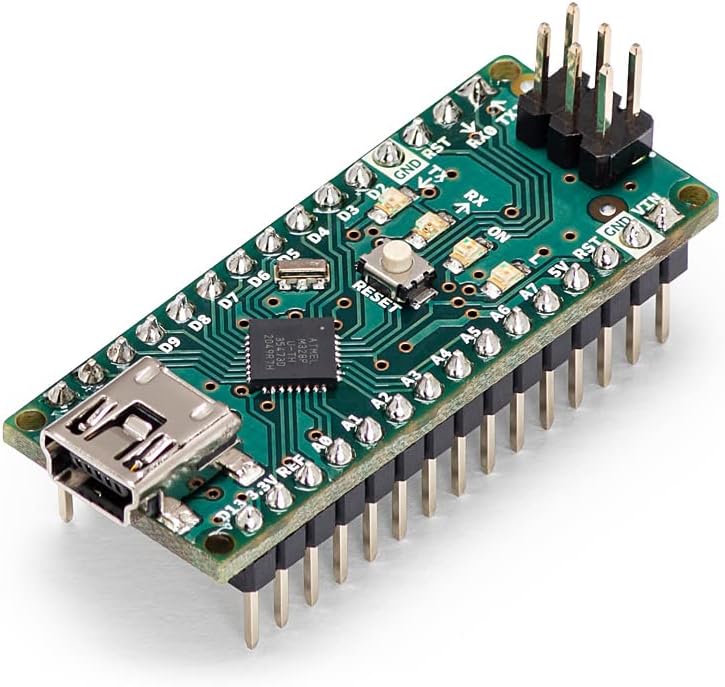
The official Arduino Nano [A000005] stands out as the benchmark for this category. It maintains high quality standards expected from Arduino while delivering robust performance for embedded systems.
We may earn a commission when you buy through this link, at no additional cost to you.
Its compact design allows easy integration into wearables and portable applications without sacrificing the powerful features needed for robotics and automation tasks requiring multiple inputs.
While the Mini USB port is older it ensures wide compatibility with legacy drivers. The cost is higher but you gain assurance of consistent hardware performance and support.
Engineers and students should buy this for projects needing absolute reliability. It offers the best balance of size power and ecosystem support for serious development work today.
It supports a vast library of pre-written code ensuring accessibility for beginners and advanced custom application development.
Equipped with digital IO pins analog inputs and PWM support for precise control of sensors motors and LEDs.
We may earn a commission when you buy through this link, at no additional cost to you.
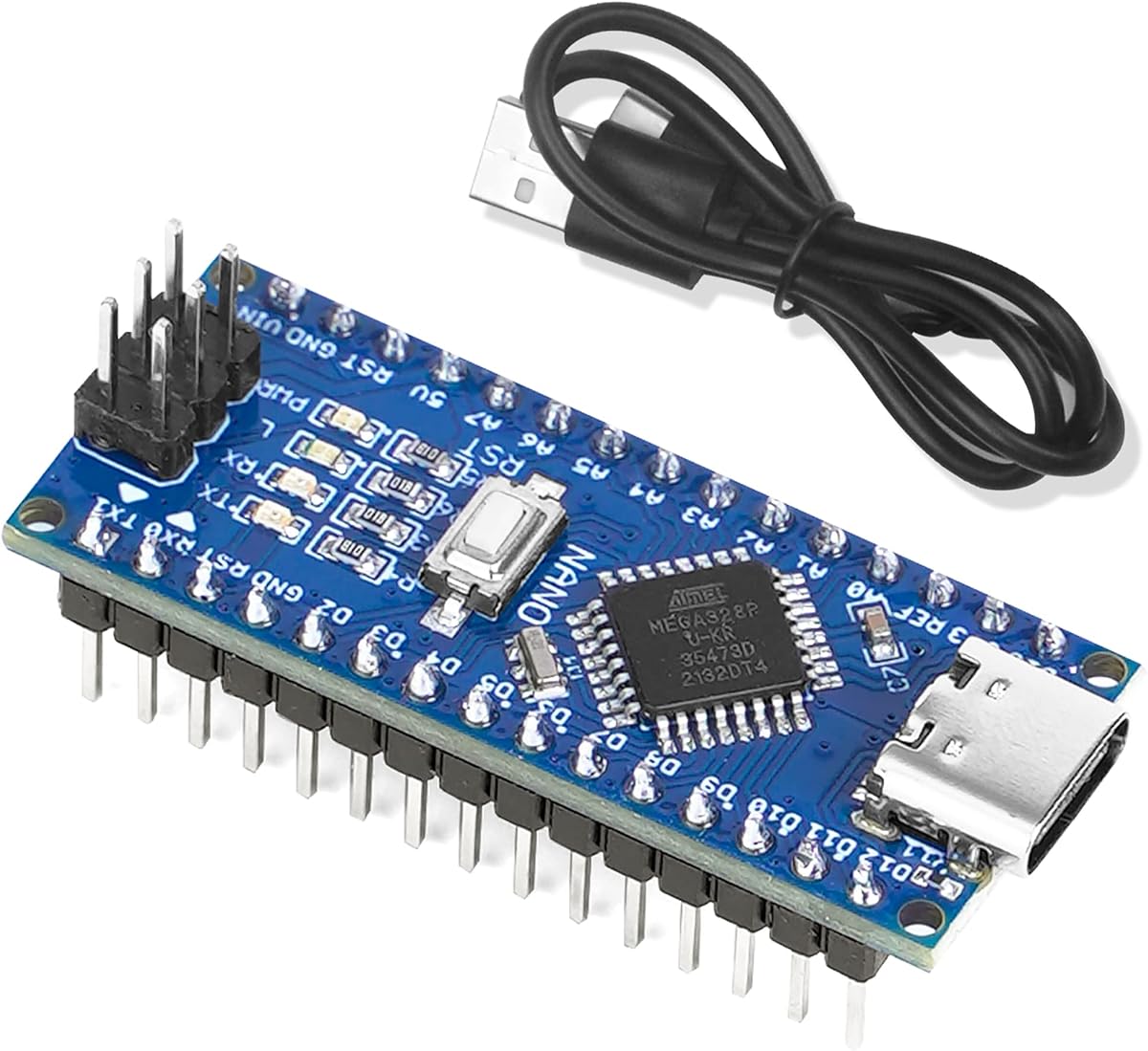
This budget bundle offers two Nano V3.0 boards with modern USB-C connectivity making it ideal for beginners needing multiple units. The ATmega328P ensures compatibility with standard Arduino sketches.
We may earn a commission when you buy through this link, at no additional cost to you.
The CH340G chip provides reliable communication though you must install drivers on some systems. It supports seamless integration with Windows Mac and Linux operating systems effortlessly.
The trade-off is that these are third-party clones. Performance is generally solid but quality control can vary. For prototyping they offer excellent value compared to official boards.
Buyers looking for a low-cost entry point should choose this kit. It includes necessary cables and saves money on multiple units for classroom or hobbyist projects.
Supports USB-C 6-12V unregulated or 5V regulated external power with automatic voltage switching.
Designed for seamless communication with PCs and microcontrollers for stable reliable performance.
We may earn a commission when you buy through this link, at no additional cost to you.
The Arduino Nano R4 introduces a powerful Renesas RA4M1 microcontroller with significantly increased flash and RAM. This enables advanced embedded applications impossible on classic Nano boards.
We may earn a commission when you buy through this link, at no additional cost to you.
Pre-soldered headers let you connect to breadboards instantly. The Qwiic connector simplifies sensor and peripheral expansion without needing extra wiring or breakout boards for I2C devices.
The programmable RGB LED helps streamline debugging and user interaction. While the architecture differs from classic ATmega boards IDE compatibility ensures a smooth transition for upgrades.
Buy this if you need higher speed and more memory for production or complex education projects. It represents the future of the Nano family with modern connectivity features.
Built on RA4M1 with 256KB flash 32KB RAM and 48MHz clock speed for advanced tasks.
Includes Qwiic connector and additional 5V I2C port for effortless expansion.
We may earn a commission when you buy through this link, at no additional cost to you.
This board transforms the Nano form factor into a powerful IoT device. It features a dual-core ESP32-S3 processor enabling real-time data processing and machine learning at the edge.
We may earn a commission when you buy through this link, at no additional cost to you.
Wireless connectivity is built-in allowing communication with cloud platforms and other devices easily. It supports HID profiles making it suitable for custom keyboards and mice projects.
MicroPython compatibility streamlines development for those preferring Python. While power consumption is higher than classic ATmega boards it is essential for wireless telemetry applications.
Choose this for smart home systems or remote sensors needing wireless capability. It offers unmatched versatility for modern embedded IoT projects within the Nano size.
Supports Wi-Fi and Bluetooth 5.0 enabling seamless communication with networks and platforms.
Designed for rapid prototyping and educational projects using Python for ease of use.
We may earn a commission when you buy through this link, at no additional cost to you.
The ELEGOO pack provides three presoldered Nano boards ready for immediate breadboard use. This convenience saves time on assembly and ensures consistent connectivity for multiple simultaneous projects.
We may earn a commission when you buy through this link, at no additional cost to you.
Each board runs familiar 5V 16MHz AVR sketches with standard memory and IO capabilities. The included USB-A to USB-C cable ensures reliable programming and power delivery easily.
Presoldered headers save breadboard space and allow instant connectivity. While it lacks Wifi features it is perfect for local control and data logging tasks without wireless needs.
Buyers needing bulk units for classrooms or multi-node sensors should select this. It balances cost and convenience with modern USB-C connectivity for reliable performance.
Arrives ready to plug into breadboards saving time on soldering header pins.
Includes practical upload guidance and drivers for easy setup on computers.
We may earn a commission when you buy through this link, at no additional cost to you.
This LAFVIN pack offers three boards that fully emulate the classic Nano experience. They are designed for 100 compatibility with Windows Mac and Linux operating systems.
We may earn a commission when you buy through this link, at no additional cost to you.
The improved CH340G chip replaces older versions for better stability and driver support. It uses the original ATmega328P MCU for ISP and USB download capabilities.
It is ideal for beginners needing multiple units without high costs. The classic USB port remains reliable but may require specific cables not included in newer bundles.
Select this for cost-effective bulk needs where modern USB-C is not critical. It provides a reliable path to Arduino learning with proven hardware performance.
100% compatible with original Nano and works perfectly on programming software.
Similar to R3 board but smaller and more breadboard friendly than Diecimila.
We may earn a commission when you buy through this link, at no additional cost to you.
The Nano Every provides a significant step up from the classic Nano. Its ATmega4809 microcontroller offers increased processing power and larger memory for complex programs.
We may earn a commission when you buy through this link, at no additional cost to you.
With 48KB Flash and 6KB SRAM it can handle more data and functions. The USB-C port aligns with modern standards and ensures future-proof connectivity for new projects.
It maintains seamless integration with existing shields and IDE ensuring a smooth transition. You gain better performance without learning entirely new toolchains or protocols.
Buy this for automation and sensor projects requiring efficient power and handling. It is the perfect mid-tier upgrade for those needing more power than classic Nano.
Offering increased processing power and efficiency compared to classic Nano.
Features 48KB Flash and 6KB SRAM for complex program execution.
We may earn a commission when you buy through this link, at no additional cost to you.
This set includes three boards with USB-C ports enabling modern connectivity for each unit. It provides cost-effective bulk options for distributed sensor networks or group projects.
We may earn a commission when you buy through this link, at no additional cost to you.
The Nano automatically detects power sources switching to higher voltage without jumper selection. This simplifies power management when using external supplies for motors or relays.
It supports both USB download and power via the USB-C socket. While it uses common clones it delivers stable performance for general control and logging tasks.
Ideal for projects needing multiple nodes without breaking the budget. It combines modern ports with classic ATmega reliability for practical electronics development.
Supports USB-C 6-12V unregulated or 5V regulated external power easily.
Fully compatible with operating systems for seamless communication with PCs.
We may earn a commission when you buy through this link, at no additional cost to you.
The loose version of the Nano R4 offers flexibility for advanced users. It ships with male header pins that can be soldered for custom integration or direct mounting.
We may earn a commission when you buy through this link, at no additional cost to you.
Castellated edges allow mounting directly onto custom PCBs for compact designs. You get the same robust Renesas RA4M1 performance with modern connectivity and RGB feedback.
This requires more assembly effort than pre-soldered boards. It is ideal for production or custom enclosures where standard headers might not fit your design constraints.
Choose this if you are building custom devices needing specific mechanical integration. It maintains full IDE compatibility while offering manufacturing-ready mounting options.
Ships with loose pins for soldering or direct PCB mounting.
Programmable RGB LED helps streamline debugging and user interaction.
We may earn a commission when you buy through this link, at no additional cost to you.
This OSOYOO Nano module delivers classic functionality with modern USB-C connectivity. It works the same as original Nano boards ensuring broad community support and libraries.
We may earn a commission when you buy through this link, at no additional cost to you.
It includes both USB-A and USB-C cables for versatile connection options. The automatic power sensing ensures stable operation whether plugged into USB or external supply.
Its tiny footprint makes it perfect for tight spaces or custom mounts. While single unit it provides high value for specific single-node projects needing modern ports.
Buy this for simple tasks needing USB-C in a standard form factor. It is a practical option for those needing one reliable board without bulk.
Fully compatible with Windows Mac and Linux operating systems.
Supports 6-12V unregulated or 5V regulated external power sources.
We may earn a commission when you buy through this link, at no additional cost to you.
Selecting the right Nano board requires balancing budget connectivity and performance. This guide details key factors to consider before making your final purchase decision.
The classic Nano uses the ATmega328P while newer models offer ATmega4809 or ESP32 chips. Choose ATmega for simplicity and compatibility with existing libraries. Opt for ESP32 if you need wireless capabilities.
Consider memory needs and processing power for your specific application.
Modern boards feature USB-C ports which are reversible and support higher current. Older models use Mini USB or standard USB B cables. Ensure you have or prefer the included cable type.
USB-C future proofs your project for new development tools.
Some boards arrive with headers soldered saving time on assembly. Others ship with loose pins for custom integration on PCBs. Decide based on whether you need immediate use or custom mounting.
Soldered headers are better for rapid prototyping.
Standard Nano has limited Flash and RAM which restricts code complexity. Upgraded versions offer double or triple the memory. Select higher capacity if you plan to use large datasets or libraries.
Memory size directly impacts project complexity.
If you need IoT connectivity check for Wi-Fi or Bluetooth support. Boards like the ESP32 version offer this built-in while others require add-on shields. Assess power requirements as wireless chips use more energy.
Wireless adds versatility but impacts battery life.
Many third-party sellers offer bundles with two or three units. Buying in bulk saves money per board compared to single official units. Check if cables and necessary adapters are included in the package.
Bundles are ideal for group projects or classrooms.
Official Arduino boards ensure consistent quality and full support. Third-party clones offer lower costs but quality can vary. Weigh the risk against your budget and project criticality before deciding.
Official boards are safer for long-term deployments.
Ensure the board supports your intended power source. Some have automatic voltage switching while others require manual selection. Check voltage ranges for external power to avoid damaging the board.
Power stability is key for reliable project operation.
Connect your board to a computer via USB and install the appropriate drivers if using a CH340 chip. Open the Arduino IDE and select the correct board model to ensure proper communication.
Keep the board in a static-free environment when not in use to prevent damage to the microcontroller. Avoid shorting the pins or applying power beyond recommended voltage limits.
For battery powered projects use external power pins and ensure you use a stable regulated power source to maintain stable performance during long-term operation.
The official Arduino Nano or the LAFVIN 3-pack are excellent starting points. They offer full IDE compatibility and community support making learning easier. Look for clones with clear documentation and driver support.
Official boards usually work out of the box. Third-party boards with CH340 chips often require driver installation on Windows. Mac and Linux generally detect them automatically without extra steps.
No only newer models like the Nano Every and Nano ESP32 feature USB-C ports. Classic models use Mini USB or standard USB-B. Check specifications carefully if modern ports are a priority.
Yes it is compatible with Arduino IDE but may require adding the ESP32 board manager URL. It also supports MicroPython for those who prefer Python over C++ for coding.
The 4809 offers more memory and faster clock speed for complex tasks. It also includes hardware PWM and ADC improvements. The 328P remains standard for simpler and legacy projects.
Yes most boards have external power pins for 5V or 7-12V inputs. Always use a stable voltage source and ground the board properly to ensure safe and reliable operation.
They save time and ensure stable connections for breadboarding. Loose pins allow customization for PCB projects. Choose based on your need for speed versus mechanical flexibility.
Update via the Arduino IDE using the upload button and selecting your board. Always ensure you have a stable USB connection before flashing new code to avoid corruption of the microcontroller.
We reviewed ten distinct boards ranging from classic clones to advanced wireless options. Each offers unique strengths whether you need raw power modern connectivity or low cost.
Prioritize USB-C ports and memory size if you plan complex projects. For simple tasks standard models provide reliable performance at affordable price points.
Remember that prices fluctuate frequently on online platforms. Check current listings to ensure you get the best deal on the model that fits your needs.