
OMTech K40+ 45W Desktop CO2 Laser Engraver & Cutter
4.4Editor score
45W laser power
12 by 8 inch workspace
LightBurn software support
Discover the top 10 CO2 laser cutters for 2026, comparing power, speed, safety, and software to help you choose the perfect machine for your projects.
CO2 laser cutters are powerful tools that use a focused beam to cut and engrave non-metallic materials with incredible precision. Whether you are a hobbyist creating custom gifts or a business producing industrial parts, selecting the right machine is crucial for success and safety.
We analyzed ten leading models based on laser power, workspace size, safety features, software compatibility, and user feedback. Our goal is to provide a clear, detailed comparison that helps you understand the strengths and limitations of each option available today.
Each pick below highlights specific capabilities and ideal use cases for different users. Please note that prices and availability can change frequently, so always check the current listing before making your final purchase decision for your workspace.
4.4Editor score

4.5Editor score

This side-by-side comparison outlines the key specifications and capabilities of each model to help you quickly identify which machine meets your specific power and size requirements.



The xTool P3 80W stands out as a flagship model designed for serious creators who need industrial-grade power in a desktop-friendly package. With a rating of 4.5 stars, it delivers exceptional performance for cutting materials like 20mm wood and 25mm acrylic with incredible speed.
We may earn a commission when you buy through this link, at no additional cost to you.
Its standout feature is the Revolutionary Automated Creation System which integrates LiDAR ranging for perfect autofocus and dual HD cameras for precise positioning. This system simplifies operations significantly, allowing users to achieve professional results without complex manual adjustments before every job.
While the price point is high, the value comes from its Class 1 safety design and massive 36 by 18 inch workspace. You get peace of mind with fully enclosed safety rated components and interlocks. Some users may find the high cost steep but the efficiency gains often justify the expense.
This machine is ideal for small businesses or advanced hobbyists who need to automate large projects and minimize waste. If you prioritize safety speed and intelligent workflows over budget constraints, the xTool P3 is the top recommendation for your shop today.
The AutoLift Base and LiDAR ranging automate setup, allowing you to focus on design rather than machine calibration.
Features like lid interlocks and active suppression systems ensure safe operation even during extended production runs.
We may earn a commission when you buy through this link, at no additional cost to you.
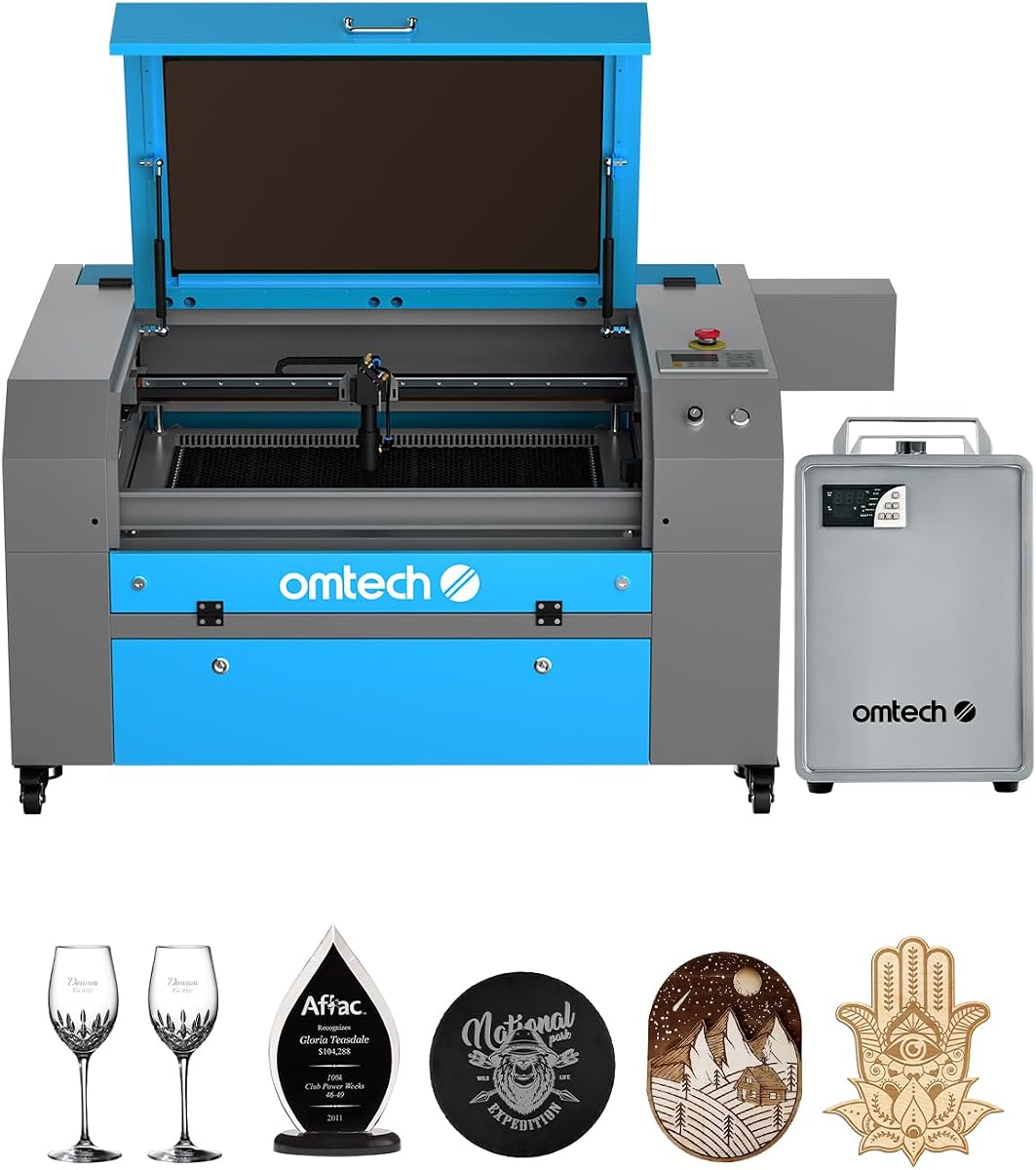
The OMTech K40+ 45W is a strong contender for those entering the world of laser cutting without breaking the bank. It holds a solid 4.4 rating and upgrades power to 45W which allows it to slice through 0.4 inch acrylic and 0.31 inch wood with ease.
We may earn a commission when you buy through this link, at no additional cost to you.
Key strengths include its full support for LightBurn and LaserGRBL software ensuring you have control whether you are a beginner or expert. The integrated air assist system clears smoke and debris while protecting the lens reducing fire risk during high power cutting jobs.
The main trade-off is the compact 12 by 8 inch workspace which may not suit large format projects. Manual adjustments are also required for focusing which adds time compared to automated systems. However for small batches and learning these limitations are often acceptable.
This machine is perfect for DIY makers and small businesses focused on smaller items like jewelry or signage. If you want a reliable machine with global support and software flexibility at a lower price point the OMTech K40+ is an excellent starting choice.
Compatibility with LightBurn offers advanced users precise control over settings and job management.
With door protection and 24/7 global support you can operate with confidence and get help when needed.
We may earn a commission when you buy through this link, at no additional cost to you.
The VEVOR 100W offers a spacious 24 by 35 inch working area making it ideal for users who need to cut larger sheets of material. It carries a perfect 5.0 rating and can cut materials up to 0.59 inches thick in one pass across a wide range of non-metallic materials.
We may earn a commission when you buy through this link, at no additional cost to you.
Its intelligent laser head ensures high precision and smooth incisions without burr which is vital for professional quality. The digital control panel works with popular software like CorelDRAW and AutoCAD allowing you to transfer files easily via USB or network.
While the size is a benefit it means the machine requires significant floor space and is heavier than desktop units. New users might find the initial setup more involved than smaller models. However the capacity to handle large projects offsets these challenges for many businesses.
This cutter is best for production environments or crafters needing to process large volumes or sizes. If you have the space and need the power to cut thick materials efficiently the VEVOR 100W delivers great value and performance for your workshop needs.
Working with most third-party software ensures you can integrate this machine into existing design workflows easily.
Front and back doors allow you to run long materials through the machine without moving it.
We may earn a commission when you buy through this link, at no additional cost to you.
The OMTech Maker 90W is a commercial laser cutter that provides substantial power for professional engraving tasks. It can engrave as deep as 0.4 inch on wood and glass at speeds up to 23.6 inches per second which supports steady production workflows.
We may earn a commission when you buy through this link, at no additional cost to you.
A key feature is the bundled water chiller which provides effective cooling for extended engraving sessions. This helps maintain consistent performance and extends tube life compared to air cooled models. The four-way pass-through doors also make it easy to handle larger items.
Users may find that setting up the water system requires more initial effort than air cooled units. The lack of an aggregated rating suggests it is newer but the specs indicate robust commercial capability. These trade-offs are often acceptable for those needing cooling efficiency.
This model is a great choice for shops needing reliable cooling without buying it separately. If you prioritize deep engraving and large areas with included cooling the OMTech Maker 90W is a strong option for commercial or industrial use cases.
The water chiller ensures the tube stays within safe temperatures for longer continuous runs.
Deep engraving capabilities allow for detailed work on thicker wood and acrylic sheets.
We may earn a commission when you buy through this link, at no additional cost to you.
The OMTech Maker 60W comes bundled with LightBurn and a water chiller offering a complete package for immediate use. With a 4.7 rating it provides consistent laser performance and intuitive navigation for your work without needing extra software purchases.
We may earn a commission when you buy through this link, at no additional cost to you.
Its autofocus feature adjusts the workbeds automatically at the touch of a button saving you from manual adjustments and guesswork. This ensures consistent focal distance which is critical for clean cuts and high quality engraving on various materials.
While the 60W power is sufficient for many tasks it may not handle very thick materials as well as 100W units. The bundle cost is higher than basic machines but the included accessories often save money in the long run.
This machine is ideal for users who want a ready-to-run solution with software included. If you value convenience and a reliable cooling setup without the need to source components separately the OMTech Maker 60W is a highly recommended choice.
Autofocus technology means you spend less time calibrating and more time creating projects.
Including LightBurn and a chiller reduces the hassle of finding compatible third party tools.
We may earn a commission when you buy through this link, at no additional cost to you.
The OMTech K40+ 45W is a reliable desktop option for those needing a compact machine. It maintains a 4.5 rating and supports high speed engraving up to 300 mm per second ideal for complex designs and bulk orders in limited spaces.
We may earn a commission when you buy through this link, at no additional cost to you.
Its flexible work area design supports irregular materials and can expand with an optional rotary axis for cylindrical objects. The integrated air assist system helps clear smoke and reduces wood carbonization which protects your lens and maintains cut quality.
The main limitation is the small 12 by 8 inch workspace which restricts large projects. Manual focus adjustments are also needed which can slow down workflows compared to autofocus models. These factors are acceptable for small scale production.
This model fits well in home studios or small shops with limited floor space. If you need a fast reliable machine for small items like signs or jewelry the OMTech K40+ 45W offers a balanced mix of power and convenience for your needs.
Optional rotary axis allows you to engrave cylindrical items easily without new machinery.
Door protection and emergency stop functions ensure safe operation in busy environments.
We may earn a commission when you buy through this link, at no additional cost to you.
The OMTech Pronto 100W is designed for efficiency offering engraving speeds up to 39.4 inches per second. It leverages a 100W laser tube to deliver consistent results and transforms creative visions into reality faster than traditional machines on the market.
We may earn a commission when you buy through this link, at no additional cost to you.
Its large 40 by 24 inch work area accommodates most projects easily with two-way pass-through doors for longer items. The powerful air pump and fan ensure precise and clean cuts by reducing material burn and smoke during operation.
New users should note that the larger size requires adequate space for placement and ventilation. While the tube offers up to 12000 hours of usage proper maintenance is needed to maintain this longevity. These trade-offs support high volume production needs.
This machine suits small businesses aiming for competitive edges through speed. If you prioritize fast processing times and large areas the OMTech Pronto 100W is a powerful choice to expand your production capabilities.
Faster engraving speeds reduce job times and increase throughput significantly.
The air pump ensures edges are clean by removing debris and smoke from the cutting path.
We may earn a commission when you buy through this link, at no additional cost to you.
The OMTech Pronto 130W is a powerhouse machine designed to handle deep engraving on nonmetallic materials. It engraves as deep as 0.4 inch on wood and glass at speeds up to 1000 mm per second which ensures artistic visions become realities quickly.
We may earn a commission when you buy through this link, at no additional cost to you.
Its autofocus technology automatically finds the right focal distance allowing you to skip manual adjustments. The 51 by 35 inch work area accommodates most projects easily with two-way pass-through doors for longer items and better workflow efficiency.
The high power and size mean it needs robust power supplies and adequate room for ventilation. While the 12000 hours tube life is promising users must manage temperature alarms and safety features carefully. These factors are standard for high power units.
This machine is best for businesses needing speed and depth. If you prioritize large areas and high power output the OMTech Pronto 130W is a top choice to transform your artistic visions into professional results.
The combination of 130W power and fast speeds allows for rapid thick material processing.
A large bed ensures you can work on full sheets without constant repositioning.
We may earn a commission when you buy through this link, at no additional cost to you.
The OMTech K40+ 45W is a straightforward desktop option for those needing basic engraving functionality. With a Class 2 safety rating it offers a simple form factor that fits on standard desks without requiring industrial space or complex setup procedures.
We may earn a commission when you buy through this link, at no additional cost to you.
Its compact design makes it easy to store when not in use. The 45W power is sufficient for thin materials like paper and wood for hobbyists. It provides a solid entry point for learning the basics of laser cutting.
Users should note that it lacks the advanced automation of higher tier models. The workspace is small which limits project scale. These constraints are acceptable for those just starting out or needing a secondary backup unit.
This machine is ideal for simple home projects. If you need a reliable compact cutter for basic tasks the OMTech K40+ 45W serves as a practical and accessible solution for your workspace.
The simple setup and rating make it safe and easy for new users to learn.
Compact dimensions allow for use in home offices without dedicated workshop space.
We may earn a commission when you buy through this link, at no additional cost to you.
The OMTech Pro 130W is a professional tool designed for industrial use with a massive 35 by 55 inch workspace. It features a built-in water chiller that keeps the machine cool during extended runs ensuring consistent performance across various non-metallic materials.
We may earn a commission when you buy through this link, at no additional cost to you.
Servo motors and upgraded guide rails allow it to achieve speeds up to 1200 mm per second. The touchscreen interface with WiFi control offers modern convenience for managing jobs remotely. This level of technology supports streamlined professional workflows.
The main consideration is the high cost and requirement for robust electrical connections. Users should have adequate floor space to accommodate the large footprint. These factors are justified for serious production environments needing high throughput.
This model is best for industrial users. If you prioritize size speed and modern control features the OMTech Pro 130W delivers the performance needed for professional and industrial use cases.
Built-in chiller maintains temperature within 0.5 degrees for precise cutting quality.
Touchscreen and WiFi allow for seamless control and job management.
We may earn a commission when you buy through this link, at no additional cost to you.
Selecting the right CO2 laser cutter involves weighing several critical factors to ensure the machine meets your production needs and safety standards.
Laser power determines how quickly you can cut through thick materials. Higher wattage like 100W or 130W is necessary for industrial tasks while 45W to 60W suffices for hobbyists. Speed also affects throughput so look for models with faster IPS ratings if you need to process bulk orders.
Choose power and speed based on material thickness and volume to ensure efficiency.
The workspace defines the maximum material size you can cut in one go. Desktop units often have 12 by 8 inch areas while industrial models reach 50 inches or more. Ensure the bed size fits your common projects and consider pass-through doors for longer items.
Verify the bed dimensions match your largest frequent project to avoid waste or manual repositioning.
Safety is critical when using high power lasers. Look for features like Class 1 enclosed designs lid interlocks, and emergency stops. Active fire suppression and flame retardant windows provide additional layers of protection for your workspace and health.
Prioritize safety systems to prevent accidents and ensure compliant operation.
Software controls how you design and run jobs. Compatibility with LightBurn or LaserGRBL offers flexibility. Some machines bundle software while others require separate licenses. Check if the machine supports your preferred workflow to avoid extra costs.
Ensure the machine supports software you already know or prefer to use.
Cooling systems protect the laser tube from overheating during long runs. Air cooled systems are simpler but water chillers offer better stability. If you run jobs continuously invest in a model with a built-in or bundled chiller to extend tube life.
Choose a cooling system that matches your usage intensity to prevent overheating.
Prices range widely from hundreds to thousands depending on power and features. Consider total costs including software and accessories. A longer warranty period or comprehensive support service adds value and peace of mind for your investment.
Balance initial cost with long term support and warranty terms to get value.
Automation features like autofocus and LiDAR mapping reduce setup time. Manual adjustments are common in budget models but can slow down workflows. Decide if time savings from automation justify the higher cost for your specific use case.
Evaluate if autofocus features will significantly impact your daily efficiency.
Modern machines offer USB network and WiFi connectivity. These allow you to transfer files without plugging and unplugging drives. Touchscreens provide direct control. Consider how you prefer to send designs to your machine before purchasing.
Check connectivity options to ensure they match your workflow preferences.
Start by preparing your design in compatible software and ensuring it is scaled to your workspace. Upload the file to the machine and check that all safety interlocks are closed before starting. Verify material settings like speed and power to prevent burns or incomplete cuts.
Always use the air assist system to clear debris and smoke during operation. Monitor the process through the safety window to catch any irregularities early. Keep the lens and mirrors clean to maintain precision and avoid damage from accumulated soot.
After use let the machine cool down and run cleaning routines to maintain parts. Regularly check water levels and filters if your model has a chiller. Proper maintenance extends the lifespan of the laser tube and ensures consistent performance over time.
Generally CO2 lasers cannot cut metals directly. They work best on non-metallic materials like wood acrylic and leather. Metal cutting usually requires fiber laser systems or different techniques. Always check manufacturer specs for material compatibility.
CO2 lasers are better for cutting thicker materials and have higher power compared to diode lasers. Diode lasers are usually slower and cheaper for engraving thin items. Choose CO2 if you need versatility and speed for production work.
You should clean the lens regularly depending on usage frequency. If you run many jobs weekly inspect it every few weeks. Dust and smoke residue can reduce precision so keep it clean for consistent results.
For short jobs air cooling may suffice but a chiller ensures stability during long runs. If you plan to operate continuously a chiller prevents overheating and extends tube life. It is a worthwhile investment for frequent users.
LightBurn is widely preferred for its ease of use and wide compatibility. LaserGRBL is another free option for simpler needs. Check if your machine bundles software or supports your existing tools before buying.
Laser tubes typically last between 8000 to 12000 hours of usage. Proper cooling and maintenance extend this lifespan. Avoid running at max power constantly to preserve tube health and performance.
Choosing the right CO2 laser cutter depends on balancing power workspace size and automation. The top picks offer distinct advantages from the automated precision of the xTool P3 to the budget-friendly OMTech K40+.
Prioritize features that align with your daily work such as software support and cooling systems. Safety and ease of use should also guide your decision to ensure efficient and safe operation in your shop.
Prices and models change so review current listings before committing to a purchase. This guide provides a solid foundation to find the machine that fits your specific professional or hobby needs.