
CORSAIR RS120 ARGB 120mm PWM Fans Triple Pack
4.6Editor score
Daisy-chain connections simplify wiring
Eight LEDs per fan for bright lighting
Up to 72.8 CFM airflow output
Discover the top Corsair Case Fans for 2026. This guide compares performance, lighting, and features to help you choose the right cooling solution.
Choosing the right Corsair Case Fans is essential for maintaining optimal system temperatures and enhancing your PC's aesthetic appeal. Modern builds demand efficient airflow and vibrant lighting options that integrate seamlessly with your existing hardware ecosystem.
We evaluated ten leading models based on airflow capacity, static pressure, noise levels, and connectivity features. Each product offers unique advantages ranging from standard daisy-chain designs to advanced link systems for simplified cable management.
Our detailed breakdown highlights key specifications and practical benefits for every pick. Note that pricing and availability fluctuate frequently, so always verify current details before making your final purchasing decision online.
4.6Editor score

4.7Editor score

4.6Editor score
The following table provides a side-by-side comparison of all ten top-rated Corsair case fans to help you quickly identify the model that best fits your specific cooling and aesthetic requirements.

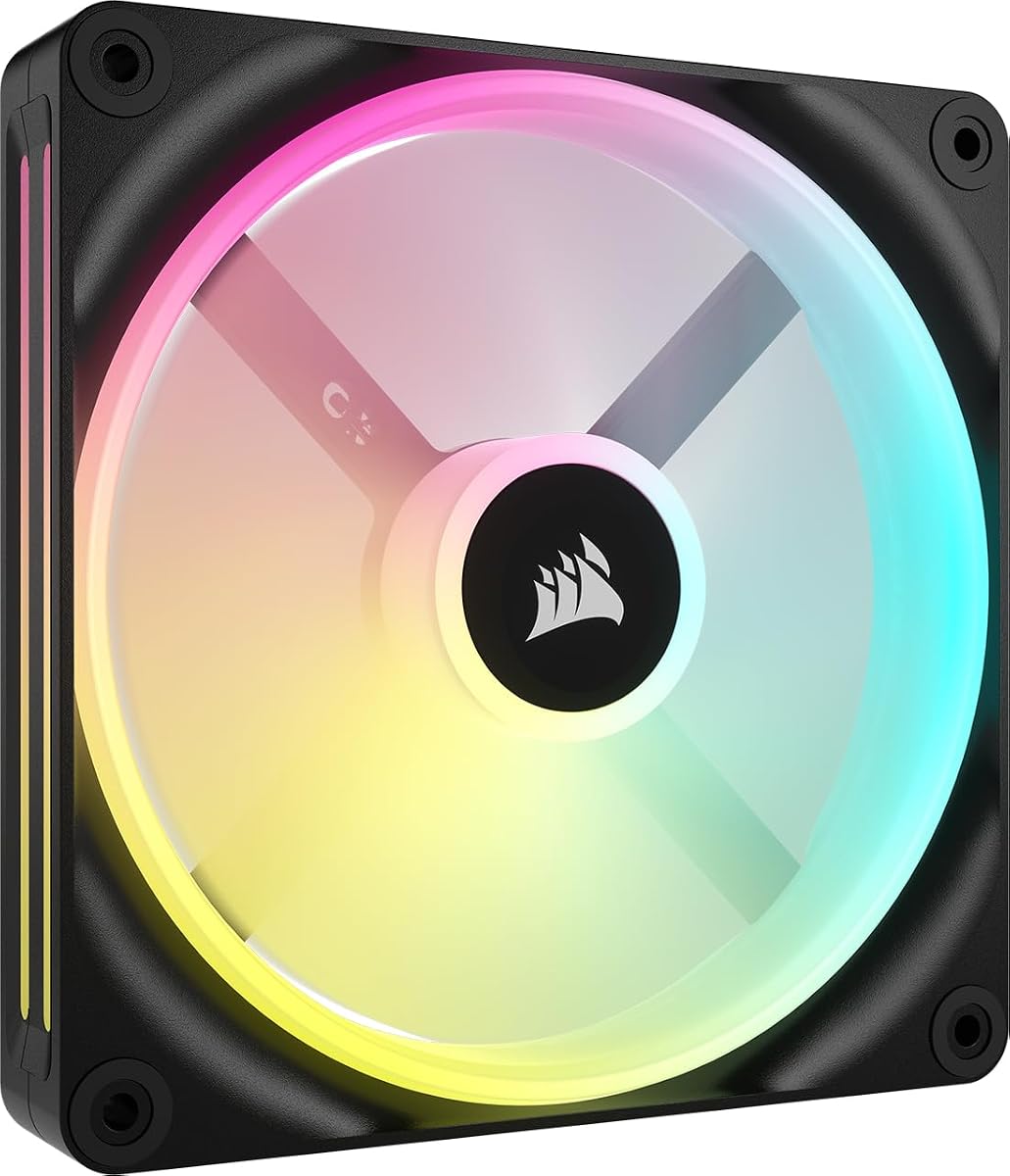


The CORSAIR RS120 ARGB fans offer a balanced solution for budget-conscious builders seeking reliable cooling and aesthetic flair. With a solid 4.6 rating, these fans deliver efficient performance through their magnetic dome bearing design.
We may earn a commission when you buy through this link, at no additional cost to you.
These fans feature streamlined connections that simplify cabling via daisy-chain technology. Their AirGuide Technology directs airflow precisely where needed, while the 72.8 CFM airflow ensures effective cooling for your components.
While they require a compatible motherboard for ARGB control, the customization options are extensive. The trade-off of needing specific connectors is minimal given the clean setup and reduced cable clutter.
Ideal for users prioritizing value and performance, these fans excel in both intake and exhaust positions. We recommend them for anyone building a standard PC needing reliable thermal management without breaking the bank.
AirGuide Technology ensures airflow is directed efficiently to hotspots for optimal thermal results.
Daisy-chain connections reduce cable clutter by allowing multiple fans to connect through single headers.
We may earn a commission when you buy through this link, at no additional cost to you.
This premium triple pack stands out for its advanced iCUE Link system which simplifies setup significantly. With 4.6 stars, users appreciate the dual light loops that provide stunning RGB effects across every fan.
We may earn a commission when you buy through this link, at no additional cost to you.
The included System Hub allows seamless connections using a single cable, reducing clutter. Their impressive 5.22mmH2O static pressure ensures they perform well even against high-density radiator obstructions.
While the price is higher than standard options, the convenience of the link system and superior lighting quality justify the investment. The bridge connectors make expanding your setup straightforward in the future.
Perfect for enthusiasts wanting a clean aesthetic and top-tier performance, these fans are a standout choice. We recommend them for high-end builds where cable management and visual impact are top priorities.
iCUE Link bridges connect fans directly to each other requiring just one cable to the hub.
18 LEDs per fan spread across dual loops enable brilliant and customizable synchronized lighting.
We may earn a commission when you buy through this link, at no additional cost to you.
Our top pick for reverse fan aesthetics, this white triple pack achieves a clean look without obscuring lighting. Rated 4.7 stars, these fans are praised for their reverse rotor design ensuring visible RGB even when mounted as intake.
We may earn a commission when you buy through this link, at no additional cost to you.
Their precision PWM performance allows speeds up to 2,100 RPM while maintaining quiet operation. The AirGuide Technology and high static pressure make them versatile for various cooling tasks including radiator mounting.
The main trade-off is the need for a compatible motherboard for ARGB control but the visual payoff is worth it. Dust visibility on white frames is manageable with occasional cleaning.
Ideal for builders prioritizing aesthetic purity, these fans deliver flawless looks with solid cooling. We recommend them for white-themed builds where visible lighting from all angles is essential for the desired style.
Reverse rotor ensures lighting is fully visible even when the fan is mounted as intake.
Precise PWM speeds and high static pressure offer versatility for intake or exhaust usage.
We may earn a commission when you buy through this link, at no additional cost to you.
This black version offers the same reverse rotor benefits as the white model but blends seamlessly into darker builds. Rated 4.6 stars, users appreciate the flawless lighting visibility and solid performance characteristics.
We may earn a commission when you buy through this link, at no additional cost to you.
Their PWM control allows flexible speed adjustments from 2,100 RPM down to silent low loads. The magnetic dome bearing ensures quiet operation while maintaining longevity over years of use.
The main limitation is requiring a motherboard for ARGB control but the price point remains competitive. Dust is less visible on black frames making maintenance easier over time.
Perfect for builders seeking a sleek dark aesthetic with clear RGB effects, these fans are a strong choice. We recommend them for dark-themed systems where maintaining a clean look is a priority.
Black finish ensures fans blend into dark builds while maintaining visible lighting effects.
High static pressure makes them suitable for radiators or standard case ventilation.
We may earn a commission when you buy through this link, at no additional cost to you.
This 140mm fan brings powerful cooling to larger case configurations with a solid 4.4 rating. Users highlight its Time Warp lighting mode and substantial airflow capacity as standout features.
We may earn a commission when you buy through this link, at no additional cost to you.
The Magnetic Dome bearing reduces friction at low speeds while maintaining quiet operation. Bridge connectors allow easy chaining with other fans though a hub is sold separately.
The main trade-off is needing a hub for full iCUE Link integration which adds cost. However, the performance and aesthetic options justify the investment for larger builds.
Ideal for those needing larger fans for high airflow, this single unit offers excellent versatility. We recommend it for cases requiring 140mm mounting points with robust thermal management needs.
82.5 CFM ensures effective cooling for larger components without excessive noise.
Time Warp mode provides unique strobing effects powered by iCUE Link compatibility.
We may earn a commission when you buy through this link, at no additional cost to you.
Rated 4.7 stars, this reverse fan kit combines premium aesthetics with robust performance. Users appreciate the reversed rotor for visible lighting and the included QuikTurn screws for easier installation.
We may earn a commission when you buy through this link, at no additional cost to you.
Their dual light loops create brilliant customizable lighting effects when synced with other iCUE devices. High static pressure makes them effective for pushing air through radiator obstructions efficiently.
The higher price point reflects the premium build quality and advanced features offered. While a hub is required for full functionality the convenience justifies the cost.
Perfect for enthusiasts seeking top-tier reverse fan performance, this kit is a top choice. We recommend it for high-end builds requiring both exceptional cooling and flawless visual presentation.
QuikTurn screws simplify installation reducing time needed for fan mounting.
Dual light loops provide richer customizable lighting effects synchronized via iCUE.
We may earn a commission when you buy through this link, at no additional cost to you.
Rated 4.5 stars, this thick fan offers enhanced cooling capabilities for demanding thermal setups. Users highlight its 5mm thicker blades which move more air efficiently at reduced speeds.
We may earn a commission when you buy through this link, at no additional cost to you.
The RX MAX design allows it to spin slower while maintaining the same airflow as thinner fans. This results in lower noise levels while ensuring high static pressure for pushing through obstructions.
The main limitation is the thicker profile requiring adequate clearance for mounting. However, the improved airflow and noise reduction justify the design trade-off for most users.
Ideal for users needing high static pressure for radiators, this fan excels in efficiency. We recommend it for cases where noise reduction and powerful cooling are prioritized equally.
Thicker blades move more air at the same speed as thinner fans improving cooling.
Lower speeds maintain airflow output resulting in significantly quieter operation.
We may earn a commission when you buy through this link, at no additional cost to you.
Rated 4.6 stars, this thick single fan delivers high performance with its 30mm thickness design. Users appreciate the Liquid Crystal Polymer construction ensuring rigidity and reducing blade vibration.
We may earn a commission when you buy through this link, at no additional cost to you.
The increased thickness results in 4.2mm-H2O of static pressure perfect for high-density radiators. AirGuide Technology directs airflow efficiently to hotspots maintaining optimal thermal performance.
The main limitation is the thicker profile requiring specific case clearance. However, the robust build quality and high static pressure make it a great choice for specialized cooling needs.
Ideal for users needing maximum static pressure in a compact 120mm form factor this fan excels. We recommend it for radiators or high-density heatsinks where airflow resistance is a concern.
Liquid Crystal Polymer ensures blade rigidity reduces vibration and increases longevity.
Increased thickness provides 4.2mm-H2O static pressure for pushing through obstructions.
We may earn a commission when you buy through this link, at no additional cost to you.
Rated 4.7 stars, this RX series fan delivers impressive airflow and high static pressure. Users highlight its suitability for radiators and the vivid RGB lighting effects enabled by its window design.
We may earn a commission when you buy through this link, at no additional cost to you.
The included bridge connectors allow easy chaining with other fans for seamless connectivity. AirGuide Technology ensures efficient airflow direction to hotspots for optimal cooling performance.
The main limitation is needing a hub for full iCUE Link integration which adds cost. However, the strong performance and aesthetic options justify the investment for larger builds.
Ideal for users needing high airflow and static pressure for radiators this fan excels. We recommend it for cases where robust cooling and aesthetic visibility are top priorities.
3.79mm-H2O pressure ensures effective cooling even through high-density radiator obstructions.
Window in frame allows viewing lighting effects from side angles easily.
We may earn a commission when you buy through this link, at no additional cost to you.
This renewed starter kit offers an affordable entry into iCUE Link systems with two 140mm fans. While N/A for official ratings, it provides excellent value for those seeking simplified cable management.
We may earn a commission when you buy through this link, at no additional cost to you.
The included hub allows seamless connectivity reducing cable clutter significantly. White fans complement bright or minimalist builds while maintaining effective cooling performance.
The trade-off is the renewed condition which may vary slightly in quality. However, the price savings and included hub make it a great choice for budget-conscious users.
Ideal for users wanting iCUE Link features without paying premium prices this kit is solid. We recommend it for those comfortable with renewed products seeking simplified cable management.
Hub simplifies connections allowing multiple fans to connect via a single cable.
Renewed condition reduces cost making premium features accessible for more buyers.
We may earn a commission when you buy through this link, at no additional cost to you.
Selecting the right case fans involves considering multiple factors beyond size and price. Here are the critical aspects to evaluate before purchasing.
Ensure your case supports the fan size you intend to purchase. Most cases support 120mm or 140mm mounts but some may have specific clearance requirements.
Always check your case specifications before buying to avoid fitting issues during installation.
Airflow fans are best for general case ventilation moving large volumes of air. Static pressure fans excel at pushing air through obstructions like radiators.
Choose static pressure models for radiators and high-density filters to ensure optimal cooling.
Modern fans offer ARGB or RGB lighting customizable via software or motherboard headers. Decide if you prioritize lighting effects or prefer non-lit options.
Ensure your motherboard supports the required connector type for full RGB customization.
Advanced fans use hubs for simplified cabling while standard fans connect individually to headers. Hubs reduce clutter but require extra purchase or compatibility.
Evaluate your motherboard headers and cable management preferences before choosing connectivity options.
Higher RPM increases cooling performance but also noise output. Magnetic dome bearings reduce friction and noise significantly compared to sleeve bearings.
Balance cooling needs with desired noise levels based on your tolerance for background sound.
Magnetic Dome bearings offer improved longevity and quietness over traditional designs. This feature ensures consistent performance over years of continuous use.
Prioritize Magnetic Dome bearings for long-term reliability and minimal noise generation.
White fans blend better with light builds while black fans suit dark setups. Ensure the fan frame matches your build's aesthetic for a cohesive look.
Consider dust visibility on white frames which may require more frequent maintenance.
Triple packs offer better value per fan than singles and allow complete front rear setups. Single fans are useful for replacements or specific spots needing extra cooling.
Calculate total fans needed for your case to determine if a pack or single is optimal.
Install fans with correct airflow direction indicated by arrows on the frame. Intake fans push air in while exhaust fans push air out.
Use bridge connectors or hubs for simplified cabling to reduce clutter inside your PC case.
Dust fans periodically using compressed air to maintain performance and reduce noise levels.
Most RS models connect directly to motherboard headers while advanced Link models require an iCUE Link System Hub. The hub is included in specific kits but sold separately for single units. Check the product details carefully.
Reverse fans orient the lighting ring on the side facing outward even as intake fans. This ensures the RGB is fully visible from both sides without obstructing lighting by blades.
RGB lighting is controlled via Corsair iCUE software or motherboard ARGB headers depending on the model. Ensure your motherboard supports the required connector type for synchronization.
They use Magnetic Dome bearings which reduce noise significantly even at high RPM. Users report quiet operation at low loads but expect some noise at maximum speeds for cooling.
Yes you can mix models but ensure connector types and software compatibility match. Avoid mixing different lighting standards if synchronization is a priority for your setup.
With Magnetic Dome bearings these fans are rated for tens of thousands of operating hours. Proper maintenance and avoiding dust buildup extend their lifespan significantly over time.
Many models support Zero RPM which stops fans at low loads to reduce noise. This feature is useful for silent PC builds during light tasks like browsing or office work.
The CORSAIR RS120 ARGB offers excellent budget value while the iCUE Link LX120 RGB provides premium aesthetics. Both models deliver reliable cooling and customizable lighting options.
Prioritize airflow and static pressure needs based on your specific build configuration. Consider RGB visibility requirements and cable management features when choosing a model.
Prices fluctuate frequently so always check current deals before purchasing. Verify compatibility with your motherboard for ARGB control and connectivity features.