
SAMSUNG QB43R 43 inch 4K UHD LED Commercial Signage Display
5.0Editor score
43-inch 4K display
Built-in Wi-Fi
Slim bezel design
Modern business spaces demand high-performance displays that support seamless collaboration and clear communication. A great conference room monitor delivers sharp visuals, reliable connectivity, and robust features for meetings and presentations.
We evaluated ten leading models based on resolution, brightness, viewing angles, and integrated smart capabilities. Our analysis focuses on commercial-grade durability, ease of installation, and compatibility with major video conferencing platforms.
Each selection highlights unique strengths tailored to different room sizes and use cases. While pricing fluctuates over time, the core performance metrics remain consistent, ensuring you invest in a solution that meets your team’s evolving needs.
5.0Editor score

4.5Editor score

4.7Editor score
As an Amazon Associate we earn from qualifying purchases.
Below is a detailed side-by-side comparison of the top conference room monitors available in 2026. This table helps you quickly identify key specifications and features across all ten models to make an informed decision.


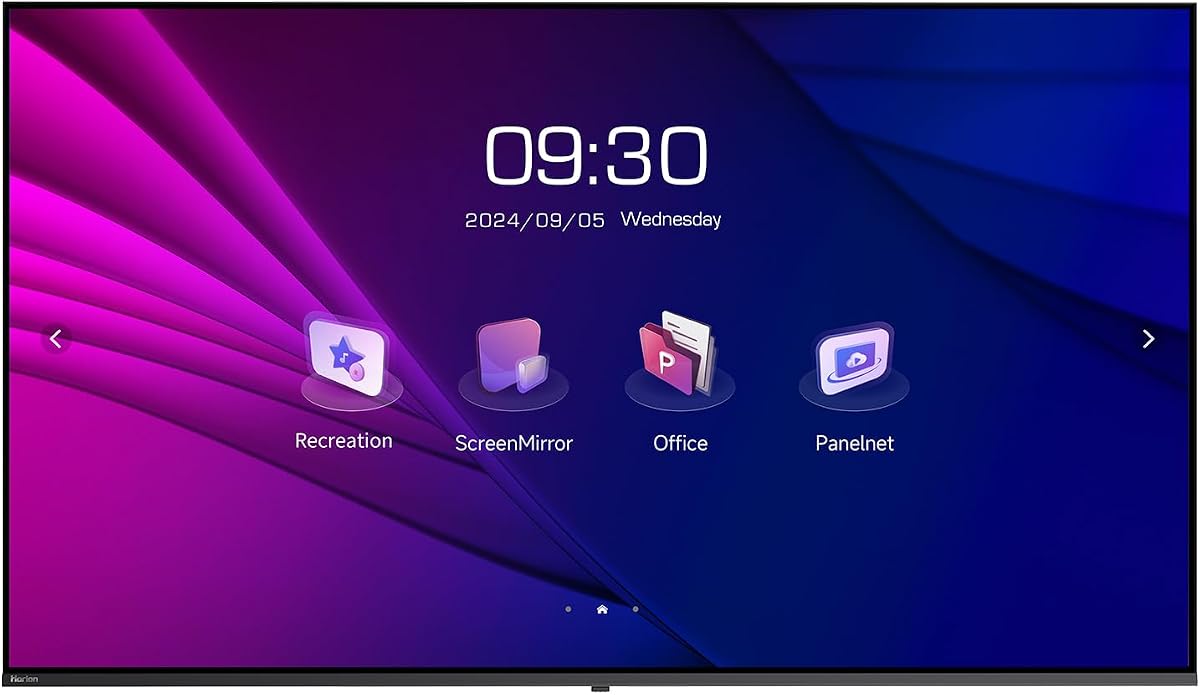
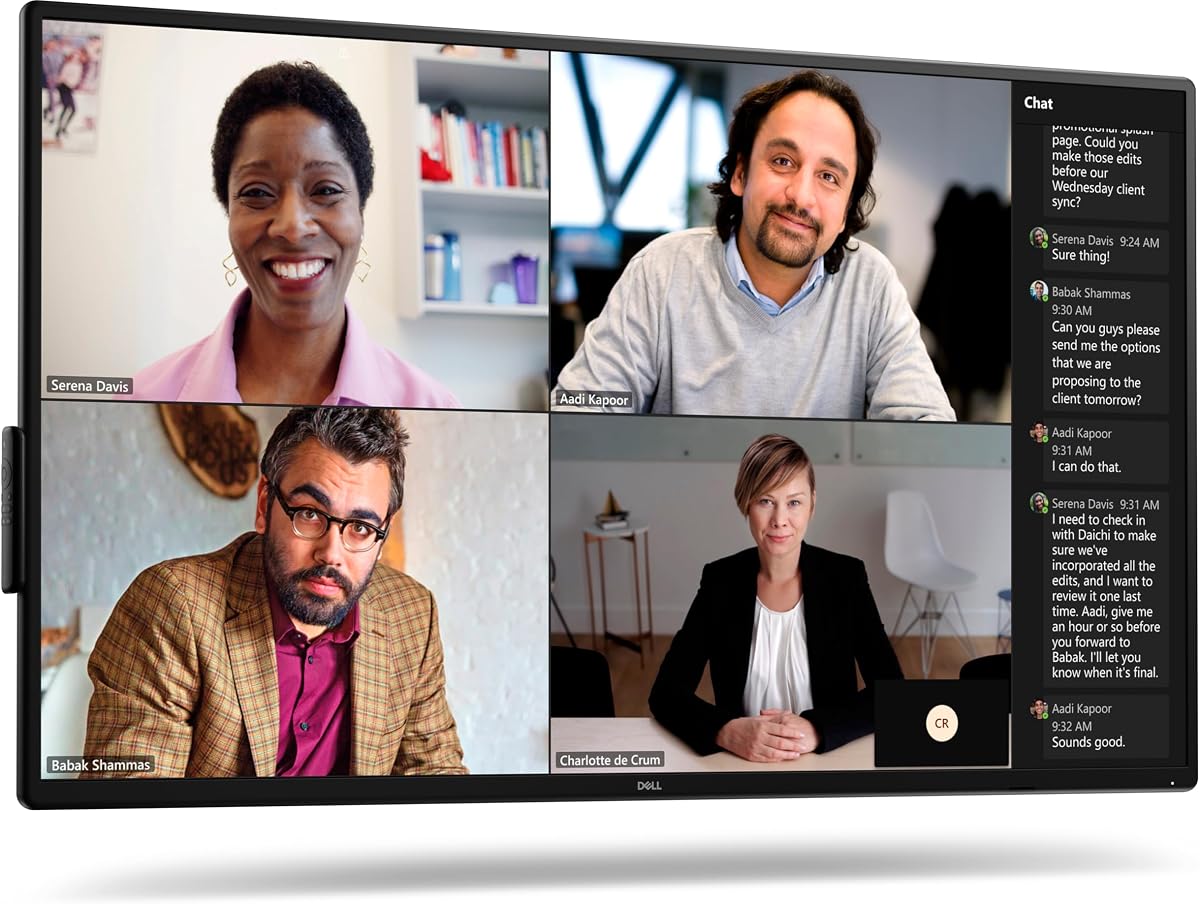


The Dell P5524Q stands out as a top-tier choice for professional conference rooms. Its 55-inch 4K display ensures crisp visuals during presentations, while the anti-glare coating reduces distractions in bright environments.
We may earn a commission when you buy through this link, at no additional cost to you.
This monitor excels in clarity and connectivity. The integrated speakers provide adequate audio for small meetings, and the wide viewing angles ensure everyone in the room sees the content clearly. Security features like cable locks add peace of mind.
While the price reflects its commercial-grade build, some users may find the lack of an embedded operating system limiting. However, for teams relying on external computing devices, this is a minor trade-off for the superior image quality.
Ideal for medium to large conference rooms, this monitor delivers reliability and performance. If you prioritize display sharpness and security, the P5524Q is a strong recommendation for your next setup.
The anti-glare coating significantly reduces reflections, ensuring content remains visible even under strong overhead lighting or near windows.
Built-in cable lock slots and a security lock mechanism protect your investment from theft or unauthorized disconnection in shared spaces.
We may earn a commission when you buy through this link, at no additional cost to you.
The Samsung QB65R offers a stunning 65-inch viewing experience perfect for large conference rooms. Its 4K UHD resolution paired with dynamic Crystal Color ensures lifelike images that capture attention during presentations.
We may earn a commission when you buy through this link, at no additional cost to you.
This display integrates smoothly with business ecosystems. Built-in Wi-Fi and Bluetooth enable seamless content sharing from mobile devices, while compatibility with Cisco WebEx room kits simplifies video conferencing setups.
Installation may require professional help due to the screen size, and power usage is higher than smaller models. However, the visual impact and connectivity features justify these considerations for enterprise environments.
Choose this monitor if you need a commanding display for large teams. The QB65R combines size, quality, and smart features to elevate any meeting space.
Dynamic Crystal Color technology adjusts hue and saturation in real time, delivering vibrant and accurate colors for any content type.
Built-in Wi-Fi and Bluetooth allow presenters to share content wirelessly from tablets or phones without needing extra adapters or cables.
We may earn a commission when you buy through this link, at no additional cost to you.
The LG UL3G bundle provides everything needed for a quick conference room setup. With a 43-inch 4K display and included accessories like HDMI cables and a surge protector, it reduces initial installation hassle.
We may earn a commission when you buy through this link, at no additional cost to you.
Its IPS panel ensures consistent colors from any angle, ideal for collaborative spaces. The webOS 4.1 system allows standalone content playback, while Crestron and Cisco compatibility integrates it into existing business systems.
While 43 inches may suit smaller rooms, the bundle's convenience and smart features offer strong value. Remote monitoring capabilities help IT teams manage devices efficiently across multiple locations.
This is a practical choice for small to medium meeting rooms. The included accessories and robust connectivity make it a hassle-free option for immediate deployment.
The bundle includes HDMI cables, surge protection, and cleaning kits, saving time and cost on additional purchases during setup.
Built-in webOS 4.1 eliminates the need for external media players, enabling direct content playback and customization via an intuitive interface.
We may earn a commission when you buy through this link, at no additional cost to you.
The HORION 75" display delivers exceptional value with its large screen and comprehensive feature set. It supports both conference use and digital signage, switching easily between modes via an ad-free operating system.
We may earn a commission when you buy through this link, at no additional cost to you.
Dual independent WiFi modules ensure stable connections for casting and internet use simultaneously. This prevents lag during presentations, making it reliable for high-stakes business meetings and public displays.
Certified low blue light technology reduces eye strain during long sessions, while 24/7 operational readiness suits round-the-clock environments. Though a newer brand, its performance metrics are impressive.
Choose this for flexibility and size without premium pricing. It’s an excellent fit for multi-purpose spaces needing both meeting and promotional display capabilities.
Dual WiFi modules dedicate separate channels for casting and internet, eliminating lag and ensuring smooth presentations even in busy networks.
TÜV Rheinland-certified low blue light technology minimizes harmful emissions, reducing eye fatigue for users during extended viewing periods.
We may earn a commission when you buy through this link, at no additional cost to you.
The Dell P5525QC is engineered for professional environments requiring precise visuals and reliable connectivity. Its 55-inch 4K IPS panel delivers consistent colors and sharp detail for data-heavy presentations.
We may earn a commission when you buy through this link, at no additional cost to you.
USB-C connectivity allows for single-cable charging and display, streamlining laptop connections. The 400cd/m2 brightness ensures visibility in well-lit rooms, while multiple inputs offer flexible device compatibility.
Audio is not integrated, so external speakers may be needed for conferencing. However, the build quality and connectivity options justify the investment for IT-managed setups.
This model suits offices prioritizing technical performance and ease of use. Its robust design makes it a dependable choice for daily business operations.
USB-C ports enable single-cable docking for laptops, transferring video, data, and power simultaneously to reduce cable clutter.
At 400cd/m2, the display remains clear even in brightly lit conference rooms, ensuring content is always visible to all attendees.
We may earn a commission when you buy through this link, at no additional cost to you.
The Philips 34E1C5600HE offers a compact solution for huddle rooms or smaller conference spaces. Its ultra-wide aspect ratio provides ample screen real estate for multitasking and side-by-side content viewing.
We may earn a commission when you buy through this link, at no additional cost to you.
Integrated webcam and noise-canceling microphone make it ready for video calls without extra hardware. USB-C docking simplifies laptop connectivity, while the curved panel enhances immersion during long sessions.
While brightness is lower than commercial displays, it suits controlled indoor lighting. The advance replacement warranty adds value for businesses needing minimal downtime during maintenance.
Ideal for small teams, this monitor balances functionality and space efficiency. It’s a practical choice for hybrid work environments requiring quick video conferencing setup.
Built-in 5MP webcam and noise-canceling mic enable immediate video conferencing without needing external cameras or microphones.
The 1500R curved VA panel improves color accuracy and reduces eye strain by matching the natural field of view during extended use.
We may earn a commission when you buy through this link, at no additional cost to you.
The Samsung QB43R brings reliable performance to small and medium conference rooms. Its 43-inch 4K display delivers sharp images, while dynamic Crystal Color enhances visual fidelity for presentations.
We may earn a commission when you buy through this link, at no additional cost to you.
Built-in Wi-Fi and Bluetooth allow wireless control and content sharing from mobile devices. Compatibility with Cisco WebEx room kits ensures seamless integration with existing conferencing infrastructure.
The 3-year warranty provides confidence for business use, and the slim design aids clean installation. While it lacks advanced OS features, its core functionality is robust and dependable.
This is a safe choice for standard meeting rooms needing consistent quality. The warranty and connectivity features make it a low-risk investment for businesses.
Dynamic Crystal Color ensures lifelike image reproduction, making charts and videos appear vibrant and easy to interpret.
A 3-year commercial warranty covers defects and issues, offering peace of mind for organizations relying on daily equipment usage.
We may earn a commission when you buy through this link, at no additional cost to you.
Sony’s FW75BZ30L delivers premium performance for large conference halls and boardrooms. The 75-inch screen with 4K HDR support provides exceptional detail and contrast, ideal for detailed data visualization.
We may earn a commission when you buy through this link, at no additional cost to you.
It supports both landscape and portrait orientations, offering flexibility for various content types. The VA LCD panel ensures deep blacks and accurate colors, maintaining visual integrity across wide viewing angles.
While the price is high, the build quality and display fidelity justify it for executive settings. Smart features are minimal, focusing instead on raw display performance and reliability.
Choose this for high-end environments where image quality is paramount. It’s a top choice for boardrooms needing impactful, distraction-free visual experiences.
High Dynamic Range support enhances contrast and brightness, delivering more realistic and engaging visuals during presentations.
The ability to mount in portrait mode allows for creative content layouts, such as digital directories or detailed vertical reports.
We may earn a commission when you buy through this link, at no additional cost to you.
The Samsung QE50T is built for reliability in environments requiring extended use. Its 16/7 operation rating ensures consistent performance throughout the day, making it ideal for busy conference centers.
We may earn a commission when you buy through this link, at no additional cost to you.
A built-in media player allows direct USB playback without external devices, simplifying setup. The non-glare panel reduces reflections, while the slim bezel design offers a modern aesthetic.
Although brightness is moderate at 300 nits, it suits indoor controlled lighting. The 3-year warranty and dust-proof protection enhance its durability for shared business spaces.
This monitor is a practical workhorse for frequent meeting usage. Its reliability and simplicity make it a solid choice for organizations needing consistent daily performance.
Designed for 16 hours a day, 7 days a week, this display withstands continuous use without overheating or performance degradation.
A built-in media player allows direct USB content playback, reducing the need for external computers or streaming devices.
We may earn a commission when you buy through this link, at no additional cost to you.
The Logitech MeetUp is a specialized video conferencing system designed to complement any conference room monitor. It integrates camera and audio into a single unit, simplifying setup for small and huddle rooms.
We may earn a commission when you buy through this link, at no additional cost to you.
Its 4K sensor with a 120-degree field of view captures all participants clearly. Beamforming microphones ensure voices are picked up distinctly, enhancing call quality significantly over standard laptop mics.
While it doesn’t function as a display, it pairs perfectly with existing monitors. Plug-and-play USB connectivity and flexible mounting options make it easy to deploy across various room configurations.
Add this system to any display for instant conferencing capability. It’s an efficient solution for teams needing high-quality video and audio without complex hardware setups.
Beamforming microphones capture voices up to 4 meters away, ensuring clear audio for all participants during calls.
Works as a USB conference camera with any computer or system, supporting Bring Your Own Device workflows seamlessly.
We may earn a commission when you buy through this link, at no additional cost to you.
Selecting the right conference room monitor involves balancing size, resolution, connectivity, and durability. This guide outlines key factors to consider for making a smart investment.
Choose a size that fits your room layout without overwhelming the space. For small rooms, 40 to 55 inches works well, while large boardrooms benefit from 65 to 75 inches. Always opt for 4K UHD to ensure sharp, legible text and detailed graphics during presentations.
Prioritize 4K resolution for clarity and choose a screen size that matches room dimensions and seating arrangements for optimal visibility.
IPS panels offer consistent colors from wide angles, making them ideal for collaborative settings where attendees sit at different positions. VA panels provide better contrast but may suffer color shifts at extreme angles. Consider your room layout when selecting panel technology.
Select IPS panels for wide-angle viewing to ensure all attendees see consistent colors and details regardless of seating position.
Ensure the monitor supports multiple HDMI ports for various devices, and USB-C for modern laptop docking. Wi-Fi and Bluetooth capabilities enable wireless content sharing, reducing cable clutter and simplifying presentations for mobile users.
Look for HDMI, USB-C, and wireless connectivity to support diverse devices and streamline content sharing during meetings.
Brightness measured in nits determines visibility in different lighting conditions. Aim for at least 300 nits for indoor use, with higher levels for sunny rooms. Anti-glare coatings reduce reflections from overhead lights or windows.
Choose displays with 300+ nits and anti-glare coatings to maintain clear visibility in varied lighting environments.
Some monitors include embedded operating systems like webOS or Android for standalone media playback. Others offer compatibility with conferencing platforms like WebEx or Teams. These features can reduce the need for external media players or compute units.
Consider built-in OS or conferencing compatibility to simplify setup and enable standalone content playback without extra hardware.
Commercial-grade monitors are designed for extended operation hours, such as 16/7. A longer warranty period indicates manufacturer confidence and protects your investment. Check for dust-proof ratings and sturdy build materials for shared environments.
Prioritize commercial-rated durability and multi-year warranties to ensure reliability and protect against premature failure in busy offices.
Integrated speakers vary in quality, with some models offering sufficient volume for small rooms. For larger spaces, external audio may be necessary. Evaluate speaker power and clarity based on your meeting frequency and room size.
Assess built-in speaker quality or budget for external audio if frequent conferencing is required in larger rooms.
Security features like cable lock slots prevent theft or tampering in public or shared areas. Ensure the monitor supports VESA mounts for flexible installation options, including portrait or landscape orientations based on content needs.
Look for cable lock slots and VESA mount compatibility to secure the device and allow flexible installation configurations.
Connect your devices using HDMI or USB-C cables for optimal performance. If your monitor supports wireless casting, enable Wi-Fi on your laptop or mobile device to share content without physical connections.
Clean the screen regularly using a soft, lint-free cloth and mild cleaning solution. Avoid harsh chemicals or abrasive materials that could damage the anti-glare coating or panel surface over time.
Update firmware periodically via the monitor’s settings menu to ensure security patches and feature improvements. Proper maintenance extends the device lifespan and maintains consistent performance for meetings.
For small huddle rooms, 32 to 43 inches works well. Medium-sized rooms benefit from 50 to 55 inches, while large boardrooms should consider 65 inches or larger. Ensure all seated participants can clearly see the content.
Built-in speakers are convenient for small meetings, but quality varies. For frequent video calls, external audio systems often provide clearer sound. Evaluate your room size and usage frequency before deciding on audio needs.
Yes, most monitors display video output from any computer running these platforms. Some models offer native integration or compatibility with dedicated room kits, simplifying setup for specific enterprise solutions.
Commercial monitors are built for longer daily operation, often 16/7, with better warranties and durability features. They also support advanced connectivity and security options not typically found in consumer displays.
Anti-glare is essential in rooms with overhead lighting or windows. It reduces reflections that can obscure content, ensuring all attendees have a clear view regardless of seating position or ambient light conditions.
Most commercial monitors support both landscape and portrait orientations via VESA mounts. Check specific model specifications to confirm rotation support for creative content layouts like digital directories or detailed reports.
Prioritize HDMI for general compatibility and USB-C for modern laptop docking. Additional ports like DisplayPort or SD card slots may be useful depending on your existing device ecosystem and presentation needs.
Use a media player or video wall controller to synchronize content across displays. Some commercial monitors support cascading or networked control via built-in OS features for unified management.
We highlighted ten top monitors balancing size, resolution, and smart features for various meeting needs. The Dell P5524Q leads overall, while the Samsung QB43R offers excellent budget-friendly performance and the Sony FW75BZ30L provides premium large-screen quality.
Prioritize 4K resolution, wide viewing angles, and reliable connectivity for seamless collaboration. Consider room size, lighting conditions, and your conferencing platform requirements to select the model that best fits your workspace.
Prices and availability may change, so verify current specs and deals before purchasing. Investing in a durable, well-matched display ensures long-term satisfaction and efficient communication for your team.