
Computer Fan Stand – 120mm 140mm PC Fan Desk Stand
4.4Editor score
Fits standard 120mm and 140mm fans
360 degree adjustable airflow direction
Heavy-duty all-metal construction
Finding the right computer fan stand can transform your workspace by keeping devices cool and comfortable during long sessions of work or gaming.
We compared ten top-rated models based on cooling performance, build quality, adjustability, and user feedback to help you find the perfect match.
Each pick highlights key features and trade-offs so you can choose wisely while keeping in mind that prices and availability may change over time.
4.4Editor score

4.4Editor score

4.0Editor score
As an Amazon Associate we earn from qualifying purchases.
This side-by-side comparison outlines the key specifications and strengths of each model to help you quickly identify the right fit for your needs.



The Kootek Laptop Cooling Pad earns its top spot with five whisper-quiet fans and a versatile design that suits both work and play.
We may earn a commission when you buy through this link, at no additional cost to you.
Its ability to switch between one four or all five fans allows precise thermal control while the dual USB hub adds valuable connectivity.
While the LED lighting cannot be dimmed the overall cooling performance and ergonomic adjustments make it a reliable choice for daily use.
Anyone needing a comprehensive cooling solution with extra ports will find this pad delivers strong value without compromising on comfort.
Fans operate with minimal noise ensuring you stay focused without distraction during critical work or gaming sessions.
The mix of large and small fans provides targeted airflow that keeps laptop temperatures in check efficiently.
We may earn a commission when you buy through this link, at no additional cost to you.
This stand offers incredible value for anyone wanting to mount a standard PC fan externally for targeted cooling without breaking the bank.
We may earn a commission when you buy through this link, at no additional cost to you.
Its all-metal construction ensures stability even at high fan speeds while the 360 degree rotation lets you direct airflow exactly where needed.
The only caveat is that you must provide your own fan and handle installation with care due to precision cut metal edges.
For budget-conscious users seeking a robust cooling mount for routers or PCs this stand delivers solid performance and flexibility.
Compatible with most square frame 120mm and 140mm fans found in typical PC cooling setups.
Solid steel build with a weighted base keeps the stand stable during high-speed operation.
We may earn a commission when you buy through this link, at no additional cost to you.
Crafted from high-quality aluminum this stand brings a premium look and feel to your desk while supporting larger fans up to 180mm.
We may earn a commission when you buy through this link, at no additional cost to you.
Precision CNC machining and a matte anodized finish ensure durability and corrosion resistance offering both function and aesthetic appeal.
The three precision damped pivot hinges allow free angle adjustment though the price may be steep for casual users.
Those who value build quality and want a refined cooling solution for custom setups will appreciate this stand's engineering.
High-quality aluminum alloy with sandblasting and anodizing delivers a smooth refined texture.
Three precision damped pivot hinges enable 360 degree horizontal and 180 degree vertical tilt.
We may earn a commission when you buy through this link, at no additional cost to you.
The YICOSUN stand combines portability with style offering a foldable design and RGB lighting that appeals to gamers and creatives alike.
We may earn a commission when you buy through this link, at no additional cost to you.
Two ultra-quiet fans provide efficient airflow while the ergonomic adjustments reduce strain during extended use sessions.
Its aluminum construction ensures durability but the fixed fans mean you cannot swap them out for louder options if needed.
Ideal for travelers or those who want a sleek cooling setup with customizable lighting this stand delivers on both form and function.
Features two ultra-quiet fans and advanced RGB lighting for optimal temperature and style.
Lightweight foldable design makes it easy to carry and store for on-the-go use.
We may earn a commission when you buy through this link, at no additional cost to you.
This open-frame stand prioritizes active cooling to prevent overheating during long sessions while maintaining a sleek portable profile.
We may earn a commission when you buy through this link, at no additional cost to you.
It supports laptops from 14 to 18 inches and includes a phone mount adding practical convenience for multitaskers.
The load capacity can be adjusted with a screw tool though this adds a small step during setup.
Users who need reliable airflow and wide compatibility will find this stand a solid choice for work or entertainment.
Open-frame design with active fan prevents overheating during extended laptop sessions.
Includes screw adjustment tool to modify load range up to five kilograms safely.
We may earn a commission when you buy through this link, at no additional cost to you.
Designed with families in mind this cooling pad offers low noise operation and extra features like a phone holder and USB ports.
We may earn a commission when you buy through this link, at no additional cost to you.
Three large silent fans ensure devices stay cool during school work or gaming without disturbing others nearby.
The sturdy ABS and steel mesh construction adds durability though the unit is slightly heavier than competitors.
For households needing a versatile and quiet cooling solution this pad balances practical features with robust performance.
Fits all laptops under 17 inches making it a one-size-fits-all solution for various devices.
Two extra USB ports and internal dual hub let you connect multiple family devices at once.
We may earn a commission when you buy through this link, at no additional cost to you.
This upgraded aluminum mount is rust-proof and lightweight ideal for those who only need to support standard 120mm fans.
We may earn a commission when you buy through this link, at no additional cost to you.
Its 360 degree vertical rotation allows flexible airflow direction while the full-aluminum build ensures long-term durability.
The lack of 140mm support limits compatibility but the compact size and ease of installation make it attractive.
Users seeking a simple reliable mount for 120mm fans will find this a cost-effective and sturdy solution.
Upgraded full-aluminum design makes it rust-proof and durable for long-term use.
Channels airflow wherever needed up down sideways or at an angle for maximum flexibility.
We may earn a commission when you buy through this link, at no additional cost to you.
A straightforward heavy-duty metal mount this stand offers reliable support for 120mm and 140mm fans without extra frills.
We may earn a commission when you buy through this link, at no additional cost to you.
Tool-free installation and 360 degree rotation make it easy to set up and adjust for various cooling needs.
While it lacks premium features the basic design delivers solid performance at a competitive price point.
Those who prefer simplicity and durability will appreciate this mount's no-nonsense approach to desktop cooling.
Supports most square frame 120mm and 140mm PC fans effectively.
Metal build ensures stability even at high fan speeds without wobbling.
We may earn a commission when you buy through this link, at no additional cost to you.
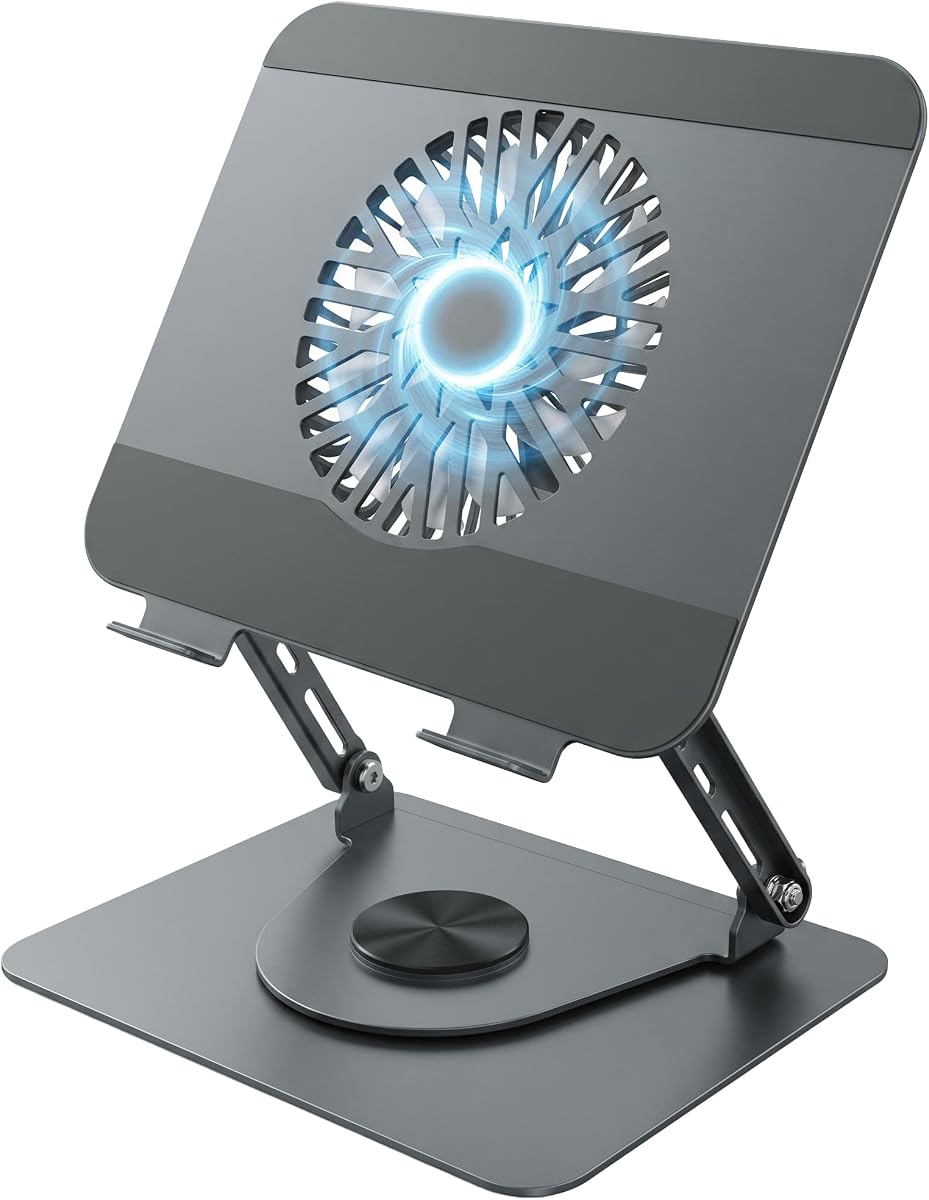
This stand features an integrated central fan and a smooth 360 degree rotating base making it ideal for collaborative environments.
We may earn a commission when you buy through this link, at no additional cost to you.
Adjustable height and angle settings promote better posture while the non-slip pads keep devices secure during use.
The elevated platform creates space underneath for organizing peripherals adding a touch of order to your workspace.
Professionals who need to rotate screens for presentations will value the ease of use and ergonomic design provided.
Integrated central fan keeps air moving under the device to help it stay cooler.
Base swivels full 360 degrees for effortless screen sharing during meetings.
We may earn a commission when you buy through this link, at no additional cost to you.
Built with a thick solid metal frame this mount excels at eliminating vibration and shaking even with high-RPM fans.
We may earn a commission when you buy through this link, at no additional cost to you.
Large textured thumb tightening knobs allow quick assembly and lock any standard 120mm or 140mm fan securely in place.
The vertical rotation enables unlimited airflow direction which suits diverse desktop setups and overheating devices.
Users prioritizing stability and quiet operation will find this mount's engineering a standout choice for reliability.
Built with thick solid metal frame bracket to eliminates vibration and shaking.
Fully vertical 360 degree rotating design lets you tilt lift angle or swivel your fan.
We may earn a commission when you buy through this link, at no additional cost to you.
Selecting the right computer fan stand requires understanding your cooling needs and the features that best match your setup.
Ensure the stand supports your specific fan size such as 120mm or 140mm to avoid mismatched parts.
Choosing the correct size guarantees secure fitting and optimal performance.
Look for heavy-duty metal or aluminum alloy construction to ensure stability and durability during use.
Strong materials prevent wobbling and support heavier fans without risk of damage.
Stands with 360 degree rotation or tilt options provide flexible airflow direction for targeted cooling.
Adjustable angles let you direct air precisely where your device needs it most.
Tool-free assembly with thumb screws simplifies setup and allows quick adjustments without extra hardware.
Simple installation saves time and ensures you can start cooling your devices right away.
If you travel frequently choose a foldable or lightweight model that fits easily in your bag.
Portable designs make it convenient to carry your cooling solution between locations.
Consider extra perks like USB hubs phone holders or RGB lighting that enhance functionality and style.
These features add value and convenience depending on your personal workflow needs.
Prioritize stands with quiet fan operation to maintain a peaceful work or gaming environment.
Low noise ensures your focus remains on tasks rather than distracting background sounds.
Balance your budget with the features you need to find a stand that offers the best overall value.
Investing in a quality model often saves money by reducing wear on your devices.
Begin by assembling the stand according to the instructions ensuring all screws are tightened securely.
Place the fan into the mount and adjust the angle to direct airflow towards your device or area.
Regularly clean dust from the fan blades and stand surface using a soft cloth to maintain performance.
Some models include fans while others are mounts only. Check the product details to see if a fan is included before purchasing.
Yes if the stand supports the fan size. Many stands are designed specifically for 120mm or 140mm PC fans.
Absolutely. Sturdy metal stands are built to handle continuous operation and support fans for extended periods.
Use a soft cloth or compressed air to remove dust from the blades and frame to keep airflow efficient.
Yes. Heavy-duty stands with steel or aluminum bases are designed to support even large industrial fans safely.
Measure your fan carefully and select a stand that explicitly supports that size to ensure compatibility.
Our top picks highlight versatile options from budget-friendly mounts to premium aluminum stands tailored for your needs.
Prioritize compatibility and stability to ensure your stand performs reliably and keeps your devices cool.
Check current availability and prices before purchasing to secure the best deal on your chosen model.