
RDS Licensed Nintendo Action Grip
4.5Editor score
Textured Silicone Grip
Licensed Quality Materials
Ergonomic Design
This guide compares the top 10 Classic Nes Controller Replacement options for retro gaming, covering wired, wireless, and adapter solutions to help you choose
Finding the right Classic Nes Controller Replacement can transform your retro gaming experience. Whether you need a wired option for precision or a wireless solution for comfort, there are many choices available today.
We evaluated ten top-rated controllers based on build quality, compatibility, and user feedback. Our list includes options for the NES Classic Edition, PC emulators, and various retro consoles to suit every gamer.
Each pick highlights key features, pros, and cons to help you decide quickly. Remember that prices and availability change frequently, so check the latest details before making your final purchase decision.
4.5Editor score

4.8Editor score

3.7Editor score
The following table provides a side-by-side comparison of all ten products to help you evaluate their unique specifications and suitability for your specific retro gaming needs.




This controller stands out with its exceptional rating and unique compatibility with specific retro consoles. It offers a classic design that enhances the nostalgic gaming experience without compromising on modern functionality.
We may earn a commission when you buy through this link, at no additional cost to you.
The continuous fire button provides a significant advantage for rapid actions in games. Its 9-pin port design ensures seamless connectivity with supported consoles like the AV 620 and HD 621.
While it lacks universal compatibility, the quality of construction is evident. The included screwdrivers and installation tips show attention to detail in the user experience design.
Buyers seeking a reliable alternative for specific retro consoles will find this ideal. It delivers precise control and durability for long gaming sessions effectively.
The continuous fire button allows for rapid firing without holding down the trigger constantly.
Designed specifically for AV and HD retro consoles, ensuring a perfect physical and electrical fit.
We may earn a commission when you buy through this link, at no additional cost to you.
As a budget-friendly option, this grip enhances the standard controller significantly. The licensed quality ensures it meets Nintendo standards for safety and functionality.
We may earn a commission when you buy through this link, at no additional cost to you.
The silicone material provides a non-slip surface that improves control during intense gameplay. It fits comfortably in the hand and reduces fatigue over long sessions.
Trade-offs include a lack of advanced features like turbo buttons. However, for those seeking basic comfort improvements, it is a cost-effective solution.
This is perfect for casual gamers wanting a better feel. It combines reliability with a classic aesthetic that matches the original controller.
Being a licensed product ensures compatibility and quality consistent with official Nintendo accessories.
The textured silicone grip prevents slipping and offers a secure hold for extended play.
We may earn a commission when you buy through this link, at no additional cost to you.
This premium option offers a significant convenience feature with its extended cable length. The design focuses on allowing players to sit further away from the screen comfortably.
We may earn a commission when you buy through this link, at no additional cost to you.
The sensitive buttons aim to replicate authentic retro control with precision. It is designed specifically for the newer HDMI model of the Classic Edition console.
While the price reflects the premium features, users may find the value depends on their distance needs. The two-pack ensures both players can enjoy the long cable benefit.
Ideal for families or couch gamers who want flexibility. It balances classic design with modern cable length convenience effectively.
The 10ft cable allows you to relax further from the screen, reducing eye strain.
Specifically engineered for the 2016 Classic Edition model with the HDMI socket.
We may earn a commission when you buy through this link, at no additional cost to you.
Wireless freedom is the main appeal of this option for computer gamers. It connects via a 2.4GHz adapter for stable performance during intense sessions.
We may earn a commission when you buy through this link, at no additional cost to you.
The turbo function adds modern utility to the classic feel. Users can configure keys to suit their specific game preferences using the provided software.
The need for configuration might be a hurdle for some. However, the battery life and wireless range make it worthwhile for PC setups.
Perfect for retro gaming on modern computers. It bridges the gap between nostalgia and wireless convenience seamlessly.
Built-in rechargeable battery offers up to 100 hours of continuous play on one charge.
Customizable turbo buttons allow for rapid fire actions in action games.
We may earn a commission when you buy through this link, at no additional cost to you.
Designed for modern PCs, this controller brings retro feel to today's systems. It requires no drivers and plugs directly into USB ports for immediate use.
We may earn a commission when you buy through this link, at no additional cost to you.
The ergonomic design ensures comfort during long gaming marathons. The responsive buttons and classic shape maintain the feel of original controllers.
Some users report issues with consistency. However, for general retro emulation, it serves as a reliable wired option.
Best for PC gamers seeking a simple plug-and-play solution. It delivers on comfort and basic functionality well.
No drivers are needed; simply connect to your USB port to start playing.
Contoured shape fits your hands comfortably for extended play sessions.
We may earn a commission when you buy through this link, at no additional cost to you.
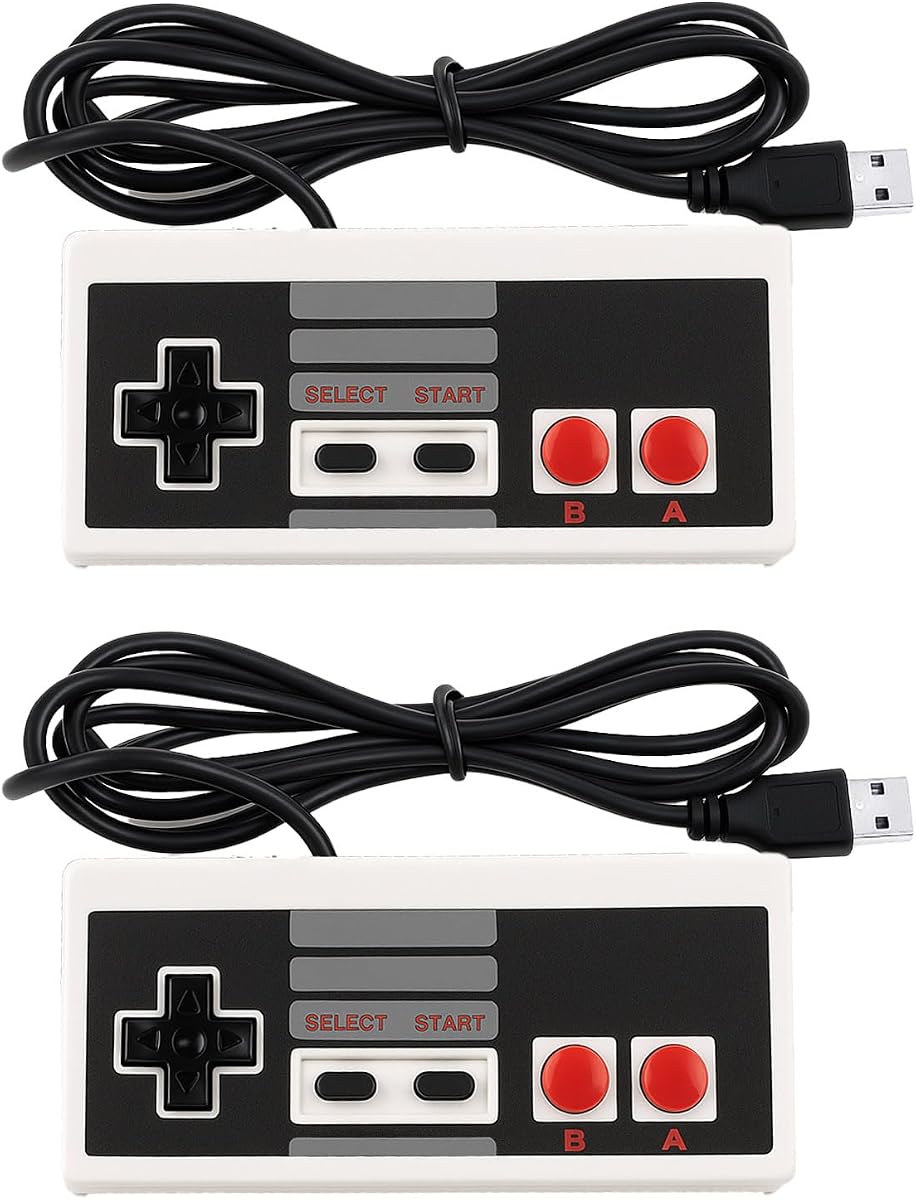
Ideal for Raspberry Pi and Retropie users, this controller is designed for emulator compatibility. It works seamlessly with various retro gaming setups out of the box.
We may earn a commission when you buy through this link, at no additional cost to you.
The 5.6ft cable offers enough reach for couch gaming setups. The 2-pack allows for local multiplayer without needing to buy extra controllers.
While not perfect for console use, it excels in emulation. The classic design feels authentic and provides a nostalgic touch.
Perfect for retro enthusiasts building a home emulator system. It balances functionality with affordability for multi-player setups.
Optimized to work with Retropie and Linux-based gaming systems.
Includes two controllers for immediate two-player gaming sessions.
We may earn a commission when you buy through this link, at no additional cost to you.
This adapter allows you to use classic controllers on modern systems. It supports both NES and SNES controllers, offering flexibility for collectors.
We may earn a commission when you buy through this link, at no additional cost to you.
The built-in turbo feature adds extra functionality to older inputs. It is a convenient solution for those with existing controller collections.
While it is not a controller itself, it extends the life of original parts. Users should ensure their controllers are compatible before purchasing.
Great for retro purists wanting to keep using original gear. It bridges old tech with modern hardware efficiently.
Works with both NES and SNES controllers to support various gaming preferences.
Built-in turbo functions add modern features to legacy controller buttons.
We may earn a commission when you buy through this link, at no additional cost to you.
For custom enthusiasts, this housing transforms your Joycons into a retro aesthetic. The soft touch finish and NES style make your Switch stand out uniquely.
We may earn a commission when you buy through this link, at no additional cost to you.
It includes a full button set to replace worn-out parts. The D-Pad version is ideal for games requiring directional precision.
Installation requires moderate electronic experience. However, the result is a highly personalized and comfortable handheld experience.
Best for Switch owners looking to personalize their setup. It adds retro charm to a modern device effectively.
Soft touch material provides a comfortable grip that reduces sweat and slips.
The D-Pad version improves directional control for platformers and RPGs.
We may earn a commission when you buy through this link, at no additional cost to you.
This bundle provides all essential accessories for the NES Classic in one package. It includes a controller, power supply, and extension cables for convenience.
We may earn a commission when you buy through this link, at no additional cost to you.
The extension cables allow for comfortable seating distances. It is a cost-effective way to get extra peripherals without buying separately.
User feedback varies on long-term durability. However, the bundle convenience makes it a practical choice for new owners.
Best for those needing a complete setup quickly. It saves time and money by combining essentials.
Combines controller, power, and cables into one purchase for immediate setup.
Includes 6ft cables to extend reach for more comfortable gaming positions.
We may earn a commission when you buy through this link, at no additional cost to you.
Focusing on SNES ergonomics, this controller offers comfort and precision for PC gamers. The anti-sweat design ensures a secure grip during intense play.
We may earn a commission when you buy through this link, at no additional cost to you.
The 2-pack supports local multiplayer effectively. It is optimized for emulator users who need precise cross keys for platformers.
Manual button configuration is required for some emulators. However, once set up, it offers a smooth and responsive experience.
Ideal for PC retro gamers prioritizing ergonomics. It balances comfort with functional design well.
Frosted concave design prevents slipping and keeps hands dry during play.
Super precise cross keys ensure accurate directional input for platformers.
We may earn a commission when you buy through this link, at no additional cost to you.
Selecting the right controller involves considering compatibility, features, and design. This guide helps you navigate the options to find the perfect fit.
Ensure the controller matches your console model. Some are made for the Classic Edition, while others work for PC or specific retro consoles.
Check the product details to confirm it supports your system before buying.
Decide between wired and wireless. Wired offers zero latency, while wireless provides freedom from cables.
Consider your setup and whether you need mobility or precision.
Longer cables allow you to sit further from the screen. Look for options with extended lengths if you need extra reach.
A 10ft cable might be necessary for comfortable couch gaming.
Some controllers include turbo buttons or continuous fire features. These enhance gameplay in action titles.
Prioritize features that improve your specific gaming experience.
Look for durable materials like textured silicone or sturdy plastic. This ensures longevity and better grip during use.
Quality materials also reduce wear and tear over time.
Buying a 2-pack is often more cost-effective than singles. It enables local multiplayer without needing to buy extras later.
Check if both controllers work simultaneously for best value.
Plug the controller into the console or USB port. Ensure the connection is secure to avoid signal drops during gameplay.
Clean the buttons and surfaces regularly with a soft cloth. This prevents dust buildup that can affect button responsiveness.
Store the controller in a cool dry place. Avoid bending cables excessively to extend their lifespan and prevent internal wire damage.
Most controllers listed are designed for the Classic Edition or PC. Original NES consoles typically require specific connectors. Check compatibility before purchasing.
Yes, some options like the ZAMPAM support wireless via USB adapters. Ensure your console or PC supports wireless input for smooth gameplay.
Most modern controllers are plug-and-play on Windows and Mac. You might need to configure buttons within your emulator software.
A turbo button allows a single press to act as multiple rapid presses. It is useful for shooting games and repeated actions.
9-pin ports are used for specific retro consoles like the AV 620. They differ from standard USB or HDMI ports.
Use textured controllers or add silicone grips. Keeping your hands dry also helps prevent slipping during intense gaming.
Most USB controllers work well with emulators like RetroArch or OpenEmu. You may need to map the buttons manually in settings.
We highlighted top options including the happymaxplus, RDS, and NGHTMRE controllers. Each offers unique benefits for different gaming needs.
Prioritize compatibility and build quality to ensure a lasting purchase. Your setup will dictate whether you need a wireless or wired solution.
Prices change often so verify current deals on Amazon. Happy gaming with your new retro setup!