
Uakinat Computer Desktop Speaker
4.2Editor score
USB powered for easy setup
In-line volume control included
Compact desktop friendly design
We compare ten top-rated budget computer speakers for sound quality, connectivity, and value to help you find the perfect audio solution for your setup today.
Finding affordable audio gear is essential for budget-conscious users. These speakers deliver clear sound for work, gaming, and entertainment without breaking the bank. We focused on models with reliable connectivity and solid build quality.
Our team evaluated ten popular options based on user feedback and technical specs. We looked at power output, driver size, and connectivity options like USB and AUX. Each product offers unique strengths for different desktop environments.
This guide highlights key features and real-world performance for each pick. Prices may vary slightly due to sales and regional differences. Check current listings before buying to ensure you get the best deal available now.
4.2Editor score

4.6Editor score

4.2Editor score
This side-by-side comparison highlights the key specifications of all ten selected models. Review power output, connectivity options, and design features to find the right match for your desk.



This Amazon Basics model offers a straightforward way to boost your PC audio without complexity. Rated 4.4 stars by users, it delivers consistent sound for everyday tasks and media consumption.
We may earn a commission when you buy through this link, at no additional cost to you.
The USB power source eliminates the need for wall outlets while the in-line volume control allows quick adjustments. Its bottom radiator enhances low frequencies slightly for a more balanced sound.
While the bass is springy rather than deep, it is sufficient for casual listening. The plastic build is durable enough for office use though it may lack premium tactile feedback.
Buyers needing a no-fuss upgrade should consider this pick. It balances cost and functionality well for anyone seeking reliable audio on a tight budget.
No drivers are needed; just connect USB and AUX cables to start listening immediately.
The metal finish and padded base protect your desk surface while adding a sleek look.
We may earn a commission when you buy through this link, at no additional cost to you.
These small speakers pack a punch with crisp Hi-Fi sound despite their tiny footprint. They are designed to fit modern desks without cluttering your workspace unnecessarily.
We may earn a commission when you buy through this link, at no additional cost to you.
The column shape ensures the audio projects directly at you for better clarity during movies or gaming. Cables up to 31.5 inches allow flexible placement between monitors or under screens.
While the bass is not powerful, the clear mids and highs compensate well for spoken word or light music. The matte finish resists fingerprints better than glossy alternatives.
Ideal for users with limited desk space this model offers style and substance. It is a great choice for small offices or dorm rooms where space is at a premium.
Anti-slip foot pads keep the speakers stable even when placed on slightly uneven surfaces.
A lifetime free user support policy adds extra peace of mind for long-term ownership.
We may earn a commission when you buy through this link, at no additional cost to you.
FUNLOGY brings Japanese quality engineering to the budget category with this powerful 14W model. It stands out for its clear mids and crisp highs alongside a surprisingly strong low end.
We may earn a commission when you buy through this link, at no additional cost to you.
The 30 degree upward tilt ensures sound hits your ears directly which improves immersion during video calls or gaming. Premium components minimize static noise for a cleaner listening experience.
While it costs slightly more than entry-level options the build quality justifies the investment. The matte finish feels robust and the gold-plated inputs add a touch of durability.
If you want better sound without splurging on high-end gear this is the one to choose. It delivers a rich audio experience that rivals much pricier speakers on the market today.
The dual passive radiators enhance low frequencies for deeper and more impactful audio output.
A 1-year warranty ensures you are covered if any manufacturing defects arise during use.
We may earn a commission when you buy through this link, at no additional cost to you.
This model stands out by clipping directly onto your monitor to save valuable desk space. It offers loud sound and deep bass thanks to dual ultra-magnetic drivers and passive radiators.
We may earn a commission when you buy through this link, at no additional cost to you.
The adaptive channel switching ensures audio stays correct whether you clip it on the top or bottom of your screen. A USB-C adapter expands compatibility to modern laptops and tablets easily.
Touch buttons allow for quick muting and volume changes without reaching for cables. However, monitor thickness can affect fit so check your display before purchasing to avoid issues.
For tight desk setups this speaker offers a clever solution. It combines convenience with powerful audio making it ideal for gamers and professionals with limited workspace options.
The included USB-C to USB adapter ensures you can use this with newer devices immediately.
Passive radiators work with drivers to deliver rich bass without needing a subwoofer unit.
We may earn a commission when you buy through this link, at no additional cost to you.
These speakers are designed for portability and simplicity making them great for laptops on the go. They plug directly into a USB port and include a headphone jack for private listening needs.
We may earn a commission when you buy through this link, at no additional cost to you.
A single front control handles both power and volume which reduces clutter on your desk. The compact footprint allows them to fit easily into a bag for travel or shared office use.
With a frequency range of 103 Hz to 20 KHz they cover most audio needs without distortion. The low weight makes them durable against accidental bumps or drops during transport frequently.
Ideal for students or travelers this model provides essential audio without bulk. It is a practical choice for anyone who needs reliable sound in multiple locations with ease.
Its compact size and low weight make it easy to pack for trips or daily commutes.
The built-in headphone jack lets you switch to private listening without unplugging cables.
We may earn a commission when you buy through this link, at no additional cost to you.
This sound bar style speaker works seamlessly across Windows macOS and Linux systems without extra software. The upgraded dual 3W drivers provide a dynamic range that outperforms many budget rivals.
We may earn a commission when you buy through this link, at no additional cost to you.
A single USB cable handles both audio and power so you avoid cable clutter on your desk. The enhanced bass ensures voices and instruments remain balanced even at higher volume settings.
While it does not offer flashy lights its clean design fits into any professional environment easily. Users report that installing the latest audio drivers on their PC improves performance significantly.
Best for mixed OS environments this model offers flexibility and solid sound. It is an excellent choice for IT departments or homes with multiple types of computing devices.
The single USB connection reduces wire clutter helping keep your workspace organized and tidy.
High-excursion drivers deliver clearer audio across different frequencies for a better experience.
We may earn a commission when you buy through this link, at no additional cost to you.
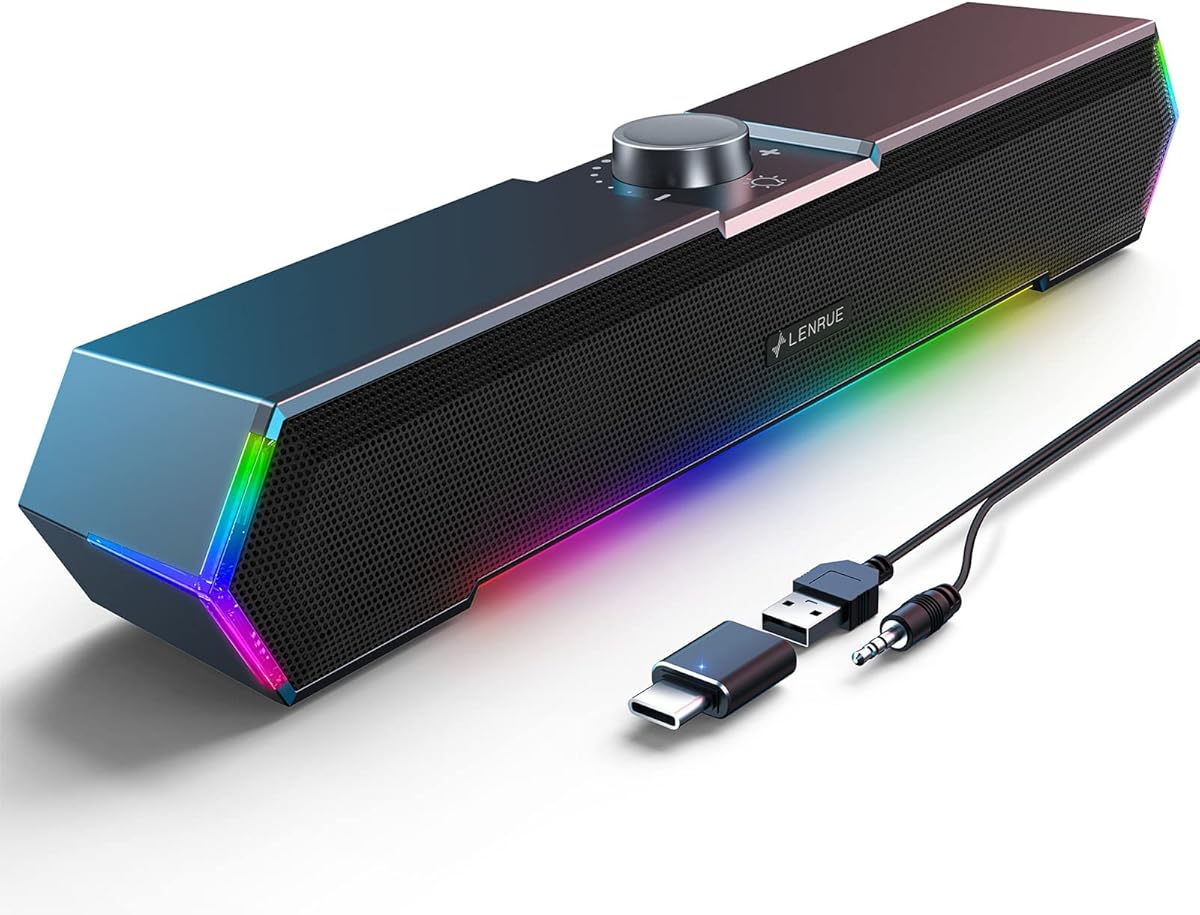
The G11 combines audio with dynamic lighting to enhance your gaming or office setup visually. The angular game atmosphere lights can be turned on or off with a single touch button easily.
We may earn a commission when you buy through this link, at no additional cost to you.
Surge stereo sound provides distortion-free audio for movies and music. Its compact shape fits under most monitors without adding extra width to your desk surface area.
Cables are glued together to minimize mess while the top knob allows quick volume adjustments. However the lack of a headphone port limits private listening options for individual users.
Buyers who value style alongside performance will love this model. It offers a unique look that adds personality to your setup while delivering reliable audio for daily use.
A simple touch button manages the lighting so you can avoid distracting visual elements.
Large amplifier IC horns ensure clear and immersive sound for various types of media.
We may earn a commission when you buy through this link, at no additional cost to you.
These speakers bring vibrant 7-color LED lighting to your desk for a fun visual experience. They deliver crisp balanced sound with deep bass using dual 3W high-fidelity drivers effectively.
We may earn a commission when you buy through this link, at no additional cost to you.
An inline volume knob lets you adjust levels quickly without navigating system settings often. The ultra-compact footprint makes them perfect for small desks where space is limited tightly.
Note that you may need to max out system volume to get the loudest output. This is a common trait in budget speakers but does not significantly impact overall performance.
If you want RGB flair without high costs these are ideal. They offer a playful aesthetic while maintaining enough audio quality for casual gaming and music enjoyment daily.
The RGB backlighting cycles through colors to match your gaming setup vibe.
The inline knob allows you to adjust levels quickly without opening software settings.
We may earn a commission when you buy through this link, at no additional cost to you.
This model delivers clear and loud sound at an incredibly low price point making it a top budget choice. It uses upgraded 2x3W technology to ensure Hi-Fi sound that stays distortion-free even at high volumes.
We may earn a commission when you buy through this link, at no additional cost to you.
Setup is simple with just USB for power and AUX for audio. The glued cables help keep your desk tidy while anti-slip pads ensure the speakers stay stable during use.
While the design is utilitarian the sound quality is impressive for the cost. The included warranty and user support add confidence for buyers who want a reliable basic speaker.
For those on a strict budget this is the smart pick. It offers essential features and decent performance without asking for a lot of money or complexity.
The low price combined with solid performance makes this an unbeatable option for tight budgets.
Glued cables reduce clutter helping you maintain a clean and organized workspace easily.
We may earn a commission when you buy through this link, at no additional cost to you.
The Creative Pebble 2.0 is widely praised for its unique design and strong audio performance. Its 45-degree elevated drivers project sound directly to your ears for a more immersive experience.
We may earn a commission when you buy through this link, at no additional cost to you.
A single USB cable handles both power and data which keeps cables minimal. The passive radiators deliver deep bass while the front controls allow easy adjustments without looking around.
Its stylish aesthetic fits into modern offices and homes without drawing unnecessary attention. Although it lacks a subwoofer, the custom-tuned far-field drivers still provide rich sound.
Best for general use this speaker offers reliability and style. It is the top pick for anyone who values clean design and balanced sound in a simple package.
The 45-degree tilt ensures audio reaches your ears directly for better immersion.
Modern looks make these speakers a great fit for stylish desks and workspaces.
We may earn a commission when you buy through this link, at no additional cost to you.
Choosing the right speakers requires understanding your specific audio needs and desk setup. We break down the key factors to help you pick the perfect model.
Most budget speakers use USB for power and a 3.5mm AUX cable for audio. Some newer models include USB-C adapters for modern laptops. Ensure your computer has the necessary ports before buying.
Check that your device supports USB audio output to avoid connection issues later.
Look for wattage ratings like 2W or 3W per driver. Higher watts mean louder sound which is crucial for larger rooms or noisy offices. Passive radiators also help boost bass without extra power.
Aim for at least 3W per speaker to ensure volume levels are satisfying.
Compact column or soundbar shapes save desk space. Some models clip onto monitors to free up workspace. Consider the footprint and whether you need built-in volume controls.
Choose a design that fits your desk layout and personal style preferences.
Plastic housing is common in budget models but metal finishes offer durability. Look for anti-slip pads to keep speakers stable on smooth surfaces. Good build quality prevents rattling at high volumes.
Prioritize sturdy materials and stable bases for long-lasting performance.
Ensure the speakers work with your operating system like Windows or Linux. Most plug-and-play models support major platforms. Some advanced features may require driver updates for optimal sound.
Verify system compatibility to avoid setup headaches or functionality issues.
Focus on drivers that offer clear mids and highs. Bass performance varies significantly across models. Reading reviews can reveal real-world audio performance beyond technical specs.
Select speakers that match your listening habits like music or movies.
Inline knobs or touch buttons make volume adjustment easier. Some models include LED lights for visual flair. Decide if you need extra features like headphone jacks or mute buttons.
Choose models with controls that match your workflow and convenience needs.
Budget speakers range from $10 to $30. Check for warranty terms like 1-year or 18-month coverage. A good warranty ensures support if the product fails early in its lifecycle.
Balance cost with warranty terms to protect your investment effectively.
Connect the USB cable to a computer port and the AUX cable to your audio jack. If using a USB-C device, attach the included adapter to ensure a secure fit. Check settings that the speakers are selected as the default playback device.
Clean the speakers with a dry cloth to remove dust. Avoid wet cleaners that might damage the mesh or electronics. Keep cables tidy to prevent trips or accidental unplugging during use.
Adjust the volume gradually to test for distortion. If the sound is muddy, ensure your system volume is balanced with the speaker's inline control. Place speakers at ear level for optimal audio projection.
Yes, most of these models provide sufficient volume for gaming. Look for options with higher wattage or enhanced bass like the FUNLOGY or Creative Pebble 2.0. For larger rooms you might need to boost system volume settings.
No, most USB-powered speakers are plug-and-play and do not require drivers. However some advanced models may recommend updates for optimal performance on specific operating systems like Linux or macOS.
Absolutely, all ten models are designed for laptops and desktops alike. Ensure your laptop has a USB port or USB-C with an adapter. Many also include headphone jacks for private listening when needed.
None of the ten models include Bluetooth connectivity. They rely on USB for power and a 3.5mm AUX cable for audio. If Bluetooth is essential you may need to look at wireless alternatives outside this list.
Yes, they are designed with compact footprints to fit small desks. Some even clip onto monitors to save space. Anti-slip pads help ensure they stay stable without taking up valuable workspace.
First, check your system volume settings and ensure they are set to maximum. Adjust the inline knob on the speaker. If issues persist, try different ports or update your audio drivers.
We reviewed ten great options ranging from budget staples to premium picks like the Creative Pebble 2.0. Whether you need a compact model for gaming or a stylish speaker for work there is a fit.
Prioritize connectivity and power output when selecting a model. If you value style, the RGB features of MELOGAGA or the tilt design of FUNLOGY stand out. For simplicity the Amazon Basics models work well.
Prices can change frequently so check the current listings before finalizing your purchase. This guide provides a solid foundation for finding reliable audio gear without overspending.