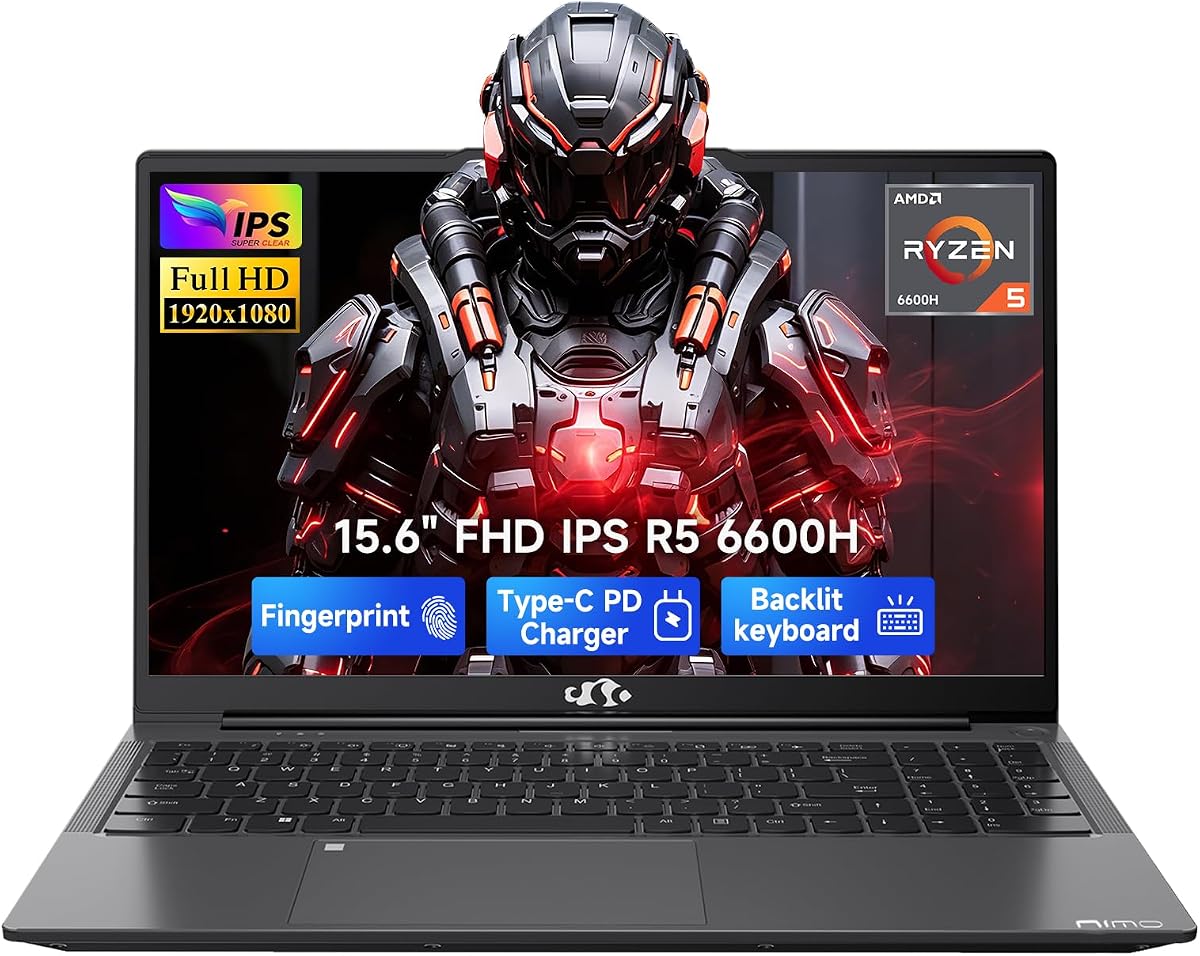
NIMO 15.6 AI Creator Laptop
4.3Editor score
AMD Ryzen 5 6600H Processor
16GB DDR5 Memory
512GB PCIe SSD Storage
Finding a cheap laptop for recording music requires balancing budget constraints with essential audio processing power. You need enough RAM to handle multiple tracks and a fast processor to avoid latency during sessions.
This guide compares ten affordable laptops selected for their ability to run digital audio workstations smoothly. We evaluated processor speed, memory capacity, storage type, and connectivity options to ensure they meet musician needs.
Each pick highlights specific strengths for music production on a budget. Prices and availability change frequently, so verify current deals before purchasing to ensure you get the best value for your setup.
4.3Editor score

4.2Editor score

5.0Editor score
As an Amazon Associate we earn from qualifying purchases.
The following table compares all ten laptops side by side. Look at the processor, RAM, storage, and display specs to find the best match for your music recording needs.



This NIMO 15.6 AI Creator Laptop stands out as the top choice for music recording on a budget. It features a powerful AMD Ryzen 5 6600H processor and 16GB of DDR5 memory, which ensures smooth handling of complex digital audio workstation sessions.
We may earn a commission when you buy through this link, at no additional cost to you.
The 512GB PCIe SSD provides ample space for audio samples and project files while delivering fast data access. The 15.6-inch FHD IPS display offers clear visuals for arranging tracks, and the backlit keyboard helps during late-night production work.
While it is priced higher than entry-level models, the performance is significantly better for audio tasks. The integrated graphics support light media tasks, though it is not designed for heavy gaming or 3D rendering.
Musicians needing reliable performance without spending a fortune will find this laptop excellent. The USB-C charging and multiple ports add convenience for connecting audio interfaces and external monitors during recording sessions.
The 6-core Ryzen 5 6600H processor handles multiple virtual instruments and effects plugins without latency. This is crucial for recording and mixing music smoothly.
With 16GB RAM and 512GB SSD, you can keep many applications open and store large audio libraries locally. This setup prevents system slowdowns during critical recording moments.
We may earn a commission when you buy through this link, at no additional cost to you.
The BLUEING 2026 Laptop Computer offers a balanced feature set for affordable music recording. Its 12GB RAM helps manage multiple tracks better than standard 4GB or 8GB models, and the 256GB SSD provides adequate storage for most project needs.
We may earn a commission when you buy through this link, at no additional cost to you.
Connectivity options include Full-Function USB-C, USB 3.2, and HDMI, allowing easy connection to audio interfaces and external displays. The 1080p FHD display ensures clear visibility of waveforms and controls within your recording software.
The processor is suitable for basic recording and editing but may struggle with heavy plugin chains. However, for beginners or those needing a reliable machine for travel recording, it performs well enough to handle most tasks efficiently.
Consider this laptop if you need a portable device with enough memory for modest production work. The privacy slider and ergonomic keyboard add value for long working sessions in shared or quiet environments.
The 12GB RAM allows smoother multitasking between your DAW, web browser, and communication tools. This reduces lag when switching between recording and research during sessions.
Multiple USB ports and HDMI enable flexible connections for audio interfaces and monitors. The Full-Function USB-C also supports charging and data transfer for modern peripherals.
We may earn a commission when you buy through this link, at no additional cost to you.
This 15.6 Laptop Computer is praised for its reliability and responsive performance in daily tasks. The 12GB RAM ensures decent multitasking ability for recording software, while the FHD IPS display offers wide viewing angles for editing work.
We may earn a commission when you buy through this link, at no additional cost to you.
Storage is expandable via an M.2 SSD slot up to 1TB, allowing you to add more space for audio files later. The built-in M.2 SSD ensures fast boot times and efficient file access during project loading.
Although the processor is entry-level, it can handle basic recording tasks effectively. The lightweight design makes it easy to carry to different recording locations, which is useful for portable setups.
Ideal for students or home users needing a dependable machine for music work. The variety of ports like USB-C and HDMI supports connecting external audio interfaces and monitors without extra adapters.
The M.2 SSD slot allows easy upgrades to 1TB. This is essential for recording music as audio projects can quickly fill storage space over time.
With 12GB RAM, the system handles multiple applications better than typical 4GB models. This helps when running DAW software alongside browsers and reference tools.
We may earn a commission when you buy through this link, at no additional cost to you.
The HP Chromebook 14 is a lightweight option for basic audio work on Chrome OS. Its dual array digital microphones allow for direct audio recording without external interfaces, making it convenient for quick voice memos or simple tracks.
We may earn a commission when you buy through this link, at no additional cost to you.
Battery life is impressive, lasting up to 13 hours for wireless streaming, which suits long portable sessions. However, the 32GB eMMC storage is very limited for large audio files, so cloud storage is often required.
Chrome OS restricts the use of standard desktop DAW software, limiting this device to web-based audio tools. This makes it suitable for learning or very light editing but not professional recording workflows.
Choose this if you need a highly portable device for occasional basic tasks. It is great for students needing a general-purpose laptop that can handle some music streaming and simple input tasks.
Dual integrated microphones enable quick recording without extra gear. This feature is handy for capturing ideas on the go without carrying heavy audio interfaces.
Up to 13 hours of usage means you can work away from outlets. This portability is beneficial for mobile recording sessions in various locations.
We may earn a commission when you buy through this link, at no additional cost to you.
This Laptop 15.6 Inch is well-suited for students needing a capable machine for everyday tasks and light music work. The 12GB RAM provides faster performance than 8GB models, helping with multitasking during online classes and creative projects.
We may earn a commission when you buy through this link, at no additional cost to you.
The anti-glare IPS screen reduces eye strain during long sessions, which is important for detailed work like mixing or transcription. The 128GB SSD ensures quick startup times for your applications.
Connectivity includes USB-C and HDMI for external displays, making it versatile for presentations or dual-monitor setups. The physical privacy slider on the camera adds security when working in shared spaces.
While it has limited storage, external drives can be added for large files. This model offers a strong balance of performance and portability for academic and home recording use.
The anti-glare IPS screen minimizes reflections and eye strain. This helps maintain comfort during extended editing sessions in various lighting conditions.
USB-C and HDMI ports allow flexible setup options. Connect external monitors or audio interfaces easily to expand your workstation beyond the laptop screen.
We may earn a commission when you buy through this link, at no additional cost to you.
This BLUEING model is designed to be thin and portable, making it easy to carry for recording on the go. The 8GB RAM handles typical music applications well, and the FHD IPS display delivers vibrant visuals for editing work.
We may earn a commission when you buy through this link, at no additional cost to you.
USB-C charging simplifies your travel kit by using a standard power source. The Bluetooth 5.2 support connects wireless headphones or mice reliably, adding convenience during production tasks.
Storage is expandable via TF card up to 512GB, which helps manage media files. The manual privacy slider ensures your webcam is secure when not in use, protecting privacy during work.
Ideal for travelers or students needing a lightweight laptop. While not the most powerful, it provides sufficient features for basic audio production and general computing needs.
At just 0.8 inch thin, it fits easily into bags. This slim profile is perfect for students and professionals moving between locations daily.
Bluetooth 5.2 ensures stable wireless connections for peripherals. This keeps your workspace clean while maintaining reliable performance with connected devices.
We may earn a commission when you buy through this link, at no additional cost to you.
This variant of the BLUEING 2026 Laptop offers 256GB SSD storage, which provides more space for audio files than 128GB models. Combined with 12GB RAM, it handles music software more efficiently than lower specs.
We may earn a commission when you buy through this link, at no additional cost to you.
The keyboard is designed for ergonomic comfort during long typing sessions, useful for entering lyrics or notes. Privacy features include a camera slider and secure storage to protect your work.
Connectivity covers all basics with USB-C, HDMI, and multiple USB ports. This ensures you can connect audio interfaces and monitors without needing extra hubs or dongles.
A solid choice for those needing extra storage out of the box. The balanced specs make it versatile for general productivity and music projects alike.
With 256GB SSD, you have space for more samples and projects. This reduces the need for immediate external drives when starting new recordings.
The spacious touchpad and full-size keyboard improve typing comfort. This matters during long editing sessions where precise input is required.
We may earn a commission when you buy through this link, at no additional cost to you.
The 15.6 Inch Laptop is a quiet and efficient option for recording. Its fanless design ensures silent operation, which is beneficial when capturing audio without background noise interference.
We may earn a commission when you buy through this link, at no additional cost to you.
With 12GB RAM and 256GB SSD, it manages music projects smoothly. The FHD IPS display provides wide angles for comfortable viewing during mixing tasks.
Dual Type-C ports allow flexible connections to peripherals. The lightweight chassis makes it easy to carry between home and office or school environments.
Perfect for home studio use where noise is a concern. The combination of speed and quietness supports focused work sessions effectively.
Fanless design ensures silent running during recording. This prevents unwanted noise from interfering with audio captures in quiet rooms.
170-degree hinge and IPS panel offer wide viewing. This helps when sharing screens during collaborative sessions or presentations.
We may earn a commission when you buy through this link, at no additional cost to you.
This BLUEING 15.6 Laptop offers 256GB SSD storage and a display with 100% sRGB color gamut, making it suitable for visual media alongside audio. The larger screen helps with arranging tracks comfortably.
We may earn a commission when you buy through this link, at no additional cost to you.
The 8GB RAM is sufficient for standard music work but may struggle with very large session files. However, for typical projects, it performs well enough to keep things running smoothly.
Connectivity includes HDMI and USB 3.2 for external storage or monitors. The TF card slot allows additional expansion if you need more room for samples.
Good for creators who need both visual and audio editing capabilities. The balance of specs makes it a solid choice for general creative work.
100% sRGB ensures vibrant visuals on screen. This is beneficial for video editing paired with audio production tasks.
TF card slot allows up to 512GB expansion. This provides extra room for media files without changing internal components.
We may earn a commission when you buy through this link, at no additional cost to you.
The Amzboy 15.6 Laptop is an entry-level device ideal for very basic tasks. It features a fanless design for silent operation, which is useful if you need a quiet environment for recording.
We may earn a commission when you buy through this link, at no additional cost to you.
With 4GB RAM and eMMC storage, it is best suited for web-based audio tools or simple playback. The 128GB base storage can be expanded via TF card up to 1TB for additional media files.
Windows 11 ensures compatibility with standard applications, and Type-C PD charging allows fast power-up with a modern adapter. The lightweight design makes it portable for students on a budget.
Choose this only for lightweight needs like listening or very basic editing. For serious recording, higher RAM is recommended to avoid performance issues.
No fan noise means no interference during audio capture. This design ensures silent operation which is critical for home recording setups.
Expandable storage up to 1TB via TF card. This allows you to add space for recordings and media files easily.
We may earn a commission when you buy through this link, at no additional cost to you.
Selecting a laptop for music production requires focusing on key components that affect performance and stability. We outline the most important factors to consider.
The processor handles real-time audio processing and plugin calculations. Look for multi-core CPUs to run multiple virtual instruments and effects simultaneously without stuttering.
Aim for at least a mid-range processor to ensure smooth recording sessions.
RAM stores active data for your digital audio workstation. More RAM allows for larger sample libraries and more tracks at once without crashing.
For recording music, 16GB is ideal but 8GB is acceptable for basic projects.
Solid State Drives (SSD) load projects and operating systems much faster than hard drives. This reduces latency when opening large files.
At least 256GB is recommended to store audio samples and project files locally.
USB ports are essential for connecting audio interfaces and MIDI controllers. HDMI helps connect external monitors for a larger workspace.
Ensure the laptop has at least two USB ports for your audio gear.
A good screen makes editing waveforms and mixing controls easier to see. IPS panels offer wide viewing angles and better color accuracy.
A 15.6-inch FHD display is a practical size for most music work.
Recording sessions can be long, so a battery that lasts several hours is useful. USB-C charging provides flexibility for power sources.
Look for at least 6 hours of battery life for portability.
Most music software runs best on Windows 10 or 11. Ensure the laptop comes with a supported OS to install your digital audio workstation.
Avoid Chromebooks if you need desktop DAW applications.
If you record on the go, a lightweight chassis is important. A laptop under 4 pounds is easy to carry for sessions.
Balancing weight with screen size is key for travel.
Start by updating your operating system and installing audio drivers. This ensures compatibility with external interfaces and reduces latency during recording.
Use external storage like SD cards for large sample libraries to preserve internal drive space. This helps maintain fast system performance during long sessions.
Keep your laptop in a cool, dry place and avoid direct sunlight. Clean the keyboard and screen regularly to maintain performance and appearance over time.
Yes but it limits the number of tracks and plugins you can use. You may experience slower performance or crashes with larger projects. Upgrading to 8GB or 16GB is recommended for smoother recording.
For professional quality, yes. Built-in sound cards often have higher latency and lower quality. An external USB interface provides better inputs and lower latency for recording vocals or instruments.
Both work well but Windows offers more affordable laptops. macOS has popular DAWs like Logic Pro but costs more. Windows is often the choice for budget-friendly setups.
Projects can grow quickly with samples and audio files. Aim for at least 256GB to manage several projects. Use external drives for backups to save space.
USB 3.0 or USB-C ports provide faster data transfer which reduces latency. Ensure your laptop has compatible ports to connect your interface properly without adapters.
Chromebooks support some web-based audio tools but not full desktop DAWs. They are suitable for very basic tasks but not professional recording. Windows laptops offer more flexibility for music work.
The NIMO 15.6 AI Creator Laptop and BLUEING models offer strong value for music recording. They balance RAM and processing power to handle typical audio workstations effectively.
Prioritize RAM and SSD speed over screen quality when budgeting. These factors directly affect performance during sessions more than display resolution.
Check current prices and availability before purchasing as deals change. Verify specs match your needs to ensure the best experience for recording music.