
HP DeskJet 2955 Wireless All-in-One Color Inkjet Printer
3.7Editor score
Wireless connectivity options
Mobile printing support
Compact home design
This guide compares the top cheap fax machines available in October 2026, evaluating features, reliability, and value for home and small office users seeking
Finding a reliable fax machine on a budget can be challenging in today's digital landscape. Many businesses still require fax capabilities for legal and medical documents. This guide helps you identify affordable options that do not compromise on essential functionality or build quality.
We evaluated ten distinct fax machines and all-in-one printers with fax capabilities. Our analysis focuses on transmission speed, paper handling, memory capacity, and ease of use. We considered user feedback and technical specifications to ensure each recommendation offers genuine value.
Each pick highlights specific strengths like laser clarity or ink versatility. Prices fluctuate frequently so verify current listings before purchasing. Use this resource to find a device that matches your specific workflow needs without exceeding your financial constraints.
3.7Editor score

3.8Editor score

4.0Editor score
The following table provides a side-by-side overview of each model's core specifications and capabilities. Use this to quickly compare memory, speed, and paper handling across all ten options.




The Canon PIXMA TR4720 stands out as a versatile choice for users needing fax functionality without a dedicated machine. With a rating reflecting solid performance, it handles printing, scanning, copying, and faxing seamlessly. Its wireless capabilities make it easy to integrate into modern home offices.
We may earn a commission when you buy through this link, at no additional cost to you.
Key strengths include the built-in fax feature which is often missing in cheaper printers. The auto document feeder simplifies sending multi-page documents without manual feeding. Setup is straightforward via the Canon PRINT app allowing quick connectivity to various devices.
Users should note that ink consumption may be higher than laser alternatives for heavy text work. The print speed is adequate for home use but might lag in busy commercial settings. These trade-offs are acceptable for those prioritizing convenience and compactness.
This model is ideal for small businesses or home offices needing occasional faxing. We recommend it for anyone seeking an all-in-one solution that balances cost and functionality effectively.
Connect easily from smartphones or computers without cables for flexible workspace layouts.
The auto document feeder allows batch sending of pages saving significant time.
We may earn a commission when you buy through this link, at no additional cost to you.
The HP DeskJet 2955 offers an incredibly low entry point for users needing basic office tasks. While it lacks a traditional phone line fax modem it supports faxing via HP app on smartphones which is a modern alternative. Its compact size fits perfectly on small desks.
We may earn a commission when you buy through this link, at no additional cost to you.
HP AI technology helps optimize web prints to reduce waste and improve layout. The dual-band Wi-Fi ensures stable connections even in crowded network environments. The Instant Ink trial provides initial convenience for supply management.
Lack of a dedicated fax modem means you cannot fax directly from paper without scanning first. Speed is modest compared to laser printers. These limitations are minor for users who can adapt to app-based faxing solutions.
Buy this if you need a printer for occasional documents and can manage faxing digitally. It suits home users who prefer modern connectivity over legacy phone lines.
Instant ink subscription ensures you never run out unexpectedly during busy periods.
Wireless and mobile printing allows flexibility without cluttered cables.
We may earn a commission when you buy through this link, at no additional cost to you.
The Canon PIXMA TR8620a brings premium features to the budget-conscious home office. With a four-star rating it delivers consistent quality across print copy scan and fax tasks. Its ability to work with Alexa sets it apart as a smart device for automated tasks.
We may earn a commission when you buy through this link, at no additional cost to you.
Features like auto double-sided printing save paper and reduce costs over time. The 200 sheet capacity means fewer refills during heavy workloads. Faxing is built-in directly allowing traditional transmission without needing a computer.
It is physically larger than the TR4720 requiring more desk space. The price is higher but justified by the added automation and capacity. For those needing robust performance without enterprise costs this is a strong candidate.
Choose this if you need smart home integration and higher volume handling. It is the best premium pick for tech-savvy users wanting convenience and reliability.
Alexa voice commands streamline printing and ink monitoring effortlessly.
Double the paper capacity ensures smoother workflow without constant refills.
We may earn a commission when you buy through this link, at no additional cost to you.
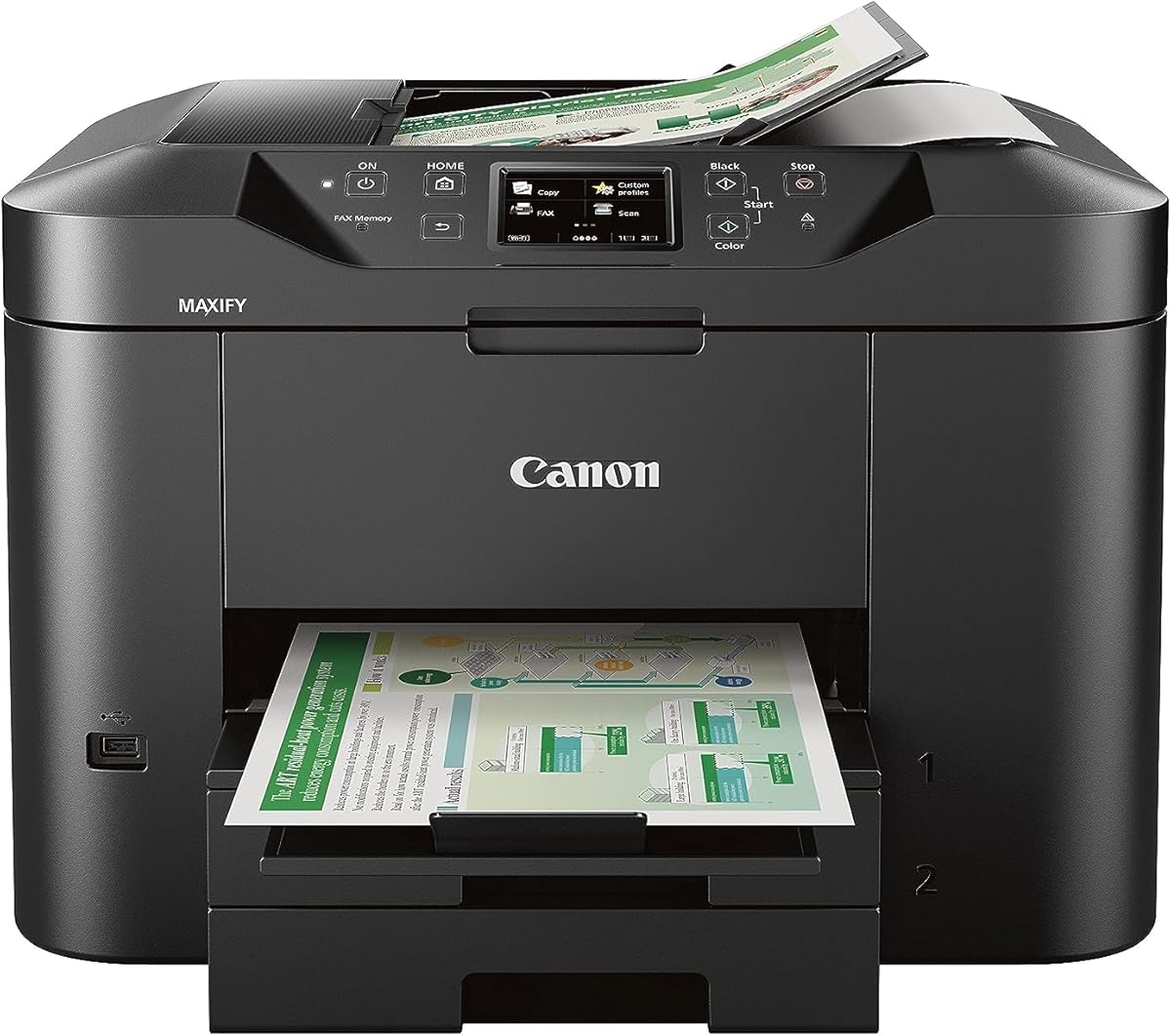
The Canon MAXIFY MB2720 is built for businesses needing high volume and durability. Its 20000 page duty cycle ensures it handles heavy workloads without strain. While priced higher it offers better long-term value for active offices.
We may earn a commission when you buy through this link, at no additional cost to you.
Laser technology produces text that resists smudging and highlights. The dual paper cassettes allow mixing of letter and legal sizes easily. Mobile scanning and printing ensure remote staff can access the machine efficiently.
The initial investment is larger than inkjet models. Physical size requires a dedicated office corner. However reliability and speed make it worth the cost for daily users.
Select this for home businesses with daily document needs. It balances business-grade performance with consumer-friendly connectivity.
Built to handle thousands of pages monthly without performance drops.
Laser ink ensures documents remain crisp and smudge-resistant over time.
We may earn a commission when you buy through this link, at no additional cost to you.
The Brother FAX-575 is a dedicated machine focusing on fax reliability. Its high rating shows users appreciate its straightforward functionality. It is designed for those who prioritize faxing over color printing or scanning.
We may earn a commission when you buy through this link, at no additional cost to you.
Transmission takes about 15 seconds per page which is fast for this class. The 512 KB memory stores 25 pages allowing you to fax even when paper runs out. Copy resolution reaches 400 dpi ensuring sharp documents.
It lacks modern wireless features and relies on phone lines. The unit is physically large taking up significant desk space. For users needing a simple dedicated fax device these are acceptable compromises.
Buy this if you require a standalone fax for legacy systems. It remains a top choice for reliability and ease of use.
Stores outgoing faxes securely to prevent data loss during outages.
Fast modem speed reduces wait times for sending multi-page documents.
We may earn a commission when you buy through this link, at no additional cost to you.
The renewed Brother FAX-575 offers the same functionality as the new model at a lower price. It is tested to meet quality standards ensuring performance similar to new units. This makes it ideal for tight budgets.
We may earn a commission when you buy through this link, at no additional cost to you.
You get all the memory and speed benefits of the original model. It performs well for personal or small office needs. The eco friendly aspect reduces electronic waste which is a bonus.
Refurbished units may show minor cosmetic wear. Warranty is typically shorter than new items. For those comfortable with renewed gear this is a smart financial move.
Choose this if you want the reliability of a dedicated fax but cannot justify the new price. It is a practical solution for cost conscious buyers.
Significant savings allow access to quality hardware at minimal expense.
Extends the life of existing units reducing overall environmental impact.
We may earn a commission when you buy through this link, at no additional cost to you.
The Brother IntelliFAX-2840 is a laser fax machine offering speed and durability. With 21 ppm it is much faster than most inkjet options. It focuses purely on fax and copy functions for efficiency.
We may earn a commission when you buy through this link, at no additional cost to you.
Laser toner lasts longer than ink cartridges in high volume settings. The output is consistently sharp which is crucial for professional documents. It is designed for steady performance over time.
Lack of scanning means you cannot digitize documents directly. Toner replacement can be expensive initially. If speed and quality are priorities this machine delivers them well.
This is the right choice for businesses prioritizing speed and document quality. It suits environments where fax volume is consistently high.
Laser technology enables rapid processing of incoming and outgoing faxes.
Higher page yields reduce the frequency of supply replacements.
We may earn a commission when you buy through this link, at no additional cost to you.
The Sharp UXB20 provides basic fax functions at a competitive price. It supports speed dial presets making it easy to reach frequent contacts. The copy function allows duplication of documents quickly.
We may earn a commission when you buy through this link, at no additional cost to you.
Caller ID ready feature helps manage incoming calls efficiently. Memory stores pages when out of paper which is a useful safety net. It is designed for straightforward personal use.
User ratings are lower than competitors suggesting occasional reliability issues. The warranty period is shorter than average. For budget focused buyers needing simple functions it remains viable.
Pick this if you need basic faxing without extra features. It works for occasional personal or small office transactions.
Identifies callers before answering to prioritize urgent messages.
Prevents data loss by saving faxes when paper runs out.
We may earn a commission when you buy through this link, at no additional cost to you.
The Panasonic KX-FHD331 uses plain paper instead of thermal rolls which saves costs. It offers caller ID compatibility and an answering machine interface for unified communications. It is a legacy device known for basic functionality.
We may earn a commission when you buy through this link, at no additional cost to you.
Plain paper outputs are easier to archive than thermal paper. The answering machine interface helps manage calls without extra hardware. The exchange program provides some peace of mind for defects.
The lower rating reflects issues with reliability or speed. The modem speed is slower by modern standards. This is a viable option for those needing plain paper convenience.
Select this if you must use plain paper and have a tight budget. It works for basic home fax needs where speed is not critical.
Standard paper allows easier storage and filing without special sheets.
Combines fax and answering capabilities to reduce device clutter.
We may earn a commission when you buy through this link, at no additional cost to you.
The Brother IntelliFax 575 Thermal Renewed offers reliable faxing at a low price. It uses thermal transfer which produces clear text on thermal paper. The ADF allows sending multi-page faxes without manual feed.
We may earn a commission when you buy through this link, at no additional cost to you.
Renewed status means you save significantly on upfront costs. It meets Energy Star standards reducing power usage. The compact design fits easily on limited desk space.
Thermal paper is more expensive than plain paper over time. Renewed items may show cosmetic signs of previous use. It is a functional choice for simple faxing tasks.
Buy this if you want a compact thermal fax without breaking the bank. It works well for home offices with low volume needs.
Simplifies sending multi-page documents by auto-feeding sheets.
Meets energy standards to reduce power consumption during use.
We may earn a commission when you buy through this link, at no additional cost to you.
Selecting the right fax machine involves evaluating several key features to match your specific needs. This section breaks down the factors that influence performance and value.
Transmission speed determines how long it takes to send a single page. Standard fax modems operate around 9.6 Kbps to 14.4 Kbps. Faster models can send pages in about 15 seconds saving you time during busy periods.
Prioritize models with higher bps ratings if you send documents frequently.
Paper capacity affects how often you need to reload documents. Look for input trays holding at least 50 sheets. Out-of-paper memory is also crucial as it stores faxes when paper runs out.
Choose machines with larger trays and memory for fewer interruptions.
Decide if you need a dedicated fax machine or an all-in-one printer. Dedicated units are simpler and often faster for faxing. All-in-one printers save space and add scanning or copying functions.
Use all-in-one if you need multiple document tasks.
Inkjet machines offer color but consume ink quickly. Laser machines use toner which lasts longer for text. Consider your print volume to determine which is cost effective.
Laser is better for high volume text documents.
Modern machines often offer wireless or mobile printing. Traditional faxes use phone lines. Ensure the model supports your office network and devices if needed.
Wireless connectivity adds flexibility for home offices.
Check the warranty period provided by the manufacturer. Reliable brands offer at least 90 days to one year. Support quality matters for resolving technical issues quickly.
Prioritize brands with strong support networks.
User interfaces vary between digital screens and buttons. Simple machines are easier for non tech savvy users. Ensure controls are intuitive to prevent errors during setup.
Choose models with clear instructions and simple controls.
Duty cycle indicates the maximum pages a machine can handle monthly. Business models often support 20000 pages while home units support less. Exceeding this can damage the machine prematurely.
Match duty cycle to your monthly volume needs.
Ensure the machine is connected to a working phone line or network. For dedicated faxes plug the cord into the wall jack. For all-in-one units ensure Wi-Fi is active if using digital fax.
Use the correct paper type for your model. Thermal units need specific rolls while laser units use standard paper. Overloading trays can cause jams so follow capacity limits.
Regularly clean the glass and rollers to maintain quality. Dust can cause smudges or missed scans. Check for firmware updates to keep performance optimal.
While digital solutions exist many legal and medical fields still require physical fax transmission. If you send documents regularly a physical machine ensures compliance and reliability.
Yes if it has a built-in fax modem or supports digital fax via an app. Check specifications to confirm fax capability before buying a standard printer.
Open all accessible doors and remove paper gently. Check for torn pieces inside rollers. Restart the machine to clear the error message.
Faster modems like 14.4 Kbps or higher reduce transmission time. Most budget models operate at 9.6 Kbps which is acceptable for occasional use.
Yes with internet fax services or all-in-one printers. Traditional fax machines still need a phone line unless connected to a digital adapter.
Depends on usage. High volume users may replace monthly. Low volume users may last months. Monitor ink levels via software.
Most budget dedicated units are black and white. Color requires an inkjet all-in-one which may be costlier.
Renewed models undergo testing. They often work well but check warranty terms. Suitable for users on tight budgets.
The Canon PIXMA TR4720 and HP DeskJet 2955 offer excellent value for modern needs. Dedicated models like the Brother FAX-575 remain ideal for reliability.
Prioritize paper capacity and transmission speed to ensure efficiency. Match the machine type to your workflow requirements.
Prices fluctuate so check current listings before purchasing to secure the best deal.