
Zobirez 420W 10-Port Fast USB Charging Station for Multiple Devices, Black
4.5Editor score
420W Total Output
10 Mixed Charging Ports
Built-In Short Cables
Compare the top 10 charging stations for multiple devices to organize your desk and power laptops, phones, and tablets efficiently.
Modern homes and offices require reliable power solutions for numerous electronics. A quality charging station for multiple devices reduces cable clutter while ensuring every gadget stays powered up throughout the day.
We analyzed ten leading models based on port count, total wattage, safety features, and build quality. This list covers diverse needs from compact travel units to high-power desktop hubs.
Each pick highlights key specs and real-world performance insights. Prices and availability fluctuate, so check current listings before purchasing to ensure you get the best value.
4.5Editor score

4.6Editor score

4.7Editor score
This side-by-side comparison evaluates port counts, power output, and design features to help you select the ideal charging hub for your specific setup needs.




The Zobirez 420W Charging Station offers an impressive combination of power and organization at an accessible price point. Rated 4.5 stars, it serves as a robust hub for families or offices needing to charge ten devices simultaneously.
We may earn a commission when you buy through this link, at no additional cost to you.
Its standout feature is the massive 420W total output distributed across five USB-C and five USB-A ports. This allows high-power laptops like MacBooks to charge alongside phones and accessories without bottlenecks.
While the included cables are short to keep the unit neat, this can limit placement flexibility. The sturdy one-piece slots hold devices securely, even with cases, ensuring a tidy appearance on any desk.
If you need a high-capacity hub that keeps cables organized without requiring extra accessories, this model delivers excellent performance. It is a practical solution for consolidating multiple wall chargers into one clean unit.
The 420W capacity supports fast charging for laptops and phones simultaneously. This prevents the slowdown often seen in lower-wattage stations when many ports are active.
Included cables reduce the need to find compatible wires for every device. The short length helps maintain a clean setup by minimizing visible slack on the desk.
We may earn a commission when you buy through this link, at no additional cost to you.
The Zobirez 750W Charging Station sets a new standard for raw power in multi-device hubs. With a 4.6 rating, it is ideal for tech-heavy environments where multiple laptops and high-demand devices need charging.
We may earn a commission when you buy through this link, at no additional cost to you.
Each of the five USB-C ports delivers up to 120W individually, allowing true fast charging for even the most power-hungry laptops. The remaining USB-A ports handle smaller gadgets without compromising performance.
The robust design includes wide, tall slots for devices with thick cases, ensuring stability. While the price is higher, the sheer capacity and included accessory kit justify the investment for power users.
This unit is best suited for those who need maximum charging speed and port density. It eliminates the compromise of sharing power between devices, ensuring every laptop gets full-speed energy.
With 120W per USB-C port, this station supports even high-end gaming or workstation laptops. No other model in this list offers this level of USB-C power distribution.
The flame-retardant ABS material and one-piece slot design ensure longevity. It is built to withstand daily use by multiple family members or office staff.
We may earn a commission when you buy through this link, at no additional cost to you.
The Anker Prime 200W Charging Station delivers premium build quality and efficient power distribution in a compact form factor. Rated 4.6 stars, it is the top choice for those who prioritize brand reliability and safety.
We may earn a commission when you buy through this link, at no additional cost to you.
Its use of GaN technology allows for a smaller size while delivering 200W total output. The dual 100W USB-C ports can charge two laptops simultaneously at full speed, a rare feature at this size.
While it offers fewer ports than some competitors, the power quality is exceptional. The proprietary safety system constantly monitors temperature, ensuring devices stay cool even during heavy usage cycles.
Choose this model if you want a durable, high-performance station from a trusted manufacturer. It is perfect for desks where space is limited but high-speed charging is non-negotiable.
GaN technology reduces heat generation and physical bulk compared to silicon chargers. This results in a smaller unit that performs as well as much larger models.
The continuous temperature monitoring protects against overheating during long charging sessions. This safety feature provides peace of mind for expensive electronics.
We may earn a commission when you buy through this link, at no additional cost to you.
This 100W USB Charging Station is designed for users needing a space-saving solution for phones and tablets. With a 4.3 rating, it balances portability with enough power for daily mobile device charging.
We may earn a commission when you buy through this link, at no additional cost to you.
Its compact dimensions make it easy to tuck into a bag or place on a small nightstand. The six ports allow multiple family members to charge their phones and earbuds from one outlet.
The unit uses GaN technology to keep heat low and efficiency high. However, its 100W limit means it is best for mobile devices rather than high-power laptops that require more energy.
Ideal for travelers or small apartments, this station keeps cable clutter to a minimum. It provides a simple, no-fuss way to keep essential gadgets powered up without taking up much space.
The small size and detachable cord make packing easier. It replaces bulky wall adapters while offering multiple connection points for a hotel room.
Works with a wide range of iPhone and Samsung models. It supports standard accessories like AirPods and power banks efficiently.
We may earn a commission when you buy through this link, at no additional cost to you.
The Anker MagGo 3-in-1 Charging Station specializes in wireless charging for Apple devices. With a 4.6 rating, it provides a clean way to charge phones, watches, and earbuds without any physical cables.
We may earn a commission when you buy through this link, at no additional cost to you.
It delivers a full 15W of wireless power, ensuring fast charging speeds consistent with MagSafe standards. The certified Apple Watch charger provides reliable overnight charging for newer watch models.
The dock allows you to adjust the angle for optimal viewing, which is useful for media consumption or notifications. While limited to the Apple ecosystem, the convenience is unmatched for those users.
This station is perfect for bedside tables where cable management is critical. It reduces clutter significantly by eliminating the need for separate chargers for each Apple device.
Tap and charge your devices effortlessly. This design is ideal for those who hate plugging and unplugging cables multiple times a day.
Official certification ensures safe and efficient charging for the latest Apple Watch models. You do not need to worry about compatibility issues.
We may earn a commission when you buy through this link, at no additional cost to you.
The Anker Desktop Charger combines USB ports with AC outlets in one unit. Rated 4.7 stars, it is the most versatile option for desks that need both traditional plugs and modern USB connections.
We may earn a commission when you buy through this link, at no additional cost to you.
It offers three AC outlets alongside six USB ports, allowing you to plug in monitors and lamps without extra adapters. The surge protection adds an essential layer of safety against power spikes.
The unit is heavier and more substantial than basic USB hubs, ensuring stability. Its design focuses on protecting your gear while providing ample power options for a full workstation setup.
Select this if you need to plug in multiple devices that do not use USB. The combination of AC and USB power makes it a complete power solution for busy desks.
The three AC outlets allow for traditional plugs alongside USB ports. This flexibility is rare in standard USB charging hubs.
Surge protection guards against electrical surges. This feature protects expensive electronics connected to the strip from potential damage.
We may earn a commission when you buy through this link, at no additional cost to you.
The MSTJRY Charging Station focuses on simplicity and organization for devices using standard USB-A cables. With a 4.3 rating, it is a practical budget option for basic charging needs.
We may earn a commission when you buy through this link, at no additional cost to you.
It includes seven cables to cover common devices like iPhones and older tablets. The removable dividers allow you to adjust the slots to fit larger devices like iPads with thick cases.
While it lacks modern USB-C ports, it provides reliable power for smaller devices. The power switch gives a clear indication of status, which is helpful in low-light environments.
This model suits users with older devices or those who just need a neat way to charge multiple phones. It is an entry-level hub that prioritizes organization over high-speed charging.
The dividers keep devices upright and separate. This prevents cables from tangling and keeps the desk looking tidy.
The included cables reduce immediate setup hassle. You can start charging devices right out of the box.
We may earn a commission when you buy through this link, at no additional cost to you.
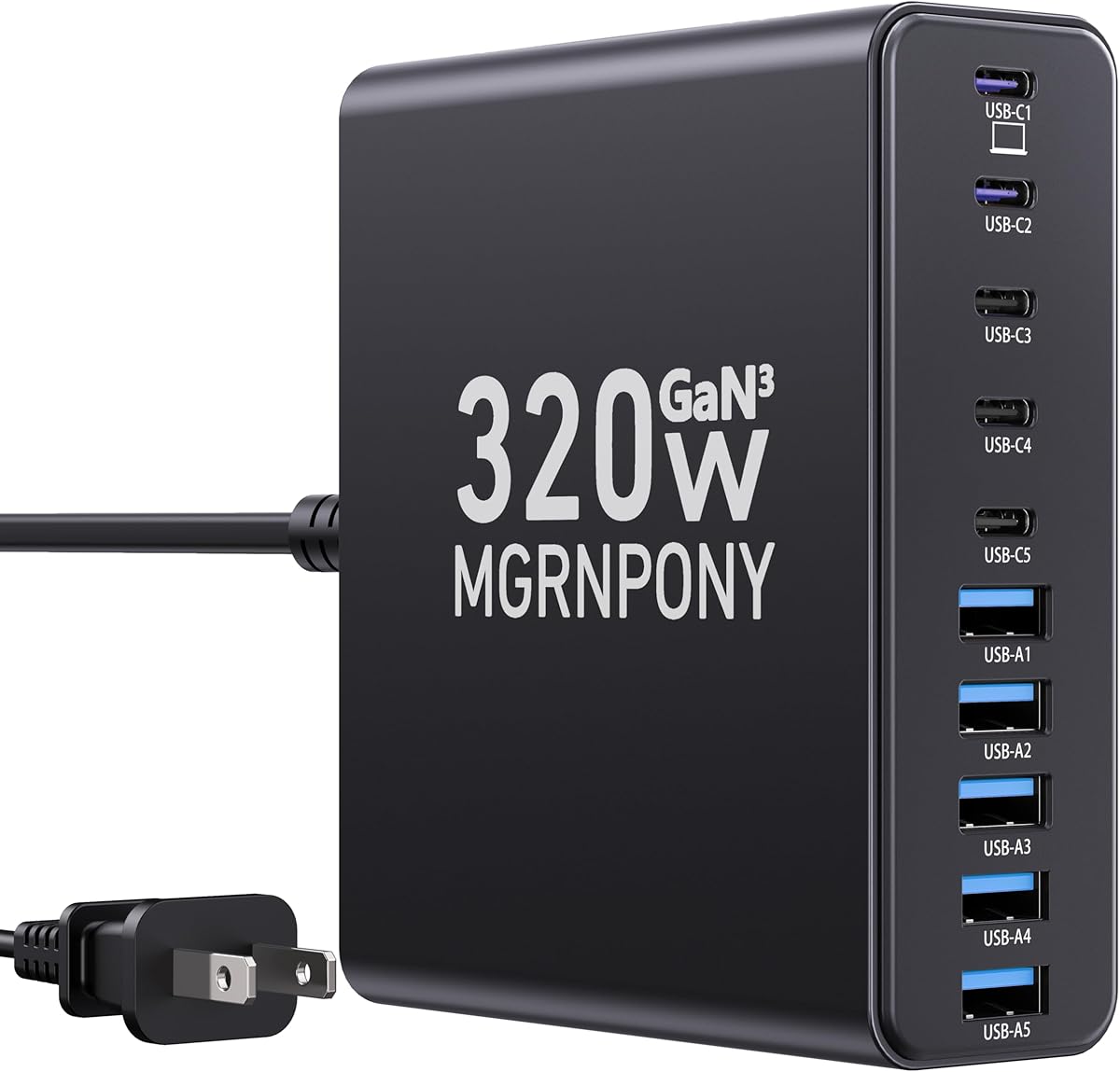
The MGRNPONY 320W Station brings GaN technology to a more affordable price range. Rated 4.5 stars, it offers excellent efficiency and port density for those seeking value.
We may earn a commission when you buy through this link, at no additional cost to you.
With ten ports and 320W output, it can handle a mix of laptops and accessories. The IceShield protection system monitors temperature constantly, preventing overheating during heavy loads.
Its compact design allows for flexible placement either vertically or horizontally. This flexibility helps maximize space in tight spots without sacrificing power availability.
Choose this station if you want high-power performance without the premium price tag. It delivers the benefits of GaN technology in a versatile format suitable for home offices.
GaN III tech ensures less heat and more power in a small footprint. This is efficient for multi-device charging setups.
The compact shape lets you stand it up or lay it flat. This adaptability fits different desk layouts.
We may earn a commission when you buy through this link, at no additional cost to you.
The 8-in-1 Retractable Charger simplifies desk setup by hiding unused cables inside the unit. With a 4.4 rating, it addresses the common issue of tangled wires on desktops.
We may earn a commission when you buy through this link, at no additional cost to you.
It supports up to eight devices with retractable cords extending 80cm. This length is perfect for reaching most nearby devices without needing to pull long cables from a drawer.
The GaN technology ensures fast charging while keeping the unit compact. Although retractable cords have moving parts, the convenience of keeping them contained is a significant advantage for tidy setups.
Ideal for small desks or shared spaces, this station minimizes visual noise. It is a practical choice for those who want a clean look without sacrificing connectivity options.
Cables retract back into the base when not in use. This eliminates the hassle of coiling excess wire after charging.
105W output ensures devices charge efficiently. Fast charging capability is maintained across multiple active ports.
We may earn a commission when you buy through this link, at no additional cost to you.
The Lcssio 300W Station offers a balanced design for mixed device environments. Rated 4.5 stars, it provides reliable power and robust construction for everyday use.
We may earn a commission when you buy through this link, at no additional cost to you.
Its wide and higher slots in the middle accommodate tablets with thick cases easily. This design ensures larger devices stand upright securely without tipping over during charging.
With 300W output across eight ports, it handles daily needs efficiently. The anti-slip pads keep it stable on surfaces, while safety features protect against common electrical risks.
This hub is a strong contender for families who use both laptops and tablets. It provides a stable, organized solution that protects devices while keeping them powered up.
The central slots are built for thicker devices. This ensures tablets in bulky cases stay secure while charging.
Anti-slip pads prevent sliding on smooth surfaces. This protects your desk from scratches and keeps the unit in place.
We may earn a commission when you buy through this link, at no additional cost to you.
Selecting the right charging station involves evaluating power needs, port types, and physical design to match your specific environment.
The total wattage determines how many devices you can charge quickly. High-power devices like laptops need 65W or more per port. Ensure the station provides enough capacity to charge multiple devices simultaneously without significant speed drops.
Always check that the combined output meets your needs. A 400W station handles more heavy users than a 100W one.
Modern devices use USB-C, while older ones still need USB-A. A balanced mix ensures compatibility with all your gear. Aim for at least two high-power USB-C ports for laptops and enough USB-A ports for smaller gadgets.
Consider your current and future device mix. A station with too many legacy ports may limit growth.
Sturdy slots prevent devices from falling. Removable dividers offer flexibility but can break easily. One-piece designs are more durable and better for keeping everything organized securely.
Look for flame-retardant materials. Safety is paramount when devices are charging overnight.
Included cables reduce setup time. Short cables keep clutter low, while retractable ones hide messes. Check if the station supports your specific cable needs or if you need to buy extras.
Cable length affects placement flexibility. Ensure the cords reach your outlet comfortably.
Advanced safety systems protect against overheating and voltage spikes. Look for certifications like fire resistance and short-circuit protection. These features ensure your devices are safe during long charging cycles.
Safety is non-negotiable. Avoid units without proper protections regardless of price.
Space is often limited on desks. A compact footprint helps save room while still offering multiple ports. Check dimensions to ensure the unit fits your space without crowding your work area.
Vertical designs can save space. Ensure the station stays stable in your chosen orientation.
GaN chargers are smaller and run cooler than traditional silicon ones. This allows for faster charging speeds in a compact body. If efficiency is a priority, look for GaN models specifically.
GaN tech future-proofs your purchase. It offers better performance per watt than standard designs.
Prices range widely based on features. Budget units may lack high-speed ports. Balance your spending with actual needs to avoid overpaying for unused capacity.
Focus on core needs. Do not buy premium features you will never use.
Place the station on a flat, hard surface away from direct heat sources. Ensure the power cord is plugged into a reliable outlet with enough voltage for the station's rating.
Insert devices into the slots carefully to avoid scratching the ports. Do not force cables into connectors as this can damage the internal pins over time.
Regularly check the cables for fraying or exposed wires. Unplug the unit when not in use for long periods to save energy and extend the lifespan of the components.
Yes, but you need a model with high-wattage USB-C ports. Look for stations offering at least 65W per port to charge most laptops efficiently. Lower wattage units may charge slowly or only maintain battery levels.
Most modern stations have overheat protection and smart chips that stop current flow when devices are full. However, for safety, it is best to use units with certified safety features and unplug them when not needed for long periods.
Many units come with basic cables, but you might need specific ones for your devices. Check what is included in the box. If you have older devices, you may need adapters for USB-C ports.
The total power output is shared among active ports. If you plug in too many high-power devices, each gets less wattage. Always check the power budget to avoid slow charging on your main laptop.
No, stacking devices can block ventilation and cause overheating. Keep the top of the unit clear. Ensure devices are placed in the designated slots for proper airflow and safety.
Unplug the unit first. Use a soft, dry cloth to wipe the surface. Do not use water directly on the ports or electronics to avoid damaging the internal circuits.
Choosing the right station depends on balancing power needs with desk space. The top picks offer a range of options from compact hubs to high-power desktop models that serve different environments.
Prioritize models with safety features and enough USB-C power for your laptops. Investing in a high-quality unit ensures your devices charge efficiently and stay protected from electrical risks.
Remember to verify current specifications and availability before buying. Prices and stock change frequently, so checking the latest listings ensures you get the best value for your specific needs.