
Rsrteng CCTV Camera Tester
4.5Editor score
8K 32MP IP Camera Support
90W PoE++ Power Output
1280×800 IPS Touch Screen
Finding the right CCTV Test Monitor is essential for security professionals who need to verify camera functionality quickly. These devices combine video input, network tools, and power output into a single portable unit, saving time and effort during installations.
We evaluated ten leading models based on screen quality, compatibility with modern IP and analog cameras, and built-in testing features. Our comparison focuses on real-world utility, battery life, and ease of use for technicians working in various environments.
Each pick below highlights specific strengths like PoE output, cable testing, or high-resolution displays. Note that product availability and specifications can change over time, so always check the latest details before making a final decision for your toolkit.
4.5Editor score

4.4Editor score

5.0Editor score
As an Amazon Associate we earn from qualifying purchases.
The table below provides a side-by-side comparison of all ten models, highlighting their screen types, supported camera formats, and key testing capabilities to help you differentiate between similar options.


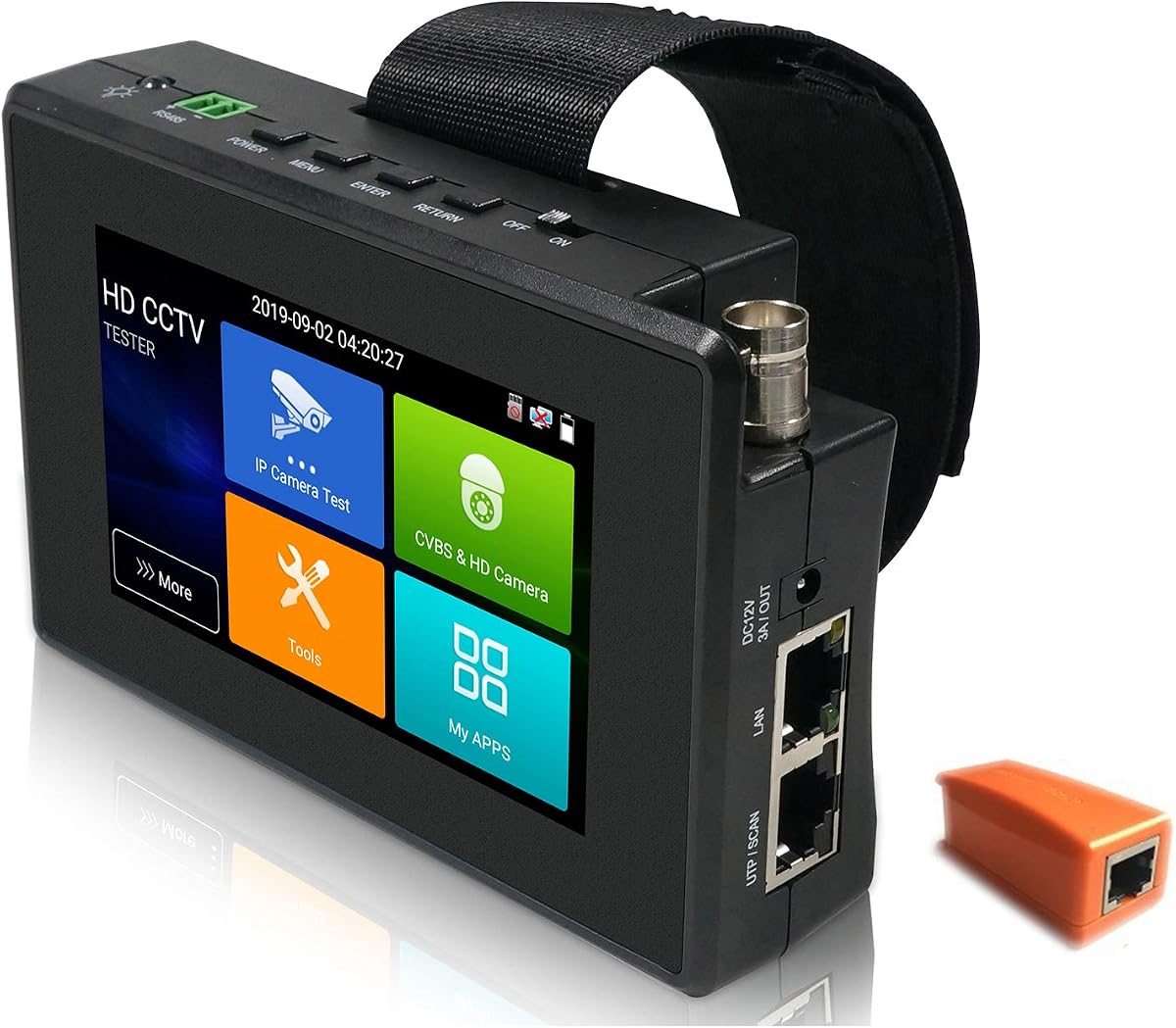
This Rsrteng model stands out as a high-end option for professionals dealing with next-generation IP and analog cameras. With a 4.5 rating, it delivers robust performance for complex installations requiring detailed diagnostics and power management.
We may earn a commission when you buy through this link, at no additional cost to you.
Its ability to test cameras up to 8K resolution ensures future-proofing for high-density video systems. The 90W PoE++ output is a major advantage for powering large PTZ units without needing an external power supply.
The Android 11.0 OS allows for flexible app installation, though this adds to the complexity for users who prefer simpler interfaces. Battery management and heat dissipation are important considerations during extended field use.
Installers working on enterprise-level projects will find this unit indispensable. Its blend of power, resolution support, and network tools makes it a top-tier choice for demanding environments.
The support for 8K IP cameras ensures you can verify the latest high-definition surveillance hardware without needing additional equipment.
With 90W PoE++ output, this tester can directly power high-demand devices like PTZ cameras, streamlining the installation process significantly.
We may earn a commission when you buy through this link, at no additional cost to you.
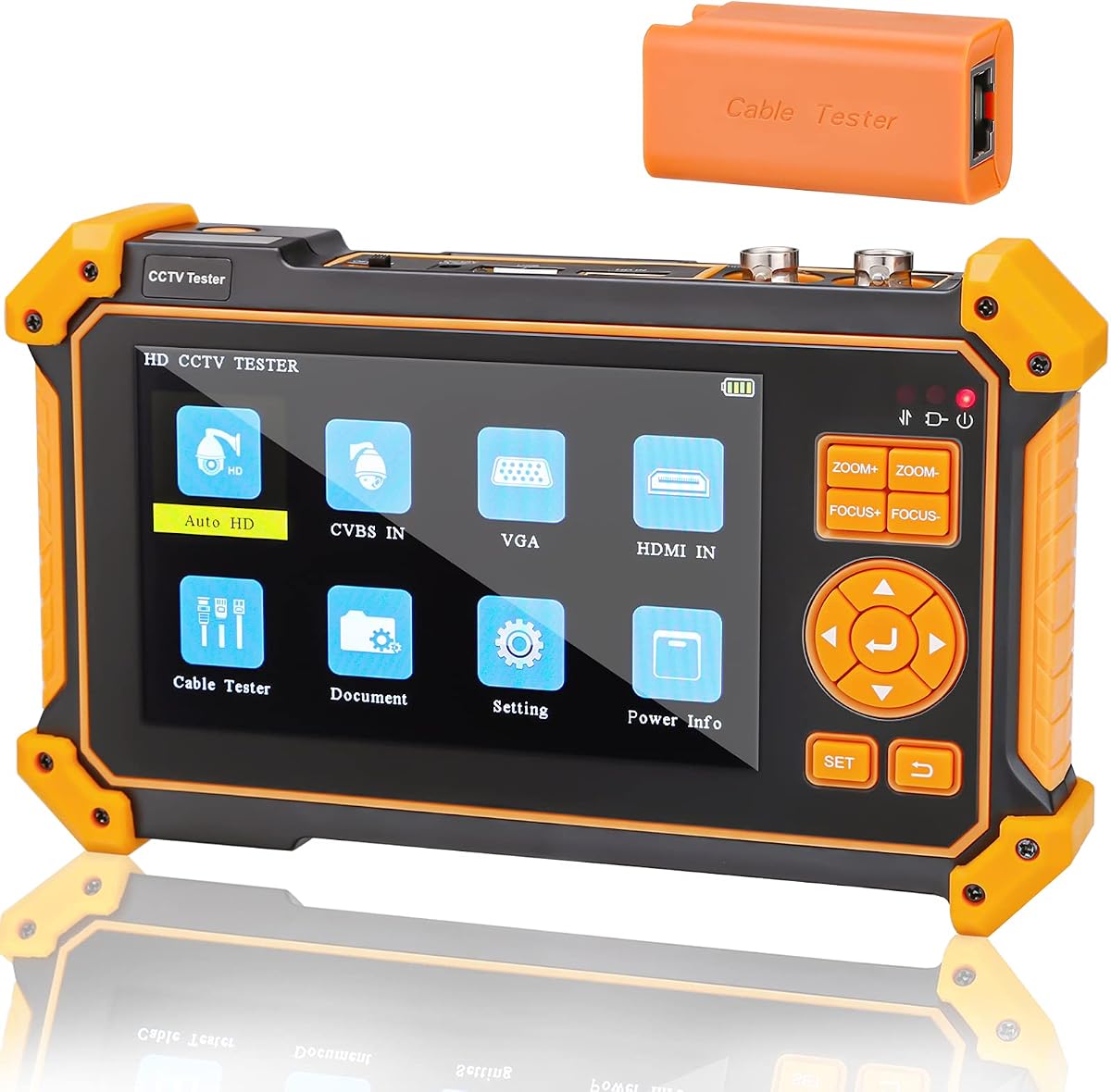
This WSDCAM model achieves a perfect 5.0 rating by offering essential analog testing features at an accessible price point. It is ideal for technicians who primarily work with coaxial systems rather than IP networks.
We may earn a commission when you buy through this link, at no additional cost to you.
The inclusion of a UTP cable test function adds significant value, allowing you to check network cable integrity without a separate tool. The Auto HD feature simplifies setup by automatically recognizing camera types and resolutions.
While it lacks IP testing capabilities, it covers all major analog formats like CVI, TVI, and AHD up to 4K. The DC12V power output is sufficient for temporary camera power during setup.
For residential installers or those focused on analog upgrades, this unit provides a reliable and cost-effective solution. Its simplicity and portability make it a great addition to any basic toolkit.
This tester handles all major analog formats including CVI, TVI, and AHD, ensuring broad utility for traditional CCTV systems.
The built-in UTP cable test helps verify network cable connections quickly, saving time during troubleshooting sessions.
We may earn a commission when you buy through this link, at no additional cost to you.
The EVERSECU 7-inch tester earns its spot as Editor's Choice by balancing advanced features with practical usability. It covers a wide range of camera types, from 8K IP to standard analog formats.
We may earn a commission when you buy through this link, at no additional cost to you.
A standout feature is the video recording and playback function, which allows you to document issues on-site for later review. The built-in digital multimeter adds utility for checking power levels directly.
The HDMI input and output provide flexibility for connecting to external displays or testing NVR outputs. While the battery lasts around ten hours, this is sufficient for most workdays.
This unit is well-suited for professionals who need a versatile all-in-one solution. Its mix of recording, testing, and display capabilities makes it a strong contender for complex installations.
Recording video directly from the tester helps you document camera performance for clients or technical review later.
The built-in multimeter allows quick checks of voltage and continuity, reducing the need for separate tools on-site.
We may earn a commission when you buy through this link, at no additional cost to you.
The WANLUTECH E88 is designed for professionals who need robust network testing capabilities. Its 8-inch touchscreen provides a clear view of video feeds and diagnostic data.
We may earn a commission when you buy through this link, at no additional cost to you.
One unique feature is the SFP optical fiber module port, which allows testing of fiber optic networks without additional tools. This makes it highly versatile for mixed media installations.
The 90W PoE output ensures compatibility with high-power PTZ cameras, while the TDR test helps locate cable faults accurately. However, the device is larger and heavier than compact alternatives.
This model is ideal for network engineers who need to verify both copper and fiber connectivity. Its comprehensive toolset makes it a reliable choice for complex enterprise systems.
The SFP port allows direct testing of fiber optic modules, making this unit suitable for long-distance network deployments.
Time-domain reflectometry testing helps pinpoint exact cable breaks or faults, improving troubleshooting efficiency.
We may earn a commission when you buy through this link, at no additional cost to you.
This upgraded WANLUTECH model brings high-end features to a 7-inch form factor. It supports 8K IP cameras and includes a dedicated cable tracer for locating wires in bundles.
We may earn a commission when you buy through this link, at no additional cost to you.
The cable tracer function simplifies tasks like finding specific lines in crowded junction boxes. Combined with the 90W PoE output, it handles both video verification and power delivery efficiently.
Network tools like Ping, IP scan, and DHCP server are built-in, reducing the need for a laptop on-site. However, the sheer number of features might require some time to master.
For installers who handle diverse tasks daily, this unit offers a comprehensive solution. Its balance of optical, network, and video testing makes it a versatile tool for pros.
The integrated cable tracer helps locate specific cables in complex bundles without needing a separate handheld tracer.
Testing 8K IP cameras ensures compatibility with cutting-edge surveillance systems, future-proofing your toolkit.
We may earn a commission when you buy through this link, at no additional cost to you.
The Triplett 8150 is a compact option known for reliability and ease of use. It includes an Ookla speed test function to verify network bandwidth quickly on-site.
We may earn a commission when you buy through this link, at no additional cost to you.
While it lacks a touchscreen, its physical buttons and simple interface make it easy to operate even with gloves. The 24W PoE output is sufficient for standard IP cameras.
This tester works well with a variety of camera types, including 4K H.265 models. Its small size makes it a great backup or secondary tool for quick checks.
For technicians who prioritize portability and brand trust, this model is a solid choice. It delivers essential testing functions without unnecessary complexity.
The built-in Ookla speed test helps confirm internet bandwidth availability, ensuring video streams perform correctly.
Its lightweight design makes it easy to carry in a bag, ideal for jobs requiring frequent movement between sites.
We may earn a commission when you buy through this link, at no additional cost to you.
The Anpviz 5-inch tester is designed for all-day analog work. Its 11-hour battery life ensures you can work through a full shift without recharging.
We may earn a commission when you buy through this link, at no additional cost to you.
It includes a built-in PTZ controller, which is essential for setting up and testing dome cameras. The VGA and HDMI inputs make it useful for debugging DVRs as well.
This unit is not designed for IP cameras, focusing instead on coaxial systems like TVI and AHD. Its simplicity is a strength for users who want a straightforward tool.
For analog-focused jobs, this monitor offers excellent battery performance and ease of use. It is a practical choice for maintenance crews who deal with traditional setups.
With up to 11 hours of operation, this unit reduces downtime caused by charging interruptions during long installations.
Integrated PTZ controls allow you to test dome movements directly from the screen without needing a keyboard.
We may earn a commission when you buy through this link, at no additional cost to you.
The WSDCAM 3200-Plus is a compact option for analog testing with added versatility for NVR debugging. It supports HDMI and VGA inputs, allowing you to connect to recorders directly.
We may earn a commission when you buy through this link, at no additional cost to you.
It includes a UTP cable test function, which helps verify network cabling integrity alongside analog checks. The 5-inch screen is clear enough for typical resolution testing tasks.
Battery life is moderate at six hours, which may be a constraint for long days. However, the tool bag and strap included improve portability for mobile workers.
This unit is a good fit for residential installers who need a versatile analog tester. Its balance of features and portability makes it a practical addition to the tool bag.
The HDMI and VGA inputs enable direct connection to DVRs or NVRs for quick output verification.
The included UTP cable test helps confirm basic network connectivity without needing an extra tester.
We may earn a commission when you buy through this link, at no additional cost to you.
This WANLUTECH model offers touchscreen convenience in a small 4-inch package. It supports 4K IP cameras and includes a discovery tool to quickly find connected devices.
We may earn a commission when you buy through this link, at no additional cost to you.
The 30W PoE output is enough for standard IP cameras but may not handle high-power PTZ units. Its compact size makes it easy to fit into tight installation spaces.
IP discovery and batch activation features help manage large numbers of cameras efficiently. The device is lightweight and includes a battery for portable use.
For residential or small commercial projects, this unit provides a practical balance of features. Its touchscreen interface and discovery tools make it user-friendly.
The IP discovery function quickly scans and lists all cameras on the network, speeding up initial setup.
Its compact 4-inch size makes it easy to carry and use in confined spaces like ceilings or closets.
We may earn a commission when you buy through this link, at no additional cost to you.
The EVERSECU 5-in-1 tester offers flexible usability with features like screen rotation and customizable themes. This helps adapt the device to different viewing angles and preferences.
We may earn a commission when you buy through this link, at no additional cost to you.
It supports both 4K IP and analog cameras, providing a broad range of testing capabilities. The UTP cable test and IP scan tools ensure network verification is straightforward.
The interface customization allows users to tailor the layout to their workflow. However, the modest screen resolution may not be ideal for checking minute details in high-def feeds.
For installers who value flexibility and comfort, this model is a strong contender. Its combination of network and video testing makes it suitable for mixed-camera environments.
Screen rotation support allows for flexible viewing angles, which is helpful when cables are connected to the bottom.
Customizable themes and layouts help improve usability and reduce eye strain during long work sessions.
We may earn a commission when you buy through this link, at no additional cost to you.
Selecting the right CCTV Test Monitor depends on the types of cameras you work with and the features you need for efficient installations. Consider these factors to find a tool that fits your workflow.
Ensure the monitor supports the camera types you use most often. Some units focus on analog formats like CVI, TVI, and AHD, while others handle IP cameras up to 8K resolution. Hybrid models cover both, offering broader utility.
Choose a model that supports at least the camera types you currently install. If you plan to upgrade to IP systems, look for PoE and network tool support.
PoE power output is critical for testing IP cameras without external adapters. Higher wattage (up to 90W) supports PTZ cameras, while standard units provide 24W to 30W. Check if it also has DC outputs for analog power.
Select a unit with enough wattage to power the heaviest cameras you use. This reduces the need to carry extra power bricks to job sites.
Touchscreens improve usability when navigating menus or setting IP addresses. Larger screens, like 7 or 8 inches, make it easier to see high-resolution feeds. Non-touch models are often cheaper but may require more clicks.
Prioritize touchscreens if you work with IP cameras frequently. Screen size matters most when reviewing HD video feeds for sharpness and focus.
Built-in cable testers like TDR or UTP checks help you diagnose network issues quickly. Some units even include cable tracers to find wires in bundles. These features save time and eliminate extra tools.
Look for integrated cable diagnostics if you often troubleshoot network problems. It keeps your toolkit compact and efficient.
IP discovery, ping tests, and DHCP servers help manage camera networks effectively. These tools let you verify connectivity without a laptop. Some models even include WiFi hotspots for isolated testing.
Ensure the tester has essential network tools for your workflow. IP discovery alone can speed up setup significantly.
Battery performance varies widely, with some models lasting 11 hours and others around six hours. For long days on-site, long battery life reduces interruptions. Check if it charges via USB-C or a standard barrel jack.
Opt for a unit with at least six to eight hours of battery. This ensures you can finish a job without finding a power outlet.
Lightweight and compact testers are easier to carry between floors or buildings. Consider if it includes a carrying case or strap. Rugged builds withstand drops and harsh weather better.
Choose a durable yet lightweight model for daily field use. Portability often determines how often you take the device to job sites.
Android-based testers allow app installation for added functionality. This is useful if you need third-party tools for analysis. However, simpler systems are more straightforward for quick testing.
Decide if you need app flexibility or prefer a streamlined interface. Android OS adds versatility but may require more training.
Connect the camera to the monitor using the appropriate BNC or network cable. Select the matching input mode, such as CVI for analog or IP for network cameras. If it supports, PoE, the camera will power up automatically.
Use the built-in network tools to discover IP addresses and check connectivity. Adjust settings like frame rate and resolution to ensure optimal video quality. Record any issues or test results for client reports.
Store the device in its protective case when not in use. Keep the screen clean with a microfiber cloth and avoid exposing it to extreme temperatures. Charge the battery regularly to maintain its lifespan.
Many modern monitors include IP discovery and browser-like features that simplify basic setup tasks. For quick checks and camera verification, they are highly effective. However, complex configuration may still require a laptop.
Not necessarily, but a PoE tester helps verify cable continuity and power integrity quickly. It can save time by confirming wiring issues before connecting a laptop. This is useful for troubleshooting physical layers.
TDR tests measure cable length and locate faults by sending signals, while UTP tests check connection status and wiring. Both help identify cable issues. TDR is more detailed for locating breaks.
Check your camera's specifications for supported resolution. A monitor with 8K support will verify the signal without downsampling. If the tester shows reduced resolution, the camera may not be fully utilized.
Touchscreens offer faster navigation and easier IP entry, which is valuable for IP setups. For analog-only work, they may be less critical. It depends on your workflow and preference for input methods.
Most are rated for indoor use or sheltered outdoor setups. Extreme cold or heat can affect battery and screen performance. Always check the device's operating temperature range before deployment.
Battery life ranges from six to eleven hours depending on the model and usage. High brightness and network scanning reduce battery life. Carrying a spare battery or power bank is recommended.
Some units include WiFi hotspots to verify wireless camera signals. Others may lack this feature entirely. Check if the model supports WiFi analysis if wireless testing is a priority.
The models highlighted above cover a wide range of needs, from budget-friendly analog units to advanced hybrid testers. Whether you need high PoE wattage or network diagnostics, there is an option for your workflow.
Prioritize compatibility with the cameras you use most. A device that supports both IP and analog formats offers long-term value. Also consider power output and battery life for field efficiency.
Prices and availability can vary, so check current listings before purchasing. The right CCTV Test Monitor simplifies your job and ensures reliable installations. Invest in one that aligns with your typical project requirements.