
The Braille Store Business Card Slate
4.9Editor score
Ultra thin aluminum slate design
Built in signature guide included
Perfect for short notes and labels
This guide compares the top 10 Braille displays for blind users including refreshable models and slates to help you choose the best accessibility tool today.
Finding the right Braille display can transform how blind users interact with digital content. A good model offers reliable connectivity long battery life and clear tactile feedback for reading and writing efficiently.
We evaluated ten products ranging from high end refreshable displays to traditional slates. Each item was assessed on durability features compatibility and ease of use for daily accessibility needs.
Each pick highlights unique strengths for different users and budgets. Prices and availability change often so verify current details before purchasing to ensure you get the best value for your needs.
4.9Editor score

5.0Editor score

The following table provides a side by side overview of all ten products including key specifications and unique features to help you compare options at a glance.




The Brailliant BI 40X stands out as a top tier refreshable Braille display for blind users seeking a high end solution. It offers a wide 40 cell display that provides ample context for reading complex documents and navigating digital interfaces efficiently without constant scrolling.
We may earn a commission when you buy through this link, at no additional cost to you.
Its standout features include seamless connectivity with multiple devices simultaneously via Bluetooth and USB. This versatility allows users to switch between a smartphone tablet or computer with ease. The onboard KeySoft Lite apps add significant value for those needing dedicated tools for editing and accessing online libraries.
While the price is higher than many alternatives the investment is justified by the durability and feature set. The storage capacity and battery life ensure uninterrupted use throughout the day. For power users or students who need advanced functionality this model is a strong contender.
This display is ideal for professionals or students who require a reliable and feature rich Braille interface. It supports both personal and work needs effectively. Choosing this unit ensures access to a robust ecosystem of features that enhance productivity and independence significantly.
The 40 cell width allows users to read more text at once reducing eye strain and navigation time significantly.
Connecting to six devices at once ensures you can switch between work and personal gadgets without hassle.
We may earn a commission when you buy through this link, at no additional cost to you.
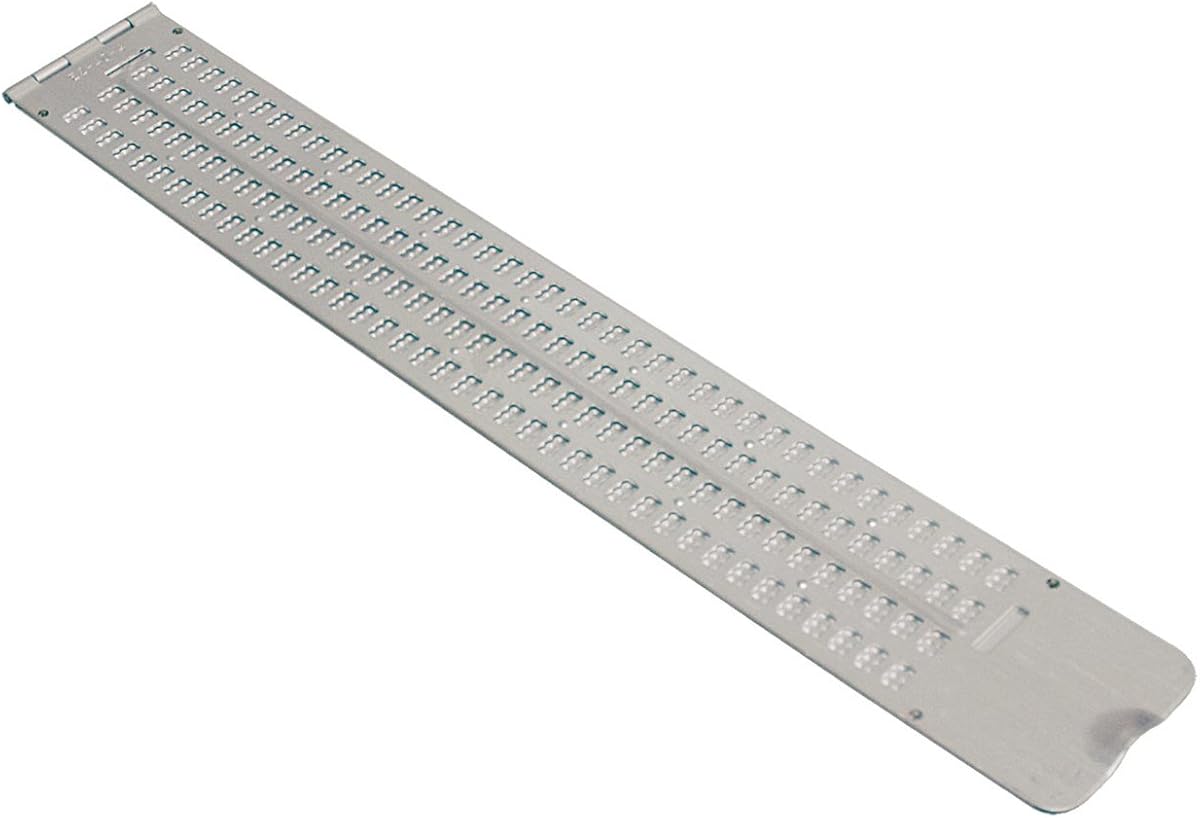
This Business Card Slate is an affordable and practical tool for blind users needing a quick way to write short notes or labels. It is designed for portability and simplicity making it easy to carry in a pocket or bag for spontaneous writing tasks.
We may earn a commission when you buy through this link, at no additional cost to you.
The slate features a built in signature guide which helps ensure handwriting and Braille lines are straight. This is particularly useful for creating professional looking labels or signing documents. The included stylus is durable and works well with the aluminum surface for clear embossing.
While it offers limited space compared to larger slates it excels in convenience and cost. It is an excellent addition to a toolkit for those who need occasional physical writing capabilities. The small footprint makes it less intrusive than bulkier alternatives.
Ideal for beginners or those needing a simple writing aid this slate provides reliable performance. It is perfect for organizing personal items or creating labels. Its low cost and high utility make it a smart purchase for anyone on a budget.
Designed for quick notes and labels this slate saves time on organization tasks without needing electronics.
The built in guide ensures your written entries remain straight and professional every time.
We may earn a commission when you buy through this link, at no additional cost to you.
The Brailliant BI 20X offers a compact alternative to larger displays without sacrificing essential functionality. It provides a 20 cell display which is sufficient for many reading tasks while keeping the unit portable enough for daily carry in a bag.
We may earn a commission when you buy through this link, at no additional cost to you.
Like its larger counterpart it supports connection to multiple devices simultaneously via Bluetooth and USB. This ensures versatility across different platforms. The onboard software includes useful tools for accessing libraries and managing documents which adds value beyond simple text display.
The storage capacity and battery life are comparable to the 40X model ensuring long use between charges. While the screen is smaller it remains effective for standard reading needs. Users who prioritize portability over maximum width will find this model highly effective.
This display is recommended for students or professionals who travel often and need a reliable Braille interface. It balances size and performance well. With strong connectivity and battery life it serves as a dependable companion for daily accessibility needs.
The compact size makes this display easy to carry anywhere ensuring you can read on the go.
Connect to multiple devices at once to switch between phone computer or tablet seamlessly.
We may earn a commission when you buy through this link, at no additional cost to you.
This traditional Braille Slate provides a large writing area for those who prefer manual embossing over digital displays. The 13 lines and 36 cells across allow for substantial text to be written on a single sheet of paper making it useful for longer notes.
We may earn a commission when you buy through this link, at no additional cost to you.
The slate is made of durable aluminum which ensures longevity even with frequent use. It features a hinged design that makes opening and closing easy with a thumb notch for convenience. A free stylus is included to start using it immediately.
While it is heavier than plastic alternatives the aluminum construction adds to its sturdiness. It is an excellent tool for students or anyone practicing Braille writing skills manually. The large size ensures you do not run out of space quickly.
Ideal for home or classroom use this slate supports focused writing tasks. It is best suited for those comfortable with manual embossing techniques. With its large capacity and sturdy build it is a reliable choice for traditional Braille work.
The 13 line capacity allows you to write entire pages without frequently stopping or moving paper.
Built from strong aluminum this slate withstands daily handling and provides a solid writing surface.
We may earn a commission when you buy through this link, at no additional cost to you.
This Full-Page Slate is designed to fit a standard letter size sheet of paper allowing you to write freely across the whole page. The 25 lines and 28 cells provide generous space for assignments or long notes without needing to shift the paper.
We may earn a commission when you buy through this link, at no additional cost to you.
The plastic construction makes it lighter and quieter than metal slates which is beneficial for office or classroom settings. Line numbers embossed on the side help you keep your place if you need to pause writing. It is an effective tool for focused tasks.
While it lacks the durability of aluminum the plastic is thick enough to resist cracking under normal use. The design ensures you get margins on the paper which can be a problem with imported slates. It is a practical solution for domestic paper standards.
Best for students or home users this slate offers a large surface for manual writing. The quiet operation prevents distraction. With its specific design for American paper sizes it is a thoughtful choice for those who prefer traditional Braille methods.
This slate fits standard North American letter size paper perfectly avoiding issues with international dimensions.
The plastic material makes writing significantly quieter than metal slates reducing noise in shared spaces.
We may earn a commission when you buy through this link, at no additional cost to you.
This pocket slate is designed for portability allowing you to carry a writing tool in a bag or briefcase easily. With 40 cells across and four lines it offers a decent amount of space for short messages or lists despite its small overall size.
We may earn a commission when you buy through this link, at no additional cost to you.
Made of lightweight aluminum it balances durability with portability. The pins up design allows you to read what you have written comfortably without flipping the slate over. This feature makes it more efficient for quick editing or review.
While it cannot hold a full page like larger slates it is excellent for on the go tasks. It fits easily into backpacks or pockets which is great for professionals who need to take notes in the field. It is a practical companion.
Ideal for commuters or travelers this slate ensures you can always have a writing option handy. It is simple to use and robust enough for regular use. The combination of width and portability makes it a standout among pocket slates.
Fits easily in a briefcase or backpack so you can write anywhere without bulk.
Read your embossed text without flipping the slate saving time and effort during use.
We may earn a commission when you buy through this link, at no additional cost to you.
The Hable One is a compact Braille keyboard that connects to smartphones and tablets providing a tactile way to type and navigate. It is designed for users who want to use Braille on the go without needing a full screen display device.
We may earn a commission when you buy through this link, at no additional cost to you.
It features eight tactile buttons that map to Braille dots allowing for accurate input on any connected device. The device is small and private so you can type messages without exposing your phone screen. Battery life is exceptional lasting over a month on a single charge.
Setup is intuitive and free onboarding calls help new users master it quickly. It works seamlessly with built in screen readers like VoiceOver or TalkBack. This makes it a versatile tool for anyone looking to integrate Braille into their daily tech routine.
Ideal for mobile users this keyboard bridges the gap between Braille and modern tech. It is great for sending texts or browsing privately. With its long battery life and ease of use it is a strong addition to any blind user's accessories.
Type directly on your phone using Braille keeping your screen private and reducing distraction.
Enjoy over a month of use on a single charge so you are never without your tool.
We may earn a commission when you buy through this link, at no additional cost to you.
This handheld label maker allows you to create Braille labels for organizing home items or supplies easily. It is a simple manual device that embosses Braille onto vinyl tape using a spin dial and trigger mechanism. The tactile dial helps you select characters accurately.
We may earn a commission when you buy through this link, at no additional cost to you.
It is lightweight and easy to use for quick labeling tasks. The included half inch vinyl tape is suitable for most containers or shelves. The design ensures you can create durable labels that resist wear and tear in daily environments.
While it requires manual effort to spin and trigger it is straightforward and efficient for small projects. It is a helpful tool for blind and sighted users alike. The durable plastic construction ensures it will last for many labeling sessions.
Best for home organization this maker helps make storage accessible. It is easy to pick up and use for simple tasks. With the included tape and clear design it is a practical investment for anyone needing to label items in Braille.
The design allows you to select characters by spinning and trigger to emboss quickly and easily.
Labels stick securely to surfaces and resist damage for long term organization solutions.
We may earn a commission when you buy through this link, at no additional cost to you.
These transparent stickers are an economical way to add Braille to your existing computer keyboard. They allow you to keep seeing the original print letters while learning or using Braille for navigation. They are designed to fit standard PC keyboards accurately.
We may earn a commission when you buy through this link, at no additional cost to you.
Made from clear Lexan the stickers are durable enough to resist slipping or curling. The 3M adhesive ensures they stay in place during use. This makes them a practical solution for creating a bilingual setup at home or work.
While they are not as tactile as a dedicated display they provide visual or tactile cues for those learning. They are easy to install and remove if needed. For those on a budget wanting to adapt a current device these are a good choice.
Best for low vision or learning users these overlays add accessibility without replacing hardware. They are simple to apply and functional. If you want to keep your current keyboard but add Braille this option delivers value and convenience.
Keep the original print letters visible while adding Braille dots for a dual language setup.
Peel and stick method makes it simple to install the stickers without special tools.
We may earn a commission when you buy through this link, at no additional cost to you.
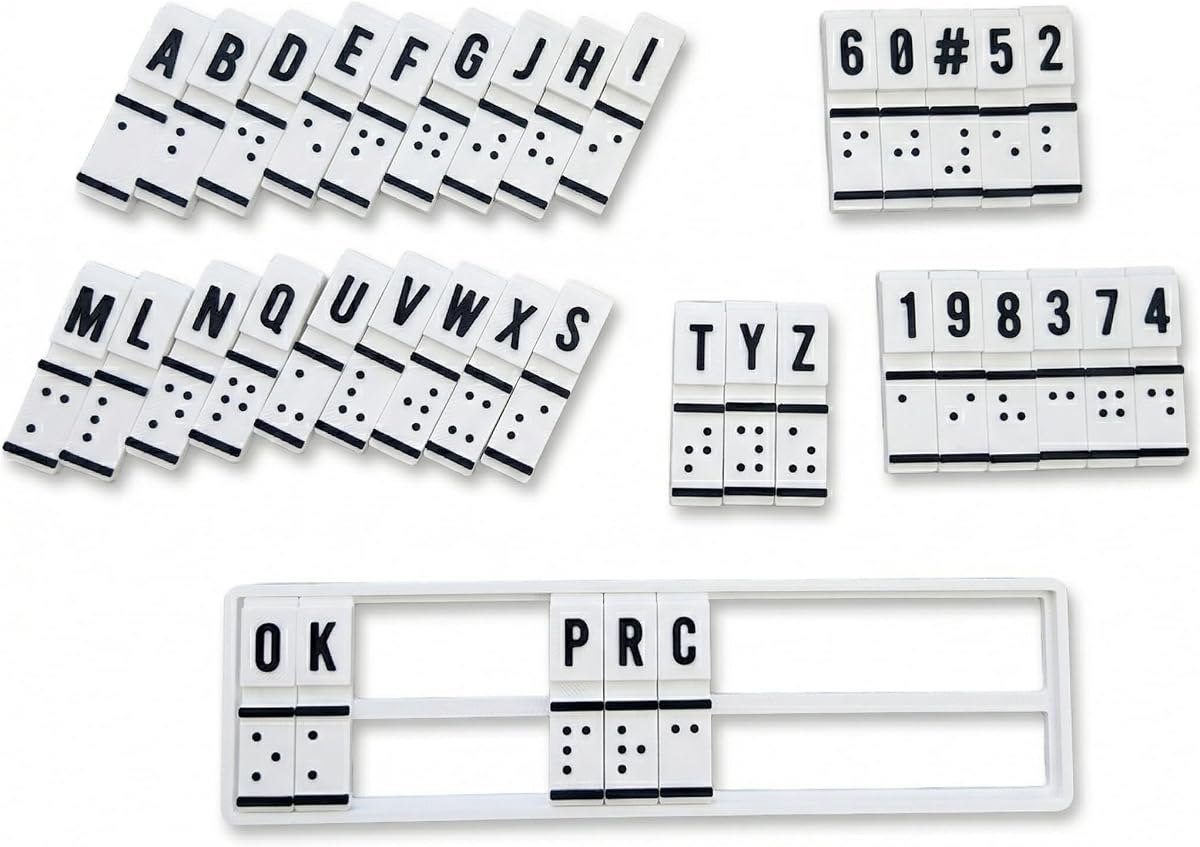
This Braille Learning Training Machine combines educational functions with translation capabilities in a compact design. It is intended for beginners and educators to practice reading and writing Braille through interactive tactile input. It helps build muscle memory for literacy skills.
We may earn a commission when you buy through this link, at no additional cost to you.
The device features raised Braille cells and mechanisms for manual input and output. You can create and read patterns directly which is beneficial for learning without electronic distractions. It is designed to be durable for repeated use in schools or homes.
While user reviews are mixed it remains a focused tool for specific learning goals. It is best suited for those starting out or needing a physical reference for Braille patterns. It does not rely on power which adds to its portability and simplicity.
Ideal for self-study or classroom settings this trainer offers a hands-on approach to Braille. It supports conversion between text and Braille to help bridge communication gaps. If you need a non-electronic way to practice skills this is a practical option.
Use manual tactile input to strengthen your reading and writing skills through physical practice.
Operates without electronics making it portable and simple to use anywhere anytime.
We may earn a commission when you buy through this link, at no additional cost to you.
Choosing the right Braille device requires understanding your daily needs and how you plan to use the tool. This section covers key factors to consider before making a purchase decision.
Refreshable displays allow you to connect to computers and read dynamic content while manual slates are better for writing notes on paper. Consider whether you need screen reading or just writing support.
If you access digital files often a refreshable model is essential. If you mainly need to write notes a manual slate may be more affordable and simpler to use.
Display width ranges from 20 to 40 cells on modern models. More cells mean more text on screen and less need to scroll which helps with reading flow.
Choose a width based on your reading needs. A 20 cell display is great for quick messages but a 40 cell display is better for long documents.
Look for models that support both Bluetooth and USB connections. This allows you to switch between a phone tablet and computer without swapping cables constantly.
Ensure the device can connect to your specific operating system. Multi device support is key for users who juggle multiple gadgets during the day.
Battery life varies by model but you want something that lasts a full work day. Many models offer 20 hours which is standard for modern displays.
If you are away from chargers often prioritize a model with long battery life. Consider charging speed and port type like USB-C for convenience.
Some displays come with built-in software for reading libraries and managing files. More storage means you can download more documents for offline access.
Check if the device supports your preferred file formats like DAISY or PDF. Onboard apps add significant value if you read books or documents offline.
If you carry your device daily look for a model with a sturdy case and light weight. Plastic slates are light but metal ones are more durable.
For travel consider how it fits in your bag. A compact display or a pocket slate may be better than a heavy unit if you move around often.
Prices range from ten dollars for basic slates to thousands for advanced displays. Consider what features you really need to avoid overpaying for unused tech.
Sometimes a simpler tool is better for basic tasks. If you need full screen access the high end models offer value despite the higher price.
Ensure the device works with your screen reader software. Good customer support helps if you face setup issues or need software updates.
Check for compatibility with iOS Android Windows and Mac. A device with strong community support makes troubleshooting and learning easier.
To start using a refreshable Braille display connect it to your device via Bluetooth or USB following the manufacturer instructions. Ensure your screen reader is active so the display updates correctly with text from your screen.
For manual slates practice embossing dots by pressing the stylus firmly on the paper in the correct positions. Always align your paper properly in the guides to keep lines straight and readable for others.
Keep your device clean and dry to maintain longevity. For electronic displays wipe the keys gently and avoid spills. For slates store them flat to prevent paper from getting creased or damaged while in use.
A Braille display is electronic and connects to devices to show digital text while a slate is a manual tool for writing on paper. Displays are for reading on screens and slates are for physical notes.
Most modern Braille displays support Bluetooth which allows them to connect to iPhones and Android phones. Always check the product details to ensure compatibility with iOS before purchasing a specific model.
Typically Braille display batteries last around 20 hours on a single charge which covers a full day of use. Some models may vary so check battery specs if you need long unplugged periods.
Yes Braille slates are excellent for students who need to take notes on paper or practice Braille skills. They are affordable and durable making them ideal for classroom assignments and study.
Yes many Braille displays work well for coding because they provide precise text feedback. Ensure your screen reader and editor support Braille output for the best experience.
For work look for a display with multi device connectivity strong battery life and good software support. These features ensure you can switch between tasks and devices without losing productivity.
Prices vary widely from under thirty dollars for basic slates to several thousand for advanced displays. You can find affordable options depending on your needs and budget constraints.
Use a soft dry cloth to wipe the keys and casing. Avoid harsh chemicals or moisture that could damage the electronic components or tactile feedback mechanism.
The top picks include the Brailliant BI 40X for high-end performance and the Business Card Slate for affordable manual tasks. Both serve different needs effectively depending on whether you require digital access or simple writing tools.
Prioritize what matters most for your workflow such as portability battery life or software support. Understanding your daily usage will help you choose the right device that supports your independence.
Remember that prices change often so check current deals before finalizing your purchase. We hope this guide helps you find the right Braille tool for your needs in November 2026.