
AI Voice Recorder, AI Note Taker, Unlimited Transcription, Lite
4.4Editor score
Unlimited transcription starter plan
Credit card sized design
Smart AI summary features
This guide compares the top AI lapel devices for transcription and meeting notes to help you choose the best wearable recorder for your workflow.
AI lapel devices are transforming how professionals capture meetings and conversations. These wearable recorders use advanced AI to transcribe, summarize, and organize audio into actionable notes instantly.
We analyzed ten leading models based on transcription accuracy, battery life, and privacy features. Our team evaluated each device for ease of use, audio quality, and integration with daily workflows.
Each pick highlights key strengths and ideal use cases for different needs. Please note that availability and pricing can change frequently, so verify details before purchasing your preferred model.
4.4Editor score

4.5Editor score

4.8Editor score
This side by side comparison evaluates the top ten AI lapel devices across key performance metrics. We compare features like transcription language support, recording duration, and privacy compliance to help you find the perfect match.




The Plaud Note Pro leads the pack with its advanced multimodal input and intelligent recording features. It earns a top rating for capturing rich context through audio, images, and typed notes simultaneously.
We may earn a commission when you buy through this link, at no additional cost to you.
Its standout strength is the Ask Plaud AI feature which allows you to chat with your recordings for deeper insights. The directional audio and real-time spatial awareness ensure crystal clear voice capture even in noisy environments.
While it offers a generous starter plan with 300 minutes of transcription, heavy users might need to upgrade. The device relies on app syncing which requires connectivity for full functionality though local storage is robust.
This device is ideal for professionals who need detailed meeting notes and secure data handling. It is a top choice for legal and business professionals handling sensitive information regularly.
Ask Plaud lets you query your recordings directly for key points and next steps.
Four MEMS microphones combined with AI noise reduction capture speech from up to 16 feet.
We may earn a commission when you buy through this link, at no additional cost to you.
Pocket AI Voice Recorder offers seamless integration with Apple devices through its MagSafe compatible design. It provides a hassle free way to capture meetings without holding a device.
We may earn a commission when you buy through this link, at no additional cost to you.
The core features work out of the box allowing you to transcribe and summarize instantly. Ask Pocket functionality lets you query your conversations for actionable insights directly from the app.
Users may find that advanced tools require a subscription which adds to the long term cost. Physical controls are minimal as it relies heavily on taps and app interaction for settings.
This recorder is perfect for iPhone users who want a discreet and powerful assistant. It fits well into daily workflows for quick idea capture and meeting follow ups.
Easily attach to your iPhone for hands free recording on the go.
Automatic organization turns audio into clear summaries and structured conversation maps.
We may earn a commission when you buy through this link, at no additional cost to you.
The Plaud NotePin S adapts to any workflow with multiple wearing options including clip pin or necklace. Its dedicated physical record button ensures precise tactile control during meetings.
We may earn a commission when you buy through this link, at no additional cost to you.
We appreciate the ability to store up to 64GB of audio locally for offline recording sessions. The device transforms conversations into structured insights using leading AI models like GPT 5.5.
While it includes a free starter plan upgrading unlocks more transcription time for power users. Accessory choices can vary so ensure you select the right configuration for your needs.
This device is great for professionals who value privacy and offline capabilities. It serves as a trusted choice for creative and medical professionals handling sensitive data.
Store recordings locally on device to ensure capture even without internet.
Built to strict standards like SOC 2 and HIPAA for secure data protection.
We may earn a commission when you buy through this link, at no additional cost to you.
EurekaMind Lite stands out as an affordable entry point into AI lapel recording with unlimited transcription included. Its web search feature adds unique value for deeper insights beyond just recording.
We may earn a commission when you buy through this link, at no additional cost to you.
The design is incredibly thin and light making it easy to slide into a wallet or phone case. Speaker recognition helps organize notes clearly so you can track who said what instantly.
Advanced tools like calendar sync require an upgrade to premium which increases long term costs. While effective it lacks the advanced microphone array of higher end competitors.
This is an excellent choice for students or individuals on a budget. It delivers essential productivity features without the high price tag of premium models.
Ask AI to search the web for context and answers alongside your recordings.
Identifies different speakers to help organize meeting notes effectively.
We may earn a commission when you buy through this link, at no additional cost to you.
Comulytic Note Pro offers unlimited free transcription which makes it highly attractive for long term use. It comes with a lifetime starter plan so you do not face subscription traps.
We may earn a commission when you buy through this link, at no additional cost to you.
The triple mic array with AI noise reduction ensures clear recordings even in crowded rooms. Vertical knowledge base support helps capture industry specific terms accurately for professionals.
While the free tier is generous some advanced tools require an optional premium plan. The interface is straightforward but lacks the polish of some top competitors.
This device is ideal for users who prioritize free features over premium aesthetics. It delivers reliable performance for interviews and lectures without ongoing costs.
Specialized support for industries like law and finance to capture precise terms.
Upload recordings to the cloud at speeds up to 10 times faster than Bluetooth.
We may earn a commission when you buy through this link, at no additional cost to you.
Comu Action Pro delivers exceptional battery life lasting up to 70 hours on a single charge. This ensures it can handle back to back meetings without needing a recharge.
We may earn a commission when you buy through this link, at no additional cost to you.
The auto generated AI documents feature turns conversations into editable slides and email drafts instantly. A six mic setup ensures the clearest sound capture across various environments.
The device is slightly larger than competitors but this supports its advanced battery and features. It is a premium option for users who need extended recording capabilities.
This device is best for professionals who travel frequently or attend long conferences. It is a reliable tool for capturing detailed records over multiple days.
Turn words into action with editable follow-up emails and presentation drafts.
Adaptive six mic array includes bone conduction mic for clear interviews.
We may earn a commission when you buy through this link, at no additional cost to you.
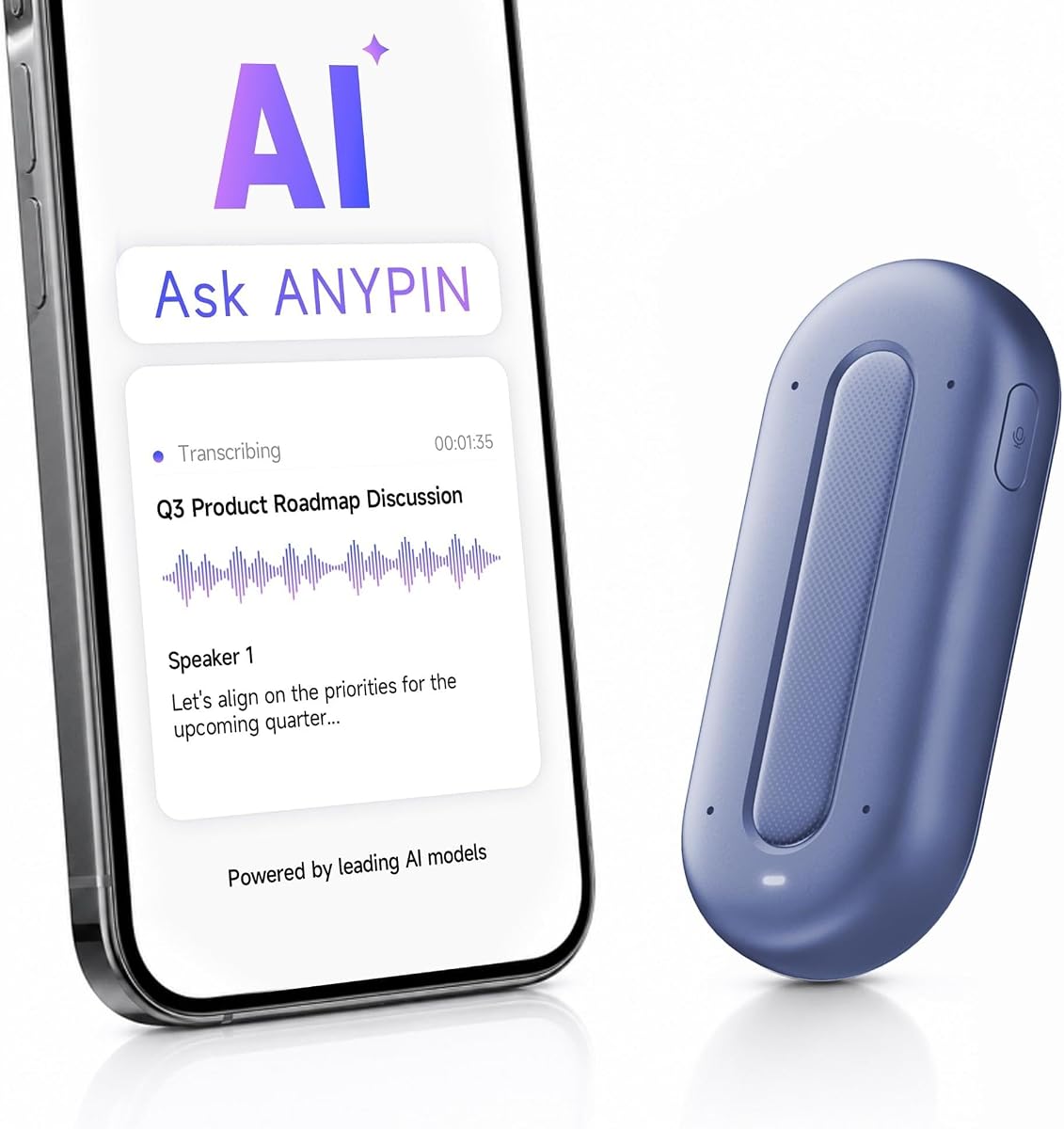
ANYPIN Note Pod P1 offers a full year of unlimited transcription which is unique in this category. It supports over 120 languages making it ideal for international conversations.
We may earn a commission when you buy through this link, at no additional cost to you.
The device keeps data encrypted on device requiring sync to decrypt. This approach prioritizes privacy but limits direct file transfer options via USB.
While the first year is unlimited the device reverts to a free tier after twelve months. Ratings are slightly lower than competitors suggesting some user experience issues.
This device is suitable for users who need long language support and privacy. It is a strong contender for travelers and international professionals.
Choose when to record with features like geo-fenced auto-pause for private zones.
Translate and transcribe across 120+ languages for multilingual meetings.
We may earn a commission when you buy through this link, at no additional cost to you.
The Z01 PRO is designed as a wearable digital badge with customizable wallpapers and patterns. It focuses on daily assistance and translation rather than professional meeting recording.
We may earn a commission when you buy through this link, at no additional cost to you.
Local processing ensures privacy for all queries and conversations since data stays on device. The HD touch screen allows for intuitive control and personal expression through design.
Translation requires an internet connection though basic functionality works offline. It is more of a lifestyle tool than a serious business recorder.
This device is best for users who want a stylish daily assistant. It is great for travel and casual conversations.
Upload your own photos to create unique custom wallpapers and digital accessories.
Get expert answers for cooking recipes and survival tips on the go.
We may earn a commission when you buy through this link, at no additional cost to you.
The Z02 badge combines recording and translation into a compact wearable with high user satisfaction. It offers real-time speaker distinction for group discussions which is helpful for meetings.
We may earn a commission when you buy through this link, at no additional cost to you.
No hidden fees are required to access basic AI tools like meeting minutes and summaries. The device is lightweight and easy to wear throughout the day.
It is a versatile option for casual users and travelers needing basic assistance. It lacks advanced professional features found in dedicated recorders.
This device is ideal for students and casual users. It works well for school lectures and daily notes.
Eight powerful AI tools automatically sort key points and action items.
Make your badge uniquely yours with personalized wallpapers and images.
We may earn a commission when you buy through this link, at no additional cost to you.
SYNCO AI Mini is designed specifically for Android USB-C creators who need reliable audio capture. It includes AI noise reduction and voice leveling for consistent sound in noisy environments.
We may earn a commission when you buy through this link, at no additional cost to you.
The companion app organizes speech into summaries and mind maps for content planning. Lifetime free tools ensure you do not pay monthly fees for basic features.
This device is less suitable for iOS users or those needing general transcription. It is a specialized tool for mobile video creators.
It is ideal for creators recording interviews or tutorials on Android phones. It ensures clear audio for mobile content production.
Balance voice volume automatically when you move or speak at different distances.
Organize recorded speech into mind maps for easier content creation.
We may earn a commission when you buy through this link, at no additional cost to you.
Choosing the right AI lapel device depends on your specific workflow and privacy needs. We break down the key factors to consider before making a purchase.
Different devices support varying numbers of languages for transcription and translation. Ensure the device supports your required languages if you work in multilingual environments.
Battery life varies significantly across models. Consider how long you need to record on a single charge before recharging is required.
Look for devices that offer local storage and cloud sync options. This ensures you can access your files across devices securely and reliably.
Enterprise grade security standards like HIPAA or SOC 2 are vital for sensitive professional work. Verify compliance before selecting a device for business use.
Microphone quality and noise cancellation directly impact audio clarity. Multiple mic setups often deliver better results in noisy environments.
Beyond transcription some devices offer summaries, insights, and automated document generation. Assess which AI tools fit your daily productivity needs.
Choose a form factor that suits your environment such as clip pin or magnetic. Comfort and discreetness are key for all day use.
Review the pricing structure for transcription and AI features. Some offer unlimited free tiers while others require subscriptions for advanced tools.
To start recording tap the physical button on the device or use the companion app. Place the device close to the speaker for optimal audio capture.
AI lapel devices are primarily used to record and transcribe conversations, meetings, and lectures. They convert audio into text and summaries automatically.
Many models offer enterprise grade encryption and comply with security standards like HIPAA. Always check the specific security certifications of a model.
Basic recording works offline but transcription and AI features generally require internet access. Some models allow local processing for enhanced privacy.
Most devices provide near real-time transcription if internet connection is available. Syncing times vary based on file size and server load.
Yes many devices support call recording modes or can capture voice notes during calls. Check if your region allows legal recording before use.
Badges often focus on translation and casual assistance while recorders prioritize meeting notes and security. Choose based on your primary workflow needs.
The Plaud Note Pro stands out for its multimodal inputs and reliable performance. It is an excellent all around choice for professionals needing detailed meeting notes.
For budget conscious buyers the EurekaMind Lite offers strong value with unlimited transcription options. Those needing extended battery life should consider the Comu Action Pro.
Always verify current pricing and availability before purchasing. These devices evolve quickly so check the latest specs and user reviews for the best choice.