
Creative Pebble Plus
4.3Editor score
USB-powered convenience
Down-firing subwoofer
45-degree elevated drivers
This guide compares the top 2.1 channel desktop speakers for sound quality, bass, and value to help you choose the best system for your setup.
Finding the right audio solution for your workspace or gaming rig can be challenging. A good 2.1 channel desktop speaker system delivers clear highs, detailed mids, and the deep bass that stereo pairs often miss. This guide helps you navigate the best options available today.
We evaluated ten top-rated systems based on power output, build quality, connectivity options, and user feedback. Our analysis focuses on real-world performance for music, movies, and games. Each product was assessed for value, clarity, and how well it fits a typical desktop environment.
Each pick highlights key strengths, ideal use cases, and potential trade-offs to watch for. Please note that prices and availability can change frequently. We recommend verifying the latest details before purchasing to ensure you get the best deal available now.
4.3Editor score

4.6Editor score
4.2Editor score
The following table provides a side-by-side comparison of all ten systems. We highlight key specifications like power output, connectivity, and unique features to help you quickly identify the right match for your needs.



The Klipsch ProMedia 2.1 is a legendary system known for its THX certification and powerful sound. It earns our Editor's Choice badge for delivering a premium audio experience that rivals much more expensive setups.
We may earn a commission when you buy through this link, at no additional cost to you.
Its MicroTractrix horn technology ensures high efficiency and clarity, while the 6.5-inch side-firing subwoofer provides deep, felt bass. The control pod offers convenient volume and subwoofer gain adjustments right at your desk.
While the subwoofer is large and requires dedicated floor space, the sound quality justifies the footprint. The lack of modern wireless inputs like Bluetooth might be a drawback for some mobile users.
Ideal for audiophiles and gamers who prioritize raw sound power and clarity over sleek design. If you want a system that sounds incredible with movies and music, this remains a top recommendation.
THX certification ensures the system meets high standards for audio fidelity and dynamic range in home environments.
This horn design controls sound dispersion better, directing clear audio straight to your ears with minimal distortion.
We may earn a commission when you buy through this link, at no additional cost to you.
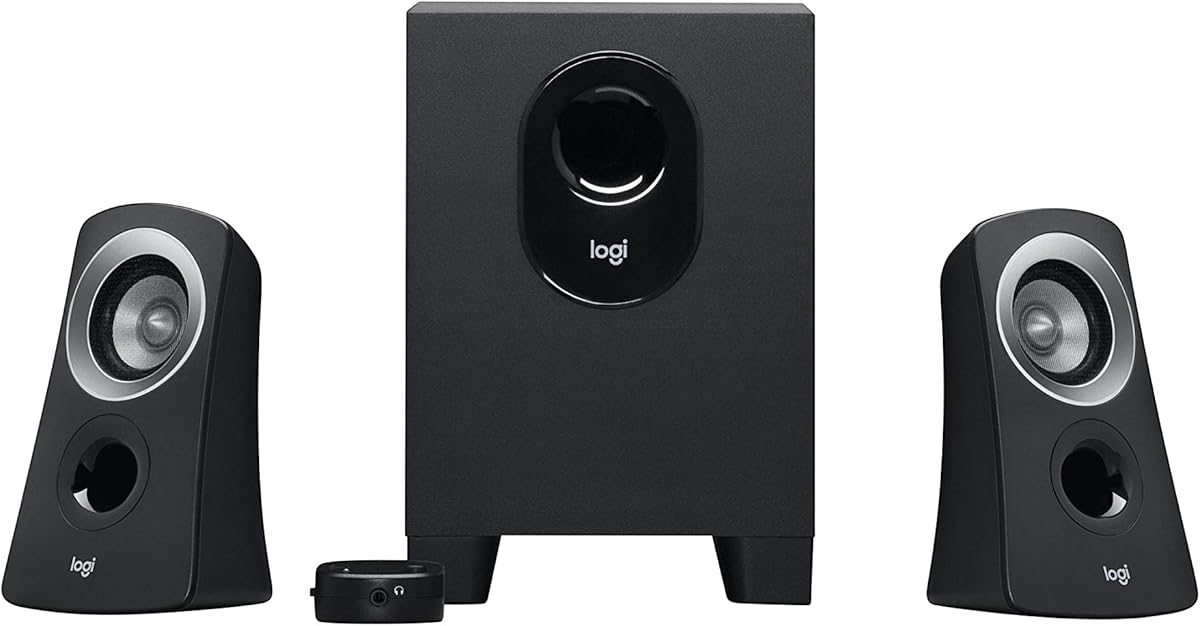
The Logitech Z313 is a reliable budget option that brings 2.1 sound to a small desk without breaking the bank. It earns the Best Budget badge for delivering solid performance at a very accessible price.
We may earn a commission when you buy through this link, at no additional cost to you.
It features a compact subwoofer that saves floor space while still offering 25 watts of RMS power. The control pod lets you adjust volume easily, making it user-friendly for office or casual home use.
While it lacks high-end power and detailed highs compared to premium models, it is perfect for everyday tasks. The build is functional but plastic-heavy, which is expected at this price tier.
Choose this if you need basic stereo separation and bass without spending much. It is ideal for students or offices where budget and space are primary concerns.
The small subwoofer fits under desks easily, making it a great choice for tight workspace environments.
A simple control pod ensures you can manage volume and power without reaching for your computer.
We may earn a commission when you buy through this link, at no additional cost to you.
The Logitech Z623 delivers massive power with 400 watts peak output, making it a powerhouse for media rooms. It wins Best Premium due to its THX certification and ability to fill large spaces with rich sound.
We may earn a commission when you buy through this link, at no additional cost to you.
With RCA and 3.5mm inputs, it supports almost any device, from PCs to consoles. The subwoofer provides earth-shaking bass that enhances action movies and gaming experiences significantly.
The main trade-off is size; the system is large and heavy, requiring dedicated floor space. It may be overkill for a small desk but perfect for a living room or home theater setup.
Buy this if you want theater-level sound at home and have the space to accommodate it. It is the best choice for immersive entertainment and high-volume listening.
This high wattage allows for loud, clear playback even in large rooms without distortion.
Support for RCA and AUX ensures compatibility with legacy devices and modern computers alike.
We may earn a commission when you buy through this link, at no additional cost to you.
The Creative Pebble X Plus combines sleek design with modern connectivity like USB-C and Bluetooth 5.3. It stands out for its aesthetic appeal and RGB lighting options that enhance desk setups.
We may earn a commission when you buy through this link, at no additional cost to you.
It delivers 15W RMS power which is sufficient for casual listening. The compact subwoofer fits easily under desks, and the spherical satellite design adds a unique look to your workspace.
However, the bass is not as deep as larger systems, and you need a high-power USB adapter for maximum volume. The RGB lighting is a nice touch but may distract some users.
This is perfect for users who value style and modern ports over raw bass power. It fits well in small offices or gaming desks where aesthetics matter.
Support for both wired USB-C and wireless Bluetooth offers flexible connection options for modern devices.
Six lighting presets allow you to match the speaker colors with your desk theme or mood.
We may earn a commission when you buy through this link, at no additional cost to you.
The Bluedee speakers focus on clarity with DSP tuning that smooths out highs and reduces harshness. They offer a balanced audio experience suitable for work and casual entertainment at home.
We may earn a commission when you buy through this link, at no additional cost to you.
With 80W peak power and Bluetooth 5.4, you get reliable connectivity and decent volume. The single control knob makes volume and lighting adjustments effortless, simplifying daily use.
While the build is lightweight and the subwoofer lacks depth, the value is strong for the price. The DSP tuning is a rare feature at this level that improves vocal clarity.
Choose this if you want a simple setup with good vocal reproduction. It is ideal for home offices where clear sound is needed without complexity.
Digital Signal Processing ensures smoother audio output and reduces distortion for a more comfortable listen.
Latest Bluetooth standards mean better stability and lower latency when streaming from phones or tablets.
We may earn a commission when you buy through this link, at no additional cost to you.
The Cyber Acoustics CA-3090 offers a very low entry price for a 2.1 system. It is designed for users who need basic sound separation without paying for high-end features.
We may earn a commission when you buy through this link, at no additional cost to you.
Its flat panel design helps save desk space, while the ported subwoofer adds a bit of bass. The control pod is simple but functional for everyday volume adjustments.
Sound quality is basic and lacks detail compared to pricier options. It works well for background noise or speech but may disappoint music lovers seeking richness.
This is a great choice for secondary rooms or temporary setups. If you need a cheap solution that just works, this system meets the need.
Slim satellites fit neatly on desks, making this system ideal for smaller workspaces.
Even at this price, you get a dedicated subwoofer for better bass than standard bookshelf speakers.
We may earn a commission when you buy through this link, at no additional cost to you.
The Creative Pebble Plus is a top value pick that offers surprising sound quality for its size. Its 45-degree elevated drivers aim sound directly at you for better focus and clarity.
We may earn a commission when you buy through this link, at no additional cost to you.
Powered via USB, it saves you from needing wall outlets. The down-firing subwoofer adds significant depth, making this system outperform many rivals in its price range.
While it only delivers 8W RMS power, the High Gain mode can boost this with a stronger adapter. It may lack the volume for large rooms but is perfect for desks.
Ideal for laptop users and students who need clear sound and simplicity. It is one of the best entry-level 2.1 systems available today.
Elevated drivers ensure sound reaches your ears directly, improving stereo imaging and vocal clarity.
Drawing power from USB simplifies your setup and reduces cable clutter on your desk.
We may earn a commission when you buy through this link, at no additional cost to you.
The Cyber Acoustics CA-3610 delivers strong bass and clear mids thanks to dual titanium drivers. It is a solid choice for those who prioritize bass performance in gaming and movies.
We may earn a commission when you buy through this link, at no additional cost to you.
With 62W peak power and a 5.25-inch subwoofer, it offers plenty of punch for home offices. The headphone jack on the control pod allows for private listening when needed.
The bass can sometimes overpower mids if not adjusted properly. The build is functional but lacks the premium feel of more expensive systems.
This system is a good middle ground for those who want power without huge size. It is recommended for casual gamers and multimedia enthusiasts.
Titanium drivers provide durable and crisp sound reproduction, especially for mid and high frequencies.
An included headphone jack lets you listen privately without unplugging the speakers.
We may earn a commission when you buy through this link, at no additional cost to you.
The Logitech Z407 offers wireless control and Bluetooth streaming for a modern experience. It stands out with its unique control dial that lets you manage audio from across the room.
We may earn a commission when you buy through this link, at no additional cost to you.
With 80W peak power, it delivers rich sound suitable for music and films. The dual-position satellites allow you to place them vertically or horizontally to fit your style.
While it is pricier than wired rivals, the convenience of wireless control adds value. The battery for the dial is an extra maintenance factor to consider.
Choose this if you want convenience and sleek design. It is best for users who prioritize modern features like wireless control and Bluetooth streaming.
This control allows volume and playback adjustments without touching your computer or cables.
Versatile satellite shapes let you customize the look to match your desk layout.
We may earn a commission when you buy through this link, at no additional cost to you.
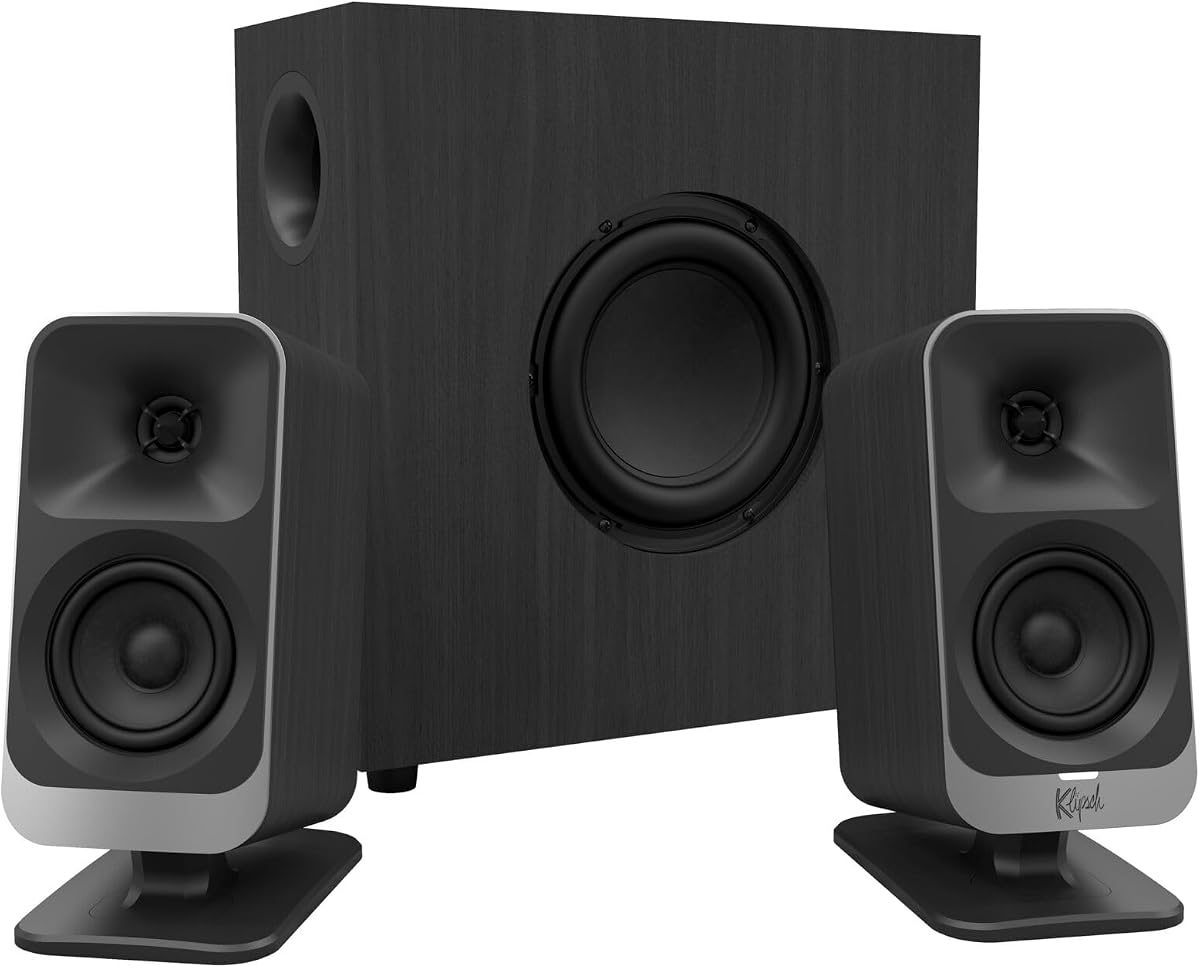
The Klipsch ProMedia Lumina is a reimagination of a classic with modern touches like RGB and USB-C. It earns a premium spot for its blend of legacy audio quality and contemporary features.
We may earn a commission when you buy through this link, at no additional cost to you.
It features a low-profile subwoofer to save floor space while delivering punchy bass. The Klipsch Control app allows precise EQ adjustments and lighting customization for your workspace.
The price is high compared to other options, which may be a barrier for some users. However, the build quality and feature set justify the cost for enthusiasts.
This system is perfect for gamers and creators who want style and sound. If you value premium aesthetics and flexible control, it is a top-tier choice.
The desktop app gives you full control over equalizer settings and RGB lighting preferences.
This slim subwoofer fits easily under desks while still delivering impactful bass for gaming.
We may earn a commission when you buy through this link, at no additional cost to you.
Choosing the right 2.1 speaker system involves balancing sound quality, connectivity, and desk space. Understanding these key factors will help you select a model that fits your workflow and audio preferences.
Power is measured in watts and indicates how loud and clear your speakers can play. Higher wattage ensures better performance at high volumes without distortion.
Look for systems with at least 20 watts RMS for clear sound in a home office.
A good subwoofer adds depth to audio, making movies and games more immersive. The size and placement of the subwoofer affect how much space it requires.
Choose a subwoofer that fits your floor space while delivering punchy low frequencies.
Modern speakers often include USB, 3.5mm, and Bluetooth connections. Ensure your model supports the inputs you need for your computer and devices.
Bluetooth support adds flexibility for connecting wireless devices without cables.
Some systems are large and require floor space for the subwoofer. Compact designs are better for small desks where room is limited.
Measure your available area before buying to avoid overcrowding your workspace.
Sturdy builds ensure durability and better sound isolation. Check reviews for signs of rattling or cheap materials that degrade performance.
Premium materials often lead to clearer sound and a longer product lifespan.
Easy access to volume and bass controls makes daily use convenient. Look for a control pod if you want quick adjustments without reaching for your PC.
Wireless control dials add convenience if you want to adjust from a distance.
Extra features like RGB lighting or apps can enhance your setup. However, ensure these do not distract from the primary audio function.
Prioritize features that improve usability or fit your gaming aesthetic.
Place your satellite speakers at ear level and angle them toward your seating position for the best soundstage. Position the subwoofer in a corner or along a wall to maximize bass response without cluttering your desk.
Keep cables organized and use cable ties to prevent tripping or tangling. Regularly clean dust from drivers and subwoofers with a soft cloth to maintain clear audio performance over time.
Adjust volume using the control pod to avoid overloading your system. Use EQ settings if available to tailor sound to your preferences without damaging the speakers.
Most modern 2.1 desktop speakers have built-in amplifiers, so you do not need a separate one. Just plug them into your computer or power source to start using them.
Yes, you can connect 2.1 speakers to a laptop via a 3.5mm audio jack or USB. Most models are designed to work with laptops without additional hardware.
RMS power indicates continuous power handling, while peak power shows maximum short bursts. RMS is a better measure of real-world performance for daily use.
Yes, most 2.1 speakers work with Mac computers via standard 3.5mm or USB inputs. Just ensure your Mac has a headphone or USB port.
Move the subwoofer to a corner or adjust the bass knob on the control pod. Ensure cables are fully connected to avoid signal loss that reduces bass.
Some models include Bluetooth for wireless connections, while others rely on wired inputs. Check the product specs to confirm Bluetooth availability.
Many brands offer a one-year warranty, but policies vary. Always check the manufacturer or seller details for specific warranty information.
Yes, 2.1 speakers are excellent for gaming due to their immersive sound and bass. They enhance effects and improve clarity for better gameplay.
We highlighted ten great options ranging from budget picks like the Creative Pebble Plus to premium choices like the Klipsch ProMedia Lumina. Each model brings unique strengths suited to different needs and spaces.
Prioritize sound quality and desk compatibility to ensure you get the best experience. Consider features like Bluetooth and RGB lighting if they matter to your daily workflow.
Always verify current pricing and availability before purchasing. This ensures you get the best deal and the latest model for your setup.