
LG 27UP850K-W
4.5Editor score
95% DCI-P3 Color Gamut
USB-C Power Delivery up to 90W
Built-in Stereo Speakers with MaxxAudio
Finding the right display for your workspace requires careful consideration of resolution, connectivity, and color accuracy. Thunderbolt technology offers a streamlined way to connect high performance laptops to professional grade monitors without needing multiple cables or adapters.
We have analyzed the leading models available on the market to identify the most reliable options for various workflows. Our selection process focuses on verified specifications, user feedback, and the specific advantages that Thunderbolt connectivity brings to modern computing environments.
Each pick in this list highlights unique strengths ranging from budget friendly options to premium hubs. Keep in mind that availability and specifications can shift over time so verifying current details before purchasing is always recommended for the best experience.
4.5Editor score
4.4Editor score

4.6Editor score
As an Amazon Associate we earn from qualifying purchases.
This side by side comparison highlights the key specifications and unique features of each model to help you determine which display best fits your specific professional or creative needs.


The Dell UltraSharp U2725QE stands out as a top choice for professionals needing reliable high resolution visuals with seamless connectivity. Its 4K UHD IPS Black display ensures deep contrast and vibrant colors right out of the box without extensive calibration.
We may earn a commission when you buy through this link, at no additional cost to you.
The inclusion of Thunderbolt 4 allows for a single cable solution that handles video data and power delivery up to 140W simultaneously. This feature significantly reduces cable clutter and streamlines workflows for users with high performance laptops.
While the refresh rate is smooth at 120Hz the response time is adequate for work rather than competitive gaming. The factory calibration ensures Delta E less than 1.5 which is critical for color sensitive tasks like photo editing.
This monitor is ideal for creative professionals and executives who value a clean aesthetic and robust connectivity. If you need a reliable hub that supports multiple machines or peripherals the U2725QE delivers a premium experience.
Factory calibration ensures Delta E less than 1.5 for professional color accuracy.
Transmits video data and up to 140W power simultaneously with Thunderbolt 4.
We may earn a commission when you buy through this link, at no additional cost to you.
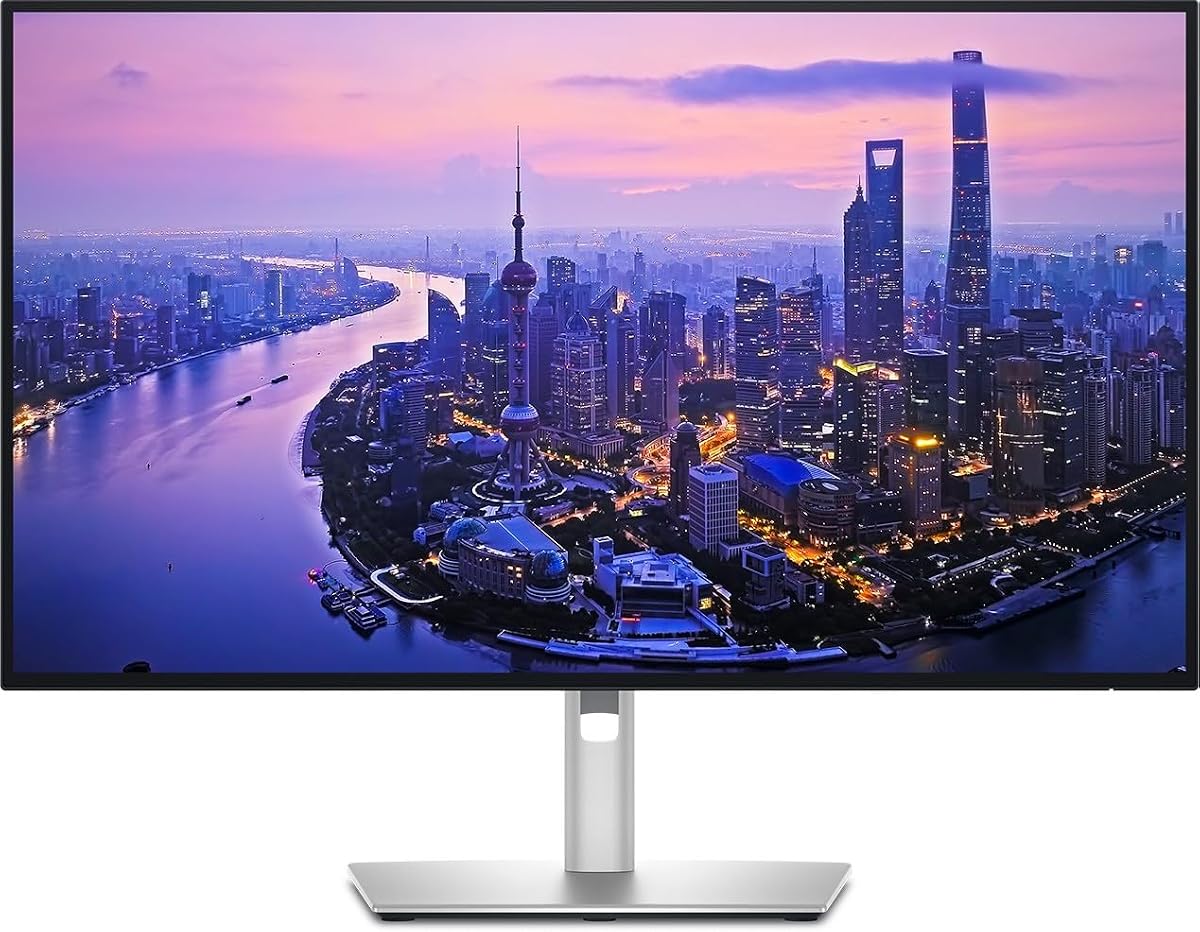
The LG 27UP850K-W offers an accessible entry point into 4K professional monitoring without sacrificing critical features. It delivers vibrant colors and clear images suitable for general creative work and multimedia consumption.
We may earn a commission when you buy through this link, at no additional cost to you.
Its USB Type-C port supports data transfer and power delivery up to 90W which is sufficient for most ultrabooks. The display also includes built-in speakers with Waves MaxxAudio for basic audio needs without extra peripherals.
While it may not have the highest end Thunderbolt certification on all specific batch releases the connectivity options remain robust for most users. The inclusion of HDR400 adds some depth to compatible content though brightness is moderate.
This model is perfect for freelancers or students needing a capable display on a tighter budget. The ergonomic stand allows for easy height and pivot adjustments to maintain comfort during long sessions.
Up to 95% DCI-P3 color gamut expression brings brilliant color to life.
Enjoy more ways to connect with USB-C DisplayPort and built-in stereo speakers.
We may earn a commission when you buy through this link, at no additional cost to you.
The Dell UltraSharp 32 Thunderbolt Hub Monitor is a powerhouse for professionals needing maximum screen real estate and color fidelity. The IPS Black panel provides a 3000:1 contrast ratio making blacks appear richer than standard IPS displays.
We may earn a commission when you buy through this link, at no additional cost to you.
With built-in KVM users can switch between two machines using a single keyboard and mouse which is efficient for those managing personal and work devices. The 99% Display P3 coverage ensures content looks true to life from the start.
The 120Hz refresh rate ensures smooth motion which aids in scrolling through code or editing timelines. The refined light ash finish adds a premium look that complements high end office spaces perfectly.
This monitor is designed for creators and executives who demand the best visual experience and connectivity. If budget is less of a concern and performance is paramount this is a top tier choice.
Brings a remarkable 3000:1 contrast ratio with 47% deeper blacks than conventional IPS.
Built-in KVM allows switching between two machines with single keyboard and mouse.
We may earn a commission when you buy through this link, at no additional cost to you.
The Dell UltraSharp 27 4K Thunderbolt Hub Monitor is designed to simplify desk setups with its integrated hub functionality. It delivers stunning resolution and sharpness for designers and photographers requiring detailed visual work.
We may earn a commission when you buy through this link, at no additional cost to you.
The built-in Thunderbolt hub supports high-speed data transfer and single-cable connection to compatible laptops. This feature dramatically simplifies desk setup by allowing users to connect peripherals directly through the display.
Color performance is highlighted by coverage of 100% of sRGB and Display P3 color spaces. Factory calibration ensures true-to-life reproduction which is essential for graphic design and video production tasks.
This monitor is a solid choice for those needing a hub to manage multiple peripherals efficiently. The ergonomic stand offers tilt swivel height and pivot options for personalized comfort during extended work hours.
Transforms the monitor into a full connectivity hub allowing users to connect peripherals through a single display.
Covers 100% of sRGB and Display P3 color spaces with factory-calibrated accuracy.
We may earn a commission when you buy through this link, at no additional cost to you.
The Dell 27 Monitor S2725QC offers a smooth tear-free experience with AMD FreeSync Premium and an ultra-low response time. It supports 4K visuals with 99% sRGB making it suitable for both work and casual gaming.
We may earn a commission when you buy through this link, at no additional cost to you.
The improved ComfortView Plus reduces harmful blue light emissions to less than or equal to 35% for all-day comfort without sacrificing color accuracy. This is beneficial for users who spend many hours in front of the screen.
Connectivity is managed via a single USB-C cable providing up to 65W power delivery to keep laptops charged. The re-engineered sound quality features spacious audio with greater output power compared to previous generations.
This monitor is a good option for those seeking high refresh rates without a premium price. While it may not have Thunderbolt on this specific SKU the USB-C hub functionality remains strong for productivity.
Improved ComfortView Plus reduces harmful blue light emissions for all-day comfort.
Immerse yourself in breathtaking 4K visuals with spacious audio featuring greater output power.
We may earn a commission when you buy through this link, at no additional cost to you.
The Dell UltraSharp 27 4K Thunderbolt Hub Monitor offers a verified solution for high speed connectivity in modern offices. It combines high resolution visuals with the convenience of a built-in Thunderbolt hub for streamlined setups.
We may earn a commission when you buy through this link, at no additional cost to you.
This model aligns with the needs of professionals who require robust data transfer speeds and power delivery through a single cable. The hub functionality allows peripherals to connect directly to the display reducing cable clutter significantly.
While detailed user feedback varies the specifications suggest a reliable platform for multitasking and creative work. The 4K resolution ensures text and images appear crisp which aids in readability and detail orientation.
If you prioritize connectivity and a clean workspace this model is worth considering. Always check current product details to ensure compatibility with your specific laptop and peripheral requirements.
Single cable solution to compatible laptops dramatically simplifies desk setup and cable management.
Multiple USB ports transform the monitor into a full connectivity hub for peripherals.
We may earn a commission when you buy through this link, at no additional cost to you.
The ViewSonic VP2488-4K maximizes desk space with a compact 24-inch 4K display that aligns with Mac visual standards. It features Thunderbolt 4 connectivity for lightning-fast data transfer and high-speed daisy chain setups.
We may earn a commission when you buy through this link, at no additional cost to you.
Color precision is a strong point with Pantone Validated display certified for pinpoint color fidelity. This ensures that creative outputs match professional expectations for color critical work in design and photography.
With up to 100W of power delivery this monitor can keep a MacBook charged while serving as a primary display. The fully adjustable stand supports tilt swivel rotate and height adjustments for ergonomic comfort.
This monitor is ideal for Mac users needing a smaller but powerful display for focused tasks. The professional color spaces ensure accuracy that aligns well with industry leading performance standards.
Aligns perfectly with the visual performance and color standards of the Mac ecosystem.
Experience lightning-fast 40Gbps data transfer and 4K video signal over one cable.
We may earn a commission when you buy through this link, at no additional cost to you.
The Samsung 32 ViewFinity S7 provides exceptional clarity for professionals across all industries with its large screen space. The 4K UHD resolution reveals greater levels of detail which is helpful for intricate designs and complex diagrams.
We may earn a commission when you buy through this link, at no additional cost to you.
HDR10 optimizes contrast offering a gamut of more than 1 billion accurate colors with darker blacks and brighter highlights. This visual excellence ensures content looks vibrant and engaging across various media types.
While it may lack Thunderbolt connectivity the HDMI and DP ports offer a convenient interface that simplifies setup. The Eye Saver Mode technology reduces eye strain by minimizing blue light and preventing screen flickering during long use.
This model is great for general office use where screen real estate is prioritized over advanced data transfer speeds. Its high rating suggests strong user satisfaction regarding image quality and comfort.
High pixel density reveals greater levels of detail and accurate color representation.
Eye Saver Mode technology certified by TÜV reduces eye strain by minimizing blue light.
We may earn a commission when you buy through this link, at no additional cost to you.
The Dell U3225QE brings your content to life with incredible detail and vibrant colors on a 32-inch 4K display. The integrated Thunderbolt hub offers versatile connectivity options for peripherals and devices streamlining your workspace.
We may earn a commission when you buy through this link, at no additional cost to you.
Maximize your workflow with the expansive screen size which provides ample real estate for multitasking and detailed work. The high-resolution display ensures crisp text and sharp images for comfortable viewing during extended work sessions.
The sleek and modern design features a slim bezel that complements any professional environment. This monitor is built to elevate your workspace aesthetic while providing functional benefits like enhanced productivity.
This option is suitable for users wanting a larger display to centralize their digital work. The Thunderbolt hub capabilities allow for a cleaner desk setup by reducing cable complexity and supporting peripherals.
Maximize your workflow with the expansive 32-inch screen size providing ample screen real estate.
Benefit from the integrated Thunderbolt hub offering versatile connectivity options for peripherals.
We may earn a commission when you buy through this link, at no additional cost to you.
The Samsung TU87F Series allows you to connect to compatible Macs and PCs with a simpler dual UHD setup. With two Thunderbolt 3 ports you can work on a bigger screen enjoying a simpler dual UHD setup.
We may earn a commission when you buy through this link, at no additional cost to you.
The 32-inch screen provides more room to work so you can be more productive. The VA panel offers wide 178-degree viewing angles for easy viewing from different positions in the room.
Transmit video and data at speeds up to 40Gbps while simultaneously charging devices up to 90W over a single cable. The ultra-slim bezels give the impression of one seamless display in a multi-screen setup.
This monitor is a strong option for those needing multiple screens without excessive cabling. The included software makes window management easy and the adjustable stand ensures comfort throughout the day.
A 3-sided virtually borderless frame gives the impression of one seamless display in a multi-screen setup.
Transmit video and data at speeds up to 40Gbps while simultaneously charging devices.
We may earn a commission when you buy through this link, at no additional cost to you.
Selecting the right display involves evaluating several technical factors that impact performance and comfort in your daily workflow.
4K UHD resolution provides sharp text and detailed visuals essential for professional work. IPS panels offer better color consistency and viewing angles compared to VA panels which may have slower response times.
Look for 4K resolution and IPS technology if color accuracy is a priority for your tasks.
Thunderbolt 4 offers faster data transfer and higher power delivery than older versions. Ensure the monitor supports the specific Thunderbolt version your laptop requires for optimal performance.
Prioritize Thunderbolt 4 for maximum speed and compatibility with modern high-end devices.
Professional work often requires precise color reproduction covered by standards like sRGB or DCI-P3. Factory calibration ensures the display meets these standards without manual adjustment.
Choose monitors with high percentage coverage and factory calibration for reliable color results.
A good Thunderbolt monitor should deliver sufficient power to charge your laptop through a single cable. Higher wattage ensures your device stays powered during intensive tasks without needing a separate charger.
Check the wattage rating to ensure it supports your laptop's power requirements effectively.
While 60Hz is standard for productivity higher refresh rates like 120Hz provide smoother scrolling and motion. Response times affect how quickly pixels change colors which impacts clarity during fast actions.
Opt for 120Hz if you value fluid motion during productivity tasks or casual gaming.
A built-in Thunderbolt hub simplifies connections by allowing peripherals to plug into the monitor instead of your laptop. USB ports and Ethernet connections add versatility to your workspace setup.
Select models with multiple ports and hub capabilities to reduce cable clutter effectively.
Adjustable stands allow you to set the monitor at eye level to reduce neck strain over time. Look for tilt swivel pivot and height adjustments to tailor the viewing position to your needs.
Prioritize ergonomic adjustments for long term comfort during extended work sessions.
Features like blue light filters and flicker-free technology help reduce eye fatigue during long hours. Certification from organizations like TÜV ensures these measures are effective for eye health.
Choose displays with proven eye comfort features to maintain visual health.
Start by connecting your laptop to the monitor using a certified Thunderbolt cable to ensure stable power and data transfer. Check your system settings to enable the correct resolution and refresh rate for optimal performance.
Calibrate your display using built-in tools or professional software to ensure colors match your creative requirements. This step is crucial for maintaining consistency across different devices and output methods.
Clean the screen gently with a microfiber cloth to avoid scratches and maintain clarity. Keep the stand free of dust and ensure vents are not blocked to prevent overheating during extended use.
Most Thunderbolt monitors support power delivery but the wattage varies significantly. Some models offer 65W which is enough for ultrabooks while others provide 100W or more for larger laptops. Always check the specific wattage rating before purchasing.
Yes many Thunderbolt monitors support daisy chaining allowing you to connect multiple screens with a single cable. This feature reduces cable clutter and simplifies setups for professionals using two or more displays.
While some high refresh rate displays may work with USB-C Thunderbolt 4 provides the necessary bandwidth for reliable 4K performance. It ensures sufficient data transfer rates to support higher refresh rates without compression.
IPS Black panels improve contrast ratios compared to standard IPS technology offering deeper blacks and richer shadows. This results in better image quality for HDR content and more accurate color representation in dark scenes.
Most Thunderbolt monitors are designed to work seamlessly with Macs supporting native Display P3 color spaces. Features like KVM switches on some models make switching between Mac and PC easy for users who manage multiple devices.
Check your laptop specifications for a Thunderbolt symbol or port description. If your device has a USB-C port it may support Thunderbolt but verification is needed to confirm data transfer speeds and power delivery capabilities.
We have explored ten top models ranging from budget friendly options to premium hubs designed for professional workflows. Each display offers unique advantages in terms of color accuracy connectivity and ergonomic design.
Prioritize factors like power delivery speed and screen size based on your specific needs whether for design office work or casual entertainment. The right choice can significantly enhance your productivity and visual comfort.
Remember to verify current product availability and technical details before making a final decision to ensure the monitor meets your expectations perfectly.