
HP OfficeJet Pro 8125
3.9Editor score
Affordable price point for home offices
Dual-band Wi-Fi ensures stable connections
2.7-inch touchscreen for easy navigation
This guide compares the top all in one printer with fax models for home and office use, evaluating speed, quality, and connectivity to help you choose wisely.
Finding the right all in one printer with fax can streamline your workflow significantly. These devices combine printing, scanning, copying, and faxing into one compact unit. Choosing the best model ensures reliability and cost efficiency for your specific needs.
We evaluated ten top-rated machines based on performance, features, and user feedback. Our analysis focuses on print quality, speed, connectivity options, and ease of use. This list covers diverse budgets and use cases from home offices to small businesses.
Each pick highlights key strengths and potential trade-offs to inform your decision. We include detailed specifications and real-world usage insights for every product. Note that prices and availability change frequently, so verify current details before purchasing.
3.9Editor score

3.9Editor score

4.3Editor score
This side-by-side comparison highlights the key specifications and capabilities of each selected model. Reviewing these details helps you understand which features align best with your daily printing and faxing requirements.




The HP OfficeJet Pro 9125 stands out as a robust all in one printer with fax designed for professional environments. It holds a solid 3.9 rating and delivers fast color printing speeds up to 22 ppm for black and 18 ppm for color. This model includes a 3-month trial of Instant Ink and features HP AI to optimize print formatting for better results.
We may earn a commission when you buy through this link, at no additional cost to you.
Its key strengths lie in its speed and smart features. The 2.7-inch touchscreen offers a phone-like interface for easy navigation. Dual-band Wi-Fi automatically resolves connection issues ensuring reliable wireless printing. HP Wolf Pro Security helps protect your network and data from cyber threats while you work.
However there are some trade-offs to consider. The printer is designed to work only with original HP chips or circuitry which blocks non-HP cartridges. Periodic firmware updates maintain this measure. After the 3-month Instant Ink trial a monthly fee applies unless you cancel the subscription service.
This printer is ideal for offices needing professional-quality color documents like brochures and presentations. If you value speed and smart connectivity it is a strong choice. We recommend it for businesses prioritizing reliability and security features in their daily printing tasks.
HP AI easily removes unwanted content from web pages and emails so prints match your exact needs without wasting paper.
Made with more than 40 percent recycled plastic content this model supports eco-friendly practices without compromising performance.
We may earn a commission when you buy through this link, at no additional cost to you.
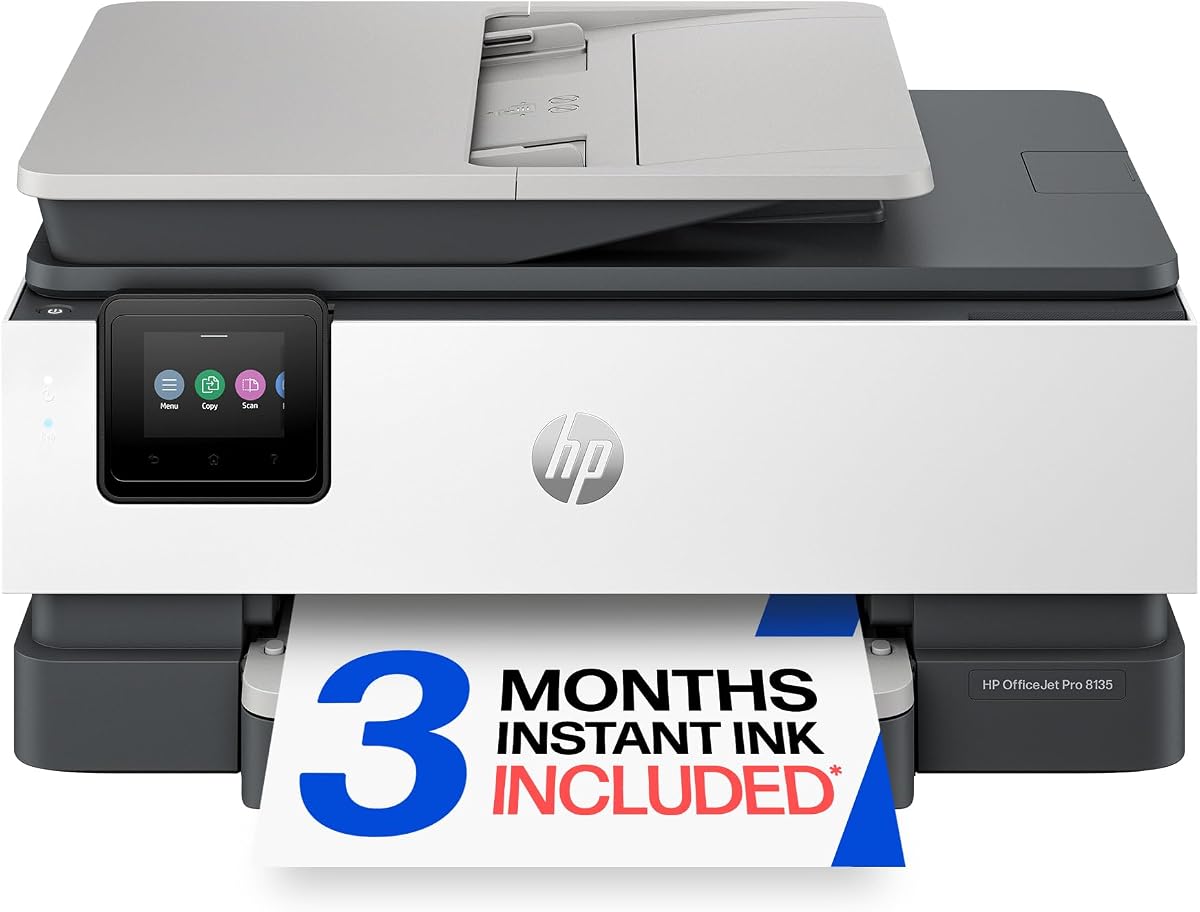
The HP OfficeJet Pro 8135 is tailored for home offices needing professional-quality color documents. It rates 3.9 and supports print speeds up to 20 ppm black and 10 ppm color. This all in one printer with fax includes an auto document feeder and a 225-sheet input tray for efficient multi-page tasks.
We may earn a commission when you buy through this link, at no additional cost to you.
It offers strong connectivity through dual-band Wi-Fi that resolves connection issues automatically. The 2.7-inch touchscreen makes navigation intuitive. You can print scan copy or fax from your smartphone using the HP app. HP AI helps optimize print formatting to avoid awkward layouts.
Like other HP models it works only with cartridges having original chips. Non-HP cartridges are blocked. The 3-month Instant Ink trial saves up to 50 percent on ink but requires a monthly fee later. Security features include HP Wolf Essential Security.
Choose this model for reliable home office printing with fax capabilities. It balances speed and convenience well. The sustainable design with over 45 percent recycled plastic content is a bonus. Ensure you manage the ink subscription to avoid unexpected costs.
The easy-to-use print app lets you manage all printer tasks right from your mobile device for ultimate convenience.
This printer supports sustainability by using more than 45 percent recycled plastic in its manufacturing process.
We may earn a commission when you buy through this link, at no additional cost to you.
The Epson EcoTank ET-4800 offers innovative cartridge-free printing with high-capacity ink tanks. It has a 3.8 rating and produces sharp text and impressive color photos using Micro Piezo heat-free technology. This model eliminates tiny expensive ink cartridges and includes an easy-to-fill EcoFit ink bottle system.
We may earn a commission when you buy through this link, at no additional cost to you.
Its key strength is reducing waste and long-term costs. By using refillable tanks you help reduce cartridge waste in landfills. The built-in flatbed scanner supports easy document copying. It delivers high-resolution outputs on virtually any paper type without needing traditional cartridges.
While it saves on ink over time the initial purchase is higher. Print speeds are moderate compared to laser options. The design focuses on sustainability with zero cartridge waste. The color display aids easy navigation during copying and scanning tasks.
This printer is best for users prioritizing ink savings and eco-friendliness. It suits home or light office use with color needs. If you want to avoid frequent cartridge replacements this is an excellent choice. Verify wireless setup compatibility for your network.
High-capacity ink tanks mean you save significantly over time compared to buying individual ink cartridges regularly.
Micro Piezo technology ensures sharp text and vibrant photos without the heat issues common in other printers.
We may earn a commission when you buy through this link, at no additional cost to you.
The HP OfficeJet Pro 8125 provides excellent value for home offices printing professional-quality color documents. It rates 3.9 with speeds up to 20 ppm black and 10 ppm color. This all in one printer with fax includes a 3-month Instant Ink trial and features a 225-sheet input tray.
We may earn a commission when you buy through this link, at no additional cost to you.
It offers a 2.7-inch touchscreen for quick navigation. Dual-band Wi-Fi automatically resolves connection issues for reliable printing. HP AI optimizes print formatting so pages are just right. The HP app lets you print scan copy or fax from your smartphone easily.
The device requires cartridges with original HP chips which may limit third-party options. After the trial the Instant Ink service charges a monthly fee. Security is handled by HP Wolf Essential Security. The design includes over 45 percent recycled plastic.
Choose this model for budget-friendly home office printing. It balances cost with essential features like faxing and duplex. If you manage ink costs carefully it saves money long-term. Ensure your workflow supports the required cartridge types.
Use the HP app to manage printing tasks directly from your smartphone for maximum flexibility on the go.
Auto two-sided printing and scanning reduce paper waste and help keep your workspace organized efficiently.
We may earn a commission when you buy through this link, at no additional cost to you.
The HP Smart Tank 7603 delivers up to 3 years of ink included right out of the box. It rates 3.9 and is designed for low-cost high-volume printing. This all in one printer with fax offers up to 8000 color or 6000 black pages using a cartridge-free refillable system.
We may earn a commission when you buy through this link, at no additional cost to you.
Its key strength is the mess-free refill system. Simply plug HP ink bottles into the tank and let them drain without squeezing. This ensures reliable printing you can count on. It supports borderless prints mobile and wireless printing via the HP app.
The initial investment is higher than standard cartridge models but pays off over time. It avoids the hassle of frequent cartridge replacements. The design focuses on ease of use with magic touch control panels. Sharp text and richer colors are supported.
This model suits home offices needing high-volume printing without constant refills. If ink costs are a concern it provides long-term savings. Verify desk space for its size. It is a practical solution for consistent high-quality output.
Replenish ink without spills using the easy-access bottle system that drains directly into the cartridge-free tanks.
Get thousands of pages from the box making it ideal for businesses with high document volume requirements.
We may earn a commission when you buy through this link, at no additional cost to you.
The HP OfficeJet Pro 9135 is perfect for offices needing professional-quality color documents fast. It rates 4.0 with speeds up to 25 ppm black and 20 ppm color. This all in one printer with fax features an auto document feeder with single-pass 2-sided scanning for efficiency.
We may earn a commission when you buy through this link, at no additional cost to you.
It includes two 250-sheet input trays to handle large print jobs without interruption. The 4.3-inch touchscreen provides a phone-like user interface for navigation. HP Wolf Pro Security protects your network from cyber threats. HP AI optimizes print formatting to avoid wasted pages.
The higher price reflects its speed and capacity features. It may not suit small spaces. The 3-month Instant Ink trial saves up to 50 percent on ink but requires a fee later. Wireless printing uses reliable dual-band Wi-Fi.
Choose this for high-demand office environments prioritizing speed. It handles brochures and flyers effectively. If you need robust security and capacity this is a top pick. Ensure your budget allows for the premium features and ink costs.
The 4.3-inch display makes it easy to navigate tasks and view prints clearly without confusion.
HP Wolf Pro Security bolsters protection helping keep your network and data safe from potential cyber threats.
We may earn a commission when you buy through this link, at no additional cost to you.
The Canon PIXMA TR4720 is a wireless 4-in-1 printer ideal for home use. It has a 3.9 rating with speeds up to 8.8 ipm for black documents. This all in one printer with fax includes an auto document feeder and produces quality documents up to 8.5 x 11 inches.
We may earn a commission when you buy through this link, at no additional cost to you.
It features easy ink cartridge installation and replacement. You can connect to Alexa for notifications when running low. Alexa can even place a smart reorder from Amazon on your behalf. The 100-sheet capacity fits small spaces well.
While slower than office models it is cost-effective for occasional needs. ENERGY STAR certification ensures efficient power usage. It supports borderless prints up to 8.5 x 11 inches. The included warranty covers basic protection.
This model suits home users needing fax and print without complexity. Verify smart reorder enrollment for seamless ink delivery. It balances affordability with core features. Ensure your printing volume matches the slower speeds.
Connect to Alexa to get notifications and reorder supplies easily without manual tracking or hassle.
Produce borderless prints up to 8.5 x 11 inches for quality photo outputs at home.
We may earn a commission when you buy through this link, at no additional cost to you.
The Canon PIXMA TR8620a is a home office all-in-one printer with copier scanner and fax functions. It rates 4.0 and supports print speeds up to 15 ipm. This model includes a Micro SD slot and works with Alexa for voice commands and smart reorders.
We may earn a commission when you buy through this link, at no additional cost to you.
You can print with your voice by saying Alexa discover my printer. It supports AirPrint and Android devices. The 200 sheet capacity includes 100 cassette and 100 rear feed options. It is ENERGY STAR certified with EPEAT Silver rating.
Smart reorders ensure you never run out of supplies without subscription. The duty cycle supports up to 1000 pages monthly. This balance of features suits varied home office needs. Verify voice setup works with your Alexa device.
Choose this for voice-enabled convenience and balanced features. It is efficient for documents and photos. Ensure your workflow benefits from the auto 2-sided printing. It is a solid choice for tech-savvy home users.
Just say commands to discover the printer or manage tasks hands-free using your Alexa device.
With 200 sheets total it handles moderate workloads without needing constant refills.
We may earn a commission when you buy through this link, at no additional cost to you.
The HP OfficeJet Pro 8139 is perfect for home offices needing professional-quality color documents. It rates 4.0 with speeds up to 20 ppm black and 10 ppm color. This all in one printer with fax includes a 1-year trial of Instant Ink and a 225-sheet input tray.
We may earn a commission when you buy through this link, at no additional cost to you.
It offers a 2.7-inch touchscreen for quick navigation. Dual-band Wi-Fi resolves connection issues automatically. HP AI optimizes print formatting to avoid wasted pages. Security features include HP Wolf Essential Security. The design uses over 45 percent recycled plastic.
The extended 1-year trial offers more savings than standard 3-month models. However a monthly fee applies after the trial. It requires cartridges with original HP chips. The HP app allows mobile printing and scanning.
Choose this for longer ink trial savings. It suits steady home office usage. Ensure you manage the subscription to avoid fees. It balances speed with cost-effective ink options well.
A full year of Instant Ink trial helps save up to 50 percent on ink costs before subscription fees begin.
HP Wolf Essential Security helps keep your network protected from cyber threats while you print.
We may earn a commission when you buy through this link, at no additional cost to you.
The Brother MFC-L2820DW combines space-saving efficiency with premium monochrome print quality. It rates 4.3 and offers print speeds up to 36 ppm. This all in one printer with fax includes a 50-page auto document feeder and supports duplex scanning efficiently.
We may earn a commission when you buy through this link, at no additional cost to you.
It connects via dual-band wireless Ethernet or USB. The 2.7-inch touchscreen enables effortless navigation. You can print from and scan to cloud apps like Google Drive and Dropbox. The Brother Mobile Connect app helps manage work on-the-go.
It is best for small offices needing black and white documents. The toner subscription trial offers savings. Choose Brother Genuine TN830 toners. Ensure your workflow supports monochrome only. Its compact footprint saves desk space.
Select this for speed and compact office use. It handles fax and scanning tasks smoothly. If color is not a requirement this is a premium choice. Verify toner costs align with your budget.
Print and scan to popular cloud apps seamlessly for better workflow integration and access.
The compact footprint fits well in small offices without sacrificing essential multi-functionality.
We may earn a commission when you buy through this link, at no additional cost to you.
Selecting the right all in one printer with fax involves evaluating several key factors to match your workflow and budget.
Print speed determines how quickly you get documents back. Look for models with higher pages per minute for busy offices. Slower speeds suit home use with occasional needs.
Prioritize models matching your document volume to avoid bottlenecks.
Wireless connectivity allows printing from multiple devices easily. Ensure dual-band Wi-Fi support for stable connections. Some models offer Ethernet or USB for direct links.
Choose connection types that fit your devices and network setup.
A larger input tray reduces how often you refill paper. Home printers often hold 100 to 225 sheets while office models may exceed 250. Check the tray size for your workflow.
Match capacity to your typical print volume to keep work uninterrupted.
Inkjet printers offer color options but may cost more per page. Laser printers provide sharp black-and-white output at lower costs. Supertank or subscription models can reduce long-term expenses.
Calculate the total cost of ownership before deciding on the cartridge type.
Since fax is critical for this guide confirm the model includes built-in fax. Some modern units offer email-to-fax services. Ensure compatibility with your phone line or internet needs.
Select a printer with fax features that integrate smoothly with your existing setup.
Touchscreens simplify navigating printer settings and tasks. Look for color displays with intuitive menus. Mobile apps extend control beyond the device.
An easy interface saves time and reduces errors during daily use.
Built-in security protects data during wireless printing. Some models include encryption or network threat protection. Check for updates and supported features.
Choose printers with robust security if handling sensitive documents.
Prices vary widely so determine your spending limit early. Warranty coverage affects long-term reliability and support. Check for included trials that might offset initial costs.
Balance upfront cost with expected lifespan and support options.
Set up your printer by connecting it to your Wi-Fi network and installing necessary drivers or apps. Ensure the fax line is connected properly to enable sending and receiving documents without issues.
Maintain print quality by running regular cleaning cycles and keeping the scanner glass clean. Check ink or toner levels frequently to avoid interruptions during important tasks.
Update firmware regularly to ensure security patches and new features are available. Store the printer in a cool dry place to prevent paper jams and hardware damage over time.
Most models connect via analog telephone lines but verify compatibility with digital VoIP systems. Some printers support email-to-fax which avoids traditional landline needs. Check your phone setup before purchasing.
Laser printers generally have lower costs per black-and-white page. Inkjets are better for color documents but may cost more per page. Subscription or tank models can lower inkjet expenses significantly.
Yes most modern printers support multiple wireless connections. Ensure your router handles the device load. Some models offer dedicated mobile apps for easier multi-device management.
Many models feature an auto document feeder for scanning multiple pages. This saves time on faxing or copying batches. Check the sheet capacity before buying.
Connect the phone cable to the fax port on the printer. Configure the fax settings via the touchscreen to enter your sender ID. Test sending a fax to ensure everything works.
Most printers have straightforward cartridge replacement with guides or indicators. Some models include smart reorders to notify you when ink is low. Follow the manual for specific steps.
The top picks highlight the best all in one printers with fax for various needs and budgets. Each model balances speed connectivity and essential features like faxing effectively.
Prioritize print volume and ink costs to ensure long-term satisfaction. Match features like touchscreen size to your workflow complexity for better usability.
Remember that prices and deals change often. Verify current details and warranties before making your final purchase decision today.