
ASRock PG 1600G
4.4Editor score
1600W Continuous Power
ATX 3.1 Compliant
Fully Modular Design
This guide compares the top 1500W PSU models for high-end gaming and workstations, analyzing efficiency, noise, and ATX 3.1 compliance.
Choosing a 1500W PSU ensures your high-performance PC handles demanding tasks without power instability. Modern systems need reliable wattage to support next-generation GPUs and CPUs.
We evaluated leading models based on efficiency ratings, cable management, and compliance with ATX 3.1 standards. Our list covers units from top manufacturers known for quality components.
Each pick highlights key features and trade-offs to help you find the right power supply. Prices and availability change frequently, so verify current details before purchasing.
4.4Editor score

4.5Editor score

4.7Editor score
This comparison table lists all ten selected power supplies with their core specifications to help you quickly identify the model that fits your system requirements.


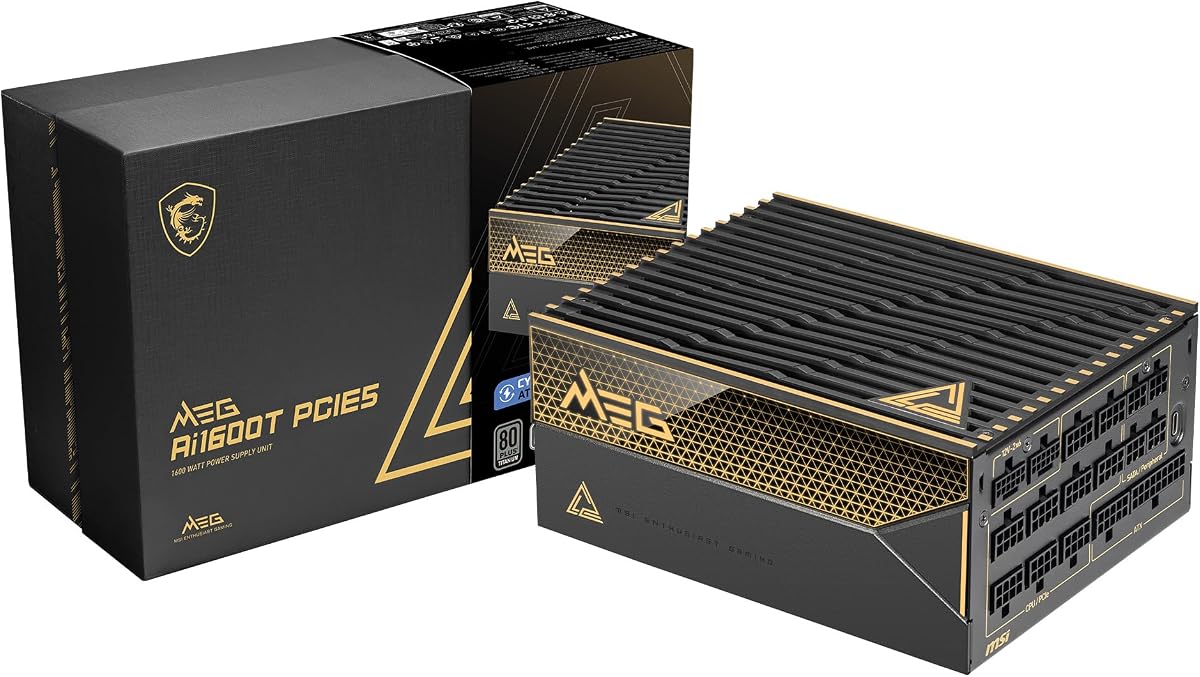
This unit delivers strong performance with 1500W output and ATX 3.1 readiness. It earned a solid 4.5 rating from users praising its quiet operation and modular design.
We may earn a commission when you buy through this link, at no additional cost to you.
The 140mm Fluid Dynamic Bearing fan ensures longevity and low noise. You can control curves via iCUE software for tailored thermal performance and power monitoring.
While premium priced, the build quality justifies the cost. The Zero RPM mode is ideal for idle loads. Ensure your case fits the unit size.
Buy this if you value software control and future-proofing. It suits gamers and creators seeking stable power for next-gen GPUs.
iCUE software allows custom fan curves and rail toggling for precise power management.
The FDB fan and Zero RPM mode keep noise low during typical use.
We may earn a commission when you buy through this link, at no additional cost to you.
This model offers massive 1600W power at a competitive price point. Users rate it 4.4 for its efficiency and robust components suited for extreme workloads.
We may earn a commission when you buy through this link, at no additional cost to you.
It features native 12V-2×6 connectors and TempGuard tech for terminal safety. The 10-year warranty signals confidence in its Japanese capacitors and build.
Note the 180mm depth may not fit all cases. Always measure your chassis before buying to avoid installation issues with this larger unit.
Ideal for budget-conscious builders needing top-tier wattage. It handles multi-GPU setups well while keeping noise low under load.
TempGuard cables monitor temperature at terminals to prevent overheating risks.
Cybenetics Platinum rating ensures low power loss during high-demand tasks.
We may earn a commission when you buy through this link, at no additional cost to you.
NZXT delivers a sleek 1500W PSU with advanced cooling tech. It holds a 4.1 rating for its focus on silence and clean aesthetics in gaming rigs.
We may earn a commission when you buy through this link, at no additional cost to you.
The magnetic levitation fan minimizes friction for quieter airflow. Two 12V-2×6 connectors support high-end GPUs efficiently without adapters.
Digital power ensures precise voltage regulation for stable performance. However, the price is higher than some alternatives with similar specs.
Choose this if silence and design are priorities. It fits well in NZXT cases and offers reliable power for future hardware.
Magnetic levitation fan reduces noise and extends fan lifespan significantly.
Digital regulation lowers ripple noise for cleaner power to components.
We may earn a commission when you buy through this link, at no additional cost to you.
This edition combines Seasonic power with a Noctua fan for unmatched quietness. Users give it 4.7 stars for its ability to run nearly silent under load.
We may earn a commission when you buy through this link, at no additional cost to you.
The NF-A12x25 fan is optimized for low noise with Cybenetics A++ rating. Titanium efficiency minimizes waste heat, keeping system temps lower.
While expensive, the performance justifies it for noise-sensitive environments. Semi-passive mode ensures fan stays off until high load reaches.
Perfect for audio work or media centers needing silence. It delivers stable power without distracting noise during peak usage.
Noctua fan is custom optimized for this PSU grill to reduce noise by 10dB.
Titanium rating saves energy and reduces heat output significantly.
We may earn a commission when you buy through this link, at no additional cost to you.
This unit focuses on precision with full digital control and titanium efficiency. It holds a 4.3 rating for its support of extreme overclocking setups.
We may earn a commission when you buy through this link, at no additional cost to you.
You can switch between rail configurations using the included key. The mesh front design improves airflow for better cooling under heavy loads.
Bridge LLC technology ensures signal stability crucial for high-end GPUs. The price is steep but fits professional workstation needs.
Buy if you need precise power tuning. It suits enthusiasts who tweak systems often for peak performance gains.
Full digital control offers unmatched signal stability for sensitive components.
Key switch allows easy rail config changes for overclocked systems.
We may earn a commission when you buy through this link, at no additional cost to you.
This model emphasizes software integration for power management. Users praise it with 4.7 stars for how easily it fits into Corsair ecosystems.
We may earn a commission when you buy through this link, at no additional cost to you.
The FDB fan keeps noise low while iCUE software manages curves and rails. You can toggle protection modes on-the-fly for specific test scenarios.
Cabling is fully modular for tidy builds. However, relying on software for some settings may not suit all users.
Choose this if you use Corsair peripherals. It integrates well for unified control across your system hardware.
iCUE software ties power management with other Corsair devices seamlessly.
You can adjust rail protections dynamically without hardware changes.
We may earn a commission when you buy through this link, at no additional cost to you.
This variant supports multiple CPUs with three EPS12V connectors. It rates 4.6 for reliability in dual-socket workstation configurations.
We may earn a commission when you buy through this link, at no additional cost to you.
The digital power supply ensures precise regulation. Zero RPM mode helps maintain silence when load is low during normal tasks.
Fully modular cabling keeps the case clean. Just ensure your motherboard supports triple EPS inputs to use all connectors.
Ideal for multi-core workstation users needing stable rail support. It delivers consistent power for complex processing tasks.
Triple EPS connectors support motherboards needing extra CPU power rails.
Digital supply keeps voltage steady for sensitive workstation components.
We may earn a commission when you buy through this link, at no additional cost to you.
This model provides robust power for AI workstations and heavy rendering. It holds a 4.5 rating for its stability and long-term reliability.
We may earn a commission when you buy through this link, at no additional cost to you.
Hybrid fan control balances noise and cooling. Native 12V-2×6 connectors ready you for latest GPU standards without adapters.
Japanese capacitors ensure durability under constant load. The unit is heavy so ensure your stand can support it safely.
Select this for 24/7 operation. It offers the durability needed for critical professional computing environments.
Japanese capacitors maintain stability during prolonged high-load usage periods.
Native 12V-2×6 connectors support next-gen GPUs directly.
We may earn a commission when you buy through this link, at no additional cost to you.
This legacy model is built for multi-GPU rendering farms. Users rate it 4.6 for its ability to handle extreme power draw without issues.
We may earn a commission when you buy through this link, at no additional cost to you.
It supports SLI and Crossfire with heavy-duty protections. ECO mode ensures fan stays quiet at low loads.
The 10-year warranty adds peace of mind. However, newer units offer ATX 3.1 compliance which this lacks.
Choose if you need a second-hand unit for multi-GPU setups. It remains a reliable power source for specific old-school rigs.
Designed to handle high current spikes from multiple graphics cards.
Fan stops at low loads to reduce noise and power consumption.
We may earn a commission when you buy through this link, at no additional cost to you.
This unit stands out with a 12-year warranty. Users give it 4.5 stars for its robust server-grade components suited for gaming.
We may earn a commission when you buy through this link, at no additional cost to you.
Dual native 12V-2×6 cables support multiple GPUs directly. Industrial-level protections guard against voltage fluctuations effectively.
The high price is balanced by long-term coverage. Braided cables add aesthetics and durability for clean setups.
Buy for long-term peace of mind. It ensures reliable power for future builds with extensive protection against failures.
Twelve-year warranty covers defects and failures longer than most rivals.
Industrial protections safeguard against overloads and short circuits.
We may earn a commission when you buy through this link, at no additional cost to you.
Selecting the right 1500W PSU requires analyzing wattage needs, efficiency standards, and connector compatibility with your components.
Ensure your total system draw plus headroom fits within 1500W. Overclocked systems need higher margins for stability.
Choose a PSU that matches your peak power draw to avoid shutdowns.
Newer PSUs support ATX 3.1 for transient power spikes on GPUs. This ensures safety for latest hardware without adapters.
Verify compliance if using RTX 4090 or newer cards.
Higher efficiency like Platinum or Titanium reduces waste heat and electricity costs. Look for 80 Plus certified units.
Prioritize high ratings for better long-term savings.
Check for native 12V-2×6 cables to connect modern GPUs safely. Adapter use can introduce safety risks.
Always prefer units with dual native PCIe 5.1 ports.
Fluid Dynamic Bearing fans last longer and run quieter than sleeve bearings. Semi-passive modes reduce noise at low loads.
Look for FDB or magnetic levitation fans for quiet builds.
Fully modular PSUs let you use only needed cables for cleaner builds. Sleeved cables improve airflow and aesthetics.
Choose modular designs for easier installation and better airflow.
Long warranties indicate manufacturer confidence in build quality. Aim for 10 years or more for safety.
A longer warranty protects your investment over time.
Measure your case clearance. Some high-wattage units are deeper or larger than standard ATX boxes.
Always check depth before purchasing to ensure fit.
Install the PSU in a well-ventilated area with airflow intake unblocked. Use cable ties to bundle excess cables for better cooling.
Update firmware via manufacturer software if available to enable latest features. Monitor fan curves to balance noise and thermal performance.
Keep dust filters clean to maintain fan efficiency. Avoid moving the unit while it is powered on to prevent damage to components.
A 1500W PSU is ideal for extreme overclocking or multi-GPU setups. Single high-end GPUs usually require 850W to 1200W. Choose 1500W only if you plan future upgrades.
ATX 3.1 provides better safety for transient power spikes. It supports newer GPUs without adapters. The investment is worth it for future-proofing your system.
Zero RPM mode stops the fan when the load is low. It ensures silent operation during idle or light browsing. It activates automatically when temperatures are safe.
Performance is similar as long as cables are certified. Modular units allow flexibility in cable selection. Focus on efficiency rating rather than modularity.
Use cables that fit securely without gaps. Tension should be even on all pins. Inspect connectors regularly for signs of wear.
Check dimensions. Most 1500W units are large but some are compact. Ensure clearance for depth and height before buying.
Titanium is more efficient than Platinum at all loads. It uses premium components but costs more. Platinum is sufficient for most gaming rigs.
Quality units last ten years or more with proper care. Regular dusting and stable temperatures extend lifespan. Warranties often reflect this expected longevity.
The CORSAIR HX1500i stands out as our top pick for software control and stability. The ASRock PG 1600G offers the best budget value.
Prioritize ATX 3.1 compliance and safety connectors when choosing. Efficiency and warranty length matter for long-term peace of mind.
Verify current prices and availability before finalizing your order. Select a model that matches your specific system needs.