
Logitech Brio 101
4.4Editor score
Auto-Light Balance
Slide privacy cover
Built-in microphone
Recycled plastic build
We compare the top 1080p webcams for video calls and streaming, analyzing video quality, audio performance, privacy features, and overall value for every
In today's digital landscape, a reliable webcam is essential for work, learning, and staying connected with loved ones. A good 1080p webcam ensures clear video, sharp focus, and consistent performance across various lighting conditions without breaking the bank.
To compile this guide, we evaluated ten top-rated models based on image clarity, microphone quality, ease of setup, and privacy features. We focused on devices that deliver professional results for remote workers, students, and content creators alike.
Each pick highlights specific strengths like autofocus speed, field of view, or built-in privacy shutters. Keep in mind that prices fluctuate frequently, so checking the current listing before purchasing is always a smart move.
4.4Editor score

4.6Editor score

4.6Editor score
This table provides a side-by-side overview of the top ten models, highlighting key specifications and features to help you quickly identify the best fit for your specific needs.




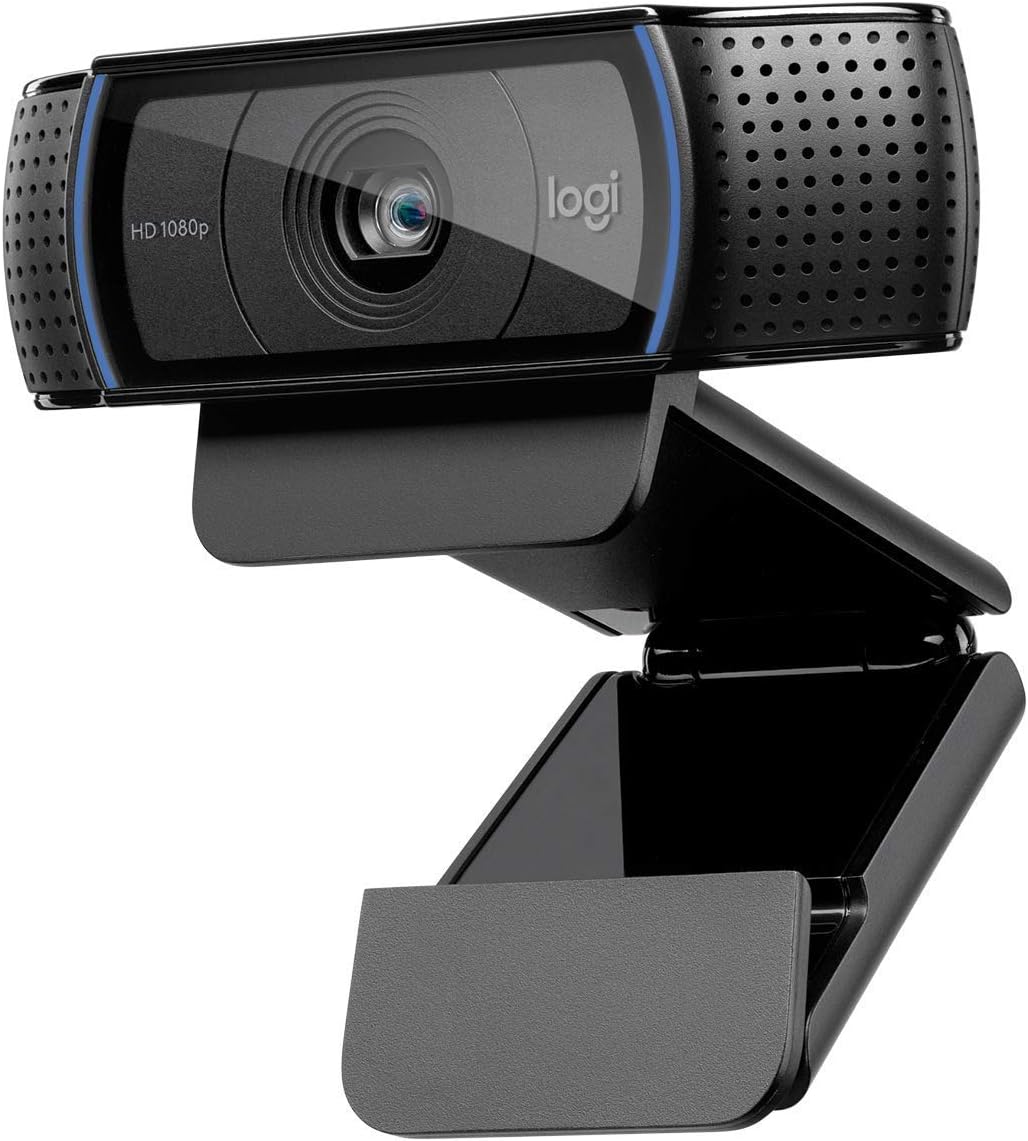


The Logitech C920x HD Pro stands out as a top choice for those seeking reliable performance without compromise. With a solid rating of 4.6, it delivers sharp visuals and clear audio, making it ideal for professional meetings and casual streaming.
We may earn a commission when you buy through this link, at no additional cost to you.
Its standout quality lies in the HD autofocus and lighting adjustment features. These ensure your image remains bright and razor-sharp even in dim rooms. The dual microphones capture natural sound, eliminating the need for external mics in most setups.
While it lacks a built-in privacy shutter, the included XSplit VCam license offers digital privacy options. The fixed focus range might limit use for very close-up shots, but it works perfectly for standard desk positions.
This webcam is perfect for remote workers and content creators who prioritize video fidelity. It offers a seamless plug-and-play experience that enhances your online presence without requiring technical expertise.
The HD autofocus ensures you stay sharp across different lighting conditions, providing a professional look during any video call.
Dual microphones reduce background noise effectively, ensuring your voice comes through clearly to everyone on the call.
We may earn a commission when you buy through this link, at no additional cost to you.
The Logitech Brio 101 offers exceptional value for budget-conscious users needing a dependable webcam. Rated at 4.4, it delivers 1080p video and essential features like Auto-Light Balance to keep you visible in various lighting scenarios.
We may earn a commission when you buy through this link, at no additional cost to you.
Its Auto-Light Balance boosts brightness by up to 50%, reducing shadows effectively. The integrated webcam cover adds peace of mind when not in use. Setup is straightforward with plug-and-play compatibility across major platforms.
The microphone is functional but basic compared to higher-end models. Advanced customization is limited, but for standard video calls, it provides a clean and reliable experience without extra cost.
Ideal for students and home office workers, this webcam balances cost and performance well. It is a smart entry point for those prioritizing privacy and ease of use.
The slide webcam cover provides physical privacy protection, giving you control over when your camera is active.
Built with at least 77% post-consumer recycled plastic, making it an eco-friendly option for conscious consumers.
We may earn a commission when you buy through this link, at no additional cost to you.
The Logitech C920e is engineered for enterprise environments where reliability and certification matter. With a 4.6 rating, it ensures seamless integration with platforms like Zoom and Microsoft Teams, offering consistent performance for business users.
We may earn a commission when you buy through this link, at no additional cost to you.
Certification guarantees compatibility and stability during critical meetings. The attachable privacy screen provides physical security, while the omnidirectional microphones ensure clear audio from a meter away. The sturdy clip allows flexible mounting options.
The 78-degree field of view is fixed, which may limit flexibility for group shots. The price point is higher than consumer models, but the added security and support justify the investment for professional use.
Best suited for corporate deployments and frequent business travelers, this webcam delivers trust and performance. It ensures you look and sound professional during any virtual interaction.
Certified for Zoom and Teams, ensuring optimized performance and fewer technical glitches during important meetings.
The attachable privacy screen allows you to physically cover the lens when not in use for added security.
We may earn a commission when you buy through this link, at no additional cost to you.
The Logitech C920S HD Pro is a classic choice known for its reliability. It features a privacy shutter for security and delivers 1080p video with consistent autofocus and light correction for a polished appearance.
We may earn a commission when you buy through this link, at no additional cost to you.
Video quality remains crisp and vibrant due to the glass lens. Dual microphones ensure clear audio during calls. The privacy shutter offers convenience without needing software solutions. It supports major platforms seamlessly.
While it is an older model, it still holds up well against newer competitors. The packaging is minimal, and some may prefer updated connectivity options. However, performance remains solid for daily use.
A great option for users needing a proven webcam with privacy features. It works well for work-from-home setups where consistent quality and security are priorities.
The integrated privacy shutter provides immediate control over your camera's visibility, enhancing user safety.
Full HD recording with a glass lens ensures colors remain accurate and images stay sharp during any call.
We may earn a commission when you buy through this link, at no additional cost to you.
The EMEET C960 offers a broad field of view that captures more of your surroundings. It delivers smooth 1080p video with automatic exposure adjustments, making it a strong contender for casual video streaming.
We may earn a commission when you buy through this link, at no additional cost to you.
The 90-degree lens allows multiple people to fit in the frame easily. The privacy cover can be removed automatically for convenience. Compatibility includes Windows and macOS, plus adapters for modern USB ports.
Fixed focus limits detail at very close distances, but it is sufficient for typical desk setups. Users may need to manually enable microphone permissions on certain systems for optimal audio capture.
This webcam suits students and small teams needing a wide-angle view. It offers good value with essential features that make video communication simple and effective.
The 90-degree field of view captures more participants without requiring frequent camera repositioning.
Automatic exposure adjustments help maintain a balanced image even when lighting conditions change.
We may earn a commission when you buy through this link, at no additional cost to you.
The NexiGo N60 is a practical choice for users seeking affordability without sacrificing core quality. It offers sharp 1080p video and a noise-cancelling microphone to reduce background disturbances during calls.
We may earn a commission when you buy through this link, at no additional cost to you.
The privacy cover ensures security when the camera is inactive. It is widely compatible with various operating systems and requires no extra drivers. Setup is quick and easy for most users.
Design is functional but basic compared to premium models. Software control is limited, which may restrict customization. However, performance remains consistent for standard conferencing needs.
Ideal for casual users and students on a tight budget. It provides reliable functionality and privacy features that make online communication straightforward.
Built-in noise-cancelling technology filters out ambient sounds for clearer voice communication.
The included privacy cover ensures your camera is blocked when not in use for peace of mind.
We may earn a commission when you buy through this link, at no additional cost to you.
The EMEET S600 is designed for streamers needing premium performance. With a Sony 4K sensor, it delivers crisp images and supports smooth 1080p at 60fps for fluid motion. PDAF autofocus enhances precision.
We may earn a commission when you buy through this link, at no additional cost to you.
The auto light adjustment balances shadows effectively, keeping you visible in tricky lighting. Noise-canceling microphones ensure clear audio. The rugged design allows flexible rotation and tilting without losing stability.
To unlock 4K, you may need specific software. The price is higher than basic models, but the sensor quality justifies the cost for content creators who demand high fidelity.
Best for aspiring streamers and professionals. It offers the visual quality and stability needed to produce high-quality content and maintain audience engagement.
Phase Detection Autofocus provides faster and more stable focus transitions compared to traditional systems.
Automatically balances shadows and highlights to keep your image sharp even in low-light environments.
We may earn a commission when you buy through this link, at no additional cost to you.
The Logitech HD Pro C920 is a long-standing favorite known for dependable performance. It delivers Full HD 1080p video with consistent quality and supports both desktop and laptop setups seamlessly.
We may earn a commission when you buy through this link, at no additional cost to you.
The widescreen format ensures a professional look during calls. Mounting is flexible with a sturdy clip. It works with major platforms out of the box. Video remains clear in most lighting conditions.
It lacks a modern privacy shutter, which may concern security-focused users. The design is classic but functional. Still, performance remains a standard against which other webcams are often measured.
A solid choice for those valuing simplicity and reliability. It is ideal for users who want a straightforward solution without needing advanced features.
The widescreen format provides a cinematic look for video calls and recordings.
Designed to fit securely on both laptops and external monitors for versatile placement options.
We may earn a commission when you buy through this link, at no additional cost to you.
The Logitech Brio 105 delivers a great value for business users needing reliable video. It features Auto-Light Balance to improve image quality in suboptimal conditions and includes a privacy cover for security.
We may earn a commission when you buy through this link, at no additional cost to you.
Certified for Google Meet, it ensures smooth integration for teams using that platform. The built-in mic simplifies setup. It supports remote deployment via Logitech Sync for easier management.
Audio and focus are standard, lacking advanced features found in premium models. However, it covers the essentials well. The price point makes it an attractive bulk option for enterprises.
Perfect for corporate teams prioritizing cost and reliability. It provides a professional experience without the need for complex configurations or high costs.
Certified for Google Meet ensures optimized performance and compatibility for team meetings.
Supported by Logitech Sync for seamless remote deployment and management across devices.
We may earn a commission when you buy through this link, at no additional cost to you.
The Logitech Brio 100 (Renewed) offers Full HD 1080p resolution at a budget-friendly price. It provides clear and smooth video streaming with a compact design that fits well on any desk.
We may earn a commission when you buy through this link, at no additional cost to you.
The 58-degree diagonal field of view captures your surroundings efficiently. It is plug-and-play compatible with popular conferencing apps. The integrated microphone handles basic audio needs without extra gear.
As a renewed item, condition may vary slightly. The narrower field of view limits group shots compared to wider models. Still, it offers solid performance for individual use.
Great for budget-conscious users needing a reliable webcam. It balances cost and functionality effectively, making it a smart choice for basic video calling needs.
Delivers 1080p resolution at 30 fps for clear and smooth video streaming.
Easy USB connection works seamlessly with popular video conferencing applications.
We may earn a commission when you buy through this link, at no additional cost to you.
Selecting the right webcam involves considering several factors that impact your video call experience. This guide breaks down what matters most to help you make an informed decision.
1080p Full HD is the current standard for clear and professional video. It ensures your image looks crisp on most displays. Higher resolutions exist but often require more bandwidth and processing power.
For most users, 1080p offers the best balance of quality and performance.
Field of View (FOV) determines how much of the scene your camera captures. A wider angle is useful for group calls or showing your workspace, while a narrower angle focuses on you individually.
Choose a FOV that matches your typical environment and meeting size.
Good webcams adjust automatically to different lighting conditions. Look for features like HDR or light balancing to avoid looking too dark or washed out during calls.
Proper lighting adjustment ensures you always look your best.
Built-in microphones vary significantly in clarity. Noise-cancelling tech reduces background sounds, making your voice stand out. External mics are an option if audio is critical.
Clear audio is just as important as clear video for effective communication.
Physical privacy shutters offer the most secure way to block your camera when not in use. Software covers provide a secondary layer of protection. Ensure you can easily toggle these features.
Prioritize hardware privacy options for maximum security and peace of mind.
USB connections should match your computer's ports. Most webcams work across Windows and Mac, but verify driver support for specific systems. Wireless options exist but are less common.
Ensure the webcam connects easily with your existing setup.
Sturdy clips allow flexible placement on monitors or laptops. Some models include tripod threads for more permanent setups. Stability ensures your image stays level during use.
A secure mount prevents annoying adjustments during meetings.
Budget options often cover essentials, while premium models add features like 4K sensors or advanced autofocus. Determine what features you truly need to find the best value.
Invest in a webcam that aligns with your specific usage requirements.
Position your webcam at eye level to create a flattering angle. Ensure the room lighting is in front of you rather than behind to avoid silhouettes.
Regularly clean the lens with a microfiber cloth to prevent smudges and maintain image clarity. Avoid harsh chemicals that could damage the coating.
Update drivers periodically to ensure compatibility with the latest software. Check your operating system settings to confirm the camera has proper permissions.
Most modern webcams like those listed are plug-and-play, meaning they work immediately upon connecting to your computer. However, installing manufacturer software can unlock extra features like better settings or firmware updates.
Yes, all ten models are compatible with both Mac and Windows operating systems. Always check the specific requirements on the product page to ensure your current OS version is supported.
Natural light is ideal, but avoid placing bright windows directly behind you. Soft light sources in front of your face reduce shadows and ensure your features are clearly visible to others.
Ensure your room is quiet and use noise-canceling features if available. Positioning yourself closer to the microphone can also help. External microphones or headsets are options for superior sound.
Physical privacy shutters are the most effective way to ensure your camera is off. They prevent any software-based access to the lens, offering tangible security when you are not on a call.
Absolutely, many of these webcams support streaming software like OBS. For high-demand streaming, models with autofocus or higher frame rates are recommended to keep your video smooth and professional.
Our top picks range from the reliable Logitech C920x to the budget-friendly EMEET C960. Each model offers distinct advantages depending on whether you prioritize video quality, privacy, or value.
Consider your primary usage scenario. Business users may prefer certified options, while casual users can save money with solid alternatives. The right choice depends on your specific needs.
Remember to check current prices before buying as they change frequently. Investing in a quality webcam now will pay off in clearer communication and a better online presence.