
OMTech K40+ 45W Desktop CO2 Laser Engraver & Cutter
4.4Editor score
45W Laser Power
12×8 Inch Work Area
Air Assist System
LightBurn Compatible
Global Support Team
Finding the right CO2 Laser Engraver can transform your creative workflow, offering precision cutting and engraving for wood, acrylic, and leather. Whether you are a hobbyist or a small business owner, selecting a machine with adequate power and reliability is crucial for consistent results.
We have carefully evaluated ten leading models based on laser power, work area size, software compatibility, safety features, and user feedback. This comparison highlights key differences to help you identify the best fit for your specific projects and budget constraints.
Each product entry provides detailed specifications, pros and cons, and real-world application insights to guide your decision. Please note that product availability and pricing may fluctuate over time, so verify current details before making your final purchase decision.
4.4Editor score

4.7Editor score

4.5Editor score
As an Amazon Associate we earn from qualifying purchases.
The following table provides a side-by-side comparison of all ten models to help you quickly assess their core specifications and suitability for your needs.

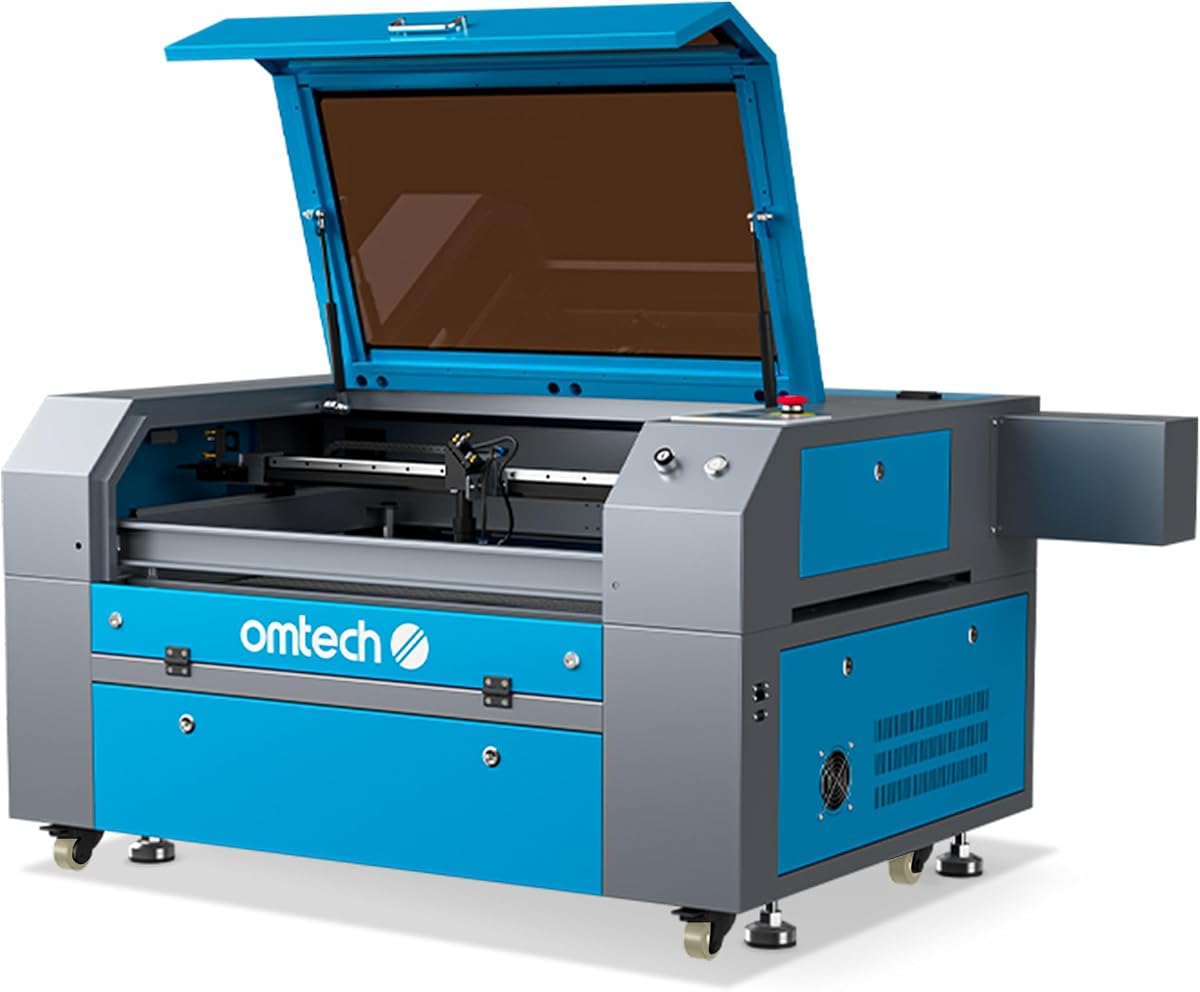


This OMTech Maker 60W CO2 Laser Engraver stands out as a top choice for creators needing professional-grade performance in a desktop format. Rated 4.7 stars, it balances power and precision with essential tools like LightBurn software and a water chiller.
We may earn a commission when you buy through this link, at no additional cost to you.
Its 60W laser power allows for efficient cutting of acrylic up to specific thicknesses, while the 20×28 work area accommodates larger projects. The autofocus feature eliminates manual guesswork, and the water chiller maintains consistent tube temperature for reliable long sessions.
While it requires a dedicated space and proper ventilation, these trade-offs ensure safety and longevity. The included software and water cooling make it a ready-to-use solution for serious hobbyists or small production shops.
If you seek a balance of size, software, and power without industrial complexity, this model is a strong recommendation for your workshop setup.
Autofocus adjusts the bed automatically, saving time on manual leveling and ensuring consistent focal distance across varied material thicknesses.
A water chiller maintains stable tube temperatures, preventing overheating and extending the operational life of the CO2 laser tube during heavy use.
We may earn a commission when you buy through this link, at no additional cost to you.
The OMTech K40+ 45W Desktop CO2 Laser Engraver & Cutter is an ideal starting point for makers seeking affordability without compromising essential features. Its 4.4 rating reflects solid performance for small projects and learning curves.
We may earn a commission when you buy through this link, at no additional cost to you.
With 45W power, it handles 0.4 inch acrylic and 0.31 inch wood easily. The 12×8 work area suits keychains, coasters, and small signs, while the air assist reduces debris and fire risks effectively.
Although manual focusing is needed, this keeps costs down for users comfortable with basic adjustments. The strong support team and LightBurn compatibility add value, making it accessible for beginners.
For those on a budget needing reliable results for small items, this machine offers excellent entry-level functionality with room to grow skills.
The compact 12×8 area focuses on small, precise items like jewelry, tags, and prototypes without taking up significant workspace.
Integrated air assist clears smoke and debris, protecting the lens and ensuring cleaner cuts, which is vital for safe, quality results.
We may earn a commission when you buy through this link, at no additional cost to you.
The xTool P3 80W Flagship CO2 Laser Cutter with Intelligent Automation represents the pinnacle of desktop laser technology, blending industrial power with automated ease. Its 4.5 rating highlights its advanced capabilities for production environments.
We may earn a commission when you buy through this link, at no additional cost to you.
At 80W, it cuts 20mm wood and 25mm acrylic effortlessly, with speeds reaching 1200mm/s. The LiDAR ranging and dual cameras ensure precise positioning without manual calibration, while the Class 1 safety system protects users fully.
The premium price reflects its automation and safety; accessories like conveyors add cost but expand capacity. It is a long-term investment for businesses prioritizing efficiency and safety.
If you need high-volume production with minimal setup time and top safety, this flagship machine is the ultimate choice despite its investment.
LiDAR ranging measures distance and height automatically, ensuring perfect focus and alignment even on uneven or stacked materials.
Fully enclosed Class 1 safety design allows safe operation without special glasses, shielding operators from laser radiation during all processes.
We may earn a commission when you buy through this link, at no additional cost to you.
The VEVOR 45W CO2 Laser Engraver is a desktop unit designed for small-scale projects with user-friendly features. Its 5.0 rating points to strong user satisfaction regarding its balance of power and ease of use.
We may earn a commission when you buy through this link, at no additional cost to you.
It offers a 12×8 area ideal for phone cases and coasters. The included rotary axis expands possibilities for cylindrical items like bottles. Manual focusing via a knob gives direct control, and air assist keeps the lens clear.
While manual focusing demands patience, it ensures precision without added cost. The rotary axis adds value for specific projects without extra purchases.
For those needing a compact machine with rotary capabilities and solid support, this VEVOR model delivers dependable performance for hobbyists.
An included rotary axis allows engraving on cylindrical objects like bottles or pens, expanding project versatility without extra cost.
Manual focusing with a precision knob allows direct control over focal distance, ensuring accuracy for different material thicknesses.
We may earn a commission when you buy through this link, at no additional cost to you.
This OMTech Maker 90W model is designed for users needing higher power and larger workspace. It supports cutting up to 0.4 inch wood with speed and precision, making it suitable for commercial use.
We may earn a commission when you buy through this link, at no additional cost to you.
The 28×20 area accommodates big designs, and the 12,000-hour tube ensures durability. LightBurn software is bundled for intuitive control. A flame-retardant window adds safety without blocking visibility.
Though pricing may vary, the power and longevity make it a solid investment. Proper ventilation is needed to handle the output efficiently during long runs.
For small businesses scaling production, this 90W option offers the capacity to handle heavier tasks while maintaining safety and efficiency.
90W power cuts thicker materials faster, reducing cycle times for commercial orders and increasing overall productivity in production workflows.
A 12,000-hour tube lifespan ensures long-term use and reliability, reducing maintenance frequency and total cost of ownership over time.
We may earn a commission when you buy through this link, at no additional cost to you.
The OMTech K40+ 45W Desktop CO2 Laser Engraver & Cutter offers a compact solution for basic engraving needs. Its 4.5 rating reflects reliability for entry-level users and small creative projects.
We may earn a commission when you buy through this link, at no additional cost to you.
It supports 0.4 inch acrylic cutting and 0.31 inch wood, with air assist to clear debris. The 12×8 area fits small signs and prototypes. Safety features like an emergency stop button provide peace of mind.
While setup requires manual adjustments, this model keeps operational costs low for hobbyists. Software compatibility with LightBurn makes it accessible to users.
For those starting out, this K40+ provides a robust, affordable entry point into CO2 laser engraving with essential safety and control features.
An emergency stop button and door protection enhance safety, allowing immediate shutdown if unexpected issues occur during operation.
Air assist reduces smoke and debris during cutting, improving cut quality and protecting the lens from damage or contamination.
We may earn a commission when you buy through this link, at no additional cost to you.
The OMTech Pronto 100W CO2 Laser Engraver & Cutter delivers professional performance with 100W power and fast engraving speeds. It supports bulk orders and large formats effectively.
We may earn a commission when you buy through this link, at no additional cost to you.
Its 40×24 work area accommodates large projects, and pass-through doors handle extended materials. The 1000mm/s speed is 37% faster than traditional models. Autofocus reduces setup time for precision.
Water protection and temperature alarms safeguard the unit. While it needs substantial space and investment, it suits high-volume production needs.
For businesses needing large formats and speed, this Pronto model offers the capacity to handle complex, high-demand production workflows efficiently.
Pass-through doors allow continuous feeding of long materials without cutting or stopping, ideal for banners and extended production runs.
Fast engraving speeds up to 1000mm/s reduce cycle times significantly, increasing throughput and meeting tight commercial deadlines.
We may earn a commission when you buy through this link, at no additional cost to you.
This OMTech Maker 90W model features a Yongli H2 tube for consistent power. With a 5.0 rating, it is reliable for commercial users seeking efficiency and durability.
We may earn a commission when you buy through this link, at no additional cost to you.
It handles wood and acrylic efficiently, with LightBurn software for intuitive design. Four-way pass-through doors allow easy loading of large items. Cover interlock ensures safety by cutting the beam when opened.
Water chiller integration stabilizes operation. Though prices may vary, its reliability makes it a trusted tool for production shops.
If you need stability and software support for high-volume work, this 90W model delivers professional-grade performance consistently.
A Yongli H2 tube offers reliable power stability and long life, maintaining consistent output and quality across many operating hours.
A cover interlock automatically cuts the laser beam if opened, protecting users from accidental exposure during maintenance or setup.
We may earn a commission when you buy through this link, at no additional cost to you.
This OMTech 100W CO2 Laser Engraver delivers heavy-duty performance for commercial applications. Instant autofocus simplifies workflow while 1000mm/s speed ensures quick results.
We may earn a commission when you buy through this link, at no additional cost to you.
It supports large projects with 28×20 area and 2-way pass-through. V-Wheel guide rails prevent shaking for clean lines. Air pump keeps dust controlled for tidy workspace.
RDWorks and LightBurn integration offer flexibility. While setup may be more involved, the robust airflow ensures cleaner cuts.
For businesses needing speed and precision for complex patterns, this 100W option offers the capacity to handle heavy tasks reliably.
V-Wheel guide rails prevent shaking and misalignment, ensuring clean and accurate cuts even at high speeds on complex patterns.
A powerful air pump removes dust and debris effectively, maintaining a clean workspace and reducing fire risk during operation.
We may earn a commission when you buy through this link, at no additional cost to you.
The OMTech Maker 90W CO2 Laser Engraver & Cutter with Water Chiller is designed for consistent performance. It supports glass, acrylic, and wood with 600mm/s precision.
We may earn a commission when you buy through this link, at no additional cost to you.
It features 28×20 workspace for large designs and global support with local demos. The flame-retardant window ensures safe operation. Air assist reduces smoke during high-power jobs.
While pricing may fluctuate, its reliability makes it a trusted tool for production shops. It is a solid long-term investment for growth.
For businesses prioritizing durability and support, this 90W option offers the capacity to handle complex production tasks efficiently.
Global support with local demos ensures users get expert help and demos, enhancing reliability and reducing downtime for small businesses.
Flame-retardant materials in the window reduce fire risk and ensure lasting safe use, crucial for safety and compliance in shops.
We may earn a commission when you buy through this link, at no additional cost to you.
Selecting a CO2 Laser Engraver involves evaluating power, workspace, software, safety, and budget to align with your production needs.
Laser power determines the thickness of material you can cut. Lower wattage like 45W suits small projects, while 60W and above handles thicker acrylic and wood. Higher power increases speed and depth for commercial use.
Choose a wattage that matches your typical material thickness to ensure efficient cutting without burning or incomplete passes.
The work area defines the largest item you can engrave or cut. Smaller areas like 12×8 are compact but limit large designs, while 28×20 or larger support banners and production batches.
Measure your largest common project size to select a bed that accommodates it comfortably.
Software dictates how you design and control the engraver. LightBurn is a popular paid option known for advanced features, while RDWorks or GRBL offer alternative workflows. Ensure your preferred software is supported.
Check if LightBurn is included or if you need separate licenses to avoid unexpected costs after purchase.
CO2 lasers require strict safety measures. Look for flame-retardant materials, cover interlocks, air assist to clear smoke, and emergency stop buttons to prevent accidents.
Prioritize models with enclosed designs and safety sensors to protect your workspace and users effectively.
Air assist directs air to the cut area to clear smoke and reduce burning. Proper ventilation is essential to remove fumes and maintain health and safety standards.
Ensure your setup includes adequate airflow or an external exhaust system for clean operation.
Manual focusing requires skill but offers control, while autofocus simplifies setup for varied thicknesses. Choose based on your comfort and time constraints.
Autofocus can save setup time and ensure consistent results across multiple projects.
Reliable technical support and warranty terms protect your investment. Brands offering 2-year service and demos help troubleshoot issues quickly.
Check warranty details and support availability before buying to ensure long-term peace of mind.
Always start by calibrating the focus and leveling the bed according to the manual. Proper focus ensures clean cuts and prevents unnecessary burn marks on materials.
Use the software to import designs and set power and speed settings appropriate for the material type. Test small areas on scrap material to optimize parameters before full production runs.
Clean the lens and mirrors regularly to maintain optical clarity. Replace the chiller fluid as recommended and inspect air assist systems to prevent performance degradation over time.
CO2 lasers generally cannot cut raw metal because the wavelengths are reflected. However, they can engrave coated metals or metals with special sprays for surface marking.
LightBurn is a popular choice for its advanced features and intuitive interface. While some machines support free software, LightBurn is often recommended for professional workflows.
A typical CO2 laser tube lasts between 8,000 to 12,000 hours depending on usage and cooling. Proper ventilation and stable temperature extend tube lifespan significantly.
Yes, CO2 lasers produce fumes that require extraction. Use an external exhaust fan or an inline air filtration system to keep the workspace clean and safe.
Safe materials include wood, acrylic, leather, paper, and some plastics. Avoid engraving PVC or vinyl as they release toxic chlorine gas when exposed to lasers.
Yes, if your machine includes a rotary axis accessory. This rotates the object during engraving to accommodate cylindrical items like bottles or pens.
We reviewed ten top models ranging from budget desktop units to professional production machines. The OMTech Maker 60W stands out for its balance of power and software, while the VEVOR offers value with rotary features.
Prioritize work area size and software compatibility based on your project types. Ensure safety features like air assist and interlocks are present to protect your workspace during long sessions.
Prices and availability change frequently so check current listings before finalizing your purchase. Investing in the right CO2 Laser Engraver will boost creativity and productivity in your projects.