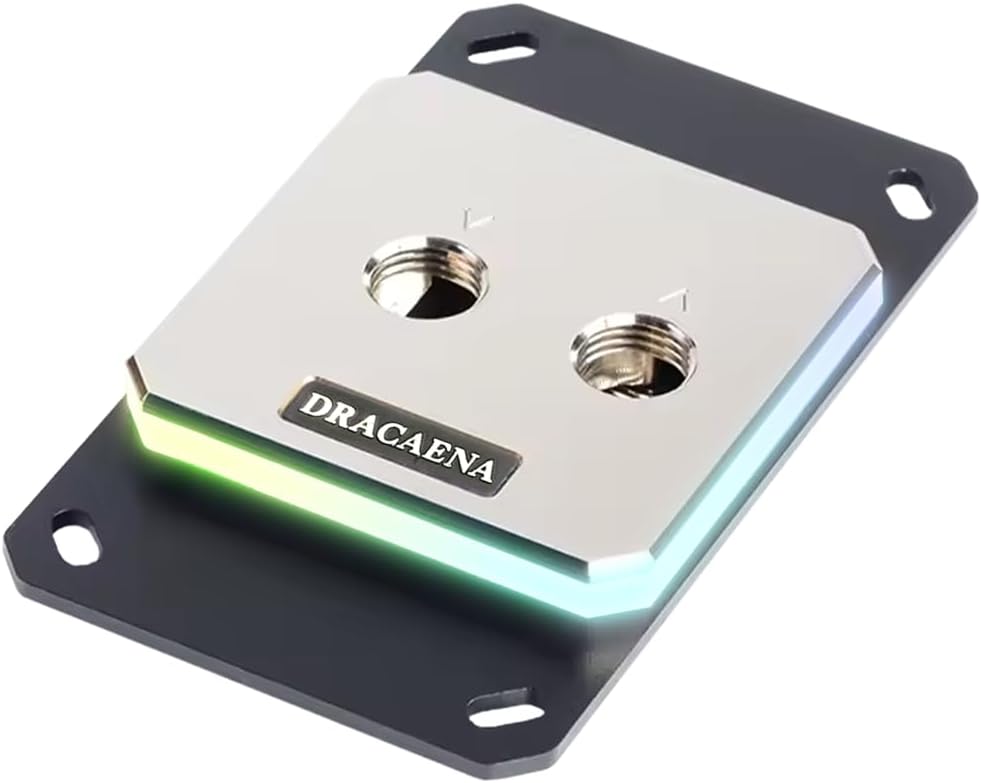
Dracaena.io CPU Water Block for AM5/AM4
4.6Editor score
Full copper internal water channels
Compatible with many AMD sockets
5V ARGB sync support
CPU water blocks are essential components for custom liquid cooling loops, offering superior thermal performance and stunning aesthetics. Choosing the right one ensures your processor stays cool under heavy loads while enhancing the visual appeal of your build with intricate designs and lighting.
We evaluated ten top-rated products based on thermal efficiency, build quality, socket compatibility, and aesthetic features. Our analysis covers everything from budget-friendly copper options to high-end blocks with integrated LCD screens, ensuring you find the perfect fit for your specific hardware needs.
Each pick highlights unique strengths such as microfin density, RGB synchronization, or advanced display capabilities. Keep in mind that prices and availability fluctuate frequently, so verify current details before purchasing to secure the best value for your investment today.
4.6Editor score

4.6Editor score

3.6Editor score
As an Amazon Associate we earn from qualifying purchases.
The following table provides a side-by-side comparison of all ten products, highlighting key specifications, compatibility, and unique features to help you make an informed decision quickly.




The EKWB EK-Quantum Velocity 3 stands out as a top performer with a 4.6 rating. It features a nickel-plated copper cold plate optimized for AMD AM5 and Intel LGA 1700/1851 platforms, ensuring maximum heat transfer efficiency.
We may earn a commission when you buy through this link, at no additional cost to you.
Its internal geometry improvements offer up to 2 degrees Celsius better thermal performance than the Velocity 2. This makes it ideal for demanding workloads where maintaining low temperatures is critical for stability and longevity.
While it lacks built-in RGB lighting, the focus on raw thermal performance justifies the trade-off. The precise mounting pressure ensures consistent contact with the CPU die, reducing hot spots across the processor surface.
For enthusiasts prioritizing cooling efficiency over flashy aesthetics, this block is the definitive choice. It delivers reliable heat dissipation that keeps your system running cool even under heavy overclocking or rendering tasks.
The internal flow path is engineered to reduce turbulence and maximize contact time with the copper base for better heat absorption.
Designed specifically for newer processors like Ryzen 7000 series and Intel Core 13th/14th Gen, ensuring perfect fit and pressure.
We may earn a commission when you buy through this link, at no additional cost to you.
The CORSAIR XC7 RGB Elite LCD offers a unique blend of performance and aesthetics with a 4.1 rating. Its standout feature is the 480×480 IPS LCD screen, allowing you to display real-time CPU temperatures or custom animated GIFs.
We may earn a commission when you buy through this link, at no additional cost to you.
The Hexa-Flow cooling engine ensures even heat distribution across all CPU cores, which is vital for modern multi-chip package CPUs. The USB-C connectivity simplifies installation and iCUE setup significantly compared to traditional header-based blocks.
However, the LCD screen and integrated RGB add complexity and potential failure points compared to simpler blocks. The cost is higher, and users must rely on CORSAIR software to manage display content and lighting effectively.
Choose this block if you want to show off your build with custom visuals while maintaining solid cooling performance. It is perfect for streamers or enthusiasts who value personalization and modern connectivity options.
Show team logos, memes, or real-time system stats on the high-brightness IPS screen for a truly personalized look.
The USB-C port eliminates the need for separate controllers, streamlining cable management inside your PC case.
We may earn a commission when you buy through this link, at no additional cost to you.
The Dracaena.io CPU Water Block is an incredible value with a 4.6 rating, offering full copper internal water channels at an affordable price. It supports a wide range of AMD sockets from AM2 to AM5 without needing adapters.
We may earn a commission when you buy through this link, at no additional cost to you.
Its all-copper construction ensures maximum thermal conductivity within the water path, which is crucial for preventing heat buildup. The compact 63mm design fits well even in cases with limited clearance around the CPU socket area.
The trade-off is that it lacks Intel compatibility, limiting its appeal to AMD builders specifically. Also, the top is crystal-clear acrylic rather than premium metals, which may not appeal to those seeking a high-end look.
For budget-conscious builders needing solid cooling for older or newer AMD chips, this block is a fantastic choice. It provides reliable performance without breaking the bank, making liquid cooling accessible to more users.
From legacy FX processors to the latest Ryzen 7000 series, this block covers nearly 15 years of AMD platforms.
The 0.4mm microfin base plate creates a large surface area to rapidly transfer heat away from the processor.
We may earn a commission when you buy through this link, at no additional cost to you.
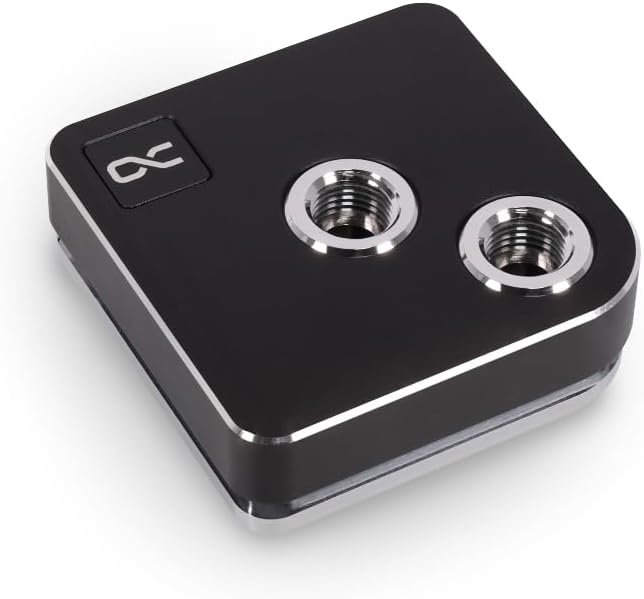
The Alphacool Core 1 offers a classic, reliable solution with a 4.6 rating. It supports both Intel LGA 1700 and AMD AM4/AM5 platforms, making it a versatile option for various system builds.
We may earn a commission when you buy through this link, at no additional cost to you.
Its design focuses on delivering solid thermal performance without unnecessary frills. The black finish provides a clean look that blends well with black components or minimalist PC builds effectively.
While it lacks flashy RGB lighting or LCD screens, the performance remains consistent and dependable. Alphacool is known for manufacturing quality cooling components that resist leaks and corrosion over time.
This block is ideal for users who prioritize simplicity and reliability over aesthetic gimmicks. It provides the cooling power needed for gaming and productivity without complicating your loop setup.
Delivers steady heat dissipation suitable for daily gaming, workloads, and moderate overclocking tasks.
Measures 72x72x26.5mm, fitting comfortably in most mid-tower and full-tower cases without obstruction.
We may earn a commission when you buy through this link, at no additional cost to you.
This generic CPU Water Cooling Block serves as a basic solution with a 4.2 rating, ideal for older systems or tight budgets. It features a large water contact area and chrome plate copper faucets for reliable heat transfer.
We may earn a commission when you buy through this link, at no additional cost to you.
Supporting legacy sockets like AM2, AM3, and Intel LGA 775/1155, it is perfect for refurbishing old rigs. The simple inner water channel design effectively moves heat away without requiring complex loop configurations.
However, it lacks modern features such as RGB lighting or support for current generation processors. Build quality is functional but not premium, which may be less suitable for high-end custom loops.
For hobbyists restoring vintage PCs or needing a quick replacement, this block is a practical and cheap option. It delivers essential cooling performance without the cost of high-end branded alternatives available today.
An economical choice for users who need basic thermal management without spending on advanced features.
Covers older platforms like AM2, AM3, and Intel 775, ensuring continued cooling for retro PC builds.
We may earn a commission when you buy through this link, at no additional cost to you.
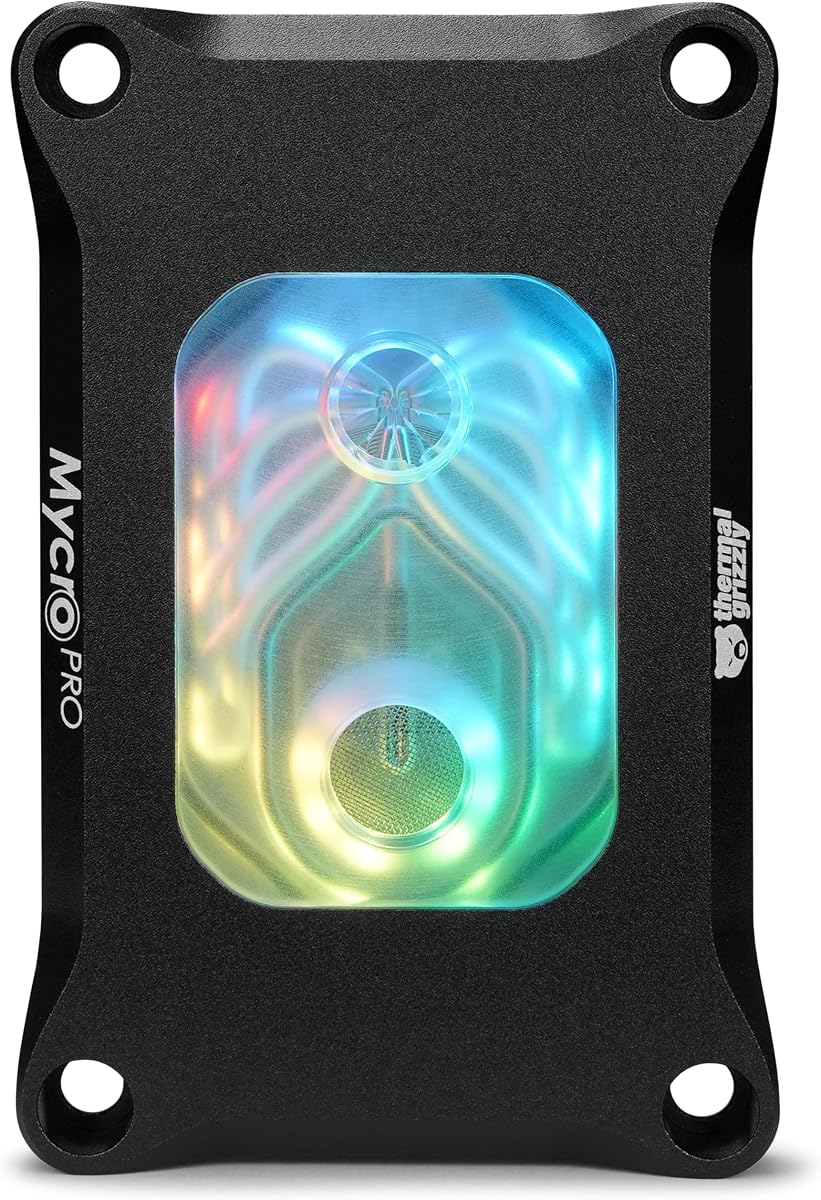
The Thermal Grizzly Mycro Pro RGB offers high performance with a 4.6 rating for AMD AM5 and AM4 processors. Its 68 microfins with a 0.2mm structure increase surface area significantly for efficient heat transfer.
We may earn a commission when you buy through this link, at no additional cost to you.
A built-in fine mesh filter helps trap particles, protecting the microfin structure from clogging over time. This feature extends the lifespan of your loop and maintains consistent coolant flow throughout usage.
While it includes an RGB window for visual appeal, the focus remains on raw cooling capability. The nickel-plated copper cold plate ensures durability and resistance to corrosion within your custom cooling system.
Ideal for demanding overclocking scenarios, this block delivers the thermal efficiency needed to handle heavy loads. It is a strong choice for AMD users who prioritize performance and loop health.
The dense microfin structure provides ample surface area to rapidly move heat from the CPU into the coolant.
The integrated filter catches debris before it reaches sensitive areas, reducing the risk of blockages and flow issues.
We may earn a commission when you buy through this link, at no additional cost to you.
The TRYX Panorama WB is a technological marvel with a 3.6 rating, featuring a massive 6.67-inch curved AMOLED screen. It supports GIPHY integration directly, allowing users to browse and stream GIFs without manual file downloads.
We may earn a commission when you buy through this link, at no additional cost to you.
Built on Asetek Gen8 V2 architecture, it delivers rapid heat transfer under overclocking and rendering workloads. A unique VRM PWM fan is built-in to cool motherboard voltage regulators, reducing overall system temperatures further.
Despite its advanced features, the price is extremely high compared to standard blocks. Some users report software complexity in managing the display content and settings effectively.
Choose this block if budget is no concern and you want the most unique visual experience available. It combines high-end cooling with a futuristic display that sets your custom loop apart from any other setup.
The curved AMOLED screen provides vivid color reproduction and high refresh rates for smooth animations and monitoring data.
An integrated fan actively cools motherboard components, ensuring stable power delivery during heavy overclocking sessions.
We may earn a commission when you buy through this link, at no additional cost to you.
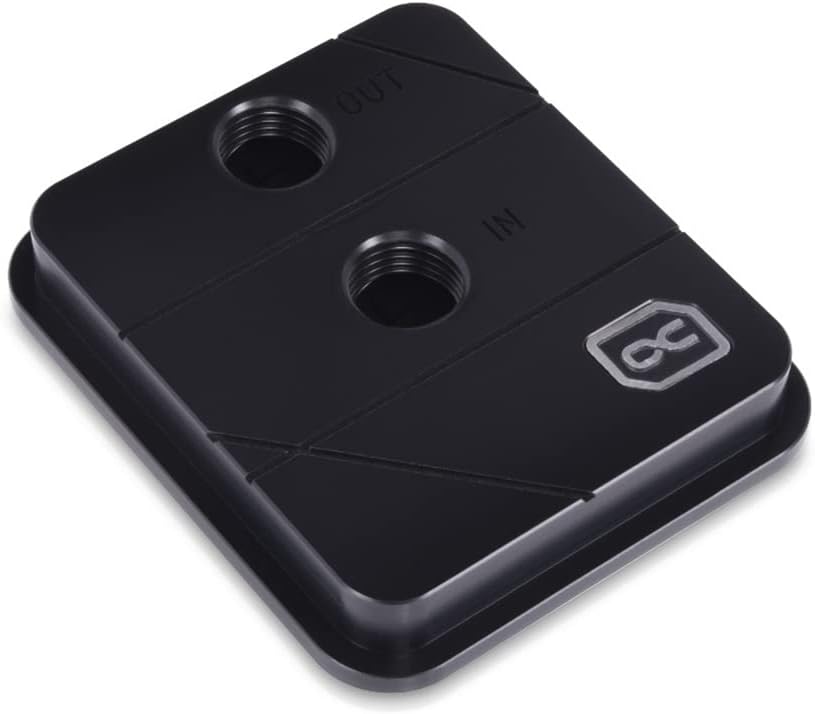
The Alphacool Core XP3 offers a compact solution with a 4.4 rating, utilizing an acetal top and nickel-plated copper cooler. Its dimensions of 73x63x21mm make it exceptionally low profile compared to other market options.
We may earn a commission when you buy through this link, at no additional cost to you.
It supports both Intel and AMD platforms, providing flexibility for different CPU sockets without compromising cooling efficiency. The standard G1/4 threads ensure easy integration into any custom loop setup you might be building.
While the acetal top may not appeal to those seeking metal aesthetics, the lightweight nature helps reduce stress on the CPU socket. However, the max working temperature is capped at 60°C, which may limit extreme overclocking use.
For users needing a low-height block that fits under tight CPU coolers or specialized cases, this is an excellent fit. It balances cost and performance well for standard cooling needs without extra frills.
At just 21mm height, this block clears most VRM heatsinks and fits into cases with strict clearance constraints.
Uses nickel-plated copper for the cooler base to ensure thermal conductivity and long-term resistance to corrosion.
We may earn a commission when you buy through this link, at no additional cost to you.
The CORSAIR iCUE Link XC7 offers a streamlined build experience with a 4.1 rating. It supports the iCUE LINK ecosystem, allowing you to daisy-chain components using universal connectors without a separate controller unit.
We may earn a commission when you buy through this link, at no additional cost to you.
A transparent flow chamber lets you see coolant movement clearly, while 24 individually addressable RGB LEDs deliver customizable lighting effects. The built-in temperature sensor enables precise cooling control through iCUE software.
However, you need the iCUE LINK System Hub to fully utilize the benefits, which may be an extra purchase if you don't own one already. It also works best within the CORSAIR ecosystem for maximum compatibility.
This block is perfect for users who want a tidy build with intelligent component management. It simplifies cable management and enhances cooling precision, making system tuning easier for modern PC builders.
Universal connectors let you link components directly, reducing wire clutter and improving airflow within your case.
Integrated sensors provide precise temperature data, enabling automated fan curves and system alerts for better management.
We may earn a commission when you buy through this link, at no additional cost to you.
The Alphacool Core 1 LT offers an acrylic aesthetic with a 4.1 rating, perfect for showcasing coolant flow clearly. It supports Intel LGA 1700 and AMD AM4/AM5 sockets, making it versatile for modern builds.
We may earn a commission when you buy through this link, at no additional cost to you.
Its acrylic top provides a transparent view of the coolant, enhancing the visual appeal when combined with digital RGB lighting. The dimensions are slightly taller, which accommodates the lighting and flow visibility effectively.
While acrylic is not as durable as metal, it offers unmatched clarity for custom loops. Users should be careful during installation to avoid scratches that might cloud the transparent finish over time.
Choose this block if you prioritize visual appeal and flow visibility in your PC build. It delivers solid performance with a stylish look that highlights your chosen coolant colors beautifully.
The clear acrylic top lets you monitor coolant levels and bubbles easily, ensuring your loop runs smoothly and visibly.
Supports digital RGB lighting to sync with your motherboard or controller, creating a cohesive visual theme.
We may earn a commission when you buy through this link, at no additional cost to you.
Choosing the right CPU water block involves balancing performance, compatibility, and aesthetics. Consider these factors carefully to ensure optimal cooling for your system.
Ensure the block supports your current CPU socket, such as LGA 1700 or AM5. Some blocks are limited to AMD or Intel only, while others offer multi-platform support.
Check the manufacturer's socket list before purchasing to avoid installation issues.
Nickel-plated copper cold plates offer the best thermal conductivity and corrosion resistance. Pure copper is also effective but requires more maintenance to prevent oxidation in some loop conditions.
Prioritize blocks with high-quality copper bases for consistent cooling performance over time.
High-density microfins increase the surface area for heat transfer. Blocks with 0.2mm to 0.4mm fin structures are generally more efficient at dissipating heat from the CPU.
Look for specifications that mention fin count or thickness for better thermal efficiency.
Some blocks offer LCD screens or RGB LEDs for visual customization. Others include built-in fans for VRM cooling. Decide if these features align with your aesthetic and cooling priorities.
Advanced features may add complexity or cost, so weigh them against your budget needs.
Internal geometry affects coolant flow and pump resistance. Blocks with optimized channels maintain better flow rates without stressing your pump unnecessarily.
Check reviews or specs for flow restriction details if using high-performance pumps.
A complete kit includes mounting hardware, backplates, and sometimes thermal paste. Ensure the necessary brackets are included to avoid buying separate adapters.
Verify compatibility with your motherboard's mounting system before starting your build.
RGB lighting should sync with your motherboard or software ecosystem. 5V ARGB headers are standard for syncing with Asus Aura or Corsair iCUE software.
Check if the block requires a separate controller to avoid extra costs.
Reliable brands often offer warranties ranging from one to six years. This ensures protection against leaks or defects, which is critical for expensive liquid cooling loops.
Review the warranty terms regarding leaks or component failures carefully.
Before installation, clean the CPU surface thoroughly to remove old paste and dust. Apply a fresh, thin layer of thermal paste to ensure optimal contact between the CPU and the block.
Install the block using the provided mounting hardware to ensure even pressure. Avoid overtightening screws, which can damage the motherboard or copper base over time.
Regularly check for leaks and replace coolant every six months. Flush the loop if you notice discoloration or reduced flow rates to maintain long-term performance.
Pure copper offers high thermal conductivity but is prone to oxidation and corrosion without treatment. Nickel plating protects the copper, improving durability and preventing green corrosion, though it may reduce heat transfer slightly.
Yes, custom loops require an external reservoir/pump combo to circulate coolant. CPU water blocks rely on this flow to remove heat from the CPU effectively.
CPU water blocks are designed specifically for processors. To cool GPUs, you need dedicated GPU water blocks that fit the graphics card's PCB and VRAM layout.
It is recommended to change the coolant every six months to prevent algae growth and bacterial buildup. Some premixed coolants last longer but require monitoring.
Flow restriction indicates how much the block resists coolant movement. High restriction blocks may require stronger pumps to maintain optimal flow rates and cooling efficiency.
No, only specific models include integrated RGB LEDs. Always check product specifications to confirm RGB support if lighting is a priority for your build.
Refer to the manufacturer's compatibility list for socket types like LGA 1700 or AM5. Most modern blocks include necessary mounting kits for these standards.
A quality CPU water block can last several years if maintained properly. Corrosion and leaks are the main failure points, so regular inspection is important.
We reviewed the top 10 CPU water blocks available in November 2026, balancing thermal performance with aesthetic appeal. The EKWB Velocity 3 remains a top choice for pure cooling efficiency, while the TRYX Panorama WB offers unmatched visual features.
When selecting a block, prioritize compatibility with your socket and the quality of the internal cooling structure. A well-designed microfin system and nickel-plated copper base will ensure longevity and lower temperatures.
Prices and availability fluctuate frequently, so check current listings before finalizing your purchase. Investing in a quality block now ensures your system stays cool and visually stunning for years to come.