
havit HV-F2056 Laptop Cooling Pad
4.4Editor score
Ultra-portable and lightweight design
Ergonomic stand with height settings
Ultra-quiet fans for quiet operation
MSI gaming laptops deliver exceptional performance but often struggle with heat under load. A dedicated cooling fan or pad helps maintain optimal temperatures and prevents thermal throttling during long gaming sessions.
We analyzed ten highly rated cooling solutions designed for MSI laptops. Our comparison focuses on airflow efficiency, noise levels, compatibility with different MSI models, and additional features like USB hubs and RGB lighting.
Each pick highlights specific strengths such as smart temperature control, ergonomic design, or targeted airflow. Remember that availability and pricing can change, so verify current details before purchasing your preferred model.
4.4Editor score

4.4Editor score

5.0Editor score
As an Amazon Associate we earn from qualifying purchases.
The following table compares all ten cooling solutions side by side. It highlights key specifications such as fan count, compatibility range, special features, and overall user ratings to help you make an informed decision.


The Razer Laptop Cooling Pad Adaptive Smart stands out as the top choice for MSI gaming laptop users seeking intelligent thermal management. With a solid 4.4 rating from users, this product delivers on its promise of smart cooling that adapts to your system load.
We may earn a commission when you buy through this link, at no additional cost to you.
Its core strength lies in the automatic fan control system that monitors temperatures and adjusts speeds accordingly. The airtight pressure chamber ensures cool air is directed precisely where needed, reducing CPU and GPU heat effectively. You can also fine-tune settings using Razer Synapse for specific performance needs.
While it offers exceptional performance and durability, the higher cost might be a consideration for budget-conscious buyers. Additionally, some advanced features require the Synapse software which adds a layer of complexity for those preferring plug-and-play simplicity.
This cooling pad is ideal for MSI laptop owners who want premium thermal performance without manual adjustments. If you value automation and strong airflow efficiency, this model is a worthwhile investment to keep your laptop running cool and fast.
The smart cooling system monitors workload and adjusts fan speeds to maintain optimal temperatures without user intervention.
Users can calibrate fan curves via Synapse to balance noise levels with cooling requirements for specific tasks.
We may earn a commission when you buy through this link, at no additional cost to you.
The havit HV-F2056 offers excellent value for users looking for a reliable cooling pad without spending much. With a 4.4 user rating, it provides essential cooling features that effectively address overheating in MSI laptops.
We may earn a commission when you buy through this link, at no additional cost to you.
Its slim and lightweight design makes it easy to carry, perfect for students or professionals on the go. The triple ultra-quiet fans create a noise-free environment while the dual height settings add ergonomic comfort during extended sessions.
The main limitation is the lack of advanced features like RGB lighting or custom fan curves found in higher-end models. However, for basic cooling needs and portability, it delivers strong performance at an attractive price point.
This pad is recommended for those who prioritize budget and portability over extra features. It is a solid choice for casual gamers or professionals who need dependable cooling on a tight budget.
Acts as a laptop stand with two adjustable height settings to improve posture while cooling.
Triple fans are designed for noise-free operation ensuring minimal distraction during work or play.
We may earn a commission when you buy through this link, at no additional cost to you.
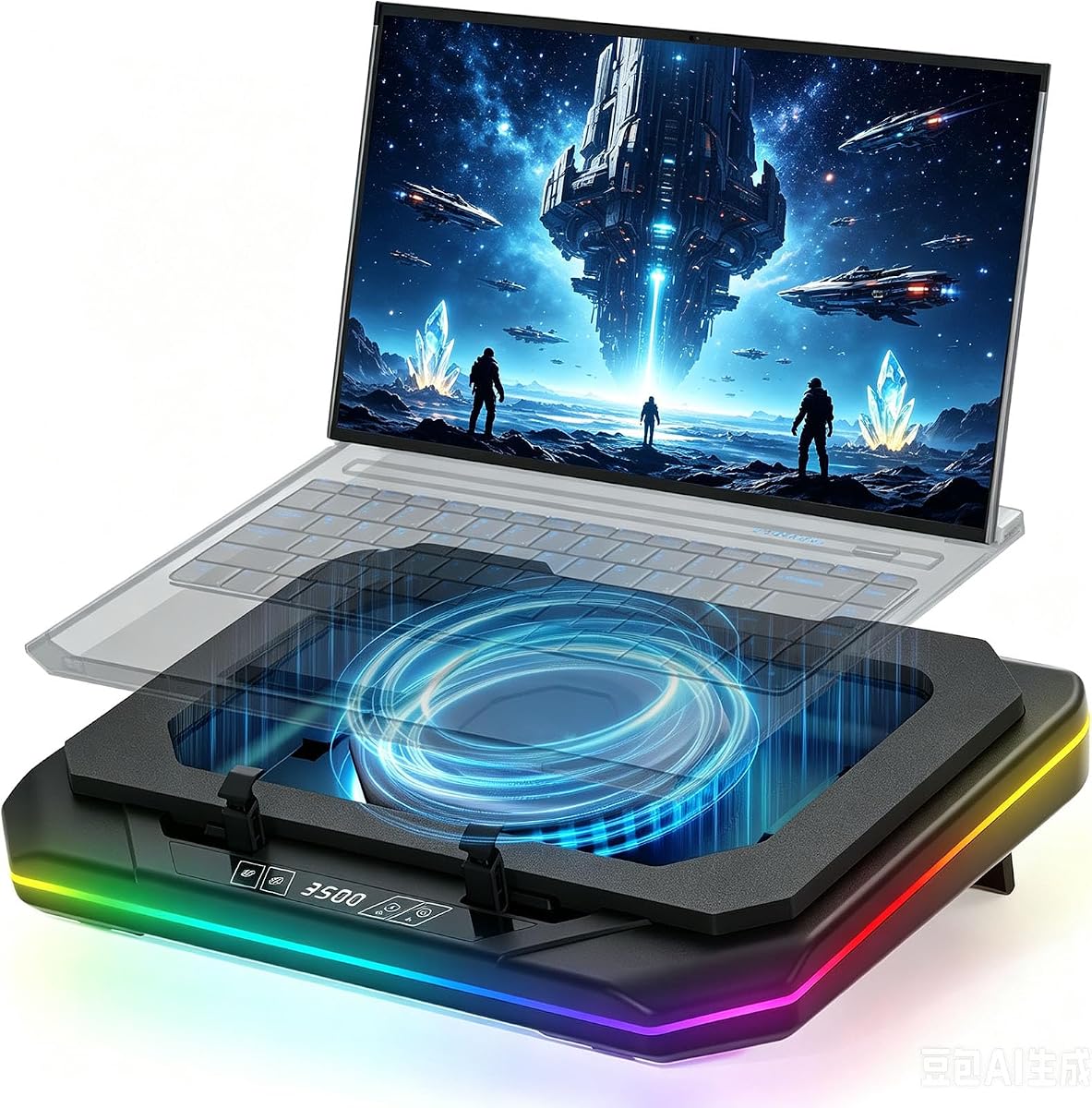
The Cooling Pad for Msi Raider 18 HX earns a perfect 5.0 rating by delivering outstanding thermal performance for MSI gaming laptops. It is built to handle intense gaming sessions where standard cooling might fail.
We may earn a commission when you buy through this link, at no additional cost to you.
Its turbofan with sealed wind pressure can reduce CPU and GPU temperatures by up to 40 degrees in just 90 seconds. The retractable side panels and foldable footrests ensure stability and compatibility with various laptop sizes from 14 to 18 inches.
While the cooling performance is excellent, the high fan speed can produce noise up to 60 dB which might be noticeable in quiet environments. Also, its larger size limits portability making it more suitable for desktop setups.
This cooling pad is perfect for serious gamers who need maximum cooling power for their MSI laptop. If performance is your top priority and noise is secondary, this product offers unmatched thermal dissipation.
Turbofan spins up to 3500 RPM to quickly reduce internal temperatures during heavy workloads.
RGB surround light strip with six modes creates a cool atmosphere matching your gaming setup.
We may earn a commission when you buy through this link, at no additional cost to you.
The Cooling Pad for Msi Vector A18 HX achieves a 5.0 rating by offering tailored cooling for MSI Vector and Creator laptops. It combines high performance with practical features that protect your device from dust and overheating.
We may earn a commission when you buy through this link, at no additional cost to you.
Its turbofan design provides rapid cooling while the dust filtration mesh keeps debris out of your laptop vents. The USB hub allows you to connect keyboards or drives easily. RGB lighting adds a customizable aesthetic touch to your desk setup.
Like other high-performance pads, it can be noisy when running at full speed which may not suit quiet offices. The large size is necessary for 18-inch laptops but limits mobility compared to smaller alternatives.
This model is an excellent choice for MSI Vector users needing reliable cooling and device protection. If you want strong thermal management along with dust resistance, this pad delivers on all fronts.
Dense filtration mesh seals out dust to extend laptop lifespan and reduce cleaning frequency.
18W adapter ensures the fan runs at full power without draining your laptop battery.
We may earn a commission when you buy through this link, at no additional cost to you.
The Kootek Laptop Cooling Pad is a versatile choice with a 4.4 rating offering robust cooling across a wide range of laptop sizes. Its five quiet fans provide consistent airflow and customizable control options for users.
We may earn a commission when you buy through this link, at no additional cost to you.
The dual USB hub adds convenience for connecting peripherals while six height settings allow you to find the perfect ergonomic angle. The ability to switch on different fan zones gives you flexibility in managing airflow and noise.
While it has multiple fans, individual units are smaller than the turbofans in premium models which may limit maximum cooling power. However, it still effectively reduces heat and maintains good performance for daily gaming or work.
This pad suits users who need adaptable cooling without committing to a single laptop size. With its balance of features and price, it is a reliable option for general-purpose cooling needs.
Two switches allow you to turn on one four or all five fans based on cooling needs.
Six height adjustments help reduce neck strain during long gaming or work sessions.
We may earn a commission when you buy through this link, at no additional cost to you.
The ChillCore Laptop Cooling Pad earns a 4.2 rating for offering nine cooling fans to cover larger laptops effectively. It includes useful features like an LCD display and RGB lighting to enhance the user experience.
We may earn a commission when you buy through this link, at no additional cost to you.
You can monitor fan speed on the LCD while adjusting between eight height positions for comfort. The capacitors added to fans reduce noise making it suitable for quiet environments. The RGB modes add visual flair to your gaming setup.
Despite having many fans, the cooling power is moderate compared to turbofan models. The slightly lower user rating suggests some users might find the build or noise levels acceptable but not exceptional.
This pad is ideal for those who prioritize fan count and visual features over raw thermal performance. It works well for general cooling needs and aesthetic customization of your desk.
The LCD readout shows current fan speed for intuitive manual adjustment without software.
Ten lighting modes create a cool gaming atmosphere that matches your other RGB gear.
We may earn a commission when you buy through this link, at no additional cost to you.
The llano V12 Ultra cooling pad receives a 4.5 rating for combining hardware performance with smart software control. Its turbofan and AI temperature management make it a strong contender for MSI laptop users seeking advanced cooling.
We may earn a commission when you buy through this link, at no additional cost to you.
Myth.cool software automatically adjusts fan speeds based on workload ensuring optimal thermal performance without constant manual input. The 5.5-inch turbofan pushes enough air to cut CPU GPU temps significantly. You can also clean the dust filter without tools.
Setting up the software adds a step to the initial process which may deter users preferring plug-and-play. However, once configured the cooling efficiency and convenience are well worth the slight complexity for most users.
This product is recommended for those who value automation and strong cooling power. If you want your laptop to stay cool without fiddling with controls, this pad offers a smart solution.
Three smart modes auto-adjust fan speed to match your laptop's workload in real time.
Removable mesh filter traps debris easily extending the lifespan of both cooler and laptop.
We may earn a commission when you buy through this link, at no additional cost to you.
The llano V12 Gaming Laptop Cooling Pad scores a 4.4 rating offering a balanced mix of performance and usability. It is designed for heavy-duty laptops and delivers rapid cooling during intense tasks.
We may earn a commission when you buy through this link, at no additional cost to you.
Its turbo booster fan reduces temperatures effectively while the scroll wheel allows precise airflow control. The USB hub adds convenience though it does not support charging. Dust filtration helps keep your laptop internal fans clean over time.
Noise can be an issue at max speeds reaching up to 70 dB which might be loud for office environments. The chassis is sturdy though so it handles large laptops well. If you can tolerate the noise the cooling is impressive.
This pad is great for gamers who need strong cooling and a durable build. It balances performance with essential features like dust protection and hub connectivity effectively.
Scroll wheel allows easy instantaneous adjustment of fan speed for immediate thermal changes.
Dust filter prevents debris from entering vents protecting your laptop fans from buildup.
We may earn a commission when you buy through this link, at no additional cost to you.
The Laptop Cooling Pad Quiet Turbo Fan holds a 4.5 rating for its quiet operation and flexible design. It suits both gaming laptops and ultrabooks making it a versatile choice for mixed device environments.
We may earn a commission when you buy through this link, at no additional cost to you.
Its sealed airflow design cools effectively even at lower speeds keeping noise minimal. The USB-C powered design makes it easy to use with modern devices. Adjustable angles help maintain good posture during extended sessions.
The cooling power is moderate so it may not handle extreme gaming loads as well as dedicated turbofans. Also you need to provide your own adapter for full power. Still it offers solid everyday cooling.
This pad works well for users who value portability and quietness over maximum performance. It is a reliable option for those who switch between gaming and work regularly.
Keep foam sealed for gaming laptops or remove it for ultrabooks as an active heat sink.
Fans run as low as 35 dBA ensuring minimal distraction during quiet tasks or calls.
We may earn a commission when you buy through this link, at no additional cost to you.
The llano Gaming Laptop Cooler V12 earns a 4.4 rating for delivering robust cooling at a competitive value. Its turbo fan effectively handles heat during intense gaming tasks ensuring consistent performance for your MSI laptop.
We may earn a commission when you buy through this link, at no additional cost to you.
The LED display shows real-time fan speed giving you clear visual feedback on cooling status. You also receive a mouse pad in the box adding extra value. Dust filters protect your laptop from debris over time.
While it offers strong cooling it lacks advanced customization compared to higher-end models. The added weight makes it less ideal for frequent travel. However for desk-based setups it performs reliably and affordably.
This cooler is recommended for users seeking powerful cooling without a high price tag. If you want solid performance and essential features this pad delivers great value for the investment.
Real-time LED display accurately shows fan speed for quick monitoring and adjustments.
Includes mouse pad and extra dust filter to enhance usability and device protection.
We may earn a commission when you buy through this link, at no additional cost to you.
Selecting the right cooling fan requires understanding key factors that impact performance and usability. This guide outlines what to look for to ensure your MSI laptop stays cool and efficient.
Check that the cooling pad matches your MSI laptop size range. Many pads support 15.6 to 18 inches which covers most MSI models. Verify dimensions before buying to ensure a snug fit.
Always confirm the cooling pad fits your laptop model to avoid air leaks or instability.
Look for powerful fans or turbofans that deliver high RPM airflow. More powerful fans reduce heat faster but may produce more noise. Consider your tolerance for noise when choosing.
Higher fan speed usually means better cooling but can increase noise levels.
Decibel ratings indicate how loud the fans are. Aim for fans under 30 dB for quiet work environments. Gaming sessions may tolerate higher noise but keep comfort in mind.
Choose lower noise fans if you work in shared or quiet spaces.
Slim lightweight pads are easier to carry for travel or work. Heavier models often offer better cooling but reduce portability. Decide how often you need to move your setup.
Prioritize lightweight designs if you frequently move your laptop.
Features like RGB lighting USB hubs and height adjustments enhance usability. RGB adds aesthetic appeal while USB hubs reduce cable clutter. Height settings improve ergonomics.
Extra features improve convenience and comfort but may add cost.
Removable dust filters simplify maintenance and protect internal components. Clean filters regularly to maintain cooling efficiency. Easy-access designs save time and effort.
Regular cleaning extends the lifespan of both the cooler and your laptop.
Some pads run on USB power while others include dedicated adapters. Dedicated adapters often provide stronger cooling performance. Check if a USB-C cable is included for modern laptops.
Dedicated adapters usually deliver stronger and more consistent cooling.
Prices vary widely from budget to premium models. Determine your spending limit and prioritize features that matter most. Affordable options still offer effective cooling for most users.
Set a budget and focus on essential features to get the best value.
Place the cooling pad on a flat stable surface and position your laptop centrally. Ensure airflow vents on the laptop align with the fans for best results.
Clean the dust filter at least once a month using soft brush or vacuum. Dust buildup blocks airflow and reduces cooling efficiency over time.
Use adjustable height settings to match your ergonomic needs. Proper angles reduce neck strain and keep your laptop secure during use.
Yes, dedicated cooling fans significantly reduce thermal throttling and maintain performance during gaming sessions. Improved heat dissipation helps prevent unexpected shutdowns and extends hardware lifespan.
Most MSI gaming laptops require pads supporting 15.6 to 18 inches. Check your laptop's dimensions before purchasing to ensure proper fit and effective cooling coverage.
Noise levels vary by model but aim for under 30 dB for quiet operation. Gaming sessions may allow higher noise but always consider your environment comfort.
Most universal pads support common MSI sizes but some offer model-specific designs. Verify compatibility lists to ensure optimal airflow and stability for your device.
Yes most cooling pads work with laptops from any brand within the size range. Just ensure the vents align properly for effective cooling.
Clean dust filters monthly to maintain airflow efficiency. Regular maintenance prevents overheating and extends both cooling pad and laptop lifespan.
The top picks highlight different strengths from smart cooling to budget-friendly options. Razer offers intelligent control while havit provides affordability and MSI specific pads deliver raw power.
Focus on your needs whether cooling power noise or portability. Matching these priorities to a product's features ensures you get reliable thermal management.
Prices and availability may change so verify current offers before buying. Checking reviews and specs again can help confirm you choose the right cooling solution.