
Logitech MX Keys Mini
4.4Editor score
Smart illumination adjusts to lighting conditions
Multi-device switching across three systems
Perfect stroke typing with smart key shapes
This guide compares the top 10 compact editing keyboards for creators, covering portable designs, shortcut customization, and wireless connectivity for
Finding the right compact editing keyboard can transform your creative workflow significantly. Whether you edit videos, design graphics, or write code, having a tailored input device saves time and reduces physical strain during long sessions.
We evaluated ten top-rated models based on portability, key customization, battery life, and compatibility across devices. Our analysis focuses on real-world performance for editors and designers who need reliable tools on the go or at a crowded desk.
Each pick highlights specific strengths like wireless range, ergonomic design, or programmable keys. Note that prices and availability change frequently, so check current listings before purchasing to ensure you get the best value for your specific needs.
4.4Editor score

4.7Editor score

4.4Editor score
The following table provides a side-by-side comparison of all ten selected keyboards. It highlights key specifications such as connectivity type, battery life, key count, and specific features tailored for editing tasks to help you make an informed decision quickly.



This specialized keyboard is designed exclusively for video editors using DaVinci Resolve. It holds a 4.7 rating from users who appreciate its purpose-built layout that mirrors editing functions directly on the keys.
We may earn a commission when you buy through this link, at no additional cost to you.
The standout feature is the built-in search dial which allows for precise navigation through timelines without using a mouse. It also supports both Bluetooth and USB-C connectivity ensuring flexibility across different studio setups and mobile editing stations.
While the price is significantly higher than general purpose keyboards, the efficiency gains for professional editors justify the investment. The bundled software activation card adds substantial value for those needing the studio version of the editing software.
Professional video editors working on tight deadlines should consider this keyboard to streamline their process. It is the top choice for anyone prioritizing workflow speed and specialized controls over general typing tasks.
Every key corresponds to a common edit function reducing the need to memorize complex shortcuts.
Its small footprint and battery make it ideal for editing suites on the move or remote locations.
We may earn a commission when you buy through this link, at no additional cost to you.
The MX Keys Mini is a high end wireless keyboard that balances portability with professional features. It has a 4.4 rating reflecting its solid build quality and efficient typing experience for various creative tasks.
We may earn a commission when you buy through this link, at no additional cost to you.
Its smart illumination technology automatically lights up when your hands approach and dims when not in use to save battery. The key shape is molded to fit fingertips for precision which is critical when typing complex editing commands quickly.
The main trade-off is the cost compared to basic models but the battery life and multi device capabilities offer long term value. It pairs well with Logitech mice to create a seamless workflow across multiple computers in a workspace.
Users who need a reliable portable keyboard for editing and writing will find this model excellent. It is best for professionals who value premium build quality and smart features in their daily tools.
Sensors detect hand proximity to activate backlighting without wasting power on constant illumination.
Switch between a laptop tablet and phone with a single button press for flexible editing setups.
We may earn a commission when you buy through this link, at no additional cost to you.
This wireless keyboard offers a no frills approach to compact input devices. With a 4.4 rating it is recognized for reliability and ease of use for general computing and light editing tasks.
We may earn a commission when you buy through this link, at no additional cost to you.
It connects via a 2.4GHz USB dongle which ensures a stable connection without needing Bluetooth pairing. The 78-key layout removes the number pad to save space allowing for a more ergonomic desk setup for editing.
The primary limitation is the lack of advanced features like backlighting or programmable keys. However for users seeking a simple functional tool that fits in a laptop bag this keyboard delivers excellent value for the cost.
Students or casual editors looking for an inexpensive travel keyboard will appreciate this option. It is a practical choice for those who prioritize portability and simplicity over advanced software integration.
No drivers are needed to start typing immediately upon inserting the USB receiver.
Removing the number pad allows for closer mouse placement and better wrist posture.
We may earn a commission when you buy through this link, at no additional cost to you.
This keyboard is designed for maximum portability in a unique foldable form factor. It carries a 4.5 rating from users who need to type on phones and tablets while on the go in various locations.
We may earn a commission when you buy through this link, at no additional cost to you.
The two-fold design reduces the size significantly making it ideal for carrying in a bag without bulk. It connects via Bluetooth 5.1 providing a stable connection to tablets and phones for editing text or media files.
While the compact size is excellent for travel the keycaps are smaller than standard keyboards. This may require a short adaptation period for fast typists but the convenience of pocket portability outweighs this for many.
Digital nomads and tablet users will find this keyboard incredibly useful for productivity. It is the best choice for those who prioritize extreme portability over a full sized typing experience.
The keyboard folds in half to create a small rectangle that fits easily in a jacket pocket.
The integrated PU leather cover shields keys from scratches and looks premium in public.
We may earn a commission when you buy through this link, at no additional cost to you.
Part of the Pebble 2 Collection this keyboard focuses on style and sustainable design. It has a 4.3 rating and is praised for its slim profile which makes it easy to take to different workspaces daily.
We may earn a commission when you buy through this link, at no additional cost to you.
It supports easy switching between three wireless devices which is helpful when working on a laptop and tablet simultaneously. The battery lasts up to three years with auto-sleep mode ensuring you rarely need to replace batteries.
The lack of backlighting limits use in dimly lit spaces but the typing experience remains comfortable for long sessions. It is a strong choice for users who value aesthetics and eco-friendly materials in their tech gear.
Students and general users who need a reliable keyboard for multiple devices should consider this option. It balances form and function well for everyday editing and writing tasks on the go.
Plastic parts contain significant recycled content allowing users to make an eco-friendly purchase.
Instantly switch between a phone tablet and laptop without disconnecting cables.
We may earn a commission when you buy through this link, at no additional cost to you.
This compact keyboard offers a premium typing experience with smart lighting features. With a 4.4 rating it is highly rated for its ergonomic design that supports comfortable typing during long editing sessions.
We may earn a commission when you buy through this link, at no additional cost to you.
The keys are shaped to match your fingertips allowing for precise input which is crucial for complex editing software shortcuts. The smart illumination system turns on when your hands approach ensuring visibility without wasting power constantly.
While the battery life is strong it does require periodic charging via USB-C which is a minor inconvenience for wireless users. The ability to switch between multiple devices efficiently makes it a versatile tool for multi screen setups.
Professionals who work in changing lighting conditions will appreciate the adaptive backlight. It is recommended for users who want a high quality compact keyboard for productivity and editing.
Sensors detect movement to turn on keys only when needed for optimal battery efficiency.
Key caps are concave to guide fingers for faster and more accurate input.
We may earn a commission when you buy through this link, at no additional cost to you.
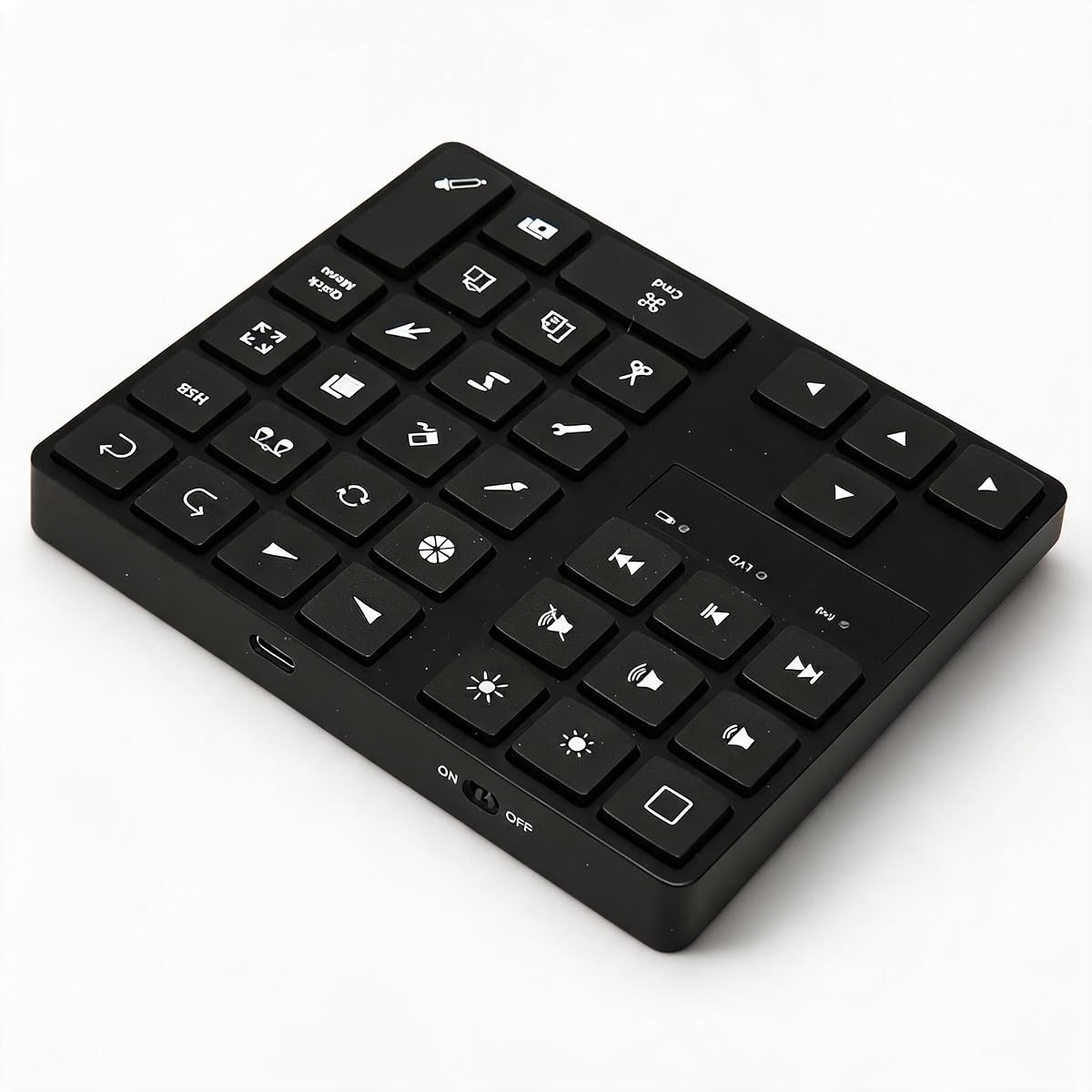
This shortcut keyboard is designed to accelerate creative workflows in design and video applications. It has a 4.3 rating reflecting its utility for artists and editors who need quick access to commands and functions.
We may earn a commission when you buy through this link, at no additional cost to you.
The rotary dial is a standout feature allowing you to zoom in and out or change brush sizes without using a mouse. The ten keys can be customized to four different sets which is useful for working with multiple software applications.
To unlock the full potential you must install the driver software which adds a step to the setup process. However once configured it acts as a powerful tool to speed up repetitive tasks significantly.
Digital artists and video editors looking to streamline their process should consider this device. It is best used as a companion device to a main keyboard for specific editing shortcuts.
The dial provides tactile feedback making it easy to adjust values while watching your screen.
Switch between four sets of shortcuts using a single key to support different software workflows.
We may earn a commission when you buy through this link, at no additional cost to you.
This keyboard prioritizes design and simplicity for modern workspaces. It holds a 4.3 rating and is well received for its clean look that complements other tech on a desk effectively.
We may earn a commission when you buy through this link, at no additional cost to you.
The layout includes an expressive input key that gives quick access to emojis which is helpful for social media or communication tasks. Key spacing is optimized to reduce hand strain during long editing or writing sessions.
Switching between up to three devices works well but it relies on standard Bluetooth pairing rather than a dedicated receiver. The minimalist design means it lacks a backlight but fits well in bright office environments.
Users looking for a stylish compact keyboard for general tasks will find this appealing. It is a solid option for those who value design consistency and reliable Bluetooth performance.
Dedicated key opens emoji menus quickly for faster communication.
Seamlessly move between your laptop and phone for flexible editing workflows.
We may earn a commission when you buy through this link, at no additional cost to you.
This keyboard is designed to reduce physical strain for long creative sessions. It has a 4.0 rating and is valued by artists who need a specialized tool for efficient workflow control.
We may earn a commission when you buy through this link, at no additional cost to you.
The angled sculpted well positions your hand naturally to reduce fatigue. With 35 programmable shortcuts you can assign common commands to keys for faster access during editing or design work.
Because it uses a wired USB-C connection it guarantees zero lag but reduces mobility compared to wireless options. The layout is unique so it takes time to adjust but the ergonomic benefits are clear.
Creative professionals who suffer from wrist pain will find this keyboard helpful for daily work. It is best used as a dedicated control panel alongside a standard full sized keyboard.
The ergonomic design promotes neutral posture to reduce discomfort during long hours.
Assign macros to keys to automate repetitive editing steps with single presses.
We may earn a commission when you buy through this link, at no additional cost to you.
This wired keyboard offers a reliable and quiet solution for typing tasks. With a 4.3 rating it is trusted for its durable construction and consistent performance across daily editing tasks.
We may earn a commission when you buy through this link, at no additional cost to you.
The scissor switch technology ensures precise key presses and reduces noise making it ideal for quiet offices. The compact layout removes the number pad allowing for a more ergonomic setup for mouse use.
The metal plate and rubberized feet give the keyboard stability ensuring it stays in place while you work. It is a solid choice for users who prefer the stability of a wired connection over wireless convenience.
Office workers or editors who need a quiet and stable keyboard should consider this model. It is recommended for those who prioritize build quality and reliability over advanced features.
Keys are designed to minimize sound which is beneficial for shared workspaces.
The TKL design saves space while maintaining a stable typing platform.
We may earn a commission when you buy through this link, at no additional cost to you.
Choosing the right compact keyboard requires evaluating several key factors based on your specific editing needs and workspace limitations.
Decide between Bluetooth or wired USB. Bluetooth offers freedom for travel but may have slight latency while wired ensures zero lag which is critical for real time editing.
Prioritize wired connections for precision and Bluetooth for portability depending on your workflow needs.
Look for programmable keys or dials that allow you to map specific editing commands. Customization can significantly speed up repetitive tasks in video or graphic software.
Ensure the software for customization is easy to use and compatible with your operating system.
Check if the keyboard is rechargeable via USB-C or requires replaceable batteries. Rechargeable units are generally more cost effective and convenient for regular use.
Choose a model with long battery life or auto-sleep modes to minimize interruptions during work.
Assess the key travel and key layout to ensure comfort during long sessions. Compact keyboards should still provide enough spacing to avoid accidental key presses.
Consider models with adjustable tilt or ergonomic shaping to reduce wrist strain.
Verify that the keyboard works seamlessly with your specific OS like Windows or macOS. Some models offer specific function keys for certain platforms.
Select a device that supports cross-platform switching if you use multiple devices.
If you travel often look for foldable designs or durable covers. A sturdy build ensures the keyboard survives being moved in a bag frequently.
Prioritize lightweight materials if you plan to carry the keyboard daily.
Set a realistic budget considering that specialized editing keyboards may cost more than standard models. Balance cost against features you will actually use daily.
Invest in premium features only if they directly improve your specific editing workflow.
Choose established brands with a history of reliability and customer support. Reputable brands often provide better software updates and warranty options.
Research user reviews to confirm long-term durability and performance reliability.
Always fully charge your keyboard before the first use and ensure drivers are installed for custom keys. This prevents issues during initial setup and ensures all features work as expected.
Keep your keyboard clean by wiping keys with a soft dry cloth regularly. Avoid liquid spills and store the keyboard in a protective case when traveling to prevent scratches or damage.
Use software settings to remap keys that suit your specific editing workflow. Updating firmware periodically can also improve connectivity and add new features.
Yes most models like the ProtoArc XK04 or Logitech Pebble are designed specifically for portability. They fold or are slim enough to fit in a backpack.
Most models support Bluetooth connection to tablets and smartphones. Ensure the keyboard supports your specific OS version for full compatibility.
For keyboards with custom macros or remapping features software is required. Standard keyboards usually work out of the box without additional tools.
Battery life varies widely from 3 years on the K380s to 10 days on rechargeable models. Check specifications before purchasing to match your usage frequency.
Wired keyboards offer zero lag and reliability which is preferred for precise editing tasks. Wireless options provide more freedom but may introduce slight latency.
Many top models allow switching between up to three devices with a single button press. This feature is ideal for workflows involving both laptops and tablets.
The Blackmagic Speed Editor and Logitech MX Keys Mini lead the list for professionals seeking specialized and premium features respectively. These models offer the highest return on investment for serious editors.
Prioritize connectivity and customization features based on your daily workflow. A keyboard that matches your software shortcuts will ultimately save you the most time over the long term.
Remember to check current prices and availability before making your final decision. Specifications and stock can change so verifying details ensures you get the best value.