
AULA F75
4.6Editor score
Tri-Mode Connection Keyboard
Hot-swap Custom Keyboard Base
16.8 Million RGB Backlit
Discover the top creamy keyboards for smooth typing and sound. This guide compares features, layouts, and connectivity to help you find the perfect match.
Creamy keyboards offer a unique typing experience that combines smooth keystrokes with a soft, satisfying sound. Enthusiasts seek these boards for their ability to reduce typing fatigue while delivering a premium feel. Whether you work from home or game late into the night, the right creamy keyboard can transform your daily routine into a more enjoyable activity.
To compile this list, we analyzed ten top-rated models available on the market. We looked closely at their build quality, switch types, connectivity options, and customization features. Our goal is to provide you with a clear overview of what each keyboard offers. This helps you make an informed decision based on your specific needs and preferences.
Each pick in this guide highlights distinct strengths, from budget-friendly options to high-end mechanical boards. You will find details on layout, battery life, and unique features like knobs or LCD screens. Please note that prices and availability can change frequently. We recommend checking the latest details before making your final purchase decision.
4.6Editor score

4.8Editor score

4.8Editor score
This table provides a side-by-side comparison of all ten keyboards. Review each model's key specifications to understand their differences in layout, connectivity, and special features quickly.





The YUNZII B98 PRO stands out as the top choice for those seeking a premium creamy keyboard experience. With a high rating of 4.8, it delivers on both performance and aesthetics. Its 96% layout offers a perfect balance of functionality and desk space efficiency.
We may earn a commission when you buy through this link, at no additional cost to you.
Key strengths include its gasket mount design and five-layer filling structure, which create a uniquely creamy and premium typing feel. The pre-lubed switches and tuned stabilizers ensure every keystroke is smooth and consistent. Additionally, the tri-mode connectivity allows seamless switching between up to five devices.
Trade-offs include a higher price point compared to entry-level models and a learning curve for the QMK/VIA customization software. However, these are acceptable given the level of customization and build quality you receive. The long battery life also mitigates frequent charging needs.
This keyboard is ideal for professionals and gamers who prioritize typing comfort and customization. If you want a reliable board that combines office efficiency with gaming versatility, the B98 PRO is the final recommendation for your setup.
The gasket mount and internal dampening system work together to eliminate hollow echoes and provide a solid, cushioned feel.
QMK/VIA firmware support allows you to remap keys, record macros, and design intricate RGB lighting patterns easily.
We may earn a commission when you buy through this link, at no additional cost to you.
The AULA F75 offers an excellent entry point into the world of creamy mechanical keyboards. Rated 4.6, it provides a surprisingly smooth typing experience for its price. The 75% layout is perfect for those who want to save space without losing essential keys.
We may earn a commission when you buy through this link, at no additional cost to you.
Its main strengths are the pre-lubricated stabilizers and linear switches that bring a pleasant creamy mechanical sound. The hot-swap base allows you to customize switches without soldering. Tri-mode connectivity ensures you can connect up to five devices easily.
Some users may find the feel slightly inconsistent on certain keys due to the structure. Also, maximizing features requires downloading the driver software. Despite this, the value proposition is strong for budget-conscious buyers.
If you want a cost-effective keyboard with premium features like hot-swap and tri-mode connectivity, the F75 is a great choice. It is recommended for students and casual gamers looking for a smooth typing experience.
Pre-lubed linear switches ensure that every keypress feels smooth and consistent without any scratchiness.
Supports Bluetooth, 2.4GHz, and USB-C connections for seamless switching between your PC, phone, and tablet.
We may earn a commission when you buy through this link, at no additional cost to you.
The Redragon K768 PRO is a premium choice with a massive 8000mAh battery and a creamy gasket design. With a 4.8 rating, it promises long runtime and excellent typing comfort. Its 100-key layout keeps most essential functions within reach.
We may earn a commission when you buy through this link, at no additional cost to you.
Strengths include precision-locked gasket covers that give a soft, silky bounce to every keystroke. The fade-resistant PBT keycaps ensure the board looks good for years. The single knob simplifies media and brightness control significantly.
The larger footprint might not fit smaller desks. Also, the software is less extensive than some competitors. However, the hardware quality and battery life make these trade-offs acceptable for many users.
This keyboard is best for users who prioritize battery life and build quality. If you need a reliable board for extended sessions without frequent charging, the K768 PRO is the top recommendation.
The 8000mAh battery provides days of usage, reducing the need for frequent charging cycles.
PBT keycaps resist greasy shine and wear, maintaining a high-quality feel over time.
We may earn a commission when you buy through this link, at no additional cost to you.
The AULA S99 is a unique entry in the creamy keyboard market, using a membrane design for a soft feel. With a 4.2 rating, it offers good value for those who want a quiet, comfortable typing experience without mechanical switches.
We may earn a commission when you buy through this link, at no additional cost to you.
Its strengths include the dual-mode rotary knob for volume and audio control, and multi-device connectivity for versatile use. The 96% layout keeps a numeric keypad while saving space. The ergonomic stand helps reduce wrist pressure.
However, it is not a mechanical keyboard and lacks hot-swapping. This means you cannot change switches to alter the sound. For users seeking a true mechanical creamy feel, this might be a limitation.
This model is recommended for office users who prefer quiet, gentle keystrokes. If you want an ergonomic layout with good connectivity features, the S99 is a solid budget choice.
Membrane switches offer a quieter typing experience compared to loud mechanical switches, ideal for offices.
The foldable two-stage stand allows you to adjust the angle for a more comfortable wrist position.
We may earn a commission when you buy through this link, at no additional cost to you.
The HUO JI E-Yooso delivers a smooth typing feel thanks to its gasket structure and sound-absorbing foams. Rated 4.6, it is a strong contender for those who value sound quality and build consistency in a wired setup.
We may earn a commission when you buy through this link, at no additional cost to you.
Its strengths include five layers of thicker sound-absorbing foams that remove hollow sounds and provide natural feedback. The hot-swap PCB allows you to change switches easily. Anti-ghosting ensures reliable performance in games.
The lack of wireless connectivity might be a drawback for some users. Also, software support is minimal compared to other models. Despite this, the build quality and sound profile are impressive for the price.
If you prioritize sound quality and prefer a wired connection, this is a great choice. The E-Yooso is recommended for gamers and typists who want a solid, creamy experience.
Five layers of foam effectively reduce noise and eliminate hollow cavity sounds during typing.
The hot-swap PCB allows you to personalize your keyboard sound by changing switches without soldering.
We may earn a commission when you buy through this link, at no additional cost to you.
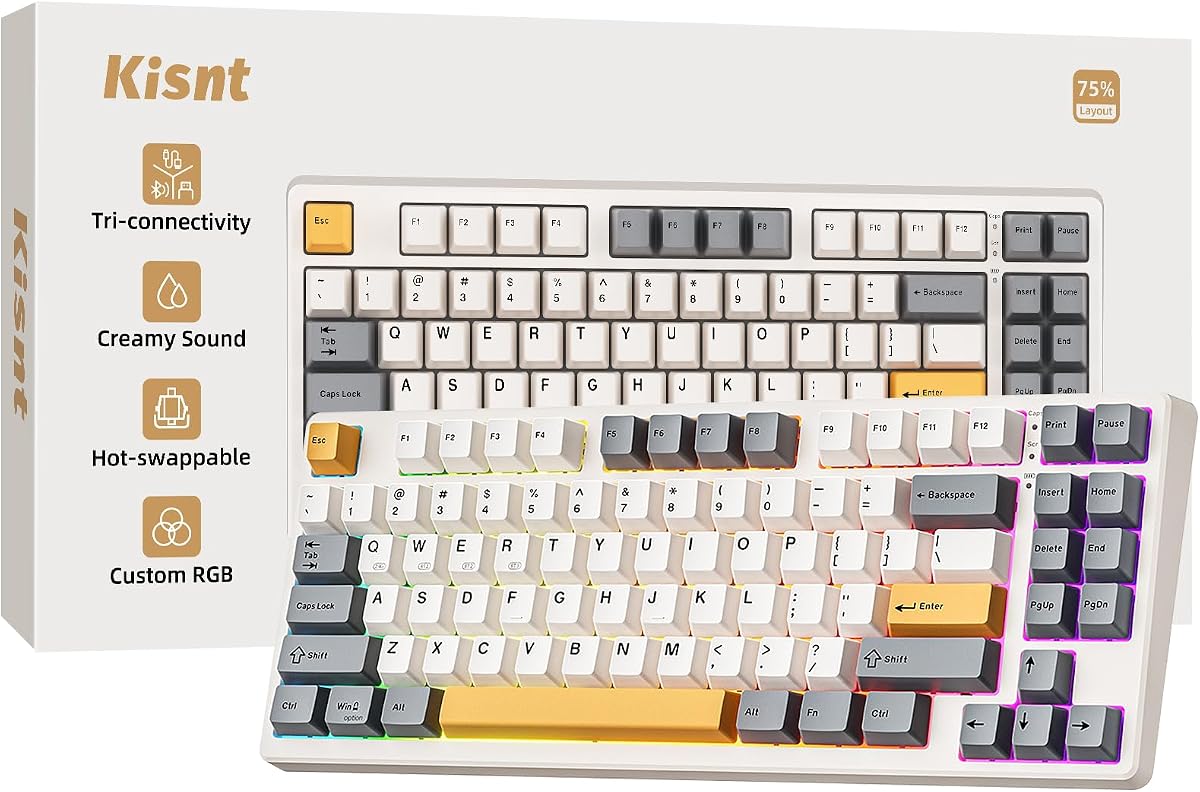
The Kisnt KN85 offers a compact 75% layout that saves space without losing essential keys. With a 4.6 rating, it provides a smooth, creamy typing experience that is perfect for minimalist setups.
We may earn a commission when you buy through this link, at no additional cost to you.
Its strengths include a gasket mount that absorbs vibrations and produces a smooth marbly thock sound. The tri-mode connectivity allows seamless switching between devices. The battery life is long enough for extended use.
The lack of a numeric keypad might be an issue for data entry. Also, the driver software only works in wired mode. Despite these limits, the build quality and sound are excellent.
This keyboard is best for users with small desks or laptop setups. If you want a portable board with great sound, the KN85 is a solid choice.
The 75% layout frees up desk space for better mouse movement while keeping all essential keys.
Gasket mount construction creates a soft, thocky sound that is pleasant for typing and gaming.
We may earn a commission when you buy through this link, at no additional cost to you.
The Redragon K745 PRO brings a creamy feel to a full-size layout with extra hotkeys. Rated 4.6, it is ideal for users who need a numeric keypad and extra shortcuts without sacrificing comfort.
We may earn a commission when you buy through this link, at no additional cost to you.
Its strengths include a gasket-mounted construction with noise dampening that offers a soft, silky bounce. The four extra hotkeys default to useful functions like mute and calculator. Tri-mode connectivity ensures flexible switching.
The large footprint requires ample desk space. Also, deeper customization needs software installation. Despite this, the combination of features and sound quality is appealing for productivity users.
If you need a full-size board with a premium feel, this is a great pick. The K745 PRO is recommended for office workers who want efficiency and comfort.
Four dedicated hotkeys provide quick access to common functions like mute and screen lock.
The gasket mount gives an extra-soft typing feel that reduces finger fatigue during long sessions.
We may earn a commission when you buy through this link, at no additional cost to you.
The SOLAKAKA A99 Pro stands out with an LCD screen that shows time, battery, and connection status. With a 4.5 rating, it offers a unique visual experience combined with a solid creamy typing feel.
We may earn a commission when you buy through this link, at no additional cost to you.
Its strengths include a gasket structure with five layers of cushioning for a soft hand feel. The LCD screen provides intuitive feedback. Hot-swap technology allows you to change switches easily.
The software setup requires a web driver, which might be cumbersome for some users. Also, the learning curve for customization is higher. Despite this, the features are innovative and useful.
If you like visual feedback and advanced customization, this board is worth considering. The A99 Pro is recommended for tech-savvy users who want a standout keyboard.
The display shows critical data like time and battery level for convenient monitoring during use.
Five layers of cushioning pads eliminate cavity noise and provide a smooth, consistent typing feel.
We may earn a commission when you buy through this link, at no additional cost to you.
The AULA 99 Key offers a unique pink aesthetic with a 99-key layout. Rated 4.2, it appeals to users who want a stylish board with standard gaming features. It is a membrane keyboard that offers a softer feel.
We may earn a commission when you buy through this link, at no additional cost to you.
Its strengths include a rotary knob for adjusting volume and lighting effects. The RGB lighting with 16 million colors adds a great atmosphere. Multi-device connection ensures flexibility for different setups.
As a membrane keyboard, it lacks the tactile response of mechanical switches. The build quality is good but not premium. This might limit its appeal for mechanical enthusiasts.
If you value style and affordability, this is a good option. The 99 Key is recommended for users looking for a cute and functional setup.
The pink color and retro design make it a standout addition to any desk setup.
16 pre-set lighting effects allow you to create a personalized work or gaming environment.
We may earn a commission when you buy through this link, at no additional cost to you.
The AULA F75 Reaper brings specific LEOBOG Reaper switches to the F75 platform. With a 4.6 rating, it offers a smooth typing feel and a creamy sound that many users appreciate for gaming.
We may earn a commission when you buy through this link, at no additional cost to you.
Its strengths include pre-lubricated stabilizers that bring a pleasant mechanical sound. The 75% layout saves space while keeping essential keys. Tri-mode connectivity ensures you can connect multiple devices easily.
The software is required to unlock full RGB and macro features. Also, the feel depends on your preference for Reaper switches. Despite this, it is a versatile option for many.
If you want a compact board with specific switch options, this is a good pick. The F75 Reaper is recommended for gamers who want a smooth mechanical experience.
The LEOBOG Reaper switches provide a smooth and consistent typing experience for all users.
The 75% layout saves desk space while keeping arrow keys and essential shortcuts accessible.
We may earn a commission when you buy through this link, at no additional cost to you.
Choosing the right creamy keyboard involves understanding several key factors that affect your experience. This guide explains what to look for to ensure you get the best match.
Switches define the feel and sound of your keyboard. For a creamy experience, look for linear switches that are pre-lubed to reduce friction. These provide smooth keystrokes without the loud click of tactile switches.
Always check if the switches are hot-swappable so you can change them later if needed.
Layouts range from full-size with a numeric pad to compact 75% or 60% designs. A creamy keyboard should fit your desk space. If you use a mouse often, a smaller layout gives more room for movement.
Choose a size that includes the keys you use most daily to avoid frustration.
Many modern keyboards offer tri-mode connectivity with Bluetooth, 2.4GHz wireless, and USB-C. This lets you switch between devices seamlessly. For gaming, wireless with low latency is crucial to avoid lag.
Ensure the battery life is sufficient for your usage to avoid frequent charging.
Look for features like gasket mounts and multi-layer filling. These structures reduce hollow sounds and improve durability. A sturdy case ensures the keyboard does not flex during typing which affects the creamy feel.
Check if the keyboard includes stabilizers that are tuned for smooth spacebar presses.
Software support allows you to remap keys and create macros. Some keyboards use open-source firmware like QMK/VIA which offers deeper control. RGB lighting customization adds to the personalization of your setup.
Ensure the software is compatible with your operating system before buying.
Creamy keyboards often use foams or silicon pads to reduce noise. This makes typing quieter and more pleasant in shared spaces. Check if the keyboard has a dampening cotton pad inside.
Good noise dampening also improves the sound profile of your keystrokes.
PBT keycaps are preferred over ABS because they resist wear and oil buildup. They provide a textured feel that complements a creamy switch. Ensure the keycaps are double-shot for longevity of characters.
Avoid cheap ABS caps that become shiny and smooth over time.
Budget keyboards may lack premium features but still offer a good feel. Expensive models usually have better build quality and support. Check the warranty terms to ensure peace of mind.
Look for brands with responsive customer service to handle any issues.
To get the best performance, charge your wireless keyboard fully before first use. Use the included cable and avoid fast chargers that could damage the battery. This ensures long-term reliability and safe operation.
Keep your keyboard clean by using a soft brush or air blower to remove dust. For sticky keys, gently clean the surface with a damp cloth. Avoid pouring liquids directly onto the board to prevent damage.
Customize your macros and lighting through the official software. This helps you optimize the keyboard for your specific tasks. Regularly update the software to access new features and fixes.
A creamy sound comes from a combination of soft switches, gasket mounts, and sound dampening materials like foam. Pre-lubed switches reduce friction and create a smooth, mellow sound. The structure of the keyboard also helps eliminate hollow echoes.
Yes, creamy keyboards are excellent for gaming due to their smooth keypresses and fast response. Many models feature N-key rollover and low latency wireless. The quiet sound is also beneficial for communication while playing.
If the keyboard is hot-swappable, you can change the switches without soldering. This allows you to customize the feel and sound later. Check the product specs to ensure it supports 3-pin or 5-pin switches.
For typing, a 96% or full-size layout is often best as it includes a numeric keypad. However, a 75% layout saves space while keeping arrow keys. Choose what fits your workflow and desk size.
Most wireless creamy keyboards last several days to weeks on a single charge. Models with larger batteries like 8000mAh can last longer. Turning off RGB lights can also extend the battery runtime significantly.
Most modern keyboards are compatible with both Windows and Mac. Look for tri-mode support that includes Mac-specific shortcuts. Some models have dedicated keys or buttons to switch operating systems easily.
We reviewed ten top creamy keyboards that offer unique features and performance. The YUNZII B98 PRO stands out for premium build, while the AULA F75 is great for budget seekers.
Prioritize what matters most to you such as sound quality or layout. A gasket mount and pre-lubed switches are key for that desired creamy feel.
Always check current prices and availability before buying. Your ideal board is just a click away to transform your typing experience.