
Dell Tower Desktop, Intel Core Ultra 7-265, 32GB RAM, Windows 11 Home
4.4Editor score
Intel Core Ultra 7 processor
32GB RAM for heavy tasks
Sleek design with recycled materials
Explore our expert guide comparing the top 10 desktop computers for home use in October 2026, featuring performance and features for every budget.
Finding the right desktop computer for your home can transform how you work, learn, and relax. With countless options available, identifying a machine that balances speed, reliability, and value is essential for long-term satisfaction in any household.
We analyzed ten top-rated models based on processor power, memory capacity, storage speed, and connectivity options. Our review covers everything from compact towers to powerful workstations, ensuring you find a system that meets your specific daily computing needs.
Each pick highlights unique strengths, whether for gaming, office work, or media consumption. While specifications are current, availability and costs shift regularly, so verify details before purchasing to ensure you get the best deal for your specific setup.
4.4Editor score

4.5Editor score

4.0Editor score
This table provides a quick side-by-side view of key specifications for all ten desktop computers, helping you compare processors, memory, and storage at a glance to find the right fit for your home office or entertainment center.




The Dell Slim Desktop stands out as a top pick for home users seeking modern AI capabilities and a sleek footprint. With a rating of 4.5 stars, it delivers reliable performance for daily tasks, media streaming, and light productivity workloads efficiently.
We may earn a commission when you buy through this link, at no additional cost to you.
Powered by the Intel Core Ultra 5 processor, this machine accelerates common applications and enables advanced AI features for content creation. The tool-less design simplifies hardware access, while its ability to support up to four FHD monitors makes it ideal for multitasking or dual-screen setups.
While the compact chassis limits extensive internal upgrades, the balanced configuration meets most home needs without clutter. Users should note that the premium pricing reflects the newer generation silicon and integrated security features included out of the box.
Buyers looking for a stylish, powerful center for their home office should prioritize this model. It offers a blend of sustainability, performance, and connectivity that future-proofs your computing experience effectively.
Built-in AI accelerates workflows and enhances creativity through advanced processor features designed for modern tasks.
Connect up to four FHD monitors or two 4K displays to expand your visual workspace significantly.
We may earn a commission when you buy through this link, at no additional cost to you.
This Tower Desktop delivers premium performance for demanding home users, earning a 4.4-star rating. It excels in multitasking and professional workloads thanks to the Intel Core Ultra 7 processor and a substantial 32GB of RAM.
We may earn a commission when you buy through this link, at no additional cost to you.
The generous memory capacity ensures smooth operation even when running heavy applications, virtual machines, or editing large files. Its tool-less chassis design allows you to upgrade components effortlessly, extending the system's lifespan without technical hassle.
While the premium price tag may deter budget buyers, the performance and upgrade flexibility justify the investment for power users. Note that graphics rely on integrated silicon, which may limit high-end gaming but suits professional work well.
If you need a robust machine for creative work or extensive multitasking, this desktop is an excellent choice. It combines cutting-edge CPU architecture with practical design features for a reliable home workstation.
The 32GB RAM and Ultra 7 CPU handle complex workflows and multiple applications without slowdowns.
Tool-less access makes swapping storage or memory quick and easy for ongoing system improvements.
We may earn a commission when you buy through this link, at no additional cost to you.
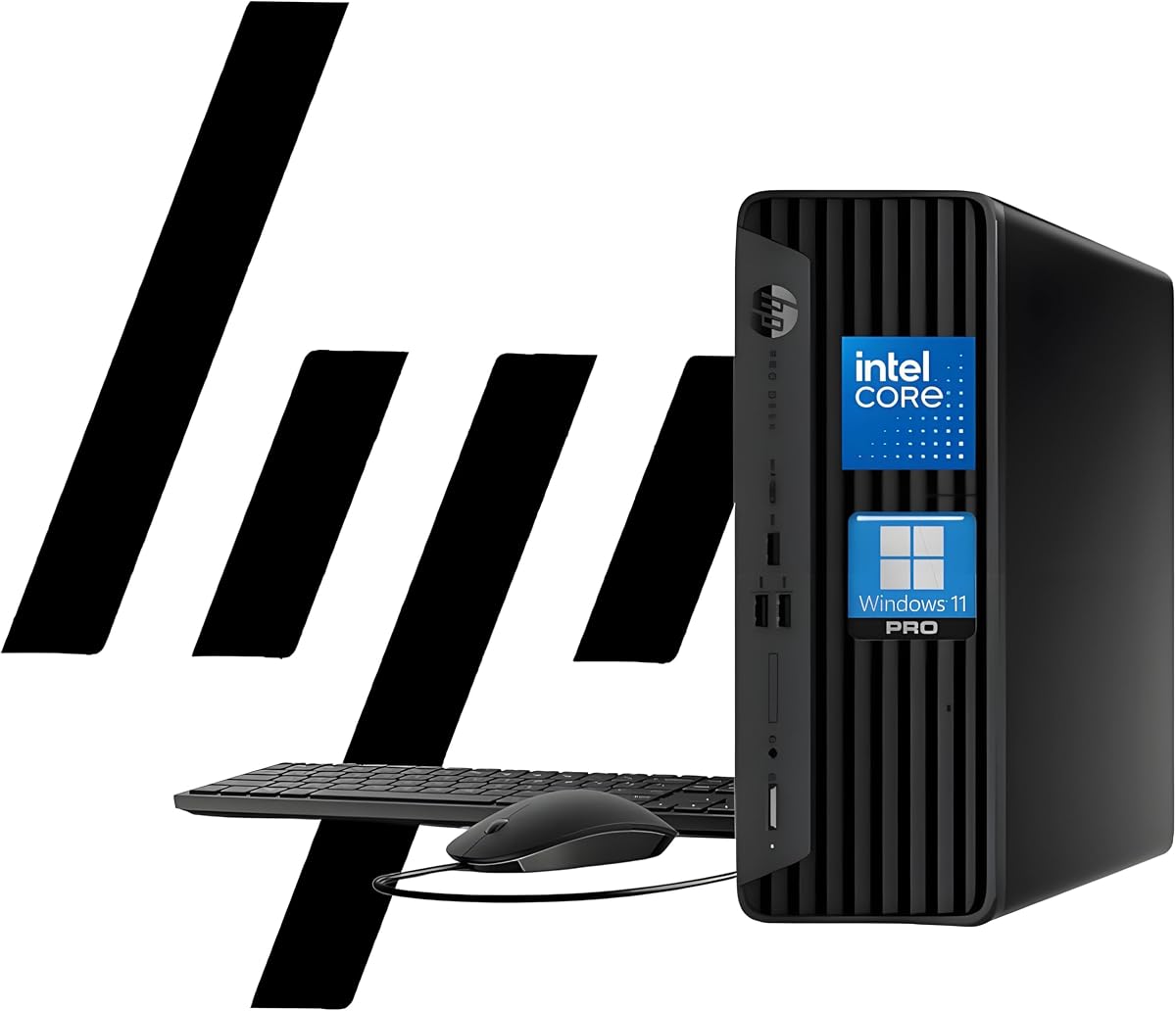
Designed for students and families, this HP tower offers strong value with a 4.4-star rating. Its Intel i7-11700F processor handles schoolwork, research, and media consumption smoothly, ensuring a responsive experience for daily academic tasks.
We may earn a commission when you buy through this link, at no additional cost to you.
The included keyboard and mouse save time and money on setup, while the massive 1TB SSD provides ample room for projects and media. WiFi 6 ensures fast, stable connections for video calls and online learning platforms.
While the processor is from a previous generation, it remains highly capable for most non-professional workloads. Users should expect entry-level graphics performance, which suits browsing and streaming but not heavy gaming or 3D rendering.
This model is ideal for families or students needing a complete, ready-to-use system quickly. It balances performance and cost effectively, making it a smart pick for general home computing needs.
Includes keyboard and mouse for immediate use, reducing extra costs and setup time for students.
The 1TB SSD holds thousands of documents and media files for long-term storage without clutter.
We may earn a commission when you buy through this link, at no additional cost to you.
This compact HP tower serves households well with a 4.5-star rating, balancing power and size. The Intel Core i5 processor paired with 16GB RAM handles homework, streaming, and light photo editing with ease for multiple users.
We may earn a commission when you buy through this link, at no additional cost to you.
Windows 11 Pro adds enhanced security and parental controls, making it safe for family environments. The 256GB SSD ensures lightning-fast boot times and app launches, though users may need external drives for large media libraries.
The dedicated graphics chip supports casual gaming and smooth video playback on connected TVs. While storage is limited, the speed and reliability make it a great fit for shared home use or small offices.
Families seeking a secure, fast system that fits on a desk will appreciate this model. It offers robust performance in a small footprint, ideal for busy households with varied computing needs.
Windows 11 Pro includes parental controls and security tools to protect users across the household.
The SSD ensures instant boot-up and rapid app access for everyone using the system daily.
We may earn a commission when you buy through this link, at no additional cost to you.
For value-focused buyers, this renewed Dell Optiplex delivers impressive specs with a 4.0-star rating. It offers 32GB of RAM and a 1TB SSD at a fraction of the cost of new models, making it perfect for general home tasks.
We may earn a commission when you buy through this link, at no additional cost to you.
The Windows 11 Pro license adds business-grade features like BitLocker and remote desktop, which are rare at this price point. Built-in WiFi and Bluetooth keep connections simple without extra dongles or setup steps.
While the hardware is older, it remains reliable for web browsing, office apps, and media playback. Buyers should understand that renewal terms vary, so check warranty details before purchasing to ensure peace of mind.
This system is ideal for students or basic home offices needing high performance without the premium price. It proves that pre-owned machines can still meet modern computing demands effectively and efficiently.
32GB of memory ensures smooth multitasking even with dozens of browser tabs and apps open.
Certified refurbishment provides cost savings with quality assurance for everyday home computing needs.
We may earn a commission when you buy through this link, at no additional cost to you.
This small-form-factor desktop excels in space-constrained environments with a 4.4-star rating. Despite its compact size, it packs 32GB of RAM and a 1TB SSD, providing ample memory and storage for office productivity and multitasking.
We may earn a commission when you buy through this link, at no additional cost to you.
Dual 4K display support makes it useful for financial tracking or detailed data analysis without needing a large tower. The USB-C port adds modern connectivity options for fast data transfer and device charging.
The included keyboard and mouse streamline setup, while the quiet operation suits shared living spaces. However, the lower-end processor limits performance for heavy editing tasks or gaming, so consider needs carefully.
If desk space is limited, this HP ProDesk offers a powerful, compact solution. It balances portability with performance, making it ideal for home offices or dorm rooms.
Weighing under nine pounds, it fits easily on shelves or tight desks without cluttering your workspace.
USB-C and dual 4K outputs ensure compatibility with modern monitors and peripherals easily.
We may earn a commission when you buy through this link, at no additional cost to you.
This tower brings next-gen DDR5 memory to the mid-range segment with a 4.4-star rating. The 14th Gen Intel i3 processor offers strong single-threaded performance, while 32GB DDR5 RAM ensures smooth handling of heavy multi-application workloads.
We may earn a commission when you buy through this link, at no additional cost to you.
The 1TB NVMe SSD provides rapid data access for large projects and media archives. With dual 4K display support, it serves well for financial trading or content previewing tasks requiring crisp clarity and large visual real estate.
While the base processor is an i3, the fast DDR5 memory compensates for daily efficiency. Integrated graphics are sufficient for professional tasks but not for intensive gaming or 3D rendering work.
Buyers wanting modern memory technology at a reasonable price should consider this model. It offers future-proof connectivity and speed that keeps systems responsive for years to come.
DDR5 RAM delivers faster data throughput than older generations, improving overall system responsiveness.
The 1TB SSD provides ample space for large databases and media projects without external drives.
We may earn a commission when you buy through this link, at no additional cost to you.
This HP desktop is tailored for small businesses and home offices with a 4.5-star rating. The 12th Gen i5 processor handles inventory, CRM, and remote work collaboration smoothly, ensuring productivity never stalls during peak hours.
We may earn a commission when you buy through this link, at no additional cost to you.
It includes access to Office 365 on the web, allowing document creation without local software costs. The included wired peripherals and WiFi 6 ensure reliable connectivity for video conferencing and daily business tasks.
While it offers great value for professional setups, the 16GB RAM may limit heavy virtualization needs. Users should also note that Office access is web-based rather than a local desktop application installation.
Small business owners needing a reliable, ready-to-use system will find this model ideal. It prioritizes productivity features and connectivity to streamline daily business workflows effectively.
Includes keyboard, mouse, and web-based Office access to get started immediately without extra costs.
Eight USB ports and multiple video outputs support a wide range of peripherals and displays.
We may earn a commission when you buy through this link, at no additional cost to you.
Rated 4.6 stars, this IdeaCentre combines modern CPU architecture with practical home features. The 10-core Intel Ultra 5 processor delivers responsive performance for office tasks and light multitasking without unnecessary power drain.
We may earn a commission when you buy through this link, at no additional cost to you.
DDR5 memory ensures quick data access and smooth application switching. With included peripherals and a clean setup experience, users can start working immediately without worrying about extra hardware purchases.
The balance of performance and cost makes it a strong contender for general users. While 16GB RAM suits most needs, power users might find it limiting for very heavy multi-threaded applications.
This desktop is an excellent choice for anyone wanting reliable, modern performance without overpaying. Its high rating reflects consistent quality and satisfaction among home users.
The 10-core Ultra processor handles daily workloads and light productivity tasks efficiently.
DDR5 RAM offers faster data throughput for improved responsiveness across all applications.
We may earn a commission when you buy through this link, at no additional cost to you.
With a near-perfect 4.9-star rating, this Dell Pro Tower meets professional expectations perfectly. The 14th Gen Intel i3 processor paired with DDR5 RAM ensures responsive computing for business apps, video calls, and daily productivity tasks.
We may earn a commission when you buy through this link, at no additional cost to you.
Windows 11 Pro brings enhanced security like BitLocker, ideal for protecting sensitive home business data. Its compact design fits comfortably in any workspace, while dual monitor support expands your visual area for spreadsheets or data analysis.
Although the CPU is a standard tier, the fast DDR5 memory keeps workflows smooth. Users should expect reliable daily performance rather than raw power for creative rendering or heavy gaming.
Professionals needing a secure, compact system will find this model outstanding. Its high rating suggests excellent build quality and customer support for long-term use.
Windows 11 Pro includes advanced security tools to keep your business data safe and private.
DDR5 memory ensures fast boot times and quick access to files and applications.
We may earn a commission when you buy through this link, at no additional cost to you.
Selecting the right desktop involves evaluating several key factors to match your unique home computing needs and budget constraints.
The processor is the brain of your desktop, determining how quickly it handles tasks. Look for modern Intel Core i5 or i7 chips, or equivalent AMD models, which offer strong speed for multitasking and general use. Newer generations often include AI features that boost productivity.
Prioritize a processor that matches your workload. If you mostly browse the web, a mid-range chip is sufficient, but for video editing or heavy multitasking, a higher-end model ensures smooth performance.
Memory, or RAM, allows your system to run multiple applications at once without lag. For typical home use, 16GB is a safe standard, while 32GB suits power users or those managing large files. Check if the RAM is DDR4 or DDR5 for modern speed benefits.
Opt for at least 16GB to ensure future-proofing. Having enough memory prevents slowdowns when switching between tabs, apps, and background processes easily.
Solid State Drives (SSDs) are essential for fast boot times and quick file access. Aim for at least 512GB for basic needs, or 1TB if you store many photos and videos. Avoid older mechanical hard drives as your main boot drive for better speed.
Choose SSDs with NVMe technology for maximum speed. Ensure the system allows future storage expansion if you expect your file collection to grow over time.
Ports allow you to connect peripherals like monitors, printers, and drives. Look for a mix of USB-A, USB-C, HDMI, and DisplayPort options. USB-C is becoming standard for modern accessories and faster data transfers.
Verify the ports match your existing devices. Having enough rear and front ports reduces the need for extra hubs and keeps your setup tidy.
Windows 11 Home is common for most users, offering familiar features and gaming compatibility. Windows 11 Pro adds security and remote desktop tools useful for business or secure environments. Ensure the system supports your preferred OS version.
Select the OS that fits your workflow. Home users often prefer Home, while professionals may need Pro for advanced management capabilities.
Desktops come in various shapes from mini PCs to full towers. Consider your available desk space and whether you prefer a compact unit or one with upgradeable internal components. A smaller form factor can save room without sacrificing power.
Choose a size that fits your environment. Compact models are great for small spaces, while towers offer better airflow and upgrade potential for longevity.
Integrated graphics handle daily tasks, video playback, and light gaming well. If you plan to do 3D rendering, heavy gaming, or video editing, a dedicated graphics card is essential. Many home systems rely on integrated chips to keep costs down.
Assess your media and gaming needs. For general use, integrated graphics are fine, but creative professionals should look for systems with dedicated GPU options.
A good warranty protects your investment from hardware failures. Look for on-site service options or extended coverage, especially if you lack technical repair skills. Reliable support ensures minimal downtime when issues arise.
Prioritize brands with strong customer service. A solid warranty plan gives peace of mind and ensures you get help quickly when needed.
Place your desktop in a well-ventilated area to prevent overheating. Keep at least a few inches of space around the vents for proper airflow, and avoid placing it in direct sunlight or near heat sources.
Run regular system updates to keep your software secure and efficient. Clear temporary files and unused programs periodically to maintain fast performance and free up valuable storage space on your drive.
Protect your computer from power surges using a quality surge protector or UPS. Back up your important files regularly to an external drive or cloud service to avoid data loss in case of hardware failure.
A tower desktop is larger and offers better internal space for upgrades and cooling, while a small form factor is compact and saves desk space. Both can deliver similar performance, but towers allow for easier hardware changes later. Choose based on your space constraints and future needs.
Desktops offer better performance, cooling, and upgradeability compared to laptops. They are ideal for stationary home offices or entertainment setups where portability isn't required. If you need to move between rooms often, a laptop might suit better, but desktops provide more power for the price.
Yes, 16GB of RAM is generally sufficient for web browsing, streaming, and office work. It handles multiple applications without slowing down. If you plan to do heavy gaming or video editing, 32GB may be a better investment for smoother operation.
Many tower desktops allow upgrades to RAM and storage, but some compact models have fixed components. Check the product details for tool-less access and expansion slots before buying. Upgrading keeps your system relevant longer without replacing the entire machine.
Windows 11 Pro includes extra security features like BitLocker encryption and remote desktop access, which are useful for business or data protection. Home users can often get by with Windows 11 Home. Choose Pro if you need advanced management tools for your work.
SSDs use flash memory instead of moving parts, resulting in much faster boot times and file access. They are more durable and silent compared to mechanical hard drives. Using an SSD as your main drive significantly improves the overall responsiveness of your computer.
Most desktop computers listed do not include a monitor, but some bundles come with a keyboard and mouse. Always check the product title and description to confirm what accessories are included. You may need to purchase a monitor separately.
Check the video ports on your desktop, such as HDMI or DisplayPort, and connect each monitor using the appropriate cable. Many systems support dual displays out of the box. For more than two monitors, you might need a graphics card that supports multiple outputs.
This guide highlights ten excellent options for every need, from the versatile Dell Slim Desktop to the budget-friendly Optiplex. Each model offers distinct strengths in performance, memory, and connectivity to suit different home environments.
Prioritize your daily tasks when selecting a system. If you need speed for multitasking, focus on RAM and CPU power. If space is tight, consider a compact tower. Balancing these factors ensures you get the best value for your specific situation.
Always check current availability and deals before buying, as specifications and costs can change. With the right desktop, your home workspace becomes more efficient and enjoyable for work and play alike.