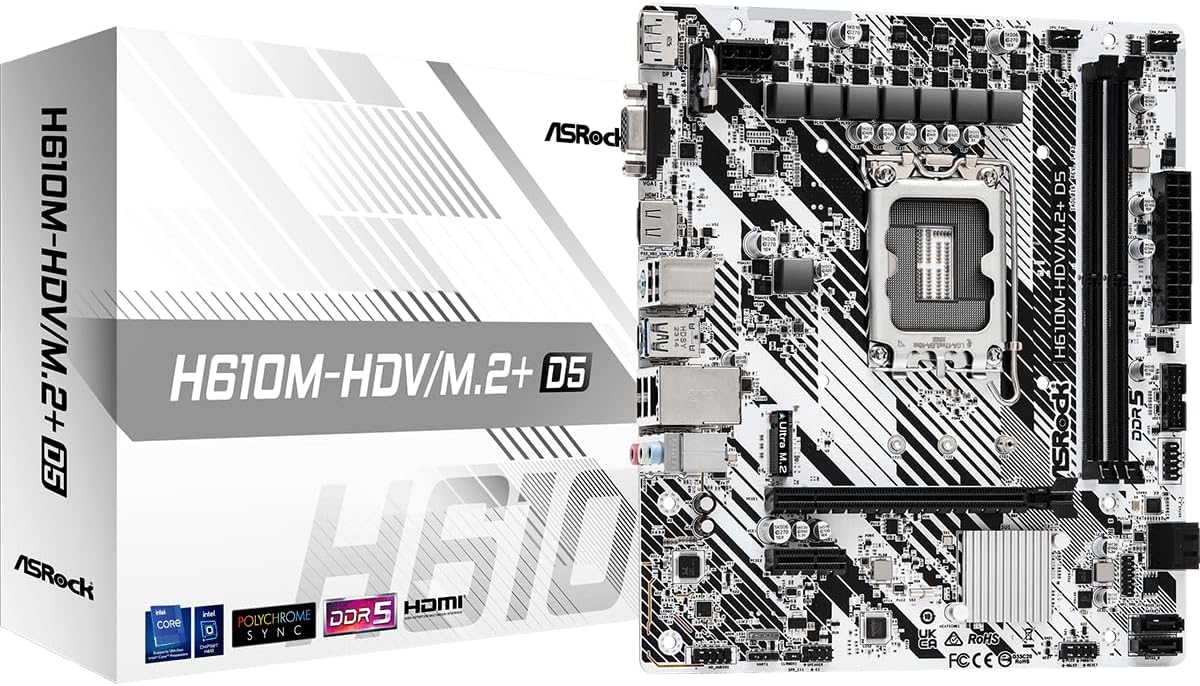
ASRock H610M-HDV/M.2+ D5
4.4Editor score
Supports Intel 14th Gen
DDR5 Memory Support
Affordable LGA1700 Option
This guide compares the top ten cheap motherboard options for gamers and builders, highlighting features, compatibility, and value across AMD and Intel
Finding a cheap motherboard does not mean sacrificing performance or reliability. Modern budget boards support powerful processors and offer essential features like fast memory slots and reliable networking for daily tasks.
We compared ten real products based on socket compatibility, power delivery, expansion slots, and user ratings. Each entry balances cost with necessary functionality for desktop builds in 2026.
Every pick shows key specs and links to verified listings. Prices fluctuate often, so check current availability before purchasing to ensure you get the best deal for your specific build.
4.4Editor score

4.4Editor score

4.5Editor score
The following table provides a side-by-side overview of every selected motherboard, detailing their core specifications, supported processors, and key connectivity options to help you decide quickly.





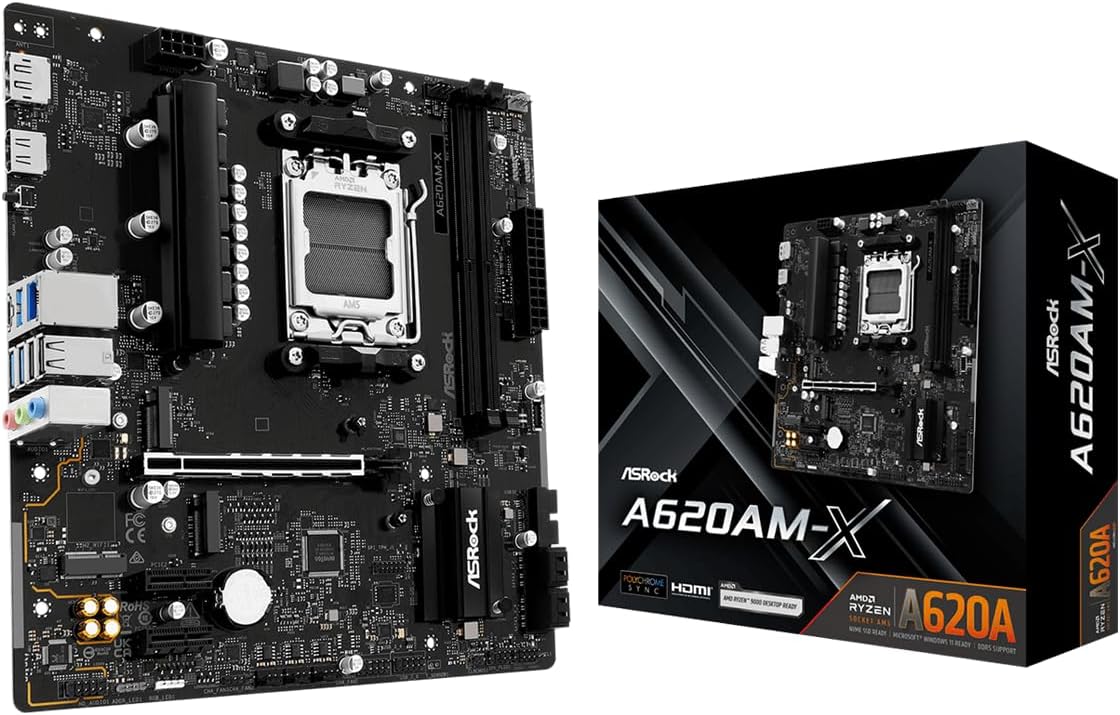
This motherboard stands out as a highly capable option for budget AMD builds. With a solid 4.4 user rating, it offers essential modern features like PCIe 4.0 and M.2 storage at a very accessible price. It is an excellent foundation for entry-level gaming or productivity PCs.
We may earn a commission when you buy through this link, at no additional cost to you.
The board supports the widely popular AM4 socket, ensuring compatibility with Ryzen 5000, 4000, and 3000 series processors. Its digital 3+3 VRM design provides steady power for these CPUs. Additionally, having two M.2 slots allows for fast NVMe storage expansion without needing extra cables.
While it lacks premium audio features, the GbE LAN ensures stable network connectivity for online tasks. The thermal design is sufficient for standard use cases. Users should note that overclocking potential is modest compared to higher-tier boards.
Anyone building a cost-effective AMD system should consider this board first. It balances performance and cost effectively. The simple BIOS interface makes updates straightforward for new builders.
Two M.2 slots allow for fast SSDs while the PCIe 4.0 slot ensures future graphics card compatibility.
The 3+3 power phase design combined with premium chokes keeps power stable for everyday workloads.
We may earn a commission when you buy through this link, at no additional cost to you.
This board serves as a nostalgic choice for users needing to revive older systems. It supports Intel Core 2nd and 3rd generation processors along with Xeon E3 CPUs. Despite its age, it has a perfect user rating due to its simplicity and low price.
We may earn a commission when you buy through this link, at no additional cost to you.
The inclusion of an M.2 adapter is a rare find for this generation of hardware, allowing modern SSD speeds on old CPUs. Dual channel DDR3 slots support up to 16GB of RAM. Video outputs include VGA and HDMI for versatile display options without a graphics card.
Users should be aware that driver installation might require external tools like Driver Talent since it is not supported by modern Windows out of the box. The package does not include a manual or battery, so users must source these separately.
This motherboard is ideal for retro gaming or light office tasks on a tight budget. It bridges the gap between old CPUs and modern storage needs effectively. Just ensure you have compatible hardware before purchasing.
The M.2 interface allows NVME SSDs to be used even with older legacy processors.
VGA and HDMI ports support monitors without needing a dedicated graphics card for basic use.
We may earn a commission when you buy through this link, at no additional cost to you.
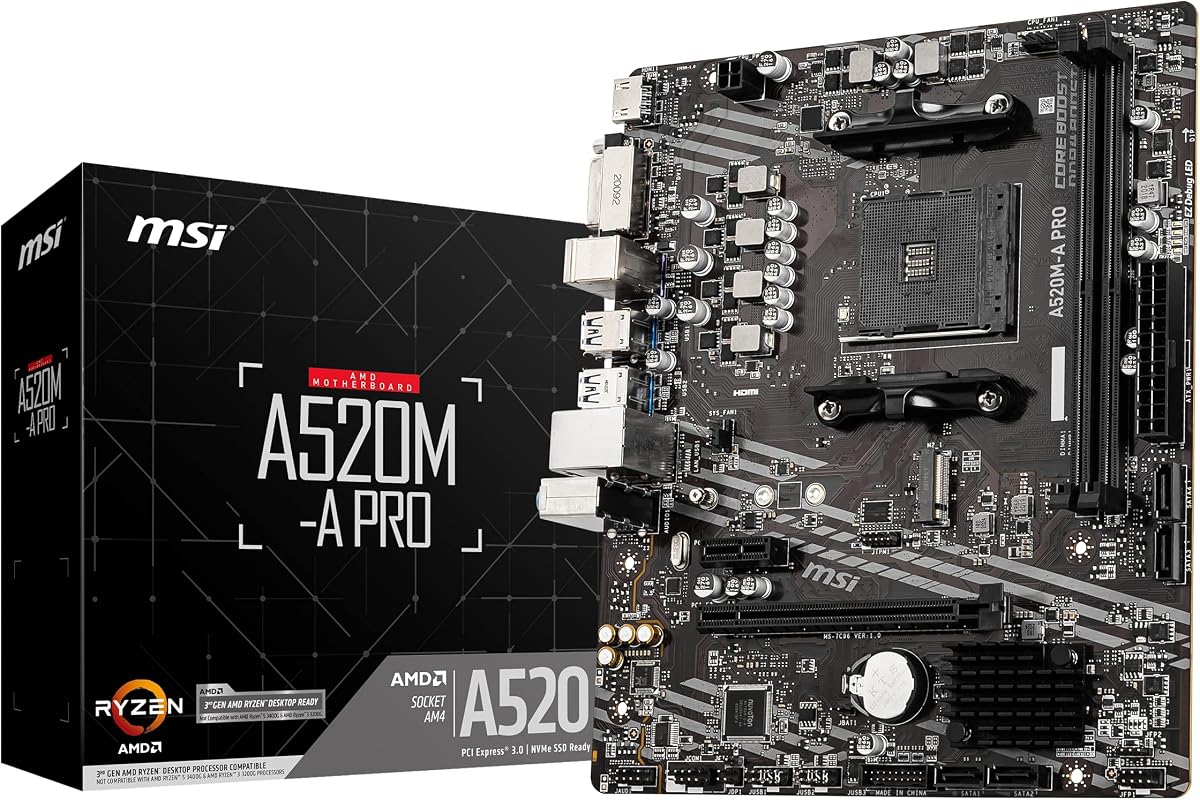
MSI has crafted a solid budget board for basic gaming and office needs. It supports Ryzen 5000 and 4000 G-Series processors efficiently. The 4.5 rating reflects its balance of performance and cost in the entry-level AM4 market.
We may earn a commission when you buy through this link, at no additional cost to you.
Key strengths include the Turbo M.2 slot which runs at PCIe Gen3 x4 for fast storage. Audio Boost provides studio-grade sound for gaming immersion. Dragon Center software helps manage system settings easily. RAM speeds up to 4600MHz are supported for better multitasking.
The A520 chipset limits overclocking capabilities, so it is best for stock CPU use. VRM cooling is passive and may limit high-end CPU usage. However, for budget builds, these trade-offs are acceptable for the low price point.
Buyers seeking a simple AM4 build without complex features will find this board sufficient. It offers enough performance for standard gaming titles. The MSI ecosystem tools make maintenance straightforward.
Supports DDR4 speeds up to 4600MHz for faster system responsiveness during tasks.
Audio Boost delivers high fidelity sound without needing external audio cards.
We may earn a commission when you buy through this link, at no additional cost to you.
This ASRock board provides excellent value for users needing high-speed memory support on AM4. It supports overclocked speeds up to 4733+ (OC) on two DDR4 slots. The 4.5 rating confirms its reliability for daily tasks and gaming.
We may earn a commission when you buy through this link, at no additional cost to you.
Comprehensive AM4 platform support covers Ryzen 5000, 4000, and 3000 series. Legacy display support with HDMI, DVI, and VGA ensures compatibility with any monitor. Full Spike Protection guards ports against electrical surges which adds durability.
While it has fewer physical expansion slots than larger ATX boards, it is sufficient for most single GPU builds. The power delivery is stable for standard processors. Users should verify case compatibility as it is a micro-ATX form factor.
Ideal for office systems requiring robust memory performance. The video flexibility makes it great for multi-monitor setups. ASRock provides direct support via Amazon for any issues.
DDR4 DIMM slots support speeds up to 4733+ (OC) for faster application loading.
Three video outputs ensure connection to older and newer monitors without adapters.
We may earn a commission when you buy through this link, at no additional cost to you.
MSI offers a capable budget option with dual M.2 connectors for storage enthusiasts. It supports Ryzen 5000 and 3000 series processors efficiently. The 4.3 rating reflects steady performance and practical connectivity options for most users.
We may earn a commission when you buy through this link, at no additional cost to you.
Core Boost technology ensures stable current delivery to the CPU. Frozr AI Cooling adjusts fan settings automatically based on temperatures. The board features one M.2 Gen4 slot and one Gen3 slot for versatile storage configurations. Steel Armor protects the PCIe slot.
While the passive chipset heatsink is simple, it works well for standard use. Memory speeds can reach up to 4400+ MT/s. Users should note that connectivity is standard but lacks extra bells and whistles found in premium models.
This board suits builders who need extra storage slots without high costs. It is a practical choice for office or home PCs. The automated cooling tools simplify maintenance.
Two M.2 connectors allow for fast SSDs and secondary high-capacity storage easily.
Frozr AI Cooling manages fan speeds automatically for better thermal efficiency.
We may earn a commission when you buy through this link, at no additional cost to you.
This ProSeries board stands out for its integrated connectivity features and easy maintenance. It supports Ryzen 5000 series and up to 128GB of DDR4 RAM. A 4.5 rating shows its value for users needing wireless connectivity.
We may earn a commission when you buy through this link, at no additional cost to you.
The Flash BIOS Button is a standout feature allowing updates without a CPU or memory installed. Core Boost technology delivers steady power. Audio Boost offers studio quality sound. The premium thermal solution includes a 2oz thickened PCB for stability.
While the price is higher than basic models, the included Wi-Fi saves money on adapters. Memory speeds up to 4400MHz are supported. Lightning Gen 4 M.2 ensures fast storage speeds. Users should verify case fit as it is micro-ATX.
Recommended for builders wanting a clean setup without extra cables. The wireless and audio features add value beyond standard boards. It is a solid choice for versatile home offices.
Update BIOS easily without CPU or memory installed using the dedicated rear button.
2oz thickened copper PCB ensures better heat dissipation for long-term stability.
We may earn a commission when you buy through this link, at no additional cost to you.
This ATX motherboard delivers premium performance features at a competitive price point. It supports Ryzen 5000 and 3000 series processors with robust power delivery. A 4.5 rating highlights its build quality and reliability for gaming setups.
We may earn a commission when you buy through this link, at no additional cost to you.
The digital twin 10+3 power phase ensures steady current for high-demand CPUs. Integrated I/O shield speeds up assembly. Front USB-C provides modern connectivity for devices. RGB Fusion allows customization of lighting. Q-Flash Plus simplifies BIOS updates.
Higher-end VRMs mean better stability for CPU workloads. The ATX size offers more expansion slots than micro models. Users should ensure their case supports ATX before purchasing. It provides extra headroom for upgrades.
Perfect for gamers needing reliable power and modern connectivity. The lighting and BIOS features add convenience. It is a premium option for serious AM4 builds.
Digital twin 10+3 power phase provides stable power for high-performance processors.
Front USB 3.2 Gen 1 Type-C offers easy access for fast external drives.
We may earn a commission when you buy through this link, at no additional cost to you.
This board is designed for compact builds requiring simple functionality. It supports DDR4 memory and AMD AM4 processors efficiently. The 4.4 rating suggests it is a reliable choice for basic home use.
We may earn a commission when you buy through this link, at no additional cost to you.
Its MATX format makes it ideal for smaller cabinets. It includes HDMI and D-Sub for various monitor types. High-speed RAM upgrades are possible via the DDR4 slots. The layout is clean to make cable management easy.
While lacking advanced gaming features, it covers daily computing needs well. Users should verify that the CPU has integrated graphics for video output. It is a straightforward board for budget-friendly projects.
Recommended for office PCs or compact gaming PCs with low requirements. The simplicity ensures fewer potential failure points. It is a solid pick for non-demanding tasks.
MATX format allows fitting into smaller cabinets without sacrificing core performance.
HDMI and D-Sub outputs ensure compatibility with a wide range of monitors.
We may earn a commission when you buy through this link, at no additional cost to you.
This board opens the door to next-gen AM5 platforms at a budget price. It supports Ryzen 9000, 8000, and 7000 series processors with DDR5 RAM. A 4.5 rating shows strong user approval for future-proofing.
We may earn a commission when you buy through this link, at no additional cost to you.
Efficient power design with Dr.MOS technology ensures stability. DDR5 speeds up to 8000+ (OC) are supported for fast processing. Realtek 2.5G LAN provides high-speed wired networking. BIOS Flashback allows updates without a CPU.
While it is an entry-level AM5 board, it offers modern connectivity including USB-C and Gen4 M.2. The micro-ATX form factor is versatile. Users must have a compatible AM5 processor to utilize these features.
Ideal for builders wanting to enter the AM5 ecosystem cheaply. It balances cost with next-gen specs effectively. It is a great start for future upgrades.
Supports DDR5 speeds up to 8000+ (OC) for significantly faster data throughput.
Realtek 2.5G LAN provides faster wired internet speeds for streaming.
We may earn a commission when you buy through this link, at no additional cost to you.
This board offers an affordable entry point to Intel's DDR5 ecosystem. It supports 12th through 14th Gen Core processors. A 4.4 rating indicates reliable performance for standard office and gaming builds.
We may earn a commission when you buy through this link, at no additional cost to you.
It supports DDR5 memory at speeds up to 5600MHz. Power phase design ensures stable delivery for supported CPUs. Graphics output options include HDMI, DisplayPort, and D-Sub. It is one of the cheapest ways to build a modern Intel PC.
The H610 chipset limits advanced features but covers basic needs well. Users should be aware of its expansion limitations. However, for single GPU and storage needs, it is sufficient. It is a practical choice for strict budgets.
Perfect for office upgrades or simple home PCs using modern Intel CPUs. It brings DDR5 to budget builds effectively. Check case compatibility before purchasing.
Supports DDR5 memory at speeds up to 5600MHz for faster system responsiveness.
HDMI and DisplayPort allow modern monitor connections without add-on cards.
We may earn a commission when you buy through this link, at no additional cost to you.
Choosing the right motherboard involves evaluating several technical aspects to ensure compatibility and performance.
The CPU socket must match your processor exactly. AMD AM4 and AM5 and Intel LGA1700 and LGA1155 are common types. Always verify support for your specific CPU model.
Check the manufacturer's compatibility list before buying to avoid physical mismatches.
The chipset determines support for PCIe speeds and overclocking. B550 and H610 offer different feature sets. Budget chips may lack advanced connectivity options.
Match the chipset to your needs; avoid overpaying for unused features.
Motherboards support either DDR4 or DDR5. Newer CPUs often require DDR5 which is more expensive. Check if your budget allows for the cost difference.
Ensure the motherboard supports the RAM speed you intend to use.
ATX and micro-ATX sizes affect case selection. Micro-ATX boards fit more cases but have fewer slots. Ensure your case matches the board size.
Measure your case to confirm the motherboard will fit properly.
VRM design impacts CPU stability and longevity. More power phases generally provide steadier power. Budget boards may have fewer phases but work for standard chips.
Select a board with enough power phases for your processor's wattage.
M.2 slots allow for fast NVMe SSDs. Check how many slots are available. Some budget boards offer only one slot.
Consider your storage needs and if SATA ports are also required.
USB ports and network types matter for peripherals. USB 3.2 and 2.5G LAN are modern standards. Older boards may lack these options.
Ensure the board has enough ports for your devices.
BIOS flashback allows updates without a CPU. This is useful for newer processors. Simple BIOS interfaces are easier to navigate.
Look for user-friendly update tools to save time later.
Install your CPU and RAM before placing the board in the case. Align the CPU carefully to avoid bending pins. Secure the CPU cooler tightly but not over-tightened.
Use the provided standoffs to keep the board off the metal case. Ensure all connections to power and SATA are secure. Check for loose screws before turning on.
Keep the system ventilated to avoid heat buildup. Update BIOS regularly for security patches. Clean dust from ports to prevent connection issues.
No, DDR5 RAM is not compatible with older sockets designed for DDR4 or DDR3. You must choose a motherboard that specifically lists DDR5 support for it to work. Check the memory slots before purchasing to ensure match.
PCIe 4.0 is a faster interface for graphics cards and storage drives. It allows for faster data transfer speeds. Cheaper boards often offer this to keep performance high.
Most budget boards include standard USB and audio ports. Some may lack extra USB-C or high-speed network ports. Check the specific model details before buying.
Many boards rely on online manuals for instructions. Drivers and setup guides are available on manufacturer sites. It is safe but requires internet access.
Some models have a Flash BIOS button. Insert a USB drive with the update file. Press the button to install the update without other components.
AM4 uses DDR4 and supports older Ryzen. AM5 uses DDR5 and supports newer Ryzen 7000+. They are not interchangeable physically.
The 10 products reviewed offer diverse options for AMD and Intel users. Whether you need legacy support or next-gen features there is a fit here.
Prioritize socket compatibility and power delivery to ensure system longevity. Budget boards can perform well with careful selection.
Prices change frequently so verify current listings before buying. The best deal may appear unexpectedly. Happy building.