
Gracioso Bluetooth Cassette to MP3 Converter
4.3Editor score
Dual Bluetooth transmitter receiver
2000mAh rechargeable battery
6W high-quality speaker
USB direct recording
This guide compares the top ten cassette to MP3 converters available in October 2026, evaluating features like Bluetooth, SD card storage, and USB recording to
Preserving your favorite cassette tapes is easier than ever with modern cassette to MP3 converters. These devices let you digitize analog recordings without needing complex computer setups. Whether you want to save old mixtapes or record meetings, the right converter makes the process seamless and efficient for everyone.
We evaluated ten top-rated cassette to MP3 converters based on performance, ease of use, and feature sets. Our comparison covers portable players, USB recorders, and Bluetooth-enabled devices. Each product offers unique strengths for different needs, ensuring you can find the perfect tool to bridge analog and digital audio formats.
Each selection below highlights key specifications, pros, and cons to help you make an informed decision. We focus on real-world usability and reliability. Please note that product availability and prices may change over time, so always verify the latest details before purchasing your chosen device today.
4.3Editor score

4.5Editor score
3.8Editor score
The following table provides a side-by-side comparison of all ten cassette to MP3 converters featured in this guide. It highlights essential specifications to help you quickly identify which device aligns best with your specific audio digitization needs and preferences.


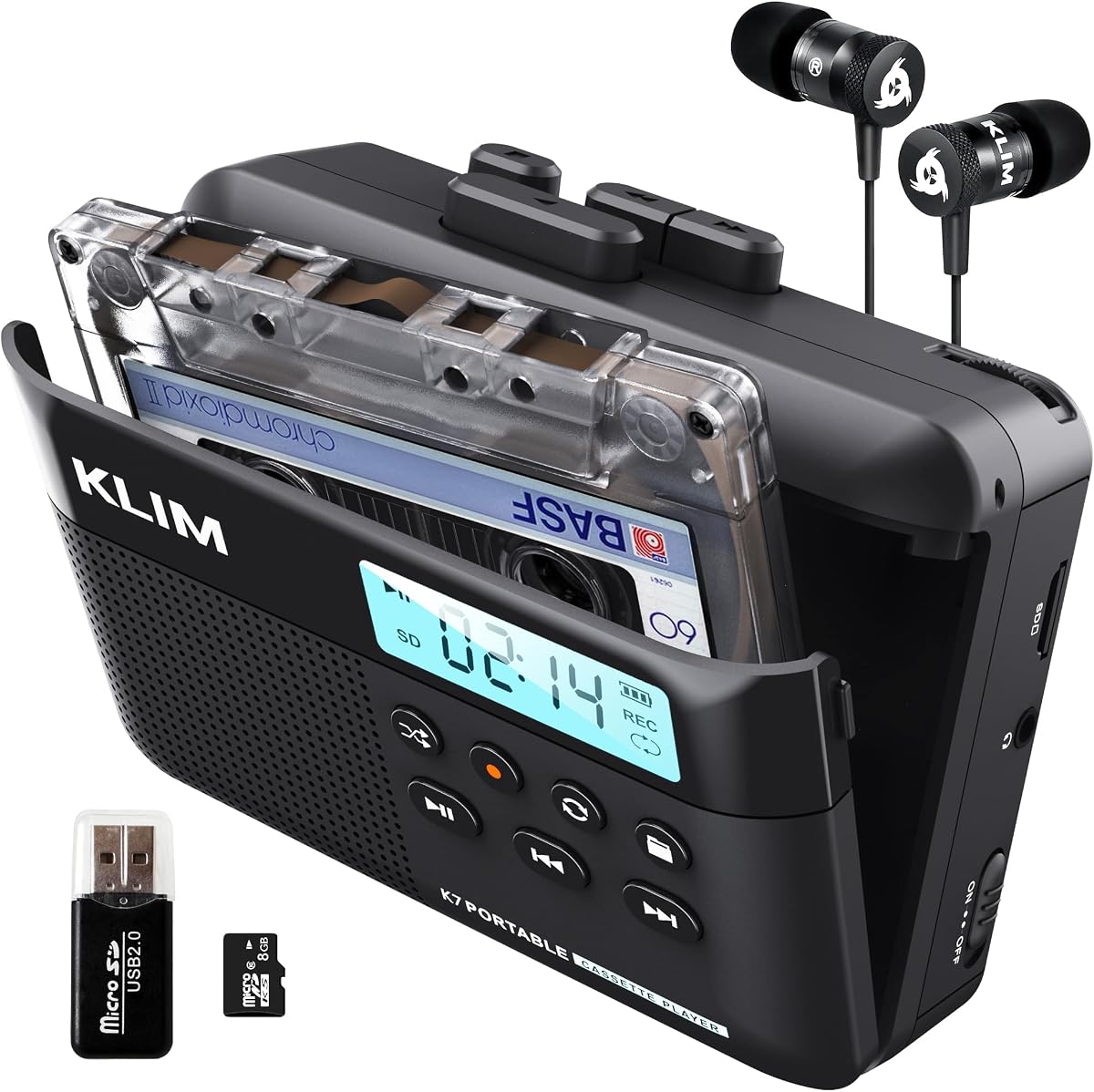


The K7 Cassette Player stands out as a versatile device for converting tapes to digital files without a computer. It received a solid rating from users who appreciate its simplicity and included storage. Its built-in microphone and speaker make it useful for more than just tape conversion.
We may earn a commission when you buy through this link, at no additional cost to you.
This player allows you to record directly onto a 16GB SD card, which is included in the package. The process involves following the user manual, and no app downloads are needed. The built-in microphone captures audio for meetings or impromptu sessions, adding value beyond tape digitization.
While it supports playback via earphones or the integrated speaker, it does not support recording onto cassette tapes. This limitation is acceptable for those focused on converting existing collections. The rechargeable battery and 2-hour charge time ensure portability.
It is ideal for commuters or travelers who want to preserve music on the go. The included premium earphones enhance the listening experience. For those seeking a simple, portable solution with built-in storage, this device offers strong value and reliability.
You can convert tapes to MP3 files directly onto the SD card without needing a computer or complex software setup.
The integrated microphone allows you to record thoughts or meetings directly to the SD card for easy access.
We may earn a commission when you buy through this link, at no additional cost to you.
The SEMIER Small Cassette Tape Player offers a unique two-way conversion feature that sets it apart from many competitors. Users can convert tapes to MP3 files on an SD card or via USB using included software. It also allows recording from a microphone onto blank cassettes.
We may earn a commission when you buy through this link, at no additional cost to you.
Its compact design includes an LCD screen for easy navigation during recording. The device supports Type I tapes but not Type IV metal tapes, which is noted in the description. Power options include USB-C or four AA batteries for flexible use.
The built-in 2W speaker provides decent sound quality for playback. While it is slightly larger than some portable players, its durability and feature set justify the size. The included 16GB SD card and reader ensure you can start converting immediately.
This model is perfect for users who want both playback and recording capabilities. The ability to digitize tapes and play SD cards makes it versatile. For those needing a reliable converter with extra recording features, SEMIER delivers strong performance.
Digitize tapes to SD or USB, or record new audio onto blank tapes using the built-in microphone.
An LCD display helps control recordings, and USB-C or AA battery options ensure you are never without power.
We may earn a commission when you buy through this link, at no additional cost to you.
The ClearClick Cassette Tape to USB converter is highly rated for its ability to transfer tapes without any computer. It saves MP3 files directly to a 16GB USB drive included in the package. The automatic track splitting feature ensures songs are stored individually for easy management.
We may earn a commission when you buy through this link, at no additional cost to you.
This device requires no software or drivers, making it instant setup for any user. The design doubles as a personal player with included earbuds, adding value. The 2-year warranty and USA-based tech support provide additional peace of mind for buyers.
While it does not play tapes for regular listening, its focus on conversion is precise. The high-quality output ensures your digital files sound great. The included USB drive removes the need for separate storage purchases.
It is the top choice for those who prioritize ease of use and track management. The automatic splitting saves significant time compared to manual recording. For a hassle-free digitization process, ClearClick remains a leading option in the market.
The device automatically divides your tape into individual MP3 files, saving you time and effort.
No computer, software, or drivers are needed; just insert the USB drive and start converting.
We may earn a commission when you buy through this link, at no additional cost to you.
The Reshow Cassette Tape Player in silver offers an affordable way to convert old tapes to digital formats. It connects via USB to laptops or personal computers, using included software for the transfer. The compact size makes it easy to store or transport when needed.
We may earn a commission when you buy through this link, at no additional cost to you.
While it is a vintage-style player, it focuses on digital conversion for modern devices. It includes a 5V DC USB power cord and guide to ensure quick setup. The standard 3.5mm AUX input allows connection to car stereos or headphones.
Sound quality can be clear if transferred in a quiet room, but it may lack the fidelity of higher-end models. This trade-off is acceptable given its price point. It works well for basic digitization tasks without breaking the budget.
This player is suitable for users on a tight budget who have access to a computer. The converter kit ensures you have everything needed to start. For occasional tape conversions, Reshow provides a practical and accessible solution.
Connect the player to your computer via USB to transfer audio using the included converter software.
Use standard headphones or car stereo systems through the 3.5mm AUX input for flexible listening.
We may earn a commission when you buy through this link, at no additional cost to you.
The K7 Cassette Player with 8GB SD card is a compact option for digitizing tapes on the go. It works without additional devices or app downloads, relying on a user manual for guidance. The included 8GB SD card provides storage for many hours of audio.
We may earn a commission when you buy through this link, at no additional cost to you.
Its built-in microphone allows for recording meetings or music sessions directly to the SD card. The rechargeable battery charges in just two hours, supporting long listening or recording sessions. A 3.5mm earphone jack and premium earphones are included.
While the 8GB capacity is less than the 16GB or 32GB versions, it remains sufficient for many users. The design prioritizes portability and ease of use. It functions as an SD card music player when not converting tapes.
This model is great for casual users who need a simple converter. The assurance of a 5-year support window adds to its appeal. For those starting their digital archive, the K7 8GB offers a reliable entry point.
No complex apps are required; simply follow the manual to convert tapes to MP3 on the SD card.
The lightweight design and rechargeable battery make it perfect for commuting or traveling with music.
We may earn a commission when you buy through this link, at no additional cost to you.
The K7 Cassette Player with 32GB SD card offers extensive storage for large music collections. Like its counterparts, it converts tapes to digital files without requiring apps or a computer. The 32GB capacity ensures you can store many tapes without managing space.
We may earn a commission when you buy through this link, at no additional cost to you.
It includes a built-in microphone for recording sessions and an integrated speaker for sharing music. The rechargeable battery provides reliable power for extended use. The package comes with a USB-C cable and premium earphones for full functionality.
This variant is ideal for users with significant tape collections to archive. The additional storage removes the need for extra cards or frequent transfers. The design remains lightweight and portable despite the larger storage capacity.
For those planning to digitize hundreds of tracks, this model provides the necessary space. The assurance of long-lasting components and support makes it a solid investment. It balances capacity and portability effectively for serious collectors.
The included 32GB SD card holds a vast amount of MP3 files, suitable for large tape collections.
Share your music with friends using the built-in speaker for an immersive listening experience.
We may earn a commission when you buy through this link, at no additional cost to you.
The Reshow Cassette Tape Player in black offers a stylish, affordable way to convert tapes digitally. It connects via USB to laptops or computers using included software for transfer. The compact size makes it easy to store or transport when needed.
We may earn a commission when you buy through this link, at no additional cost to you.
While it is a vintage-style player, it focuses on digital conversion for modern devices. It includes a 5V DC USB power cord and guide to ensure quick setup. The standard 3.5mm AUX input allows connection to car stereos or headphones.
Sound quality can be clear if transferred in a quiet room, but it may lack the fidelity of higher-end models. This trade-off is acceptable given its price point. It works well for basic digitization tasks without breaking the budget.
This player is suitable for users on a tight budget who have access to a computer. The converter kit ensures you have everything needed to start. For occasional tape conversions, Reshow provides a practical and accessible solution.
Connect the player to your computer via USB to transfer audio using the included converter software.
Use standard headphones or car stereo systems through the 3.5mm AUX input for flexible listening.
We may earn a commission when you buy through this link, at no additional cost to you.
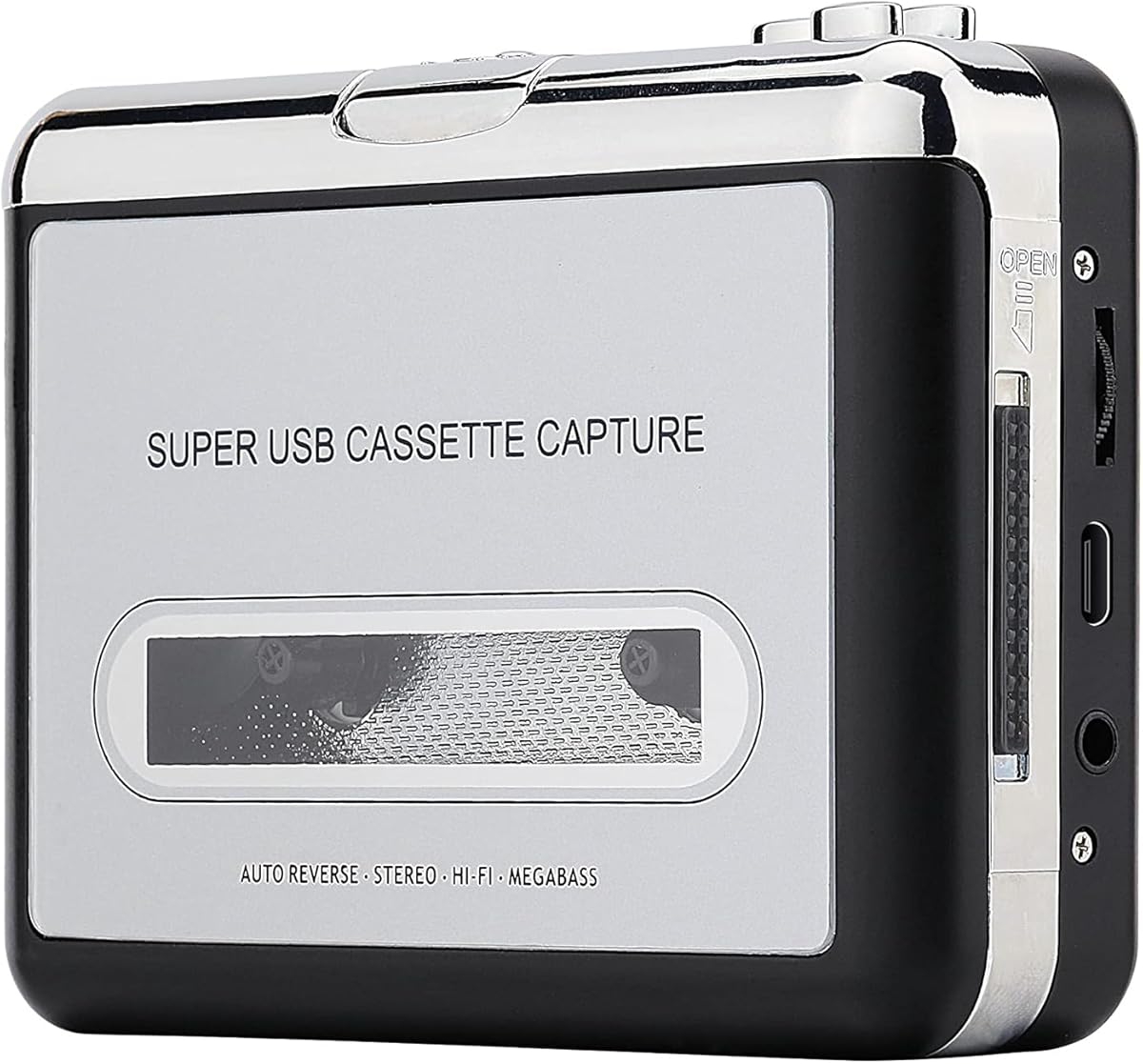
The USB Cassette to MP3 Converter offers a classic Walkman design that allows direct recording to a USB drive. It supports FAT and FAT32 formats up to 128GB, ensuring compatibility with many drives. The auto reverse feature handles both sides of the tape automatically.
We may earn a commission when you buy through this link, at no additional cost to you.
You can adjust volume during recording for optimal levels. It is powered by USB or AA batteries, though USB provides more stability. The device comes with headphones and a carry bag for basic protection and convenience.
While it lacks SD card support, it is convenient for those who prefer USB storage. The manual and auto modes give flexibility in how you want to organize files. It supports USB 2.0 and 3.0 for decent transfer speeds.
This converter is great for traditionalists who like the walkman form factor. It avoids computer software entirely, making it a straightforward option. For simple tape to USB digitization, this model delivers nostalgia and function.
Record tapes directly to a USB flash drive without needing any computer or software intervention.
The device automatically switches tape sides during conversion, saving you from manual intervention.
We may earn a commission when you buy through this link, at no additional cost to you.
The Gracioso Bluetooth Cassette Converter bridges vintage tapes and modern wireless technology with dual Bluetooth modes. It features a 2000mAh battery that lasts up to 10 hours in Bluetooth mode. The 6W speaker offers clear playback with deeper sound than standard models.
We may earn a commission when you buy through this link, at no additional cost to you.
Transmitter mode streams tape audio to Bluetooth headphones, while receiver mode plays phone music through the cassette player. It also records directly to USB or onto blank cassettes. This versatility makes it a comprehensive audio device.
While it requires a USB drive under 32GB for recording, the feature set is robust. The ability to create mixtapes again adds a nostalgic element. The battery life supports long listening sessions without needing power.
It is the top choice for tech-savvy users who want wireless connectivity. The 6W speaker ensures high-quality output. For those wanting a modern twist on cassette players, Gracioso provides advanced capabilities.
Stream tape audio wirelessly or play digital music through the player's speaker with Bluetooth receiver.
Convert tapes to digital files directly to a USB drive without needing any computer software.
We may earn a commission when you buy through this link, at no additional cost to you.
The K7 Cassette Tape Player with MP3 Converter offers a reliable package for digitizing tapes. It includes a 16GB SD card and reader, removing the need for extra purchases. The process is simple with no additional devices or app downloads.
We may earn a commission when you buy through this link, at no additional cost to you.
The built-in microphone allows recording thoughts or meetings to the SD card. The rechargeable battery provides convenience for on-the-go use. It also functions as an SD card music player for broader utility beyond conversion.
Users appreciate the included premium earphones and the lightweight design. The 5-year assurance adds confidence in its durability. While it does not record to tapes, it excels at converting them efficiently.
This player is a solid choice for those seeking a complete package. The combination of conversion and playback features makes it versatile. For anyone wanting to modernize a tape collection, it offers significant value.
Includes everything you need like SD card, reader, earphones, and cable for immediate use.
Covered by a 5-year assurance, ensuring support if you encounter any issues with the device.
We may earn a commission when you buy through this link, at no additional cost to you.
Choosing the right cassette to MP3 converter depends on your specific needs, budget, and technical comfort. This guide breaks down key factors to help you select a device that fits your workflow.
Some converters require a computer and software, while others record directly to SD cards or USB drives. Direct recorders are more portable and simpler but may lack editing features. Choose based on whether you prefer a plug-and-play setup or manual software control.
Check if the device supports SD cards, USB drives, or both. Larger capacities allow you to store more audio without transferring files often. Ensure the included storage matches your expected volume of tapes to digitize.
Converters may use AA batteries, USB power, or rechargeable batteries. Rechargeable options are convenient for long-term use. Battery-powered units offer better portability but require charging or replacement.
Look for devices with adjustable volume and clear playback. Higher-quality converters preserve sound fidelity better during transfer. Read reviews to ensure the audio output meets your standards for clarity.
Compact designs are better for travel or limited desk space. Consider the size and weight if you plan to use it on the go. Portable players often have built-in speakers or headphone jacks.
Features like Bluetooth, auto-reverse, or recording to tapes add versatility. Determine which extras matter most to your workflow. A simple converter may suffice if you only need to digitize tapes.
Ensure the device works with your tape types, such as Type I or II. Some units do not support metal tapes. Check compatibility to avoid issues during playback or recording.
Products with warranties and tech support provide peace of mind. Look for brands offering reliable customer service. A warranty can protect your investment against potential defects.
Store your converter in a dry place away from direct sunlight. Clean the tape heads periodically with a cotton swab to ensure quality. Avoid dropping the device to prevent internal damage.
Not all converters require a computer. Many modern models allow direct recording to USB drives or SD cards without software. However, some units are designed to work via USB with computer software for editing or tagging.
USB drives and SD cards are both popular choices. USB drives are often easier to transfer to computers. SD cards are common in portable players. Choose based on your preferred workflow and storage needs.
Most converters are one-way, meaning tape to digital only. A few models like SEMIER support recording from digital to blank tapes. Check product details to confirm bidirectional capabilities if needed.
Battery life varies by model and usage. Portable units often last 4 to 10 hours. Rechargeable batteries may take a couple of hours to charge. Always check specifications for exact performance data.
Not all devices support Type IV metal tapes. Many work with standard Type I cassettes. Review the product specifications to ensure compatibility with your specific tape collection.
Some models offer automatic track splitting, which saves songs as separate files. Others require manual marking during recording. Computer software may provide more editing options if used.
Quality depends on the device's internal components. Higher-rated converters typically preserve sound better. Ensure you play tapes at a steady speed and in a quiet room for best results.
Most units include the player, cables, and sometimes storage cards. Earphones and manuals are often provided. Verify the package contents before purchase to ensure you have all necessary accessories.
Prices and availability can shift, so always check current listings before buying. Verify warranty details and customer support options. With the right converter, you can preserve your tape library effortlessly.