
Frameo 10.1 Inch
4.7Editor score
Secure photo sharing app
32GB built-in memory
Senior friendly interface
Digital frames have evolved significantly beyond simple slideshow devices. Modern models now integrate artificial intelligence to transform static photos into living memories or generate unique artwork based on your prompts. These smart displays offer a dynamic way to decorate your home while preserving cherished moments in high definition.
We analyzed ten leading models to determine which ones deliver the best experience for families and art enthusiasts. Our evaluation focused on display quality, connectivity options, storage capacity, and the sophistication of their AI features. Each product was assessed based on user reviews and technical specifications to ensure reliability.
Every pick in this list highlights specific strengths such as battery life, cloud storage, or motion sensors. Note that product availability and specific features may change over time. We recommend verifying current details with the manufacturer before making your final purchase decision for your home or office.
4.7Editor score
![Magic Frame[Old Photo Alive]](https://m.media-amazon.com/images/I/81RI%2B%2B-D%2BBL._AC_SL1200_.jpg)
4.4Editor score
3.8Editor score
As an Amazon Associate we earn from qualifying purchases.
This table provides a side-by-side look at the core specifications of each digital frame featured in this guide. Compare screen types, storage options, and key AI capabilities to find the model that fits your needs.


The Magic Frame[Old Photo Alive] stands out for its unique ability to animate static memories. With a 4.4 star rating, it offers a 10.1 inch IPS touch screen that displays vivid colors. This device excels at bringing old family photos to life using artificial intelligence.
We may earn a commission when you buy through this link, at no additional cost to you.
Its standout feature is the AI Magic Moments function. You can colorize black and white photos and add motion to people or pets. The included credits allow you to create up to twenty high quality videos right away. The unlimited cloud storage ensures all your family members can share memories without worry.
A potential trade-off is the credit system for advanced AI videos. While the initial credits are generous, creating more requires purchasing additional ones. Also, video uploads via app are limited to fifteen seconds. These limits are acceptable given the price point and primary focus on photo restoration.
This frame is ideal for families wanting to preserve heritage photos creatively. It makes a thoughtful gift for parents or grandparents who love looking at old pictures. The ease of use and high quality screen make it a top choice for modern digital displays.
The AI photo to video feature transforms static images into moving memories with color and motion.
Free unlimited cloud storage allows family and friends to upload photos without storage limits.
We may earn a commission when you buy through this link, at no additional cost to you.
The Frameo 10.1 Inch frame is a solid choice for those seeking reliability without extra costs. With a high 4.7 star rating, it focuses on ease of use and secure photo sharing. The HD IPS touch screen provides clear viewing from any angle.
We may earn a commission when you buy through this link, at no additional cost to you.
Its main strength lies in the privacy focused sharing app. Only invited family members can send photos ensuring your memories remain safe. The 32GB memory holds thousands of photos and videos. The auto rotate feature makes it easy to display in portrait or landscape modes.
While it lacks AI art generation features found in pricier models, it excels as a pure photo frame. The video upload limit to fifteen seconds might be restrictive for some users. However, you can bypass this with SD card uploads for longer content.
This frame is perfect for families who want a straightforward way to share daily moments. It is an excellent gift for parents who prefer simple technology. The value for money and robust sharing capabilities make it a top budget pick.
Advanced privacy protection ensures only invited friends and family can send content to your frame.
The built-in 32GB memory can hold over 80000 photos for unlimited local display.
We may earn a commission when you buy through this link, at no additional cost to you.
The SwitchBot AI Art Frame offers a distinct viewing experience with its electronic ink display. While it has a 3.8 star rating due to its niche screen type, it is unmatched for eye comfort. It looks like real paper on the wall without any backlight glare.
We may earn a commission when you buy through this link, at no additional cost to you.
Its primary premium feature is the ability to generate AI artwork using text prompts. This allows you to display unique art that changes with your mood or season. The wireless design with a long lasting battery means you can place it anywhere without cables.
The trade-off is the lower resolution and muted colors compared to LCD screens. It is not designed for viewing detailed photos up close. You should view it from at least one meter away for the best effect. This makes it more of an art piece than a photo viewer.
This frame is ideal for art lovers and design conscious homeowners. It brings a calm paper like aesthetic to your desk or wall. If you want a frame that feels like a museum piece rather than a screen, this is the best option.
The electronic ink screen provides a glare free paper-like experience without harsh blue light.
Create personalized artworks using AI prompts to display a unique dynamic gallery on your wall.
We may earn a commission when you buy through this link, at no additional cost to you.
The KoKonna AI E Ink frame combines electronic ink technology with cloud storage benefits. It boasts a perfect 5.0 rating for users who prefer its warm paper-like display. The 6-color screen offers more vibrancy than traditional black and white e-ink.
We may earn a commission when you buy through this link, at no additional cost to you.
Its key strength is the AI doodle art feature. You can turn simple drawings into finished artwork using text or voice prompts. The unlimited cloud storage included with the device ensures you never run out of space. The battery can last up to three years with light use.
A limitation is the lack of video playback which some modern frames support. The price is also higher than standard LCD frames. However the aesthetic appeal and unique AI tools justify the cost for many buyers who value design over motion.
This frame is best for creative individuals and design-focused homes. It serves as a beautiful piece of decor that displays family photos or AI art. If you want a frame that looks like a sketchbook on the wall, this is a top choice.
Upload unlimited photos and AI artwork with free cloud storage without any subscription fees.
Turn doodles into finished artwork or transform photos into creative styles directly from the app.
We may earn a commission when you buy through this link, at no additional cost to you.
The Magic AI Frame delivers a high resolution display with powerful AI motion features. Rated 4.8 stars, it is praised for its clarity and ability to animate photos. The Full HD touch screen makes browsing through memories feel natural and easy.
We may earn a commission when you buy through this link, at no additional cost to you.
It offers four magical AI templates like Spellcasting or Sky Riding to bring photos to life. With 64GB local storage and unlimited cloud storage, you have ample room for thousands of memories. The sharing features ensure everyone in the family can contribute content easily.
One drawback is the credit system for creating AI videos beyond the initial allowance. The app also limits video uploads to short durations. These constraints are reasonable considering the high quality display and generous storage options provided.
This frame is ideal for users who want cinematic effects for their photos. It is a great gift for parents who love seeing their children come to life in videos. The balance of features and screen quality makes it a strong contender.
Create enchanting AI motion with templates like Sky Riding and Living Oil Painting.
Enjoy 64GB local storage plus free unlimited cloud storage for all your family memories.
We may earn a commission when you buy through this link, at no additional cost to you.
The 10.1 Inch AI Magic Frame introduces motion sensors that wake the display when you approach. Rated 4.6 stars, it offers a smart interaction model that saves power while keeping memories ready. The Full HD touch screen provides crisp visuals for all your photos.
We may earn a commission when you buy through this link, at no additional cost to you.
Its main benefit is the automatic greeting when you walk by. It includes 64GB local storage and unlimited cloud storage for complete flexibility. The GDPR compliant cloud service ensures your data remains private and secure while being accessible to family.
The motion sensor might occasionally activate too easily depending on the room. You may need to adjust settings to prevent accidental waking. However, this feature adds a convenient touch that standard frames do not offer.
This frame is perfect for busy households where you want instant access to photos. It is also a great gift due to the surprise unlock mode. If you value interactive technology in your digital display, this model stands out.
The frame automatically lights up when you approach to greet you with a lifelike photo.
Unlimited storage with GDPR compliance ensures your photos are safe and private.
We may earn a commission when you buy through this link, at no additional cost to you.
The 64GB 15.6 Frameo is designed for those who want a large viewing experience. With a 4.5 rating, it delivers a massive Full HD screen that shows every detail of your photos. The built-in speaker allows you to watch videos with audio directly from the frame.
We may earn a commission when you buy through this link, at no additional cost to you.
Its large screen size makes it perfect for living rooms or entryways. The 64GB memory can store around 100000 photos ensuring you have plenty of space. The secure Frameo app ensures only your family can send content to this big display.
A downside is its physical size which requires significant wall or desk space. It also only supports 2.4GHz WiFi which might be slower than newer networks. These are minor issues for a device that offers such a large clear display.
This frame is best for large homes or shared spaces like kitchens. It ensures everyone can see the photos clearly without getting close. If you want a frame that acts like a small TV for your memories, this is a great option.
The 15.6 inch Full HD display preserves the freshness and beauty of each photo vividly.
Play videos with sound using the built-in speaker for a more immersive memory experience.
We may earn a commission when you buy through this link, at no additional cost to you.
This Frameo model offers a 15.6 inch FHD screen for those needing a larger format. It has a solid 4.5 rating for its reliability and clear display. The touch screen interface makes navigating menus and changing settings simple for users of all ages.
We may earn a commission when you buy through this link, at no additional cost to you.
A unique feature is the Non-WiFi transmission option via USB or SD card. This helps families who find apps overwhelming or prefer physical transfers. The React feature allows you to send emojis back to senders in real time enhancing interaction.
While it is larger than average, it is not as huge as a TV. You can limit the memory to 32GB but it supports external storage. The sleep mode saves energy by turning off when not in use.
This frame is ideal for families who want a simple big screen for memories. It is a thoughtful gift for grandparents who prefer physical media. The balance of size and ease of use makes it a practical choice for most homes.
Upload photos via SD card or USB drive for those who prefer not to use apps.
Send emojis back to loved ones to express appreciation for their shared photos instantly.
We may earn a commission when you buy through this link, at no additional cost to you.
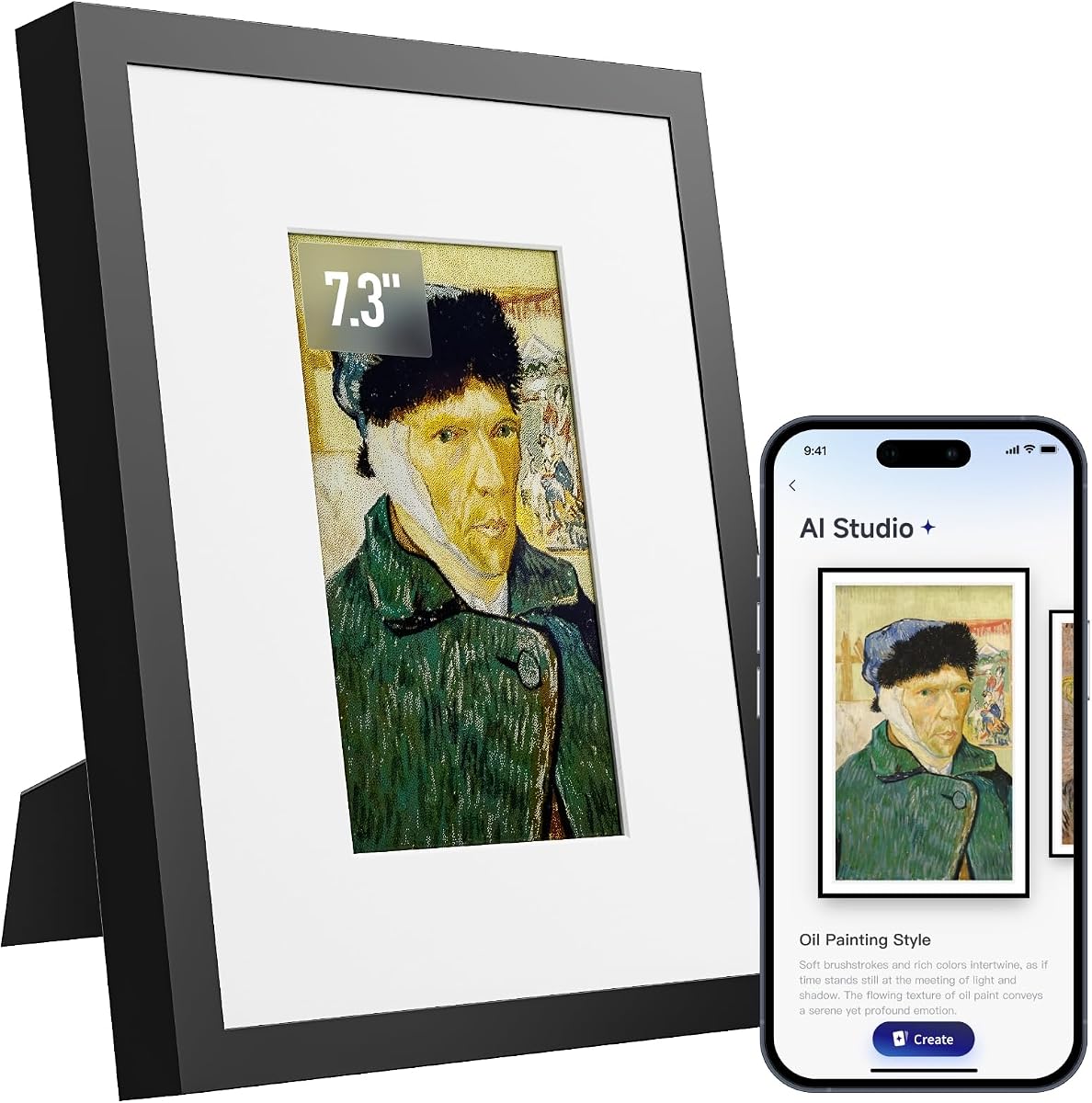
The 7.09 Inch AI-Powered frame is a compact choice for bedside tables. It lacks a user rating but offers strong technical specs for e-paper users. The AI image optimization automatically adjusts color and contrast for better viewing of all photos.
We may earn a commission when you buy through this link, at no additional cost to you.
Its wooden frame design blends seamlessly with home decor styles. The e-paper screen consumes almost zero power for static images so battery life is excellent. The lack of backlight ensures no glare even in bright sunlight.
The main limitation is the small size which limits detailed photo viewing. There is no touchscreen so you must use the app for changes. This suits users who prefer a minimal display with automated adjustments.
This frame is best for personal desks or nightstands where size matters. The AI tuning ensures photos look good without manual edits. If you want a subtle frame that enhances your home decor while displaying memories, this is a great pick.
Dedicated AI tuning adjusts color and contrast to restore the original atmosphere of your memories.
A handmade wooden frame adds an artistic touch suitable for various home decoration styles.
We may earn a commission when you buy through this link, at no additional cost to you.
The Digital Picture Frame 10.1 is designed with simplicity in mind for seniors. Rated 4.5 stars, it features large fonts and a sensitive touch screen for easy navigation. The auto brightness adjusts to ambient light for comfortable viewing day and night.
We may earn a commission when you buy through this link, at no additional cost to you.
Its primary strength is the trusted AiMOR app which ensures secure sharing. It supports up to 128GB SD card expansion so you never run out of space. The auto rotate feature adapts to the frame orientation so you never see photos sideways.
One downside is the 15 second video upload limit similar to other budget frames. The resolution is standard HD but sufficient for family photos. These minor limits are acceptable for a device focused on reliability and ease of use.
This frame is perfect for parents who need a simple and safe display. It is a thoughtful gift that keeps them connected with distant family. If ease of use is your top priority, this model delivers a smooth experience.
Large fonts and sensitive touch controls make it easy for everyone to enjoy photos.
The trusted app ensures secure and private sharing so your precious moments stay safe.
We may earn a commission when you buy through this link, at no additional cost to you.
Choosing the right digital frame depends on your specific needs for display quality, connectivity, and storage. This guide breaks down the key factors to consider before you buy.
The display determines how your photos look. IPS screens offer vibrant colors and high resolution but use backlight which can be glaring. Electronic ink screens mimic paper and reduce eye strain but have lower resolution and muted colors. If you want crisp colors choose IPS. If you want a paper look choose e-ink.
Consider your viewing distance. High resolution screens are great for close viewing while e-ink is best for wall decor viewed from afar.
Modern frames offer AI tools to enhance your photos. Look for features like photo to video motion or colorization of old images. Some frames generate artwork from text prompts. These features add value but often use credits or subscriptions.
Decide if you need advanced AI or just a simple photo viewer. The AI frames offer creative fun while standard ones focus on reliability.
Storage is critical for holding your memories. Internal memory varies from 16GB to 64GB. Higher capacity allows more photos locally. Cloud storage expands this indefinitely but may require a subscription.
Choose a frame with at least 32GB or cloud support if you plan to share many photos frequently. This ensures you won't run out of space quickly.
WiFi is the standard for sharing photos remotely. Ensure the frame supports your home network. Some frames also support USB or SD card transfer for those without WiFi.
Check if the frame has a dedicated app that is user friendly. Secure sharing ensures only invited people can send content.
Most frames are plugged in but some offer battery power. E-ink frames often last months on battery due to low power use. Standard LCD frames usually stay plugged in.
If you want to place the frame anywhere without wires look for a wireless model with a rechargeable battery.
The interface should be intuitive. Touch screens are easier to navigate than buttons. Look for features like auto rotate and auto brightness to reduce manual adjustments.
For seniors prioritize frames with simple apps and large controls. Setup should be quick with clear instructions.
Digital frames store personal memories so privacy is vital. Look for models with secure sharing and encryption. GDPR or CCPA compliance indicates data protection standards.
Choose frames where you control who can upload photos. This prevents unauthorized access to your family album.
Prices range from budget friendly to premium. Higher cost often means better screen or more AI features. Determine how many features you need versus basic photo display.
Read reviews to ensure the value matches the price. A cheaper frame with good connectivity may be better than a costly one with issues.
Start by setting up the frame according to the instructions. Connect it to WiFi using the mobile app on your phone. If the frame has battery power ensure it is fully charged before first use.
Invite family members to share photos via the app. You can create albums to organize memories or set a slideshow. Use the touch screen to adjust settings like brightness or volume.
Keep the screen clean with a soft dry cloth. Avoid touching electronic ink screens with sharp objects. Regular updates from the manufacturer may improve performance so keep the app installed.
The Frameo 10.1 Inch is highly recommended for seniors due to its simple interface and secure sharing. It allows family to send photos without complex settings.
Many frames like Magic Frame include initial credits but may charge for additional videos. Always check the included credit limit before buying to avoid extra costs.
Use the dedicated app to connect to WiFi and send photos from your phone. Some frames also support USB or SD card for direct uploads without internet.
Yes some models support SD card or USB transfer. You can load photos manually and display them without an internet connection if needed.
LCD screens have bright colors and high resolution. E-ink screens look like paper and save battery but have lower resolution and muted tones.
No many frames like Magic Frame include free unlimited storage. Others may have limits or require a subscription for cloud features so check the product details.
With proper care a frame can last several years. Battery models may need replacement after a few years. Warranty coverage varies by brand.
Yes most frames support video uploads. App uploads are usually limited to short clips like 15 seconds. Longer videos can be transferred via SD card.
We have explored the top ten digital frames available in October 2026. From the AI art capabilities of SwitchBot to the photo animation of Magic Frame there is a device for every need.
Consider your priority whether it is battery life screen size or smart features. Frames with e-ink offer a unique look while LCDs provide vibrant photos. Always check cloud and local storage to fit your family size.
Prices and availability change so verify current details before purchasing. We hope this guide helps you find the perfect frame to display your cherished memories and art.