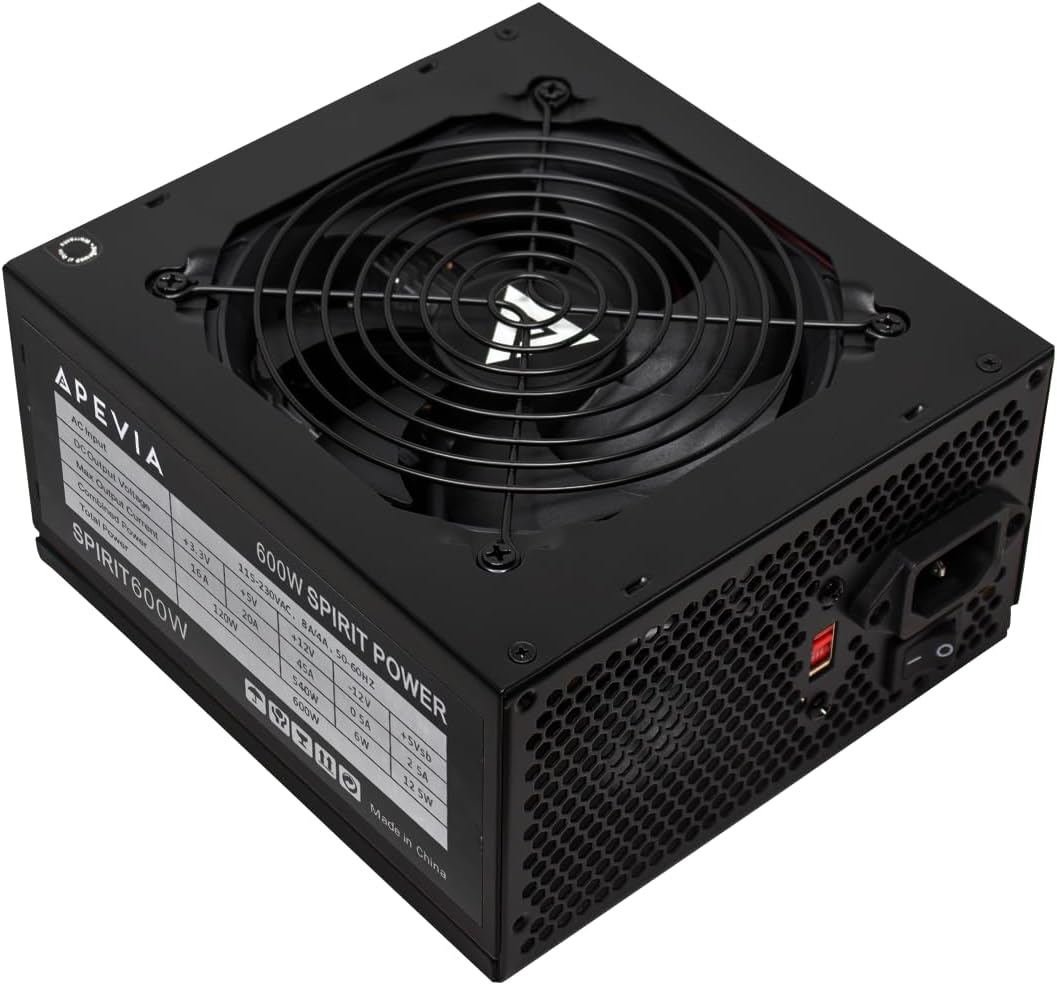
Apevia SPIRIT600W Spirit 600W ATX Power Supply
4.3Editor score
Six hundred watt capacity
Multiple protection systems
Standard ATX connectors
This guide compares the top budget power supplies for gaming PCs based on efficiency, reliability, features, and value to help you choose the right unit.
Choosing a budget power supply for gaming PCs requires balancing cost with reliability and performance. A good unit ensures your components receive stable power without unnecessary expense. It must fit your system while providing enough wattage for current and near-future hardware.
We evaluated ten highly-rated power supplies focusing on efficiency ratings, protection features, and build quality. Each product offers distinct advantages whether you need basic functionality or advanced connectors. The list covers various wattages to suit different gaming configurations and budget constraints.
Each pick highlights key specs, pros, and cons to help you decide quickly. Prices and availability change frequently so check current listings before buying. Our goal is to provide clear information for building a solid gaming PC foundation.
4.3Editor score

4.4Editor score

4.6Editor score
The following table compares all ten budget power supplies side by side. Review key specifications like wattage, efficiency rating, connector types, and warranty terms to find the best match for your gaming PC build needs and budget.



The Apevia SPIRIT600W offers solid performance for entry-level gaming builds. It provides 600W continuous power with a standard ATX form factor. Its protection suite includes short-circuit and over-voltage safeguards for basic component safety.
We may earn a commission when you buy through this link, at no additional cost to you.
This unit features auto-thermally controlled fan cooling to manage heat during operation. The split connectors allow compatibility with motherboards requiring 20pin or 4pin CPU power. It supports single 12V output for higher power usage on dedicated graphics cards.
Trade-offs include lack of advanced efficiency certifications and non-modular cabling. These limitations are acceptable given the low cost. Users prioritizing budget over premium features will find this reliable enough for standard systems.
Buy this if you need a no-frills power supply for basic gaming rigs. It delivers dependable power for CPUs and GPUs within its wattage limits. Always verify system requirements before installation to ensure stability.
Split connectors adapt to various motherboard needs without extra adapters.
Multiple protection mechanisms guard against electrical faults and surges.
We may earn a commission when you buy through this link, at no additional cost to you.
Thermaltake SMART 600W delivers consistent power with 80 Plus efficiency. It meets Intel ATX 12V V2.31 and EPS 12V standards for broad compatibility. The active PFC ensures stable performance across different load conditions.
We may earn a commission when you buy through this link, at no additional cost to you.
Its 12V rail handles demanding system loading effectively. Hold up time meets minimum standards for reliable system operation. The industry-grade protections cover over-power and short-circuit scenarios thoroughly.
Non-modular design means some cable clutter inside cases. This affects aesthetics but not performance significantly. For users focused on function rather than form this remains a strong option.
Select this unit for balanced performance and value in gaming setups. It suits mid-range builds needing reliable power without premium pricing. Check case clearance for cable routing before installation.
80 Plus certification ensures efficient energy conversion during typical loads.
Multiple safeguards prevent damage from electrical irregularities or surges.
We may earn a commission when you buy through this link, at no additional cost to you.
ARESGAME AGV Series 500W provides reliable power for entry-level gaming. Its 80 Plus Bronze certification delivers over 85 percent efficiency under typical loads. The five year warranty reflects confidence in long-term durability.
We may earn a commission when you buy through this link, at no additional cost to you.
This power supply uses all black cables for better visual consistency inside cases. The 120mm ultra quiet fan ensures excellent cooling without excessive noise. It protects against common electrical issues with heavy-duty safeguards.
Lower wattage limits high-end GPU compatibility significantly. Non-modular design may lead to excess cable length. These are minor issues for budget builds focused on stability.
Buy this for compact or low-power gaming systems. It handles standard hardware without issues while keeping costs low. Always check system requirements match the 500W output capacity.
Bronze certification ensures efficient power usage across typical gaming loads.
Large fan maintains low noise while providing effective thermal management.
We may earn a commission when you buy through this link, at no additional cost to you.
MSI MAG A750GL PCIE5 supports the latest ATX 3.1 and PCIe 5.1 standards. This future-ready design includes native 12V-2×6 cable for modern high-performance GPUs. Gold efficiency ensures minimal waste during high-load gaming sessions.
We may earn a commission when you buy through this link, at no additional cost to you.
Fully modular design allows custom cable routing for cleaner builds. The compact form factor fits various case sizes effectively. A ten year limited warranty guarantees long-term reliable operation.
Higher cost might exceed strict budget limits significantly. Compatibility with older systems requires verification of connector types. These factors matter when prioritizing maximum upfront savings.
Choose this for next-generation builds needing future compatibility. It handles demanding hardware with stability and efficiency. Ensure your case supports ATX 3.1 before purchasing this unit.
Native ATX 3.1 and PCIe 5.1 support modern GPU power delivery.
Ten year limited warranty ensures long-term operation protection.
We may earn a commission when you buy through this link, at no additional cost to you.
Segotep 650W delivers exceptional efficiency with 80 Plus Gold certification. It supports global voltage adaptation making it suitable for international use. Four PCI-E connectors allow flexible GPU configurations for gaming rigs.
We may earn a commission when you buy through this link, at no additional cost to you.
This unit uses non-modular design to reduce clutter while maintaining stable power delivery. Single 12V output ensures reliable amperage for demanding situations. Global voltage support adapts to worldwide electrical systems seamlessly.
Non-modular cables may limit optimal airflow in smaller cases. This requires careful planning during cable management. Users prioritizing airflow efficiency need to route cables carefully.
Buy this for international or high-efficiency builds. It handles high-demand situations with stability. Check case dimensions and cable routing before installation.
Global voltage adaptation allows worldwide electrical system compatibility.
Gold certification ensures high efficiency during typical gaming loads.
We may earn a commission when you buy through this link, at no additional cost to you.
ASRock PRO 750G offers modern ATX 3.1 and PCIe 5.1 compliance. It includes a native 12V-2×6 connector delivering up to 450W to GPUs. Gold efficiency reduces power waste while maintaining stable performance.
We may earn a commission when you buy through this link, at no additional cost to you.
This unit uses a 120mm low-noise fan optimized for quiet operation. Reliable power output handles mid to high-end configurations smoothly. Universal ATX form factor fits most standard cases easily.
Shorter warranty period compared to some competitors. Higher upfront cost may challenge strict budgets. These trade-offs matter when prioritizing maximum longevity.
Select this for systems with next-gen GPUs. It provides stable delivery for high-performance cards. Verify chassis space before purchasing this unit.
Native cable supports up to 450W direct GPU power delivery.
Up to 90% efficiency reduces waste during typical loads.
We may earn a commission when you buy through this link, at no additional cost to you.
MSI MAG A650BE offers semi-modular design for flexible cable management. It features 80 Plus Bronze certification and active PFC for reliable efficiency. Industrial level protections include over-voltage and over-temperature safeguards.
We may earn a commission when you buy through this link, at no additional cost to you.
Low-noise fan design keeps operation quiet during extended sessions. DC-DC circuit design ensures stable power delivery across rails. The five year warranty reflects confidence in product durability.
Some essential cables remain non-modular causing limited cable control. Bronze efficiency is standard for this price tier. These are reasonable trade-offs for semi-modular flexibility.
Buy this for balanced airflow and cable control. It suits mid-range gaming builds needing stable power. Always check case dimensions before installation.
Semi-modular design allows selective cable usage for cleaner builds.
DC-DC circuits ensure stable power delivery across system rails.
We may earn a commission when you buy through this link, at no additional cost to you.
MSI MAG A650BN uses non-modular compact design fitting smaller cases well. It features active PFC for efficient performance and low noise fan for quiet operation. Industrial level protection covers over-voltage and short-circuit issues.
We may earn a commission when you buy through this link, at no additional cost to you.
DC-DC circuit design ensures stable power delivery to components. The unit offers reliable output with five year warranty coverage. Compact build enables flexible integration into tight spaces.
Non-modular cables limit airflow management potential. Efficiency remains standard for this tier but adequate for many users. These are minor issues for compact systems.
Select this for small form factor builds needing reliable power. It balances cost with stability well. Verify case compatibility before purchase.
Non-modular compact form factor fits smaller PC cases easily.
Industrial level safeguards cover common electrical faults.
We may earn a commission when you buy through this link, at no additional cost to you.
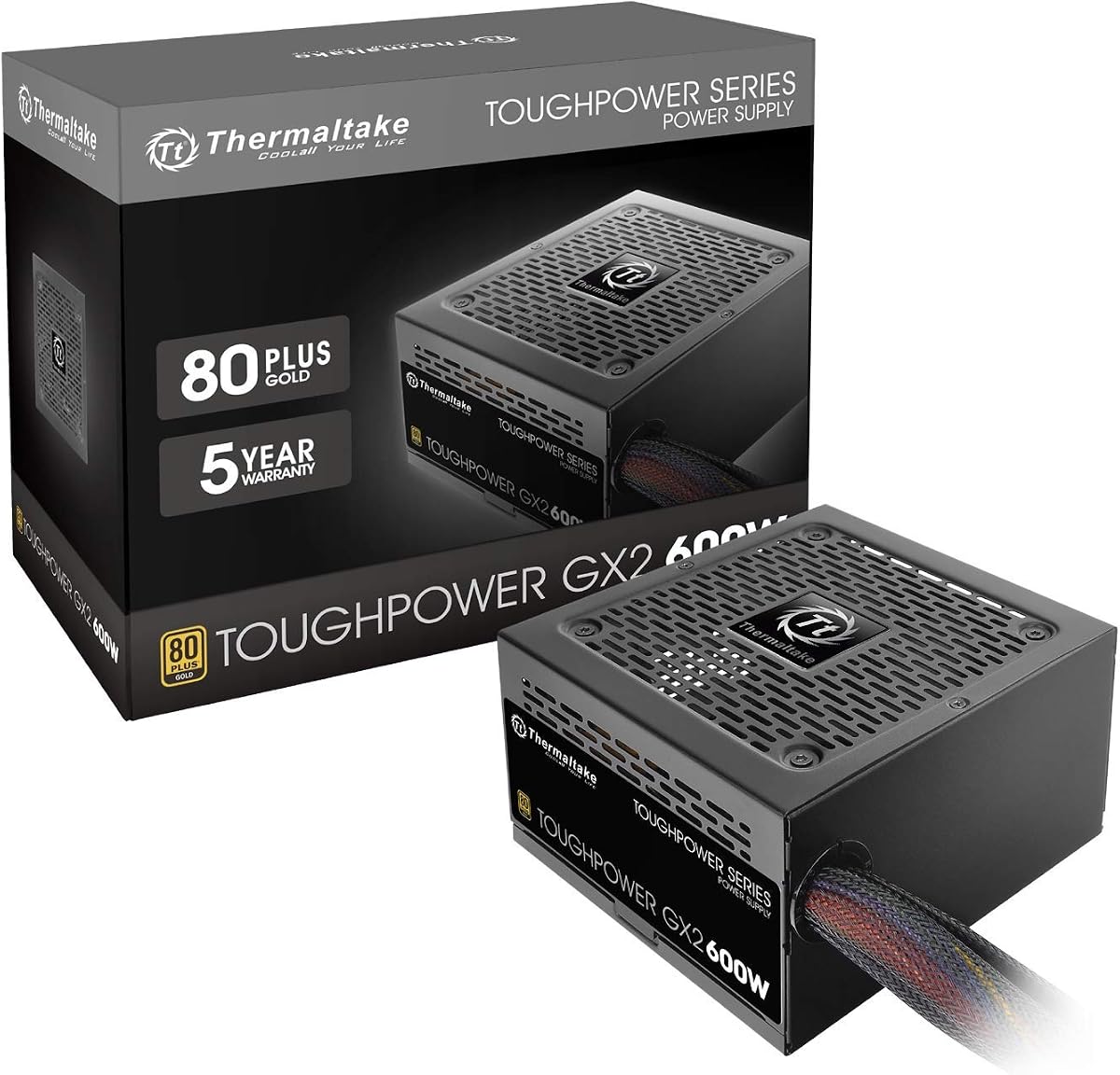
Thermaltake Toughpower GX2 delivers 80 Plus Gold efficiency up to 90 percent. Ultra quiet 120mm fan ensures silent operation during intense gaming. Single 12V rail design supports high GPU demands effectively.
We may earn a commission when you buy through this link, at no additional cost to you.
High-quality capacitors provide reliability and low ripple noise. The unit ensures power supply stability for performance-critical components. Five year warranty covers long-term operational issues.
Non-modular connectors limit aesthetic customization inside cases. Some protection features remain basic compared to modern standards. These are acceptable trade-offs for gold efficiency.
Buy this for quiet builds needing stable power. It suits SLI or Crossfire setups well. Verify connector needs before installation.
Ultra quiet fan ensures silent performance during extended sessions.
Low ripple noise ensures reliable operation for critical components.
We may earn a commission when you buy through this link, at no additional cost to you.
Rosewill VSB 650W features ATX 3.0 and 3.1 compatibility with PCIe 5.1 cable. Semi-modular design allows selective cable usage for cleaner airflow. Japanese capacitors ensure quality performance up to 105 degrees Celsius.
We may earn a commission when you buy through this link, at no additional cost to you.
Native PCIe 5.1 cable delivers 450W direct power to new GPUs. Up to 300% GPU power excursion handles sudden spikes. The ICB silent fan enhances thermal control effectively.
Basic efficiency rating might increase energy costs over time. Higher cost compared to basic models could challenge strict budgets. These are minor concerns for future-ready builds.
Select this for next-gen GPU builds on budget. It balances efficiency with compatibility well. Verify case clearance before purchase.
ATX 3.1 ready design supports next-gen GPU power standards.
Japanese capacitors ensure reliable thermal performance under load.
We may earn a commission when you buy through this link, at no additional cost to you.
Selecting the right budget power supply involves balancing wattage, efficiency, and reliability. This section covers essential factors to ensure you pick a unit that fits your gaming PC build needs.
Wattage determines the total power available to your system. For budget builds, 500W to 650W typically covers most mid-range configurations. Higher-end GPUs may need 750W or more to handle power spikes effectively.
Always check component requirements and add margin for future upgrades. Underpowered units risk instability during intensive gaming sessions.
Efficiency ratings like 80 Plus Bronze or Gold measure power conversion effectiveness. Higher ratings reduce wasted energy and heat generation. Bronze offers solid value for budget builds while Gold provides better long-term savings.
Prioritize efficiency for quieter operation and lower electricity costs. Standard Bronze units remain reliable for entry-level systems.
Connectors determine hardware compatibility. Standard ATX systems need 24pin motherboard and 4+4pin CPU power. Modern GPUs may require 12V-2×6 cables for best performance.
Verify your components need before selecting unit connector types. Native cables simplify installation and improve cable management.
Modularity affects airflow and aesthetic control. Non-modular units keep all cables attached leading to potential clutter. Semi-modular allows selective usage while fully modular offers maximum flexibility.
Choose semi or fully modular if you prioritize airflow and clean looks. Non-modular works fine if case space is generous.
Protection features like OVP, SCP, and OPP safeguard against electrical issues. Look for multiple protections to ensure component safety during surges. Industry-grade suites provide reliable system security against faults.
Avoid units lacking essential protections to reduce component failure risks. This is critical for long-term system stability.
Warranty terms reflect manufacturer confidence in product durability. Five to ten year coverage offers peace of mind for budget components. Check specific terms before purchasing to ensure proper coverage.
Prioritize longer warranties for better long-term protection. This helps offset potential replacement costs if issues arise.
Cooling fans impact noise levels and thermal management. Larger fans typically operate quietly while maintaining effective cooling. Low-noise designs help keep gaming sessions comfortable and distraction-free.
Choose units with optimized fans for balanced airflow and sound. Silent operation improves overall build experience significantly.
Case dimensions determine unit fitment. Standard ATX power supplies fit most mid-tower cases. Compact builds require smaller chassis to maintain flexible integration within tight spaces.
Measure case space before purchasing to ensure proper fit. This avoids return issues and simplifies installation.
Install the power supply in your case following manufacturer instructions. Ensure all cables are securely connected to components and the wall outlet. Proper cable routing improves airflow and reduces overheating risks.
Regularly clean dust from the fan and vents to maintain performance. Dust buildup can reduce cooling efficiency and increase noise. Use compressed air to remove debris without damaging internal components.
Monitor system temperatures during gaming to ensure stable operation. High temps may indicate airflow issues or inadequate power delivery. Adjust fan settings or replace thermal paste if needed to maintain performance.
Most budget gaming PCs require between 500W to 650W for stable operation. This range supports mid-range CPUs and GPUs without excessive power waste. Check your components requirements to ensure proper headroom for upgrades.
Gold efficiency is not strictly necessary but offers better energy savings. Bronze units provide solid value for budget systems. Choose based on long-term power cost priorities and noise requirements.
Modular units improve airflow and cable management significantly. If aesthetics matter to you they are worth the premium. For budget builds non-modular units work fine if you manage cables carefully.
Budget units typically last three to five years with proper care. Quality components and good ventilation extend lifespan. Always check warranty terms for peace of mind against failures.
Check if your old PSU meets wattage and connector needs for the GPU. Newer cards often require 12V-2×6 connectors. If specs don't match consider upgrading to avoid instability.
Higher efficiency units generate less heat reducing cooling fan workload. Less heat means quieter operation over time. Gold units may be slightly quieter than Bronze ones.
Our top picks include the Apevia SPIRIT600W for budget value, ARESGAME AGV for reliability, and MSI MAG A750GL for future-ready features. Each offers distinct advantages depending on your needs and priorities.
Prioritize wattage and connector compatibility first to ensure system stability. Look for essential protections and warranty terms that match your build expectations. These factors outweigh aesthetics for most gaming setups.
Prices and availability change frequently so always check current listings before buying. Verify your system requirements match the unit specifications. This ensures your gaming PC runs reliably without unexpected issues.