
SANSUI 24.5 Inch 300hz 240hz
4.5Editor score
240Hz/300Hz Refresh Rate
Fast IPS Panel Technology
Multiple DisplayPort 1.4 Inputs
Finding the right display can significantly impact your performance in fast-paced shooters like Valorant. High refresh rates ensure smooth visuals, giving you a competitive edge during intense firefights.
We evaluated ten monitors based on their refresh rates, response times, panel technology, and overall build quality. Our goal is to highlight models that deliver minimal input lag and crisp motion clarity.
Each selection below showcases key specs and real-world performance benefits for competitive gaming. Please note that pricing and availability may fluctuate, so check current listings before purchasing.
4.5Editor score
4.5Editor score

4.8Editor score
As an Amazon Associate we earn from qualifying purchases.
The following table provides a side-by-side overview of key specifications for all ten monitors, helping you quickly identify the best fit for your specific gaming needs and budget.




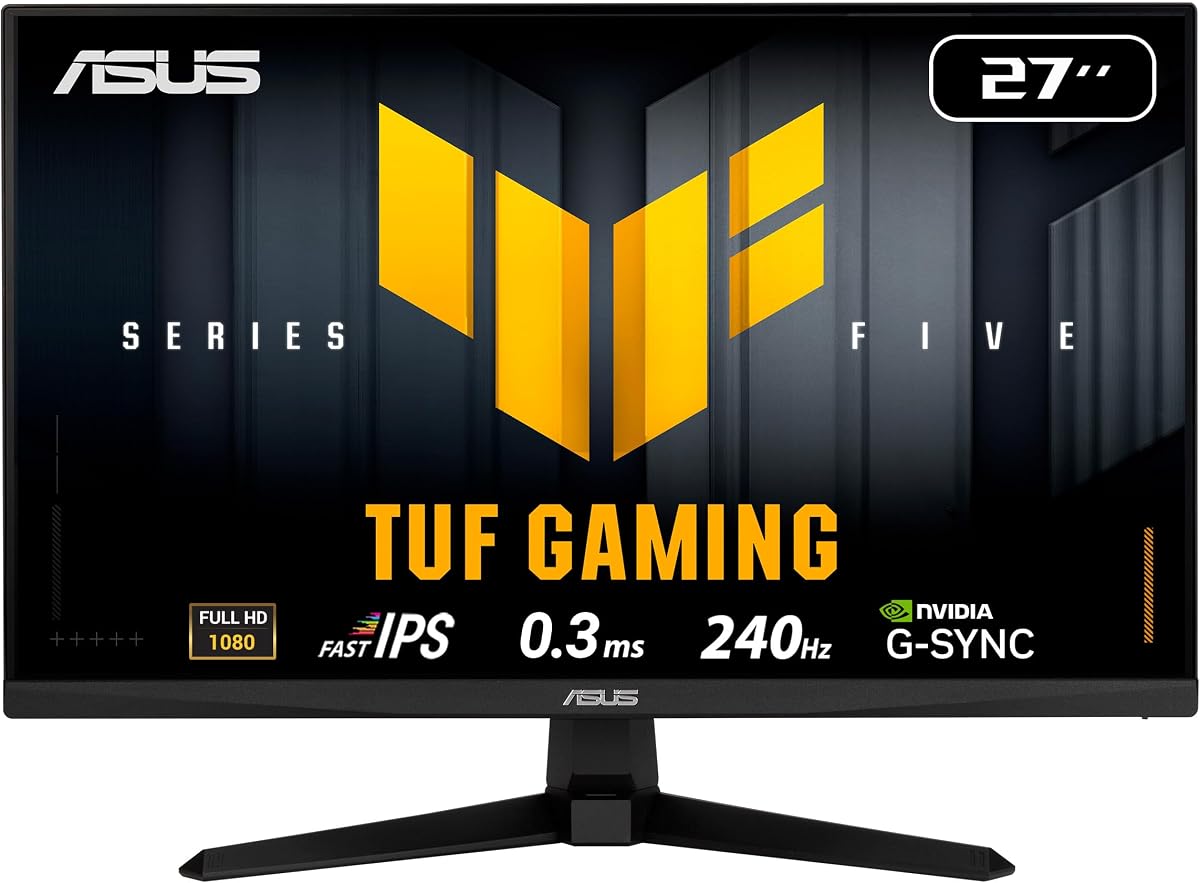
The ASUS TUF VG279QM5A stands out as a top contender for competitive Valorant players. With a strong rating and Fast IPS technology, it delivers sharp visuals and quick reactions essential for FPS gaming.
We may earn a commission when you buy through this link, at no additional cost to you.
Its 240Hz refresh rate combined with a minimal 0.3ms response time ensures minimal motion blur. Adaptive Sync technology keeps gameplay smooth, while ELMB SYNC helps eliminate ghosting effects during intense movement.
While the stand does not offer height adjustment and lacks USB ports, these trade-offs are minimal given the performance focus. The overall build quality ensures durability for daily rigorous gaming sessions.
Anyone seeking a reliable display with proven competitive specs will appreciate this monitor. It balances high refresh rates with color fidelity, making it a solid long-term investment for serious gamers.
ELMB SYNC technology eliminates ghosting without sacrificing variable refresh rate benefits for a cleaner visual experience.
99% sRGB coverage ensures that enemy models and environmental details stand out clearly against backgrounds.
We may earn a commission when you buy through this link, at no additional cost to you.
This SANSUI model offers exceptional value for gamers prioritizing refresh rate on a budget. The 300Hz capability ensures incredibly fluid motion, which is crucial for tracking fast-moving targets in competitive shooters.
We may earn a commission when you buy through this link, at no additional cost to you.
It features a Fast IPS panel for wider viewing angles and decent color performance. Multiple DisplayPort 1.4 inputs allow flexible connections, ensuring you can run the monitor at full speed without bandwidth issues.
The stand tilt range is limited, and there are no onboard speakers, which is typical for this price class. However, the focus remains on raw performance and cost-effectiveness rather than extra amenities.
Budget-conscious players wanting high refresh rates will find this monitor compelling. It provides a direct competitive advantage through speed, making it an excellent entry point into high-performance gaming displays.
Up to 300Hz refresh capability ensures smooth motion even in high FPS scenarios for maximum fluidity.
Dual DisplayPort inputs support high refresh rates simultaneously for versatile setups or multi-monitor configurations.
We may earn a commission when you buy through this link, at no additional cost to you.
The MSI MAG 274CF X24 brings premium features to a competitive gaming display. With a Rapid VA panel and AI Vision technology, it offers superior contrast and brightness in dark scenes compared to standard IPS monitors.
We may earn a commission when you buy through this link, at no additional cost to you.
Its 240Hz refresh rate paired with a minimal response time ensures sharp visuals. FreeSync Premium support reduces tearing, while HDR readiness enhances the overall visual fidelity of the gaming environment.
While the inclusion of a VGA port is outdated and USB ports are absent, the core performance specs make up for these omissions. The high rating reflects user satisfaction with its picture quality.
Gamers looking for rich blacks and vibrant colors in their setup should consider this premium option. It balances competitive performance with high-quality image rendering for an immersive experience.
AI Vision technology reveals details in dark areas and enhances brightness for better visibility in shadowed corners.
VA panel technology provides deeper blacks and higher contrast ratios than typical IPS screens.
We may earn a commission when you buy through this link, at no additional cost to you.
The Dell SE2426HG is designed with eye comfort in mind, making it ideal for long gaming sessions. With TUV Rheinland 3-Star certification, it effectively reduces blue light without compromising color accuracy or visual quality.
We may earn a commission when you buy through this link, at no additional cost to you.
Its Fast IPS panel provides quick response times and vivid colors. AMD FreeSync Premium ensures smooth gameplay by synchronizing the refresh rate with the GPU, minimizing stutter and tearing effects.
The stand is basic with only tilt adjustments and lacks height or swivel capabilities. However, the strong brand reliability and focus on eye health make it a trustworthy choice for daily use.
Players who prioritize comfort during extended play will appreciate the certified eye protection features. It offers a balanced mix of performance and health-conscious design at a competitive price point.
TUV certification ensures blue light reduction helps prevent eye strain during long daily gaming sessions.
99% sRGB coverage ensures natural looking colors for both gaming and casual content consumption.
We may earn a commission when you buy through this link, at no additional cost to you.
This AOC monitor stands out for its QHD resolution, offering a sharper image than standard FHD options. The overclocked 260Hz refresh rate ensures fluid motion, while the 0.3ms response time maintains sharp edges during rapid movement.
We may earn a commission when you buy through this link, at no additional cost to you.
NVIDIA G-SYNC compatibility provides a tear-free experience for NVIDIA GPU users. The frameless design enhances immersion, and tilt adjustments allow for better viewing angles during gameplay.
Driving QHD at high refresh rates requires a powerful graphics card, which may be a consideration for some buyers. However, the visual clarity gained is a significant benefit for tactical gaming scenarios.
Players seeking high resolution alongside high refresh rates will find this model rewarding. It bridges the gap between crisp visuals and competitive performance effectively for demanding setups.
QHD resolution provides extra screen real estate and sharper textures compared to standard 1080p displays.
NVIDIA G-SYNC support ensures smooth performance without screen tearing on compatible NVIDIA graphics cards.
We may earn a commission when you buy through this link, at no additional cost to you.
The Amzfast 24" Curved monitor offers a unique design focused on desk efficiency. Its ultra-slim base allows for under-keyboard storage, maximizing workspace while providing a competitive 240Hz refresh rate for smooth visuals.
We may earn a commission when you buy through this link, at no additional cost to you.
The curved VA panel enhances immersion and offers high contrast for deeper blacks. Game modes and black level adjustments help optimize visibility for different scenarios, ensuring targets are easily spotted.
Since it lacks an official review rating, buyers should consider the specific panel type preferences. The curved design is not for everyone, but it can improve focus and reduce eye strain over long sessions.
Gamers with limited desk space who want a compact solution will appreciate this monitor. It balances performance with physical footprint, making it suitable for smaller setups without sacrificing refresh speed.
The ultra-slim base allows storage underneath for keyboards, freeing up valuable desktop surface area.
Curved screen wraps around the view to increase focus and immersion during gameplay.
We may earn a commission when you buy through this link, at no additional cost to you.
This AOC model delivers overclocked speed at an attractive price. Its native 240Hz refresh rate can be boosted to 260Hz, ensuring fluid motion that keeps up with fast-paced competitive titles like Valorant.
We may earn a commission when you buy through this link, at no additional cost to you.
The IPS panel provides consistent colors from various angles, while adaptive sync prevents visual tearing. Flicker-free technology reduces eye strain, making it a comfortable choice for extended gaming sessions.
The stand offers only tilt adjustments, which is a limitation for ergonomic setups. However, the strong performance and budget-friendly nature make it a highly recommended option for value seekers.
Anyone looking for extra frame rate potential without a high cost should consider this display. It proves that high-speed performance is accessible even for players with moderate budgets.
Up to 260Hz overclocking over HDMI and DisplayPort provides extra fluidity beyond standard 240Hz limits.
Power-efficient design keeps energy usage low while maintaining high performance for gaming.
We may earn a commission when you buy through this link, at no additional cost to you.
The SANSUI 24 Inch Curved combines high contrast with a competitive refresh rate. Its 3000:1 contrast ratio ensures deep blacks, while the curved screen enhances immersion during intense gameplay moments.
We may earn a commission when you buy through this link, at no additional cost to you.
With 124% sRGB coverage, colors appear vivid and accurate. Game modes like shadow booster help visibility in dark maps, ensuring you don't miss critical details in dimly lit environments.
The stand allows only limited tilt, and there are no onboard speakers. However, the strong contrast and color coverage are rare at this price point, offering a visually rich experience.
Gamers who value visual depth and color vibrancy should consider this model. It offers a compelling alternative to standard flat panels without breaking the budget.
3000:1 contrast ratio provides deeper shadows and clearer details in low-light scenes.
High sRGB and DCI-P3 coverage ensures bright and accurate color reproduction for immersive visuals.
We may earn a commission when you buy through this link, at no additional cost to you.
This ASUS TUF monitor stands out with its ergonomic stand that offers height adjustment. This feature allows users to customize the viewing position for better comfort during long sessions without neck strain.
We may earn a commission when you buy through this link, at no additional cost to you.
The 240Hz refresh rate and Fast IPS panel ensure quick reactions and accurate colors. G-SYNC compatibility and ELMB SYNC work together to eliminate tearing and motion blur for sharp gameplay.
While it is priced slightly higher than some budget options, the ergonomic flexibility and solid warranty protection justify the cost. It is a robust choice for those prioritizing physical comfort.
Players who need precise screen positioning will find the height adjustment invaluable. It combines top-tier performance with practical design features that improve the overall gaming experience.
Height adjustable stand allows customization to reduce neck strain during marathon gaming sessions.
ELMB SYNC eliminates motion blur while keeping variable refresh rate enabled for smooth visuals.
We may earn a commission when you buy through this link, at no additional cost to you.
The ASUS TUF VG259QM5A offers a sweet spot with its 25-inch form factor. It delivers the speed of a 240Hz refresh rate with a 0.3ms response time, ensuring competitive visuals for FPS games.
We may earn a commission when you buy through this link, at no additional cost to you.
Its Fast IPS panel provides vivid and accurate colors, making it suitable for both gaming and general content. G-SYNC compatibility ensures smooth performance with NVIDIA GPUs without visible tearing or stutter.
The stand does not allow height adjustments, which is a trade-off for the compact design. However, the performance specs and strong color coverage make it a powerful choice for dedicated gamers.
Players who prefer a slightly larger screen without compromising response times will enjoy this model. It balances size and speed effectively for a comfortable yet competitive gaming environment.
25-inch size offers more screen real estate than 24-inch without overwhelming the desktop or desk space.
0.3ms GTG response ensures pixel transitions are nearly instantaneous for blur-free motion.
We may earn a commission when you buy through this link, at no additional cost to you.
Selecting the right monitor involves balancing performance specs, panel types, and ergonomic features to suit your playstyle and setup.
Refresh rate determines how many frames per second your monitor can display, while response time measures how fast pixels change color. For Valorant, a 240Hz refresh rate and under 5ms response time are crucial for tracking enemies smoothly.
Prioritize monitors with 240Hz+ refresh rates and sub-5ms response times to minimize motion blur and input lag during fast movement.
IPS panels offer better color accuracy and wider viewing angles, making them ideal for competitive gaming. VA panels generally provide higher contrast ratios but may suffer from slower pixel transitions.
Choose IPS for speed and color, or VA for deep blacks if you prefer darker environments and higher contrast.
Adaptive Sync technologies like G-SYNC and FreeSync synchronize the monitor's refresh rate with your GPU's output. This prevents screen tearing and stuttering, ensuring a seamless experience across different frame rates.
Look for G-SYNC or FreeSync Premium certification to ensure smooth visuals and prevent frame rate drops from affecting gameplay.
Adjustable stands with height, tilt, and swivel options allow you to position the screen for optimal viewing comfort. This reduces strain on your neck and eyes during long gaming sessions.
If you game for hours, prioritize models with height adjustable stands to maintain a comfortable posture.
Ensure the monitor supports the necessary ports to run at full speed. DisplayPort 1.4 is often required to reach 240Hz at higher resolutions or color depths.
Check that your GPU has the right port and that the monitor supports high refresh rates via that connection.
Resolution impacts image sharpness, while size affects immersion. For Valorant, 1080p is the competitive standard, but some players prefer 1440p for clarity if their GPU can drive it.
Stick to 1080p for maximum frames or 1440p if you have the hardware to support high refresh rates at that resolution.
A sturdy build ensures longevity, and a good warranty provides peace of mind. Look for models with solid frames and comprehensive manufacturer coverage to protect your investment.
Check warranty length and customer service reputation to ensure you're covered for any defects or issues.
Prolonged screen time can cause eye strain. Features like flicker-free technology and low blue light modes help mitigate these effects, allowing for longer and more comfortable play.
Select monitors with certified eye comfort features if you frequently play for extended periods.
Start by connecting your monitor via DisplayPort or HDMI to ensure it runs at its full refresh rate. Adjust your graphics card settings to match the monitor's maximum refresh rate to avoid capping your FPS unnecessarily.
Calibrate brightness and contrast settings to avoid eye strain. Use game modes if available to optimize visibility for dark or bright environments, ensuring enemy silhouettes are always clear.
Keep the screen clean with a microfiber cloth to prevent dust from affecting image clarity. Avoid touching the panel directly with sharp objects to maintain pixel integrity over time.
Yes, a 240Hz monitor significantly improves visual smoothness and reduces motion blur. This helps you track enemies more accurately and react faster to in-game events compared to standard 60Hz or 144Hz displays.
A response time of 5ms or lower is generally considered ideal. The faster the response time, the less motion blur and ghosting you will see during rapid movements in the game.
IPS panels are usually preferred for competitive gaming due to faster pixel response times and better color accuracy. VA panels offer better contrast but may have slower response times.
Yes, you need a strong PC to consistently hit high frame rates. If your PC cannot output 240 frames per second, you won't fully utilize the monitor's refresh rate.
You must connect via DisplayPort or HDMI and change the refresh rate setting in your operating system's display settings. Ensure your graphics drivers are updated to support the maximum frequency.
For competitive players, the investment is often worth it due to the performance edge. Casual gamers may find lower refresh rates sufficient depending on their playstyle and budget constraints.
ELMB SYNC is a technology that eliminates motion blur while allowing adaptive sync to remain active. It combines motion blur reduction with variable refresh rates for a cleaner image.
Yes, most gaming monitors work well for general productivity. However, ensure the text clarity and ergonomics suit your workflow if you plan to use it for long work hours.
The ASUS TUF VG279QM5A and SANSUI 24.5 Inch models stand out as top contenders for different reasons. Whether you prioritize raw speed, budget efficiency, or premium features, there is a monitor suited to your needs.
When making your final choice, consider your graphics card capabilities and desk space alongside your performance needs. Balancing these factors ensures you get the most out of your new setup.
Remember to check current pricing and availability as stock fluctuates. A quick look at today's listings can help you secure the best deal on your chosen competitive monitor.